


 Menu
MenuMenu


Get Sales Advice from Mon - Fri 9am - 5:00pm:
020 3337 8950LAST UPDATED: February 02, 2026
Buying a Gaming Laptop in 2026? Future-Proof Upgrades You’ll Still Appreciate in 2028
Buying a gaming laptop has never been harder or more expensive than it is in 2026. Specs look incredible on paper, model names change every year, and marketing loves to shout about "next-gen" features that may or may not matter two years down the line. The real question isn't what runs games today, but what will still feel smooth, capable, and worth owning in 2028.
A future-proof gaming laptop isn't about buying the most expensive machine available. It's about choosing the right components now, especially the ones you can't upgrade later so that newer games, heavier updates, and evolving engines don't force you into an early replacement. Whether you're chasing competitive frame rates, playing AAA releases, or you're a creator who games on the side, the goal is the same: buy once, upgrade smartly, and enjoy it for years.
This guide breaks down how to do that. Instead of chasing brand names or headline specs, we'll focus on what actually ages well, which upgrades you'll still appreciate in 2028, and where you can save money without regret.
Pick Your Gaming "Future" in 2 Minutes
Before you compare GPUs or obsess over refresh rates, you need clarity on how you'll use your laptop over time. The best gaming laptops aren't universal; they're chosen with intent.
What You Play: Esports, AAA, or Creator-Gamer
Your gaming habits define your upgrade priorities. Competitive esports players value high refresh rates and consistent frame times more than raw graphical power. AAA players need stronger GPUs with more VRAM to handle modern engines, ray tracing, and higher resolutions. Creator-gamers sit somewhere in the middle, needing GPU power for gaming but also CPU strength and memory headroom for editing, streaming, or rendering.
This is why recommended gaming laptops vary so much. A machine perfect for Valorant and CS2 can feel underpowered in two years if you suddenly move into heavier single-player titles or content creation.
Your Screen and Portability Priorities
A 16-inch laptop with a 1440p or 1600p display is becoming the sweet spot for gaming laptops in 2026. It offers a meaningful jump in clarity over 1080p without the performance and battery penalties of 4K. If you plan to use external displays, checking support for modern gaming monitors and high-bandwidth ports becomes just as important as the built-in screen.
Portability also matters more than most buyers expect. Heavier laptops often cool better, but if it's painful to carry, it'll spend more time on a desk than intended. Future-proofing includes choosing a form factor you'll enjoy using long-term.
How Long You Plan to Keep It
This is the most overlooking thought. If you plan to keep your laptop for four or five years, spending more on a stronger GPU, extra VRAM, and upgradeable memory makes sense. If you upgrade every two years, you can afford to be more conservative. A gaming laptop upgrade guide only works if it's aligned with your ownership timeline.
Buy the Parts You Can't Upgrade Later
One of the biggest mistakes buyers make is overspending on parts they could upgrade later, while compromising on parts they're stuck with for the life of the laptop.
Non-Upgradeable Components That Matter Most
The GPU is the single most important non-upgradeable component. In 2026, laptops built around RTX 50 series laptops are far better positioned for longevity thanks to stronger ray tracing performance, DLSS improvements, and frame generation support. Performance tier matters more than naming a well-cooled RTX 5070 can age better than a poorly cooled higher-tier GPU.
Displays also fall into this category. Choosing an OLED gaming laptop or a mini-LED gaming laptop isn't just about visuals today; it's about daily comfort, colour accuracy, and brightness consistency over years of use.
Specs You Can Upgrade Later
RAM and storage are where smart buyers save money upfront but only if the laptop allows it. Many good gaming laptops still ship with 16GB RAM, but 32GB RAM gaming laptop configurations are increasingly the sweet spot for 2026-to-2028 gaming, especially for open-world titles and multitasking.
SSD upgrades are even easier. A laptop with spare NVMe slots lets you add capacity later or pair internal storage with an external SSD for game libraries and capture files.
The Top Regrets to Avoid
The most common regret is buying a powerful GPU paired with insufficient VRAM, which limits performance sooner than expected. Another is choosing a thin chassis with weak cooling; no spec sheet can compensate for sustained thermal throttling. Lastly, laptops with soldered RAM and no expansion options often age poorly, even if they look attractive at checkout.
GPU First: The Upgrade You'll Still Feel in 2028
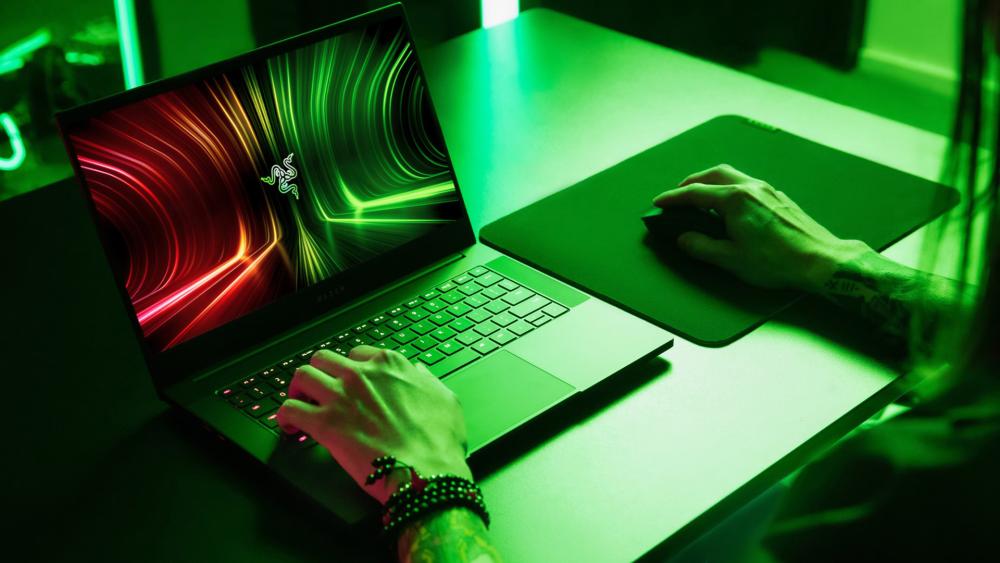
If there's one component that determines how long a gaming laptop stays relevant, it's the GPU. You can add storage, upgrade RAM, and tweak settings, but once GPU performance falls behind, the entire system feels dated.
Performance Tier Matters More Than the Name
In 2026, it's easy to get distracted by branding alone. What actually matters is the performance tier and cooling behind the GPU. A well-cooled RTX 5070 or RTX 5080 will age far better than a higher-tier chip constrained by thin cooling or aggressive power limits.
Modern engines are increasingly GPU-bound, especially with ray tracing, physics-heavy worlds, and AI-driven effects. Choosing from next-gen RTX laptop graphics isn't about maxing sliders today; it's about staying playable at sensible settings in 2028.
VRAM Headroom Is the Silent Lifespan Killer
VRAM is where many otherwise powerful gaming laptops fall short. In 2026, 12GB VRAM should be considered the minimum if you plan to keep your laptop beyond two years. Newer games increasingly stream higher-resolution textures, larger worlds, and more detailed lighting data.
Running out of VRAM doesn't just lower FPS; it causes stutter, texture pop-in, and unstable frame pacing. That's why buyers looking for a future-proof gaming laptop should prioritise VRAM capacity just as much as raw GPU power.
Upscaling and Frame Generation Support
Technologies like DLSS and frame generation are no longer optional extras; they're core to how modern games perform. RTX 50 series laptops are expected to handle newer versions of DLSS more efficiently, helping GPUs punch above their weight as games become more demanding.
In simple terms: GPUs with better AI upscaling support age more gracefully than those relying purely on brute force.
CPU: Get "Enough" and Spend Smarter
Unlike GPUs, CPUs don't need to be overkill to last. The goal in 2026 isn't to chase the highest boost clock; it's to choose a processor that won't bottleneck your GPU or throttle under sustained load.
H vs HX: Who Actually Needs What
H-series CPUs are ideal for most gamers. They balance performance and power efficiency, making them easier to cool and better suited to portable gaming laptops. HX processors deliver higher peak performance, but they also generate more heat and demand stronger cooling.
If you're primarily gaming, an H-series chip paired with a strong GPU is often the smarter long-term choice. HX CPUs make more sense for creators who game, streamers, or users running heavy workloads alongside gaming.
Gaming, Streaming, and Editing Considerations
Modern games don't fully saturate high-core-count CPUs, but background tasks do. Streaming, voice chat, capture software, and browser tabs all add up. That's why CPUs with strong single-core performance and efficient multi-core handling age better than older designs.
Why Thermals Beat Boost Numbers
A CPU that boosts high for a few seconds, but throttles under load will feel slower than a slightly lower-clocked chip that stays cool. Strong cooling design matters more than marketing numbers, especially if you're gaming for hours at a time.
RAM and Storage: Keep It Fast for Years
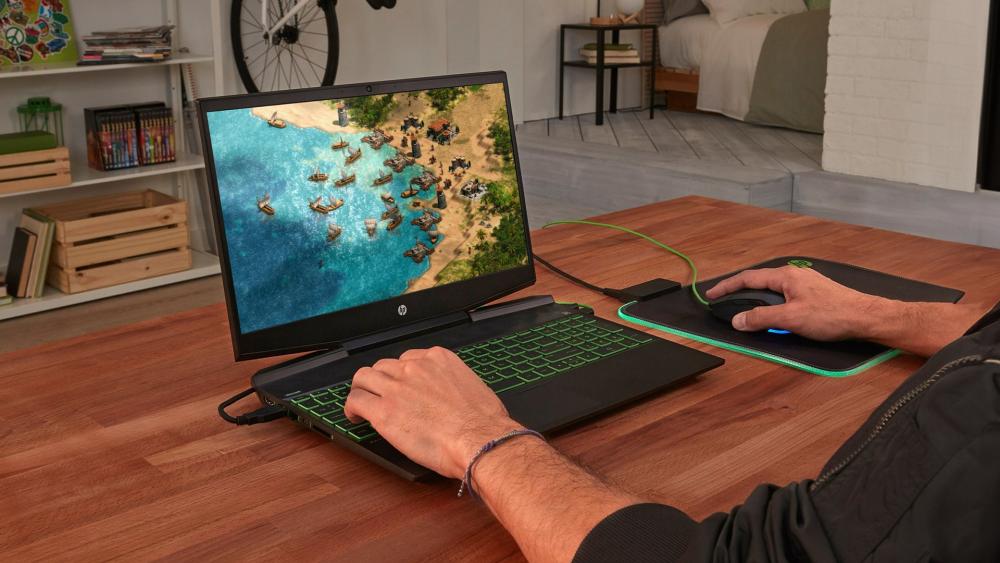
Memory and storage are where future-proofing becomes practical, not expensive.
16GB vs 32GB vs 64GB
In 2026, 16GB is the baseline but it's no longer ideal for longevity. A 32GB RAM gaming laptop offers smoother 0.1% lows, better multitasking, and fewer stutters in newer titles. It's particularly valuable for open-world games and creator workloads.
64GB is overkill for most gamers, but useful if you're editing high-resolution video or working with large datasets alongside gaming.
Upgrade Checks You Should Always Make
Before buying, confirm:
- Whether RAM is upgradeable or soldered
- The maximum supported capacity
- Whether dual-channel memory is supported
Laptops with accessible upgradeable laptop RAM options age far better than sealed designs.
SSD Setup That Won't Run Out
A minimum of 1TB NVMe storage is sensible in 2026, but the real win is having a second M.2 slot. Games are getting larger, and juggling installs kills the experience. Pairing internal storage with an external SSD is also a clean way to expand without opening the chassis.
Display Upgrades You Notice Every Day

The screen is the part you interact with constantly and it's one of the hardest things to "upgrade" later.
1080p vs 1440p / 1600p
1080p is still playable, but it's no longer ideal on 16-inch displays. 1440p or 1600p panels strike the best balance between clarity and performance, especially when paired with modern GPUs and DLSS.
OLED vs Mini-LED
An OLED gaming laptop delivers unbeatable contrast, instant pixel response, and vibrant colours perfect for immersion and creators who game. Mini-LED panels offer higher sustained brightness and better HDR performance, making them great for bright rooms and competitive play.
Both options age better than standard IPS panels, especially for users keeping their laptop long-term.
Brightness, VRR, and Response Time
Look for:
- At least 400–500 nits brightness
- Variable Refresh Rate (G-SYNC or FreeSync)
- Fast response times to reduce ghosting
These features improve comfort just as much as performance.
Ports and Wireless: Future-Proof Convenience
Connectivity rarely sells laptops until you don't have it.
Modern gaming laptops should support HDMI 2.1 for external displays, USB-C or USB4 for docks and fast storage, and reliable wireless. Wi-Fi 7 isn't essential for everyone yet, but it adds longevity for high-speed networks and low-latency gaming.
If you plan to run multiple screens or connect to high-refresh gaming monitors, port selection matters far more than you think.
Cooling and Build: Performance You Keep
Cooling is the hidden upgrade feature that determines how long your laptop performs as advertised.
Strong cooling designs use vapor chambers, multiple heat pipes, and well-tuned fan curves to prevent throttling. Easy internal access also matters; cleaning fans, upgrading storage, and maintaining thermal performance keeps your laptop feeling new longer.
Thin doesn't always mean better. A slightly thicker chassis often delivers years of consistent performance instead of short bursts followed by heat-related slowdowns.
Your 2026 to 2028 Gaming Laptop Spec Checklist
Use this checklist to sanity-check any gaming laptop you're considering. If it ticks most of these boxes, it's far more likely to still feel fast, smooth, and capable in 2028 not just on day one.
Best-Value Targets (The Smart Long-Term Sweet Spot)
These specs balance cost, performance, and longevity for most gamers.
- RTX 5070-class GPU or better
This level of GPU performance is strong enough for modern AAA titles, ray tracing, and AI-driven features like DLSS. It gives you headroom to lower settings gradually over time rather than hitting a hard performance wall. - 12GB or more VRAM
VRAM is increasingly important for large textures, open-world games, and higher resolutions. Less than 12GB can cause stutter and texture pop-in long before raw GPU power becomes an issue. - 32GB DDR5 RAM (or at least upgradeable to it)
While 16GB is usable in 2026, 32GB delivers smoother frame pacing, better multitasking, and fewer performance dips in newer engines. If it's upgradeable, you can extend the laptop's life even further. - 1–2TB NVMe SSD with a spare M.2 slot
Game installs are only getting larger. Having enough fast internal storage plus room to expand later avoids constant uninstalling and keeps load times snappy. - 16-inch 1440p / 1600p display
This resolution hits the ideal balance between sharp visuals and achievable frame rates. It looks noticeably better than 1080p without putting excessive strain on the GPU or battery.
Recommended Gaming Laptop:
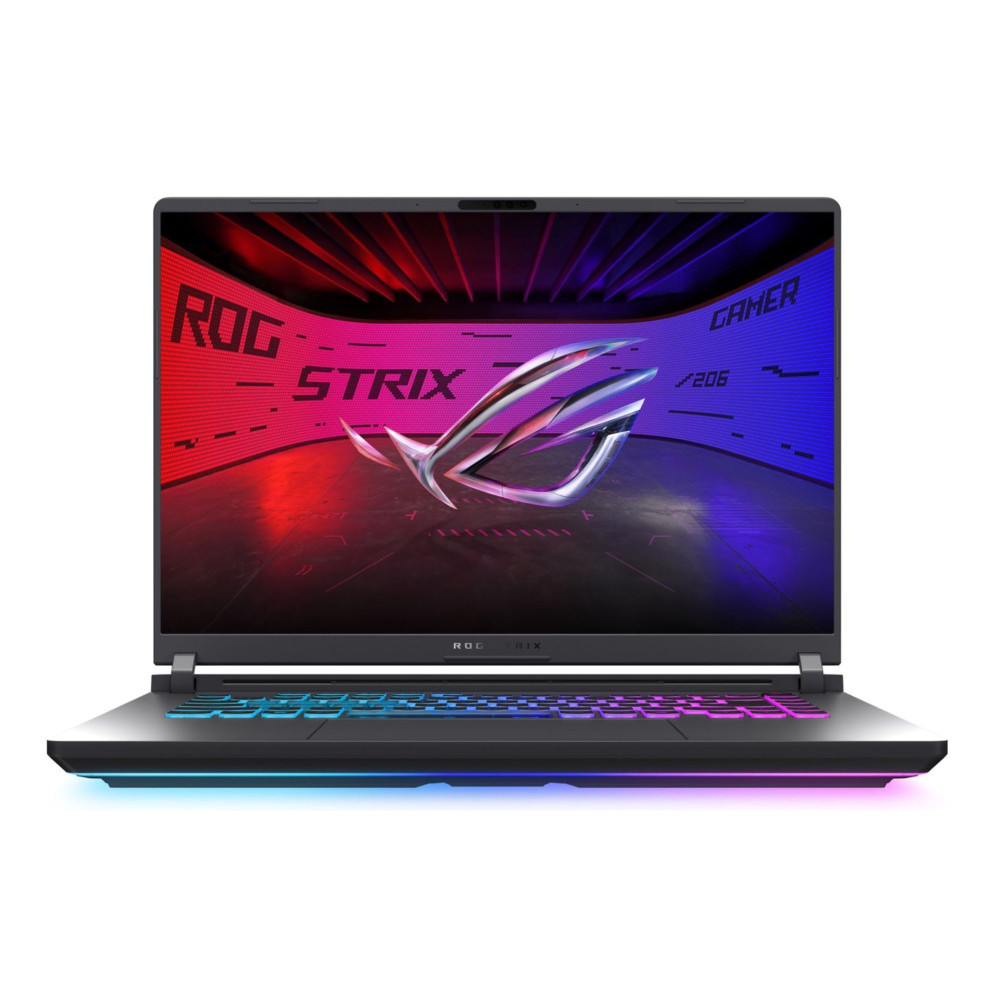
ASUS ROG Strix G16 G615LP-S5016W
MPN: G615LP-S5016W
The ASUS ROG Strix G16 offers excellent long-term value with an Intel Core Ultra 9 275HX, RTX 5070, and 32GB RAM already in place. It's well suited for high-refresh 1440p gaming and modern titles that will carry through to 2028, without needing immediate upgrades. A strong pick for buyers who want future-ready performance at a sensible price.
Premium Targets (If Budget Allows)
These features aren't essential, but they noticeably improve daily use and long-term satisfaction.
- RTX 5080 or higher
This gives you extra performance headroom for future games, higher ray tracing settings, and longer relevance without compromises. - OLED or Mini-LED display
OLED delivers perfect contrast and instant pixel response, while Mini-LED offers higher brightness and better HDR. Both make games, films, and creative work look dramatically better. - Advanced cooling design (vapor chamber, larger fans)
Strong cooling isn't about noise; it's about consistency. Better thermals mean sustained performance, less throttling, and a laptop that ages more gracefully. - USB4 or Thunderbolt support
These ports make it easier to add fast external storage, docks, or high-refresh external monitors later, without replacing the laptop. - Wi-Fi 7 readiness
Not essential today, but useful for future high-speed networks and lower-latency online gaming, especially if you keep your laptop for several years.
Recommended Gaming Laptop:
Acer Predator Helios 18 AI
MPN: NH.QVYEK.002
The Acer Predator Helios 18 AI is built for high-end gaming and demanding workloads, pairing an Intel Core Ultra 9 275HX with NVIDIA RTX 5080 graphics. With 32GB of RAM and a fast 1TB SSD, it delivers excellent performance for ultra-settings gaming, streaming, and creative work, while the large 18-inch display makes it well suited as a powerful desktop-style gaming setup. It's an ideal choice for users who want flagship-level performance without stepping into extreme, workstation-class configurations.

Final Thoughts: Buy Once, Enjoy It Longer
Buying a gaming laptop in 2026 isn't about chasing the highest numbers on a spec sheet; it's about choosing the right foundations so the machine still feels capable in 2028. A truly future-proof gaming laptop prioritises the components you can't easily change later, especially GPU performance, VRAM headroom, display quality, and cooling.
If you start with a strong RTX 50-series GPU, enough VRAM for modern engines, upgradeable RAM, and a high-quality 1440p display, you give yourself flexibility. You can adjust settings over time, add storage when needed, and keep performance smooth without feeling forced into an early replacement. This is exactly why well-balanced ranges like Lenovo Legion gaming laptops continue to be popular with players who want longevity as well as performance.
For anyone weighing up options, comparing specs, or planning a longer-term upgrade, you can explore gaming laptops built for the future, RTX laptops for every budget, and a wide range of configurations at Box.co.uk. With access to the latest gaming laptops, upgrade-friendly options, and accessories like gaming monitors and external SSDs in one place, it's easier to build a setup that lasts not just one that looks good on launch day.
FAQs
What is the best gaming laptop in 2026?
The best gaming laptop in 2026 combines an RTX 50-series GPU, a 1440p or 1600p display, strong cooling, and upgradeable RAM. Models that balance performance and thermals tend to age better than raw power alone.
Which gaming laptop is future proof?
A future-proof gaming laptop is one with at least an RTX 5070-class GPU, 12GB+ VRAM, support for 32GB RAM, fast NVMe storage, and a high-refresh display. These specs ensure smoother performance as games become more demanding.
Is 32GB RAM worth it for gaming laptops now?
Yes. While 16GB still works, 32GB RAM gaming laptops deliver better frame stability, improved multitasking, and fewer stutters in newer AAA titles — making them a safer long-term choice.
How much VRAM should I aim for in 2026?
Aim for a minimum of 12GB VRAM. Modern games increasingly rely on large texture packs and ray tracing, and extra VRAM helps prevent performance drops at higher resolutions.
How long will a 4090 laptop last for gaming?
An RTX 4090 laptop should remain highly capable for several years, especially at 1440p. Over time, you may need to adjust settings or rely more on upscaling features like DLSS, but it will continue to deliver strong performance well beyond 2028.
You can pay with:
*PayPal Credit Representative Example: Assumed credit limit £1,200, Representative 23.9% APR (variable). Purchase rate 23.9% p.a (variable).Terms & Conditions apply.


PayPal Credit and PayPal Pay in 3 are trading names of PayPal UK Ltd, 5 Fleet Place, London, United Kingdom, EC4M 7RD. Terms and conditions apply. Credit subject to status, UK residents only, Five Tech LTD acts as a broker and offers finance from a restricted range of finance providers. PayPal Pay in 3 is not regulated by the Financial Conduct Authority. Pay in 3 eligibility is subject to status and approval. 18+. UK residents only. Pay in 3 is a form of credit. Check if affordable and how you will repay. May make other borrowing more difficult or expensive. See product terms for more details.
Copyright © 1996-2026 Fivetech LTD | Terms and Conditions
box.co.uk & Box are trading names of Five Tech Limited. Registered office: Box LTD, Unit 10 Woodford Trading Estate, Woodford Green IG8 8HF