


 Menu
MenuMenu


Get Sales Advice from Mon - Fri 9am - 5:00pm:
020 3337 8950POSTED: April 29, 2026
What Is an External GPU (eGPU) and How Does It Work for Laptops?
An external GPU is a desktop graphics card connected to a laptop through a high-speed external enclosure.
That simple definition explains why people care about an external GPU in the first place. Laptops are great for portability, but most of them cannot match a desktop for raw graphics power. An eGPU gives you a way to keep your laptop for travel, work, and everyday use, then add more graphics performance when you are back at your desk. That is the core appeal: portability when you need it, more GPU power when you want it.
For buyers comparing an external GPU with a gaming laptop or a desktop, the real question is not whether the idea works. It does. The more useful question is whether it works well enough for your laptop, your ports, and your workload. That means understanding how an external graphics card setup connects, what standards matter, where the limitations come from, and when it is actually worth the cost.
What Is an External GPU (eGPU)?
An external GPU is exactly what it sounds like: a graphics card that lives outside your laptop instead of inside it. In most setups, the graphics card sits in an enclosure that connects to the laptop through a high-speed port such as Thunderbolt or USB4. That enclosure acts as the bridge between your laptop and the desktop GPU. Thunderbolt's own eGFX guidance describes it as a way to turn a Thunderbolt-enabled notebook into a higher-performance gaming or professional machine, while USB4 on Windows specifically supports PCIe tunnelling for scenarios such as external GPUs.
-
External GPU in Simple Terms
In simple terms, an external GPU is a laptop graphics upgrade that sits on your desk instead of inside your laptop. If your laptop is thin, light, and built around integrated graphics, an eGPU for laptops can add far more graphics power than the laptop could usually carry on its own.
-
eGPU vs built-in laptop graphics
Built-in laptop graphics come in two main types: integrated graphics, which share system resources, and dedicated laptop GPUs, which are built into the machine. An external GPU is different because it uses a desktop graphics card in a separate enclosure. That makes it more flexible and easier to upgrade than most laptop graphics, but it also means the setup relies on external bandwidth rather than the wider internal connection a desktop GPU gets inside a tower.
-
Why Use an eGPU Instead of a Gaming Laptop
The main reason to use an external GPU instead of buying a gaming laptop is flexibility. A gaming laptop gives you built-in performance everywhere, but it also makes you carry the weight, heat, noise, and cost all the time. An eGPU lets you keep a more portable laptop and add graphics power only when you actually need it. That is why gaming with eGPU setups appeal most to people who want one laptop for travel and desk use rather than two separate machines.
How Does an eGPU Work with a Laptop?
An external GPU works by linking your laptop to a desktop graphics card over a high-speed connection that can carry PCIe traffic outside the machine. On Windows USB4 systems, PCIe tunnelling is a required feature on exposed USB4 connectors, and Microsoft explicitly calls out external GPUs as a key use case for that capability. Thunderbolt also combines PCIe, display, data, and power over a single cable, which is why it became the most common path for earlier laptop external GPU setups.
-
Main Parts of an eGPU Setup
A typical external GPU setup has four main pieces: the enclosure, the desktop graphics card, the power supply, and the cable. The enclosure holds the card and connects it to the laptop. The graphics card does the rendering work. The power supply feeds the card and, in some enclosures, can also provide power back to the laptop. The cable handles the connection to the laptop.
-
How the Laptop Uses the External Graphics Card
Once connected, the laptop sends graphics-related data to the external graphics card through the high-speed link. The eGPU processes the rendering work, then sends the finished output to a display. In practice, that means the laptop still runs the system, apps, storage, and memory, while the external GPU takes over the heavy graphics workload.
Thunderbolt, USB4, and Bandwidth
Bandwidth is the key reason an eGPU never behaves exactly like the same card in a desktop. Thunderbolt 4 always runs at 40 Gbps and includes PCIe support, with Intel listing PCIe data capability at 32 Gbps as part of the standard. USB4 also supports multiple data and display protocols across the same connection and can scale to the best mutual capability between host and device. That is powerful, but it is still a narrower path than a full internal desktop slot.
What Do You Need to Use an External GPU?
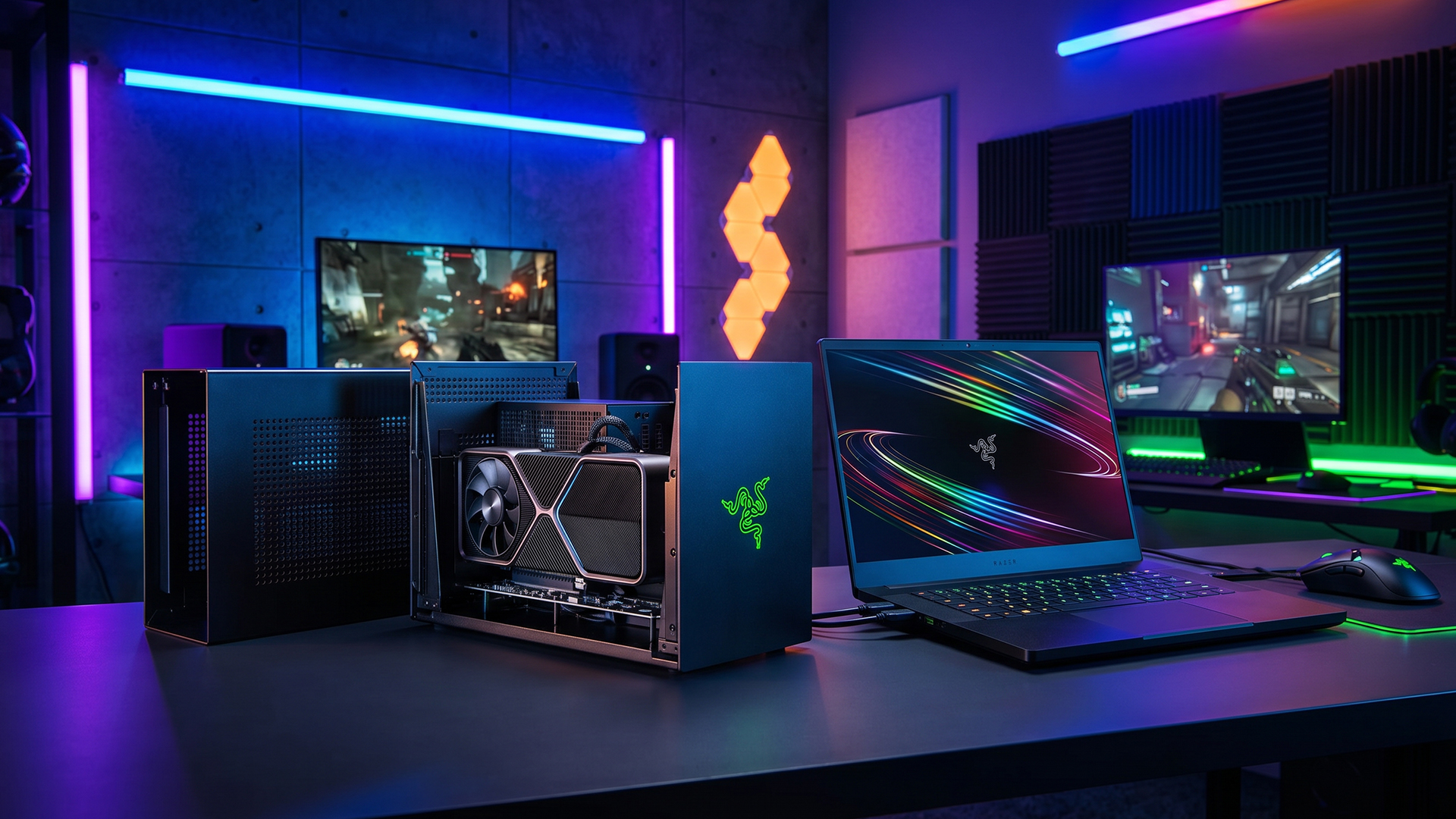
Before buying an external GPU, you need three things to line up: a laptop that supports the right connection, an enclosure that matches your setup, and the software and display setup to make it all work cleanly. This is where many eGPU for laptops ideas fall apart, not because the concept is bad, but because the hardware path is not there.
-
Laptop Requirements and Supported Ports
The biggest requirement is the port. For most modern setups, that means Thunderbolt 3, Thunderbolt 4, or USB4 with PCIe tunnelling support. A USB-C shaped port alone is not enough. The connector shape and the protocol behind it are not the same thing. If the laptop does not support the right transport, an external GPU will not behave the way you want.
-
Compatible Enclosures and Graphics Cards
You also need an enclosure that supports the card you want to use. That includes physical size, power requirements, cooling, and connection standard. Some enclosures are more compact, some are larger and built for bigger cards, and some offer laptop charging through the same cable. If you are planning a portable external GPU setup, enclosure size matters almost as much as GPU choice.
-
Drivers, Software, and Display Setup
A good eGPU setup also depends on drivers and a clean display plan. The laptop has to recognise the enclosure and the GPU properly, and the system has to know which graphics processor to use for demanding apps. For many users, the cleanest experience comes when the external GPU drives an external monitor directly, especially for games and heavier creative workloads. Official eGPU guidance also points to direct external-display use as the stronger path for 3D gaming workloads.
Which Laptops Support eGPU Setups?
Not every laptop can use an external GPU, even if it looks modern and has USB-C ports. Support depends on the actual connection standard, firmware behaviour, graphics switching, and how the laptop maker implemented the port. This is why eGPU compatibility always has to be checked model by model rather than guessed from the connector alone.
-
How to Check Support
The fastest way to check whether a laptop supports an external GPU is to look for explicit Thunderbolt 3, Thunderbolt 4, or USB4 support, then confirm that the port supports the PCIe path needed for eGPU use. With USB4 on Windows systems, PCIe tunnelling is a required capability for exposed USB4 connectors. That is a strong sign for modern eGPU for laptop setups, but you still want to confirm how the specific laptop behaves in real use.
-
Common Windows Compatibility Issues
On Windows laptops, the most common issues are port support confusion, graphics-driver conflicts, and BIOS or firmware quirks. Some laptops support the transport but behave inconsistently with hot-plugging, sleep, external displays, or hybrid graphics switching. That does not make an eGPU a bad idea, but it does mean compatibility is never just about plugging a card into any USB-C port.
-
Limits Across Laptop Types and Generations
Support also varies by laptop type. Thin productivity laptops with the right port can be a very good match for an external GPU, because they gain the most from adding graphics power at a desk. Older laptops without Thunderbolt or USB4 support usually cannot use a standard laptop external GPU enclosure properly. Workstation and gaming laptops may support eGPU setups too, but the value case can be weaker if they already have a strong built-in GPU.
What Performance Can You Expect From an eGPU?
An external GPU can bring a real performance jump to the right laptop, but it is important to set expectations properly. It is a boost, not magic. You are still running through an external link with less bandwidth than a desktop GPU enjoys inside a full tower. That is why eGPU FPS boost results can be strong without fully matching desktop performance.
-
Why an eGPU is Slower than Desktop
The main reason an external GPU is slower than the same GPU in a desktop is bandwidth. Thunderbolt and USB4 are fast, but they still give the graphics card a narrower route than a desktop PCIe slot. That means the same gaming GPU can perform differently depending on whether it is inside a desktop or sitting in an eGPU enclosure.
-
Port Speed and External Monitor Use
Performance depends heavily on the connection standard and display path. A stronger link helps, and using an external monitor connected to the eGPU usually makes more sense for gaming than relying on the laptop's internal display. The reason is straightforward: the rendered output can go straight from the external graphics card to the monitor instead of taking a more awkward route back through the laptop.
-
Best Workloads for eGPU Setups
The best use cases for an external GPU are the ones that benefit clearly from added graphics power but do not force you to replace your whole laptop. That includes gaming, video editing, 3D rendering, GPU-accelerated creative work, and some AI tasks. If your laptop CPU is still good enough and your main limitation is graphics, an eGPU can make far more sense than replacing the machine too early.
What Are the Benefits of Using an eGPU With a Laptop?
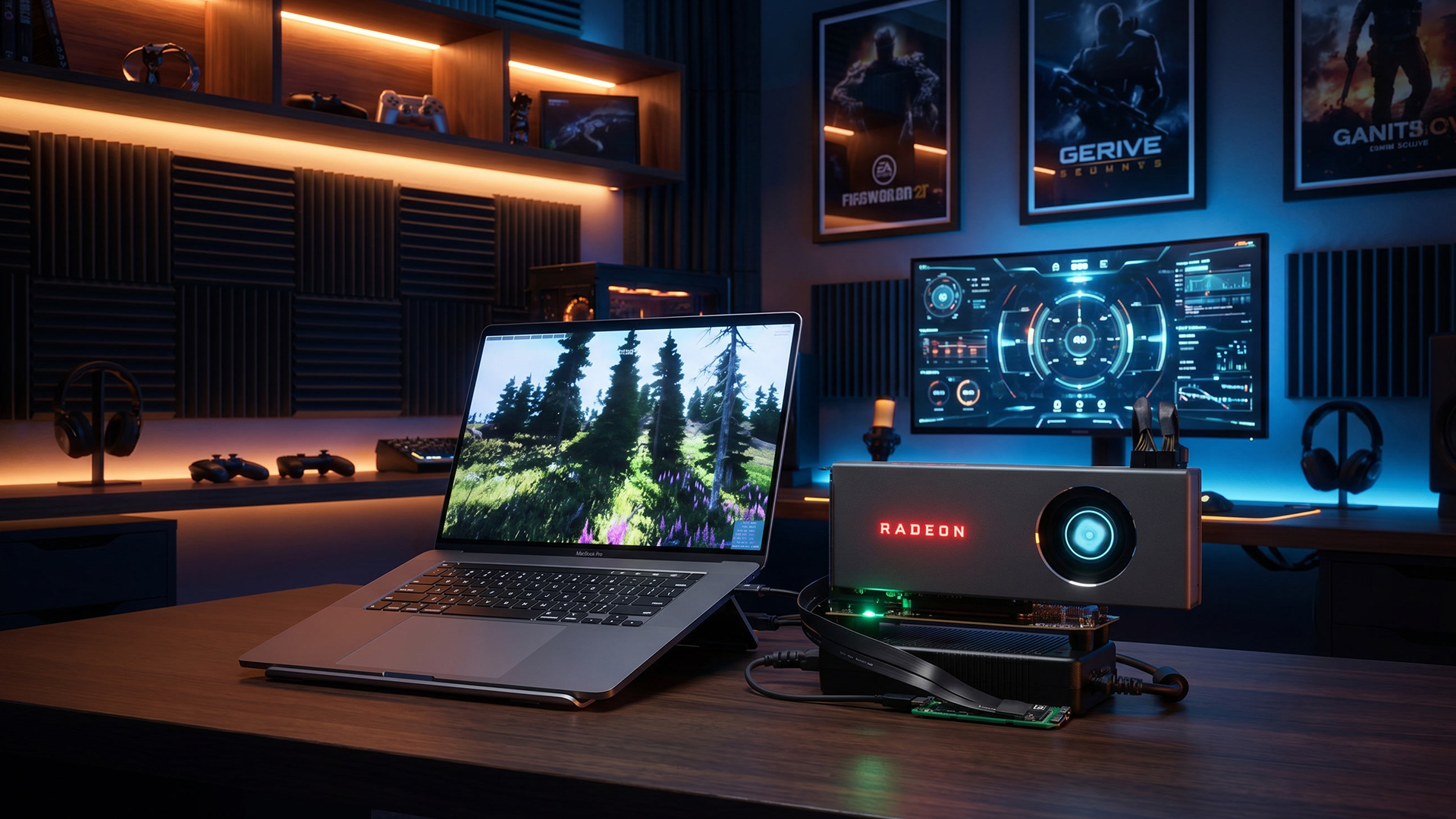
The biggest benefit of an external GPU is simple: more graphics power without giving up the laptop you already like using. That is the whole point of the category.
-
More Graphics Power Without Replacing Your Laptop
If your laptop is still good enough for everyday work, an external GPU can be a smarter route than replacing the whole machine. You keep the screen, keyboard, battery, and portability you already know, then add graphics power when you need it.
-
Better Flexibility for Work and Gaming
An eGPU also gives you more flexibility. You can travel light with the laptop on its own, then return to a desk and connect to a more powerful setup for gaming, editing, or heavier creative work. That split is the main reason gaming with eGPU remains attractive for mixed-use laptop owners.
-
Easier Future GPU Upgrades
Many laptops cannot be meaningfully upgraded on the graphics side at all. An external GPU changes that. If the enclosure supports it, you can swap to one of the latest graphics cards later instead of replacing the whole laptop. That is one of the few genuinely upgrade-friendly paths in modern laptop graphics.
What Are the Drawbacks of an External GPU?
An external GPU can be brilliant for the right user, but the drawbacks are real. This is not the cheapest route, and it is not the cleanest route for everyone.
-
Higher Total Cost
The first drawback is cost. You are not just buying a GPU. You are usually buying the enclosure, the graphics card, and sometimes extra cabling or display gear around it. That means an external GPU often costs more in total than buyers first expect.
-
Performance Loss and Desk-Bound Use
The second drawback is that an eGPU is still desk hardware. Once you add the enclosure, the power supply, and possibly an external monitor, the setup stops feeling portable. You can unplug it and travel with your laptop, but the performance side of the setup lives in one place.
-
Noise, Size, and Compatibility Friction
The third drawback is friction. The enclosure adds size, the GPU adds noise, and compatibility can still need a bit of patience. If you want something that works everywhere with no setup effort, an external GPU is usually less convenient than a built-in solution.
Is an eGPU Worth It for Your Laptop?
An external GPU is worth it when it solves a real problem. It is not worth it when it only creates a more expensive version of a setup you do not actually need.
-
When an eGPU Makes Sense
An eGPU makes sense if you already own a laptop you like, that laptop has the right port support, and your main weakness is graphics performance. It also makes sense if you want better gaming or creative performance at a desk without carrying a heavy gaming laptop everywhere.
-
When a Gaming Laptop or Desktop is Better
A gaming laptop is the better option if you need strong graphics performance everywhere, not just at a desk. A desktop is the better option if maximum value and maximum performance matter more than portability. If you want a more permanent desktop-style setup, it may be smarter to buy a dedicated gaming GPU and build around that instead.
-
Quick Checklist Before You Buy
Before buying an external GPU, check four things: your laptop's port support, enclosure compatibility, GPU power requirements, and whether you actually want a desk-based setup. If any of those feel uncertain, pause there first.
How to Choose the Right External GPU Setup
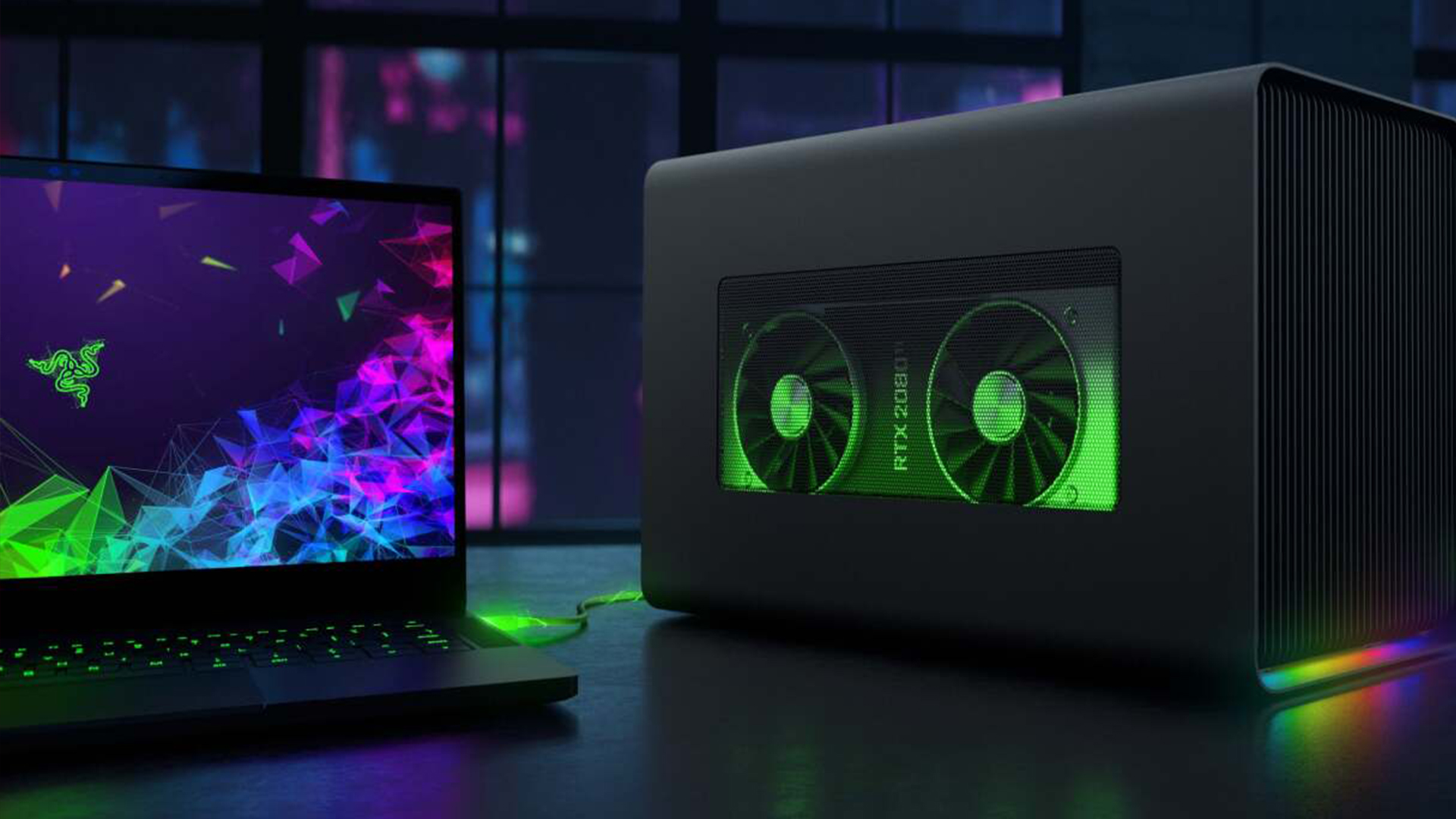
The best external GPU setup is the one that matches your laptop, your budget, and your real workload. Buying the biggest GPU you can find is not automatically the best answer.
-
Picking the Right Enclosure
Choose an enclosure that matches your laptop's supported standard and the size and power needs of the GPU you plan to use. Some enclosures are built for simpler compact setups, while others are better for full-size cards and more ambitious workloads.
-
Choosing a GPU for Your Workload
Match the card to your use case. For esports and lighter gaming, you do not need the largest card available. For 1440p gaming, heavier editing, 3D work, or AI tasks, a stronger external graphics card can make sense. The right choice is usually somewhere in the middle of the latest graphics cards range rather than automatically at the top.
-
Matching Power, Ports, and Upgrades
A good external GPU setup should also leave room for future changes. Think about power delivery, display outputs, external monitor plans, and whether you want the enclosure to support a better card later. That matters more than chasing headline specs you may never fully use.
Final Thoughts
An external GPU is right for you if you want to keep a portable laptop but need more graphics power at a desk. That is the simplest answer.
If your laptop has the right support and your workload is genuinely GPU-limited, an eGPU can be a clever way to bridge the gap between mobility and performance. If you need top performance everywhere or want the best value for raw graphics power, a gaming laptop or desktop is usually the cleaner answer. The right choice depends less on whether external GPU technology works and more on whether it fits the way you actually use your laptop.
Frequently Asked Questions
-
Can any laptop use an external GPU?
No. A laptop usually needs Thunderbolt 3, Thunderbolt 4, or USB4 with the right support path for PCIe-based external graphics. A USB-C port on its own is not enough.
-
Does an eGPU improve gaming performance on a laptop?
Yes. An eGPU can improve gaming performance significantly if the laptop has the right connection and the internal graphics are the main bottleneck. The size of the boost depends on the GPU, the port, and whether you use an external monitor.
-
Do you need Thunderbolt for an eGPU?
You do not always need Thunderbolt specifically, but you do need the right high-speed external connection. Thunderbolt 3 and 4 are the most common routes, and USB4 can also support eGPU use through PCIe tunnelling.
-
Is an external GPU worth it for video editing?
It can be, especially if your editing workflow benefits from GPU acceleration and your laptop CPU is still strong enough. An external GPU makes most sense when graphics power is the missing piece rather than the whole machine being outdated.
-
Why is an eGPU slower than a desktop GPU?
Because the GPU is connected through an external link with less available bandwidth than a full internal desktop slot. The card can still be much faster than built-in laptop graphics, but it is usually not as fast as the same card inside a desktop.
You can pay with:
*PayPal Credit Representative Example: Assumed credit limit £1,200, Representative 23.9% APR (variable). Purchase rate 23.9% p.a (variable).Terms & Conditions apply.


PayPal Credit and PayPal Pay in 3 are trading names of PayPal UK Ltd, 5 Fleet Place, London, United Kingdom, EC4M 7RD. Terms and conditions apply. Credit subject to status, UK residents only, Five Tech LTD acts as a broker and offers finance from a restricted range of finance providers. PayPal Pay in 3 is not regulated by the Financial Conduct Authority. Pay in 3 eligibility is subject to status and approval. 18+. UK residents only. Pay in 3 is a form of credit. Check if affordable and how you will repay. May make other borrowing more difficult or expensive. See product terms for more details.
Copyright © 1996-2026 Fivetech LTD | Terms and Conditions
box.co.uk & Box are trading names of Five Tech Limited. Registered office: Box LTD, Unit 10 Woodford Trading Estate, Woodford Green IG8 8HF