


 Menu
MenuMenu


Get Sales Advice from Mon - Fri 9am - 5:00pm:
020 3337 8950LAST UPDATED: May 15, 2026
Dell XPS 13 9350 Review: A Premium Laptop at a Budget Price?
The Dell XPS 13 9350 is a premium 13-inch ultrabook built for users who want a sleek, portable laptop without compromising on everyday performance. Designed for productivity, hybrid work, video calls, streaming and light creative tasks, it combines Dell’s signature XPS design with modern hardware features that make it feel ready for 2026.
This 2024 variant is a major step forward from older XPS 13 9350 models. It features an Intel Core Ultra Series 2 processor, integrated Intel Arc graphics, fast LPDDR5X memory, Wi-Fi 7 and Copilot+ PC support. These upgrades make the laptop more efficient, more AI-ready and better suited to modern Windows users.
Dell has recently rebranded this model under the simpler XPS 13 Laptop name, rather than continuing to position it primarily as the XPS 13 9350. However, the 9350 model number remains important when checking specifications, configurations, and retailer listings. For users looking for a compact laptop that feels premium, performs smoothly and supports newer AI features, the Dell XPS 13 9350 remains a strong contender.
What Is the Dell XPS 13 9350?
The Dell XPS 13 9350 is a compact premium laptop designed around mobility, build quality and efficient performance. It uses Dell’s familiar XPS design language, with a slim aluminium chassis, minimalist styling and an InfinityEdge display that helps maximise screen space without making the device feel bulky.
The 2024 version is especially interesting because it moves the XPS 13 into the AI PC era. With Intel Core Ultra Series 2 processors, the laptop includes a CPU, GPU, and NPU working together for different types of tasks. The CPU handles responsive everyday computing, the Intel Arc GPU helps with graphics acceleration and visual workloads, while the NPU is designed for low-power AI tasks such as background blur, automatic framing, eye contact correction, noise reduction and other AI-enhanced experiences.
For everyday users, this means the Dell XPS 13 9350 laptop is not only thin and portable; it is also designed to make modern Windows features feel smoother and more efficient.
Dell XPS 13 9350 Specs Overview

The supplied configuration gives the Dell XPS 9350 specs a strong balance between portability and real-world performance. The model includes an Intel Core Ultra 7 256V processor with 8 cores, 12MB cache, and a maximum turbo speed of up to 4.8GHz. Dell’s current product page also lists the Core Ultra 7 256V or 258V Series 2 with 8 cores and up to 4.8GHz, alongside Intel Arc graphics, 16GB OR 32GB LPDDR5X memory and SSD storage.
Key specifications include:
- Intel Core Ultra 7 256V processor
- Up to 4.8GHz turbo speed
- 8-core architecture
- 12MB cache
- Intel Arc Graphics 140V
- 16GB LPDDR5X RAM
- 512GB NVMe SSD
- Windows 11 Pro
- Copilot+ PC support
- 13.37-inch / 13.4-inch Full HD Plus display
- 1920 x 1200 resolution
- Up to 120Hz refresh rate
- Wi-Fi 7
- Thunderbolt 4 USB-C ports with Power Delivery and DisplayPort
- Fingerprint reader
- TPM 2.0 security chip
- Integrated IR and RGB cameras
- Dual-array microphone
- Dual tweeters and woofers
- Platinum finish
- 1 Year Dell ProSupport
This makes the XPS 13 9350 a well-rounded ultrabook rather than a specialist workstation or gaming laptop. It is built for people who care about a premium feel, fast everyday use, strong battery efficiency and an easy-to-carry design.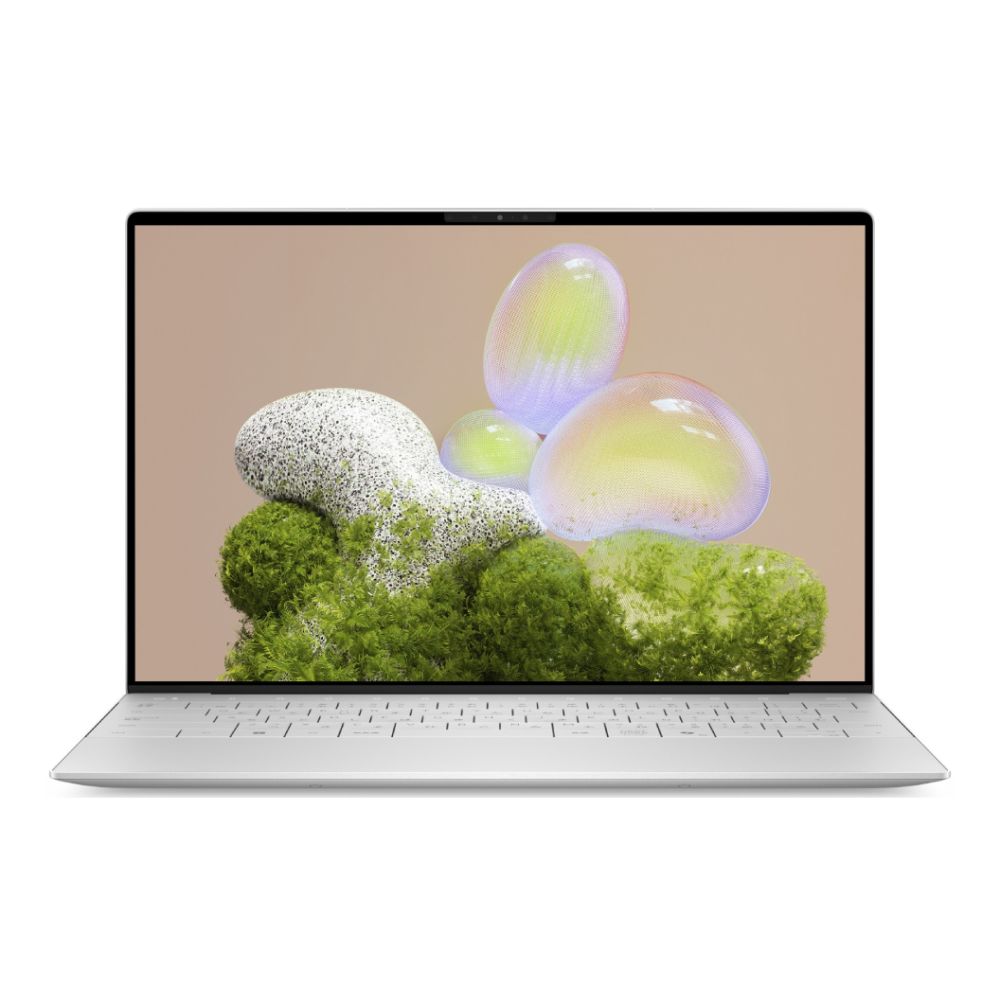
Shop Dell XPS 13 9350 Intel Core Ultra 7
Design and Build Quality
One of the biggest strengths of the Dell XPS 13 9350 ultrabook is its design. Dell has built the laptop with a strong focus on portability and premium materials. The chassis uses machined aluminium, helping the device feel solid while keeping the weight low. The XPS 13 is available in clean finishes such as Platinum, giving it a professional look that works well in offices, classrooms, meetings and home setups.
The design is simple and minimal. There is no oversized gaming styling, no unnecessary bulk and no distracting visual clutter. This is one of the reasons the XPS 13 line has remained popular for so long. It gives users a laptop that looks modern without feeling overdesigned.
For students, remote workers and business users, the lightweight body makes a clear difference. It is easy to carry between rooms, take on a commute or fit into a small backpack. Dell’s product material positions it as one of its thinnest and lightest XPS models, with starting weights around 1.18kg to 1.22kg depending on display configuration.
If you plan to travel with it regularly, pairing it with a protective bag and case for XPS is a smart move. A slim laptop is convenient, but it still needs proper protection if it is being carried daily.
Display: Compact, Sharp and Comfortable
The Dell XPS 13 9350 features a 13.37-inch / 13.4-inch Full HD Plus display with a 1920 x 1200 resolution and up to 120Hz refresh rate. The taller 16:10-style resolution is useful because it gives you more vertical space than a traditional 1920 x 1080 panel. That makes web pages, documents, spreadsheets and creative tools feel more comfortable to use.
The InfinityEdge design helps the display feel larger than the body size suggests. Narrow bezels are especially useful on a 13-inch laptop because they allow the screen to feel immersive without making the device harder to carry.
Low Blue Light and Eyesafe-style display features are also important for long sessions. If you spend hours working on documents, browsing the web or joining video meetings, reducing eye strain can make the laptop more comfortable to use throughout the day. The display is also well suited for streaming, casual content viewing and everyday media use.
Higher-end versions of the XPS 13 line can include sharper display options, including OLED configurations, but the Full HD Plus 120Hz display is arguably the practical sweet spot. It keeps visuals sharp, helps with smooth motion and can support better battery efficiency than more demanding high-resolution OLED panels.
Performance: Intel Core Ultra 7
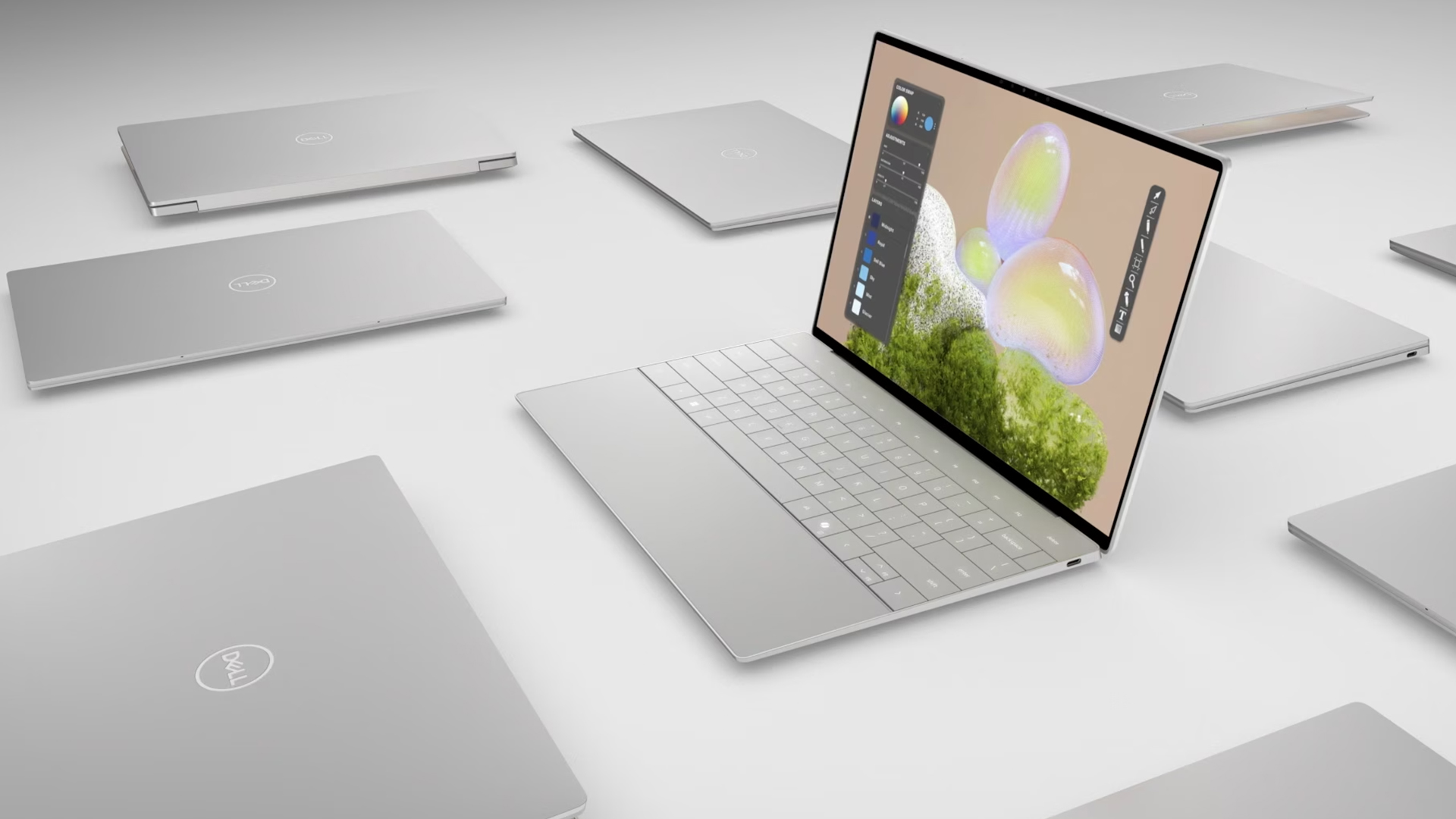
Performance is one of the biggest changes in the 2024 Dell XPS 13 9350. Instead of relying on older Intel Core processors, this version uses an Intel Core Ultra 7 256V Series 2 chip. That matters because Core Ultra processors are designed around more efficient performance and AI acceleration.
For everyday use, the XPS 13 9350 feels well suited to tasks such as:
- Web browsing with multiple tabs
- Microsoft Office work
- Email and calendar management
- Video calls
- Streaming
- Cloud-based productivity
- Light photo editing
- Multitasking between apps
- Research and writing
- Business travel workloads
The 16GB LPDDR5X RAM or 32GB RAM helps the laptop stay responsive when switching between apps, while the NVMe SSD makes boot times, file access and application launches feel fast. A 512GB/1TB SSD is enough for many everyday users, especially if you also use OneDrive, Google Drive or other cloud storage services. However, users with large media libraries or heavy project files may prefer higher storage configurations where available.
This is not a gaming laptop and it is not designed to replace a high-performance workstation, but it offers more than enough power for the majority of productivity-focused users.
Copilot+ PC: Why It Matters
One of the most important updates to the XPS 13 9350 is its Copilot+ PC positioning. A Copilot+ PC is designed to support newer Windows AI features and experiences, with dedicated hardware that can process certain AI workloads more efficiently.
For everyday users, Copilot+ support can help with productivity, creativity, and communication. Instead of thinking of it as a single feature, it is better to see it as part of a wider shift in how Windows laptops are evolving. AI tools are increasingly being used for writing support, image generation, meeting features, search, summaries, creative edits and accessibility improvements.
The Windows Copilot key is also useful because it gives quick access to Microsoft’s AI assistant directly from the keyboard. That can make it easier to ask questions, generate ideas, summarise information or get help with everyday tasks.
The key benefit here is convenience. You do not need to open a browser, search for a separate tool or switch between multiple apps. Copilot is built into the Windows experience, and the XPS 13 9350 is designed to support that AI-focused workflow.
NPU: The AI Hardware Inside
The NPU, or Neural Processing Unit, is one of the most important parts of the Dell XPS 13 9350’s modern hardware. While the CPU handles general computing and the GPU handles graphics-heavy tasks, the NPU is designed for AI workloads that benefit from efficient, low-power processing.
This is useful because many AI tasks do not need the full power of the CPU or GPU. For example, video call effects such as background blur, automatic framing, and eye contact correction can run more efficiently on the NPU. That can help preserve battery life and keep the system responsive.
Dell’s product information describes the NPU as ideal for low-power AI features like Microsoft Studio Effects during video calls, while the CPU is better suited to real-time multitasking and AI workloads such as noise cancellation and instant transcription.
For remote workers, students and professionals who spend time in Teams, Zoom or other meeting platforms, this is a practical advantage. It is not just about having “AI” as a buzzword. The NPU helps the laptop handle useful background features without making the whole system work harder than necessary.
Intel Arc Graphics 140V
The Dell XPS 13 9350 comes with Intel Arc Graphics 140V, which gives it more capable integrated graphics than many older ultrabooks. This does not turn it into a gaming machine, but it does improve the experience for visual tasks.
You can expect smoother performance when working with high-resolution media, editing photos, watching high-quality video or using creative apps that can take advantage of GPU acceleration. Intel Arc graphics also make the laptop feel more flexible for casual creative work.
For users who occasionally edit images, create presentations, work with design tools or process video clips, the graphics capability is a welcome upgrade. However, if your work involves 3D rendering, advanced video editing, CAD or gaming, you may want to explore larger and more powerful options from the latest Dell laptops range.
Battery Life: What to Expect
The XPS 13 9350 battery life is one of the most important reasons to consider this laptop. Dell’s spec material claims up to 26 hours of streaming battery life with an FHD+ display, though real-world battery life will depend on brightness, workload, background apps, wireless usage and performance settings.
For everyday use, the Full HD Plus model should be the most sensible choice if battery life is a priority. Lower-resolution displays often consume less power than OLED or higher-resolution panels, making them better suited for travel, office work and long study sessions.
In practical terms, the XPS 13 9350 is well suited for users who need a laptop that can last through meetings, classes, train journeys or flexible workdays. You should still expect battery life to vary, especially when using video calls, high brightness, AI features or creative software, but the combination of Intel Core Ultra efficiency, LPDDR5X memory and a modern display gives it strong battery potential.
Improved Thermals and Performance Modes
Thin laptops often face a challenge: they need to stay portable, but they also need to manage heat properly. The Dell XPS 13 9350 addresses this through efficient hardware and performance modes that help users control the balance between power, fan noise and system temperature.
Dell’s product information highlights several modes, including Quiet, Ultra Performance, Cool and Optimised. Quiet mode reduces fan noise, Ultra Performance boosts processor speed, Cool mode increases fan speed to help keep the laptop cooler, and Optimised mode aims to balance performance and thermals.
This is important because not every task needs maximum power. If you are writing, browsing or watching video, Optimised or Quiet mode may be enough. If you are editing images, multitasking heavily or running demanding software, Ultra Performance can help. If the laptop feels warm during longer sessions, Cool mode gives you another way to manage heat.
The result is a more flexible experience. Instead of being locked into one thermal profile, you can choose the behaviour that fits your situation.
USB-C and Thunderbolt 4 Connectivity
The Dell XPS 13 9350 keeps connectivity simple with Thunderbolt 4 USB Type-C ports. These ports support Power Delivery and DisplayPort, meaning they can handle charging, external display output and high-speed data through the same compact connector. Dell’s product listing also references Thunderbolt 4 USB Type-C with Power Delivery and DisplayPort on both sides of the laptop.
This is useful if you work with a USB-C monitor, docking station or modern accessories. One cable can charge the laptop, connect to a display and link to peripherals depending on your setup.
However, there is a trade-off. Users who still rely on USB-A accessories, HDMI cables, SD cards or wired Ethernet may need adapters or a USB-C hub. That is common with modern ultraportables, but it is worth planning for before buying. A good hub, spare charger or docking setup can make the XPS 13 9350 much easier to use as a daily workstation.
To complete the setup, you can browse Accessories for your laptop, especially if you need a USB-C hub, mouse, keyboard, monitor cable or laptop sleeve.
Keyboard, Touchpad and Everyday Usability
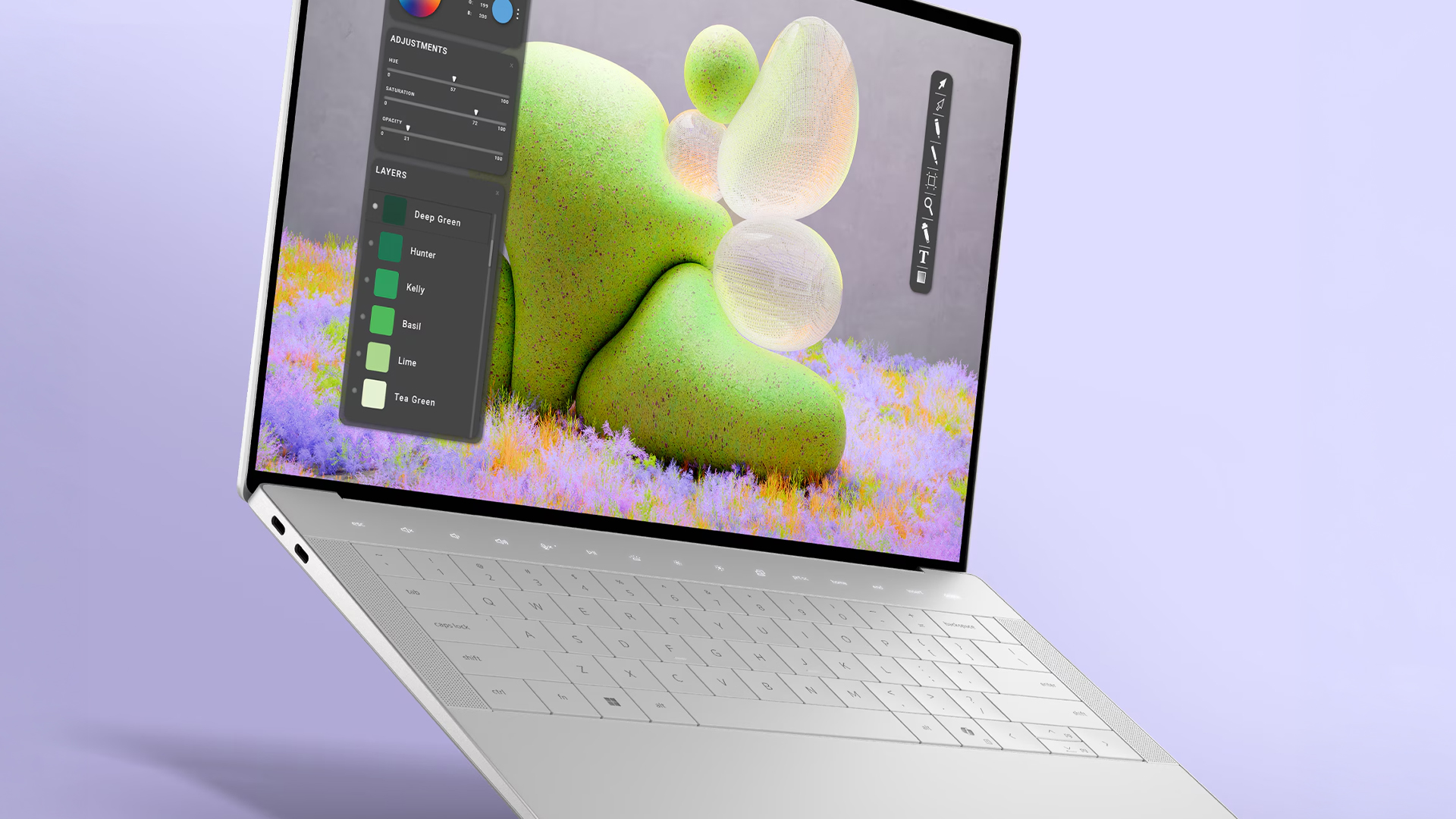
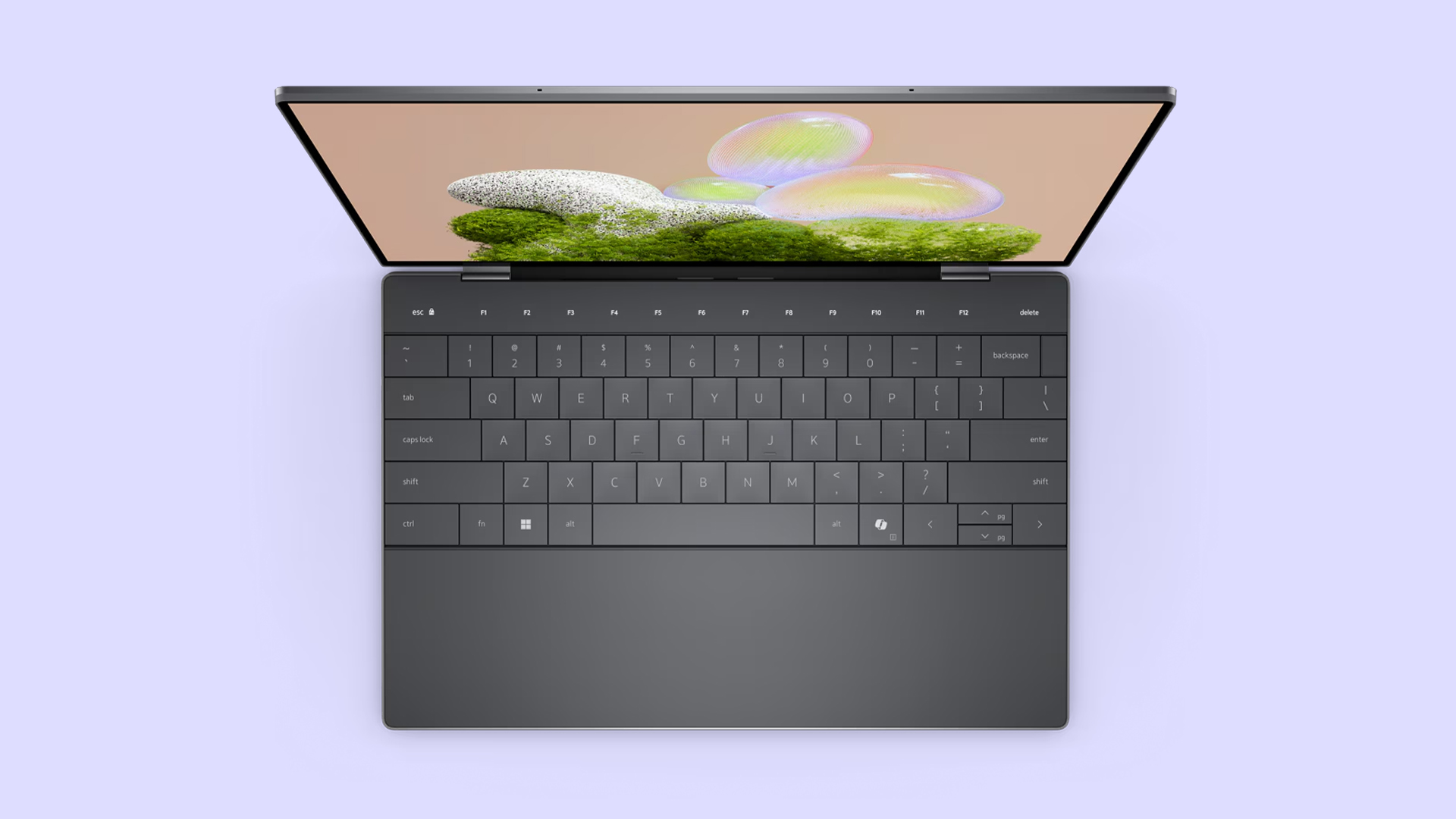
The XPS 13 range has a distinctive interior design, and the 9350 continues that modern approach. The laptop includes a clean keyboard deck, comfortable keycaps and a seamless glass touchpad area. The haptic touchpad is designed to provide precise feedback, while the keyboard layout keeps the overall look minimal.
The Windows Copilot key is a useful modern addition. It makes the laptop feel more aligned with the direction Windows is moving, especially for users who want faster access to AI assistance.
The touch function row may divide opinion, as some users prefer physical function keys. However, the design keeps the laptop looking sleek and futuristic. For people who value minimal design and a clean workspace, the XPS 13 9350 still feels very premium.
Webcam, Microphones and Audio
The Dell XPS 13 9350 is well suited to video calls. It includes integrated IR and RGB cameras, which help with video conferencing and Windows Hello-style sign-in features, depending on configuration. The dual-array microphone helps improve voice clarity, while intelligent webcam and audio features can reduce background distractions.
This is where the NPU and Windows Studio Effects become more useful. Features such as background blur, automatic framing and eye contact correction can improve how you appear on calls without needing external software.
Audio is another strong area. The laptop includes dual tweeters and dual woofers, giving it a richer sound profile than many thin laptops. It will not replace dedicated speakers or headphones, but for streaming, calls and casual listening, the sound quality is more immersive than you might expect from such a compact device.
Security Features
The Dell XPS 13 9350 includes several security-focused features that make it a good fit for business and professional users. A fingerprint reader allows for quick and secure sign-in, while TPM 2.0 helps support hardware-based security features in Windows 11.
For everyday users, these features make the laptop feel more convenient and safer. You can sign in quickly without typing a password every time, while TPM support helps protect sensitive system data.
The inclusion of Windows 11 Pro on this configuration is also useful for business users who may need features such as BitLocker, Remote Desktop or domain-related management tools.
Wi-Fi 7 and Wireless Performance
Wireless connectivity is another area where the XPS 13 9350 feels modern. The laptop supports Wi-Fi 7 through a Killer Wi-Fi 7 BE1750 wireless NIC. This can provide faster and more reliable wireless performance when used with compatible routers and networks.
Even if you do not currently have a Wi-Fi 7 router, having support built in helps make the laptop more future-ready. As more homes, offices and public spaces move to newer wireless standards, the laptop will be better prepared to take advantage of faster speeds and lower latency.
For video calls, cloud storage, streaming, downloads, and remote work, strong wireless connectivity is a major benefit.
Is the Dell XPS 13 9350 Good for Everyday Use in 2026?
Yes, the Dell XPS 13 9350 is a strong everyday laptop in 2026, especially if you want a premium ultraportable with AI-ready features. It is best suited to people who value portability, build quality, battery life and reliable performance more than gaming power or workstation-level graphics.
It is a good choice for:
- Students
- Office workers
- Remote workers
- Hybrid professionals
- Business travellers
- Writers and researchers
- Everyday home users
- Light creative users
- Users who want a premium Windows laptop
It is less suitable for:
- Heavy gaming
- Advanced 3D work
- Professional-grade video editing
- Engineering workloads
- Users who need lots of built-in ports
- Buyers who dislike minimalist touch controls
The Dell XPS 9350 2026 buying case is strongest when you can find it at a competitive price. It gives you a premium chassis, modern AI hardware and strong portability without necessarily needing to pay for a larger workstation laptop.
Is It a Premium Laptop at a Budget Price?
The Dell XPS 13 9350 is not a cheap laptop in the same way an entry-level Chromebook or basic Windows laptop is cheap. It is still a premium device with premium materials, a high-quality display, strong processor technology and modern features.
However, compared with brand-new flagship laptops, especially larger high-performance machines, the XPS 13 9350 can make sense as a value-focused premium option. You are paying for quality, portability and efficiency rather than raw size or gaming performance.
For users who want a stylish laptop that feels high-end but do not need a huge screen or dedicated graphics card, it offers a very appealing balance.
Final Verdict
The Dell XPS 13 9350 is a refined, portable and highly capable ultrabook that fits well into the modern Windows laptop market. The 2024 version is a major step forward from older XPS 13 models, thanks to Intel Core Ultra Series 2 processing, Copilot+ PC support, NPU acceleration, Intel Arc graphics, Wi-Fi 7 and improved thermal control.
Its biggest strengths are portability, design, display quality, everyday speed, AI-ready hardware and strong wireless connectivity. Its main limitations are the minimal port selection and the fact that it is not intended for heavy gaming or workstation-class creative workloads.
For most everyday users, though, the XPS 13 9350 gets the balance right. It is premium without being oversized, powerful without being excessive and modern enough to handle the growing role of AI features in Windows.
If you want a compact, stylish and future-ready laptop for work, study and everyday productivity, the Dell XPS 13 9350 remains a strong choice in 2026. You can also explore more latest Dell laptops, add a protective bag and case for XPS, or browse Accessories for your laptop to complete your setup.
FAQs
Is the Dell XPS 13 9350 a Copilot+ PC?
Yes, the 2024 Dell XPS 13 9350 configuration is available as a Copilot+ PC with Intel Core Ultra Series 2 processors. This allows it to support newer AI-focused Windows experiences.
What processor does the Dell XPS 13 9350 use?
This version uses an Intel Core Ultra 7 256V processor with 8 cores, 12MB cache, and a turbo speed of up to 4.8GHz.
Does the Dell XPS 13 9350 have an NPU?
Yes, the Intel Core Ultra platform includes an NPU. The NPU is designed for efficient AI tasks such as video call enhancements, background blur, automatic framing, noise reduction and other AI-assisted features.
What is the XPS 13 9350 battery life like?
Battery life depends on configuration and usage. Dell’s material claims up to 26 hours of streaming battery life with an FHD+ display, though real-world results will vary based on brightness, apps, video calls and performance mode.
Does the Dell XPS 13 9350 have USB-C?
Yes, the laptop includes Thunderbolt 4 USB Type-C ports with Power Delivery and DisplayPort support. This allows charging, display output and data transfer through USB-C.
Is the Dell XPS 13 9350 good for office work?
Yes, it is very well suited to office work. The combination of Intel Core Ultra performance, 16GB LPDDR5X RAM, SSD storage, Wi-Fi 7 and a compact design makes it a strong option for productivity.
Is the Dell XPS 13 9350 good for gaming?
It is not designed as a gaming laptop. Intel Arc integrated graphics can handle light visual workloads and casual games, but demanding gaming is better suited to laptops with dedicated graphics.
Is the Dell XPS 13 9350 touchscreen?
Some XPS 13 configurations may offer touch displays, but this depends on the exact model and screen option. Always check the configuration before buying.
Who should buy the Dell XPS 13 9350?
It is best for users who want a premium, lightweight and AI-ready laptop for work, study, travel, browsing, streaming and everyday productivity.
Should I buy the Dell XPS 13 9350 in 2026?
Yes, if you want a premium ultrabook with modern AI features, strong portability and efficient everyday performance. If you need dedicated graphics, more ports or workstation-level power, you may want to compare it with other Dell laptop options.
You can pay with:
*PayPal Credit Representative Example: Assumed credit limit £1,200, Representative 23.9% APR (variable). Purchase rate 23.9% p.a (variable).Terms & Conditions apply.


PayPal Credit and PayPal Pay in 3 are trading names of PayPal UK Ltd, 5 Fleet Place, London, United Kingdom, EC4M 7RD. Terms and conditions apply. Credit subject to status, UK residents only, Five Tech LTD acts as a broker and offers finance from a restricted range of finance providers. PayPal Pay in 3 is not regulated by the Financial Conduct Authority. Pay in 3 eligibility is subject to status and approval. 18+. UK residents only. Pay in 3 is a form of credit. Check if affordable and how you will repay. May make other borrowing more difficult or expensive. See product terms for more details.
Copyright © 1996-2026 Fivetech LTD | Terms and Conditions
box.co.uk & Box are trading names of Five Tech Limited. Registered office: Box LTD, Unit 10 Woodford Trading Estate, Woodford Green IG8 8HF