


 Menu
MenuMenu


Get Sales Advice from Mon - Fri 9am - 5:00pm:
020 3337 8950LAST UPDATED: March 13, 2026
Replacing Office Laptops? Why the Dell Pro 15 Essential Is a Smart Business Upgrade
For many organisations, office laptops are one of the most important tools employees use every day. From managing emails and spreadsheets to attending video meetings and collaborating through cloud platforms, the modern work laptop needs to deliver reliable performance, strong security, and long-term value.
However, many businesses are still relying on ageing devices that were purchased several years ago. As software becomes more demanding and security standards evolve, older systems can struggle to keep up with modern business productivity requirements. Devices like the Dell Pro 15 Essential are designed specifically for professional environments, offering dependable performance, practical design and strong security features without pushing budgets beyond reach.
In this guide, we'll explore why 2026 is an ideal time to refresh your company's laptop fleet and how the Dell 15 business laptop fits into modern workplace environments.
Why 2026 Is the Right Time to Replace Office Laptops
Windows 10 End of Support and Security Risks
One of the biggest drivers for upgrading office laptops in 2026 is the upcoming end of support for Windows 10. Once support ends, systems running older operating systems will no longer receive critical security updates.
For businesses, this creates potential risks including vulnerabilities to malware, ransomware and other cyber threats. Upgrading to newer devices with Windows 11 Pro ensures continued security updates, improved device management features and better compatibility with modern business software.
Modern corporate laptops also include built-in security technologies such as TPM security, which helps protect sensitive company data and strengthens device encryption.
Performance Gaps in Older Intel Systems
Older laptops often struggle with modern workloads. Many systems still running early-generation processors or traditional hard drives cannot keep up with today's productivity tools.
Modern applications such as Microsoft Teams, Office 365 and cloud-based collaboration platforms require faster processors, SSD storage and enough memory to handle multitasking. Without these upgrades, employees may experience slow startup times, lag during meetings or delays when switching between applications.
A newer Dell productivity laptop like the Dell Pro 15 Essential helps close these performance gaps by offering modern processors, fast SSD storage and improved multitasking capabilities.
Rising IT Support and Maintenance Costs
Ageing hardware often leads to higher IT maintenance costs. Older devices are more likely to experience hardware failures, battery degradation or compatibility issues with new software updates.
For IT teams managing SMB IT procurement, these issues can quickly translate into increased support tickets, lost productivity and higher operational costs.
Replacing outdated machines with a modern affordable business laptop can significantly reduce downtime while simplifying long-term IT lifecycle planning.
What Modern Businesses Need From an Office Laptop

1- Reliable Multitasking for Daily Productivity
Modern employees typically run several applications at once. It's common to have email, spreadsheets, browsers, collaboration tools, and video conferencing software all open simultaneously.
A reliable productivity laptop needs enough processing power and memory to handle this level of multitasking without slowing down.
The Dell Pro laptop range is designed with these everyday workloads in mind, helping teams maintain consistent performance throughout the workday.
2- Secure Hybrid and Remote Working Support
Many organisations now operate hybrid work environments, where employees split their time between the office and remote locations.
This shift requires business laptops that offer secure connectivity, strong encryption and reliable collaboration tools. Devices built for hybrid working must ensure that employees can access company resources safely while maintaining productivity outside the office.
Modern Dell 15 office laptop models support these needs through enterprise-grade security features and compatibility with remote collaboration platforms.
3- Long Battery Life for Flexible Teams
Battery longevity is another critical factor for businesses with mobile teams. Employees attending meetings, travelling between locations or working remotely need laptops that can last throughout the day.
Modern work laptops are designed with improved battery efficiency, allowing employees to stay productive without constantly searching for charging points.
Introducing the Dell Pro 15 Essential for Business Environments
Designed for Structured Office Deployment
The Dell Pro 15 Essential is built with professional environments in mind, making it a strong choice for organisations planning a Dell office laptop upgrade across multiple employees. Many businesses require laptops that are consistent, easy to manage and reliable over long deployment cycles. The Dell Pro 15 Essential fits well into these structured environments because it offers dependable performance, modern security features and practical specifications that support everyday business workflows.
For companies managing SMB IT procurement, this type of device simplifies large-scale upgrades. Teams can standardise hardware across departments, making device management, updates and troubleshooting much easier for IT administrators. As a result, the Dell Pro 15 Essential becomes a practical SMB laptop option for organisations looking to replace older machines while maintaining predictable performance across the workforce.
Professional Build and Practical Design
Unlike consumer laptops that prioritise style or entertainment features, the Dell 15 business laptop focuses on practical design elements that support daily office use. The laptop is built to handle long working sessions, offering a comfortable keyboard for typing reports, emails and documentation, along with a clear display suitable for spreadsheets, presentations and multitasking.
Its professional design also makes it suitable for formal business environments such as offices, meeting rooms, and client-facing workspaces. Employees can use it confidently during presentations, video meetings, or collaborative work sessions.
This focus on usability makes the device a reliable work laptop for professionals who spend much of their day managing data, communicating with clients or working across multiple productivity tools.
Balanced Performance Without Overspending
One of the biggest advantages of the Dell Pro 15 Essential is its ability to deliver reliable performance without unnecessary premium features that increase costs. Many businesses do not require high-end graphics hardware or ultra-expensive components for everyday office work. Instead, they need a Dell productivity laptop that runs essential software smoothly and consistently.
With modern processors, fast SSD storage and enough memory for multitasking, the Dell Pro 15 Essential supports the types of workloads most office teams rely on daily. This includes working with documents, running Microsoft 365, joining video meetings on Microsoft Teams and managing business applications simultaneously.
For organisations looking for an affordable business laptop, this balanced approach allows companies to upgrade multiple devices without exceeding budget limits. Over time, this helps businesses maintain productivity while keeping overall hardware spending under control.
To explore similar devices and compare options, you can browse the full Dell laptop range at Box.co.uk.
Performance That Matches Real Office Workloads
Intel Core Options for Different Team Roles
Modern offices rarely have a single type of workload. Some employees handle basic administrative tasks, while others manage large spreadsheets, presentations, or multiple business applications at once. The Dell Pro 15 Essential addresses this by offering processor configurations designed to support different roles within a company.
Entry-level configurations with Intel Core 3 processors are ideal for general office users who mainly work with email, documentation, and browser-based tools. For teams that require more processing power such as finance, marketing or operations; models with Intel Core i5 provide stronger multitasking capabilities. Businesses with heavier workloads or more demanding productivity tasks may choose systems equipped with Intel Core i7 processors, which deliver additional performance for complex spreadsheets, analytics tools and advanced multitasking.
This flexibility makes the Dell Pro laptop range suitable for organisations that want to standardise devices across departments while still supporting varied workloads.
Smooth Performance for Microsoft 365 and Teams
Most modern workplaces rely heavily on Microsoft 365 and collaboration tools such as Microsoft Teams. Employees often switch between Outlook, Word, Excel, PowerPoint, and video meetings throughout the day.
The Dell Pro 15 Essential is designed to handle these daily workloads smoothly. Fast processors, SSD storage and sufficient memory ensure that applications launch quickly; documents open without delay and video calls remain stable during meetings.
For teams that spend significant time collaborating online, this consistent performance is essential. A reliable productivity laptop allows employees to focus on their tasks rather than dealing with slow systems or application crashes.
Businesses looking to support collaborative workflows can also integrate the laptop with Microsoft 365 solutions.
Storage and Memory for Future-Ready Productivity
Modern business software continues to evolve, requiring more memory and faster storage to operate efficiently. The Dell Pro 15 Essential addresses this with fast SSD storage and flexible memory configurations that support everyday multitasking.
SSD storage significantly improves system responsiveness by reducing boot times and speeding up file access. Applications launch faster, documents load more quickly, and employees spend less time waiting for systems to respond.
Adequate memory also plays a crucial role in business productivity. With enough RAM, employees can run multiple programs simultaneously such as spreadsheets, browsers, CRM platforms and communication tools without performance slowdowns. This future-ready configuration ensures the laptop can continue supporting evolving business needs over the coming years.
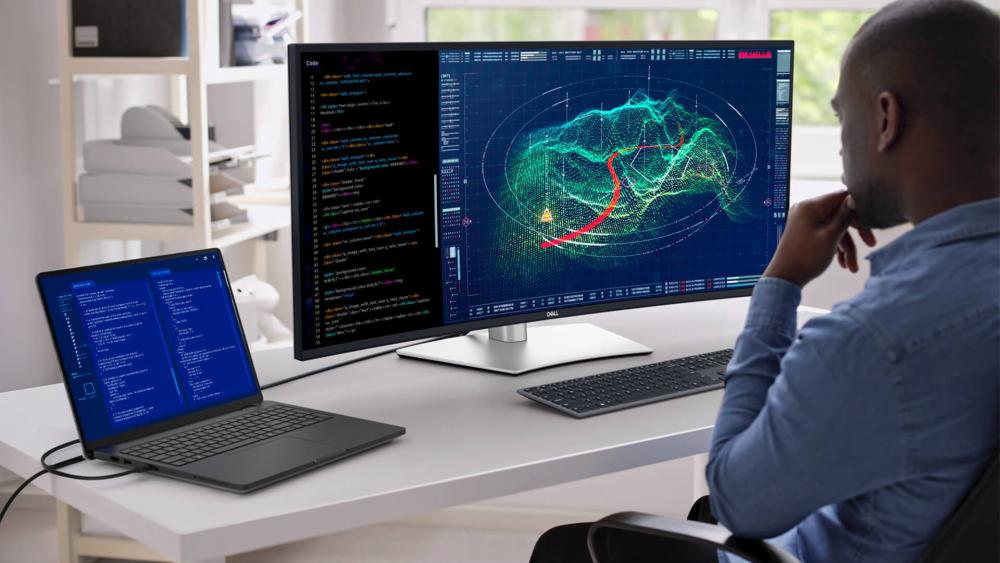
Security and Compliance with Windows 11 Pro
Built-In TPM and Encryption Capabilities
Security is a top priority for businesses handling sensitive information such as financial records, client data or internal documentation. The Dell Pro 15 Essential supports Windows 11 Pro, which includes advanced security features designed for professional environments.
One of the key technologies is TPM (Trusted Platform Module), a hardware-based security chip that helps protect encryption keys and sensitive credentials. Combined with modern encryption technologies, TPM strengthens device security and helps protect company data from unauthorised access.
For organisations prioritising endpoint security, these built-in protections provide an important layer of defence.
Device Management for IT Administrators
Businesses managing multiple laptops also benefit from the device management capabilities included with Windows 11 Pro. These features allow IT administrators to configure systems, manage updates and apply security policies across devices more efficiently.
For organisations involved in corporate deployment, this centralised control helps reduce administrative workload while ensuring systems remain secure and compliant with company policies.
These capabilities are especially valuable for businesses scaling their teams or managing devices across hybrid work environments.
Endpoint Protection and Business Antivirus
While built-in operating system security is important, many organisations also deploy additional security solutions to protect against evolving threats.
Businesses upgrading their office laptops can enhance protection by adding dedicated endpoint protection software, which helps detect malware, ransomware, and other cyber threats. You can explore professional endpoint protection solutions at Box.co.uk.
Combining hardware-level security, Windows 11 Pro features and antivirus protection helps businesses create a stronger security environment for employees and company data.
Lowering Total Cost of Ownership Over 3–5 Years
Reduced Downtime and Fewer Support Tickets
Older laptops often generate frequent support requests due to performance issues, outdated components, or hardware failures. These disruptions can slow down teams and increase the workload for IT departments.
Upgrading to a modern Dell business laptop like the Dell Pro 15 Essential helps reduce these issues by providing reliable hardware designed for professional use. Stable performance and modern components mean employees experience fewer disruptions, which translates into improved productivity.
Energy Efficiency and Operational Savings
Newer laptops are also significantly more energy efficient than older systems. Improvements in processor architecture and battery optimisation allow modern devices to consume less power during everyday tasks.
For organisations deploying dozens or even hundreds of office laptops, these efficiency improvements can contribute to noticeable operational savings over time. Lower energy usage and longer battery life support flexible working while helping businesses manage electricity costs more effectively.
Smarter Budget Allocation for Growing Teams
Upgrading office hardware does not necessarily require investing in the most expensive devices. The Dell Pro 15 Essential is designed to provide reliable performance at a cost that works well for businesses upgrading multiple systems.
By choosing a balanced productivity laptop, companies can allocate budgets more strategically ensuring employees receive reliable equipment without overspending on unnecessary features.
For businesses planning a hardware refresh, exploring business laptop deals can also help maximise value during procurement.
Explore our guide on Dell Pro 15 Essential Under £700: The Best Business Laptop Configurations for Work and Productivity to compare the most efficient setups for modern office workloads.
Building a Complete Office Setup Around the Upgrade
Upgrading to the Dell Pro 15 Essential is often just the first step in improving workplace productivity. Many organisations also enhance their work environment by pairing laptops with the right tools and services. A complete setup can improve collaboration, support hybrid working, and help employees stay productive whether they are in the office or working remotely.
Pairing with Business Monitors for Productivity
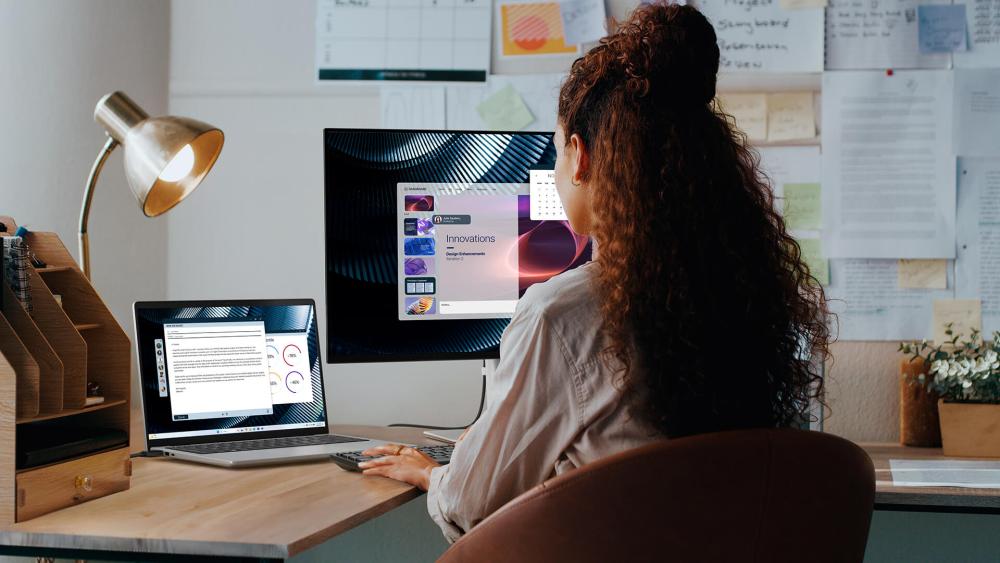
Many professionals benefit from working with a larger or dual-screen setup. Adding a dedicated business monitor allows employees to view multiple documents, spreadsheets or applications simultaneously without constantly switching between windows.
For example, staff working in finance, administration or marketing often need to monitor dashboards, reports and communication tools at the same time. A larger display or dual-monitor setup can significantly improve efficiency by making multitasking easier.
Businesses upgrading their laptops can also explore compatible business monitors to create a more productive workspace.
Adding Microsoft 365 for Collaboration
Modern workplaces rely heavily on collaboration platforms to keep teams connected. Integrating Microsoft 365 with the Dell Pro 15 Essential enables employees to access essential tools such as Outlook, Word, Excel, PowerPoint and Microsoft Teams.
These tools allow teams to share files, collaborate on documents in real time and communicate more effectively across departments. For organisations adopting hybrid working, cloud-based productivity platforms like Microsoft 365 are particularly valuable.
Businesses can explore Microsoft's productivity solutions at Box.co.uk.
Extending Protection with Warranty Options
Business devices are used extensively, so having proper support and protection is essential. Many organisations choose to extend device coverage with additional warranty options to minimise disruptions if hardware issues arise.
Extended protection helps reduce downtime, ensures quicker repairs and gives IT teams greater confidence when deploying laptops across departments. When planning a corporate laptop upgrade, factoring in support and service options can help protect the long-term investment.
Practical Accessories for Office and Travel
Accessories can further improve how employees use their laptops. Items such as docking stations, laptop stands, wireless keyboards and carrying cases help create more comfortable and flexible workspaces.
For employees who travel frequently or split their time between locations, accessories such as protective laptop sleeves or portable chargers can make a significant difference in daily convenience.
Businesses can browse a wide range of office laptop accessories at Box.
When to Consider Higher Specifications
Not every employee needs the same level of computing power. Choosing the right processor helps businesses balance performance, cost and productivity across different roles. While entry-level configurations work well for general office tasks, teams handling more complex workloads may benefit from stronger processors.
| Processor Option | Best For | Typical Workloads | Why It Works |
| Intel Core 3 | Admin staff, reception, general office users | Email, document editing, spreadsheets, web browsing, video meetings | Provides reliable everyday performance for basic tasks without increasing hardware costs, making it ideal for standard office laptop deployments. |
| Intel Core i5 | Multitasking teams, project managers, marketing or customer support staff | Running multiple applications, large spreadsheets, frequent Microsoft Teams meetings, CRM systems | Offers stronger multitasking capabilities and balanced performance, making it a popular choice for a Dell productivity laptop used across many business teams. |
| Intel Core i7 | Data analysts, finance teams, technical specialists | Complex spreadsheets, data processing, analytics tools, heavy multitasking | Delivers higher processing power for demanding workloads where performance directly affects productivity and efficiency. |
Selecting the right configuration ensures employees have a business laptop capable of supporting their workload while helping organisations maintain an efficient and cost-effective IT strategy.
Final Thoughts: A Smarter Upgrade for Modern Business Teams
For organisations still relying on ageing devices, upgrading to a modern Dell productivity laptop like the Dell Pro 15 Essential can significantly improve everyday business operations. With reliable performance, modern Windows 11 Pro security, fast SSD storage and configurations designed for real office workloads, it provides a practical solution for companies looking to refresh their office laptops without overspending.
Beyond performance, the real value of a device like the Dell 15 business laptop lies in its long-term reliability and efficiency. Reduced downtime, improved multitasking and stronger security features help businesses maintain productivity while lowering the overall cost of ownership over several years. For small and medium-sized teams, this makes the Dell Pro 15 Essential a sensible upgrade for supporting modern work environments.
If your organisation is planning a Dell office laptop upgrade, you can explore the latest Dell laptop range and compare available models on Box.co.uk. You can also browse the newest business laptops and find competitive business laptop deals to equip your team with reliable devices built for productivity and long-term value.
You can pay with:
*PayPal Credit Representative Example: Assumed credit limit £1,200, Representative 23.9% APR (variable). Purchase rate 23.9% p.a (variable).Terms & Conditions apply.


PayPal Credit and PayPal Pay in 3 are trading names of PayPal UK Ltd, 5 Fleet Place, London, United Kingdom, EC4M 7RD. Terms and conditions apply. Credit subject to status, UK residents only, Five Tech LTD acts as a broker and offers finance from a restricted range of finance providers. PayPal Pay in 3 is not regulated by the Financial Conduct Authority. Pay in 3 eligibility is subject to status and approval. 18+. UK residents only. Pay in 3 is a form of credit. Check if affordable and how you will repay. May make other borrowing more difficult or expensive. See product terms for more details.
Copyright © 1996-2026 Fivetech LTD | Terms and Conditions
box.co.uk & Box are trading names of Five Tech Limited. Registered office: Box LTD, Unit 10 Woodford Trading Estate, Woodford Green IG8 8HF