


 Menu
MenuMenu


Get Sales Advice from Mon - Fri 9am - 5:00pm:
020 3337 8950LAST UPDATED: September 15, 2025
What is NAS? The Complete Guide to Network Attached Storage for Home & Business
Ever lost an important file and wished you'd had a better backup system? Data loss is a headache no one wants, not home users or businesses. This is where NAS comes in. But what is NAS? Simply put, NAS stands for Network Attached Storage. It is a clever way to store and access data across your home or office network. Unlike standard external drives like WD Elements or a Seagate external hard drive, a NAS drive acts as a central hub for your digital life. Think of it as your personal cloud, without monthly fees or limits. Want to learn more? This blog has everything you need to know!
What is NAS?

So, exactly what is NAS?
A Network Attached Storage, or NAS, is a dedicated storage device that connects to your home or business network, allowing multiple users and devices to access files centrally. A typical NAS server contains one or more NAS drives, which are specifically designed for continuous operation. This makes them ideal for a range of tasks, from serving as a home NAS server for media streaming to providing NAS storage backup for important files.
For individuals, a NAS for home can be a lifesaver for consolidating digital photos and videos, or for creating a best NAS for home media server. Small businesses, meanwhile, can benefit from a NAS for small business to manage shared documents and data, and to implement reliable NAS storage solutions.
Many NAS devices use RAID in NAS to protect against drive failure, ensuring data redundancy. When setting up a NAS device, you can also explore different NAS backup solutions, such as Synology Active Backup for Business, to safeguard your data. It is a far more robust solution than relying on a single external hard drive for your crucial data.
NAS vs Traditional Storage: What’s the Difference?
NAS (Network Attached Storage) and traditional storage devices differ primarily in how they connect to and are accessed by a network.
A NAS is a dedicated appliance that connects directly to a network via an Ethernet cable, acting as a shared, central hub for data. Multiple users and devices can access it simultaneously, making it fantastic for collaboration and data backup. It often has its own operating system and software for managing files, running applications, and automating backups.
Traditional storage, such as an external hard drive (e.g., WD Elements or Seagate external hard drive), connects directly to a single computer, typically via a USB cable. It's great for personal storage and simple data transfers, but it isn't designed for simultaneous access by multiple users or network-wide sharing.
NAS offers advanced features like RAID (Redundant Array of Independent Disks), which protects against data loss by mirroring data across multiple drives. This feature is not available in most traditional single-drive solutions. Therefore, a NAS is a more powerful, scalable, and collaborative solution, whereas traditional storage is a simple, single-user option.
Understanding what is NAS and how it compares to traditional storage is crucial for making an informed decision.
Key Benefits of Using NAS
Now that you know what is NAS, let’s explore its key benefits.
Centralised and Accessible Data
One of the main benefits of using a NAS is centralising your data. Instead of having files scattered across multiple computers and external hard drives, a NAS storage solution acts as a single, accessible repository. Users on your network can access files from their PCs, laptops, and even mobile devices without needing a direct connection to a specific computer.
Data Protection and Redundancy
A critical advantage of a NAS server is also its ability to protect your data. Many NAS devices use RAID in NAS, a technology that distributes and duplicates data across multiple NAS drives. This means that if one of the drives fails, your data remains safe and accessible on the other drives. Furthermore, a NAS can be used for reliable NAS storage backup, providing an extremely dependable backup solution for all devices on your network. Solutions like Synology Active Backup for Business provide automated, scheduled backups, ensuring that your data is always protected and recoverable in case of a disaster.
Scalability and Versatility
A NAS is a highly flexible and scalable solution. When your storage needs grow, you can simply add more NAS drives to the server, rather than buying and managing multiple individual external hard drives. For a home user, this means you can start with a basic NAS for home and expand it as your media library grows. For a business, a NAS for small business can be configured to suit various needs, from a simple file server to a media server or a surveillance station for security cameras.
Cost-Effectiveness
When you start understanding what is NAS, you’ll also realise how it offers better value for money compared to other storage or backup options. While there's an initial outlay for the hardware and NAS drives, a NAS can be more cost-effective in the long run compared to public cloud storage, especially for users with significant data needs. You own the storage, so you don't have to worry about recurring monthly fees that can add up over time. This makes a NAS a financially savvy choice for a home or small business, offering a great balance of cost and functionality.
Energy Efficiency and Quiet Operation
A home NAS server is designed to be energy-efficient, often using less power than a desktop computer. These devices are also typically quiet, making them suitable for an office or home environment without being a distraction.
Private Cloud Functionality
A NAS goes beyond being just a network drive; it can act as your own private cloud. This gives you remote access to your files from anywhere in the world with an internet connection, without the privacy and security concerns that can come with using a third-party public cloud service. You have full control over your data and who can access it.
NAS for Home Users: More Than Just Backup

A home NAS server doesn’t just store your files — it transforms how your household handles data. From automated NAS storage backup of family laptops to managing schoolwork, tax records, or even smart home surveillance footage, a NAS drive for home centralises and protects what matters. With features like multi-user access, version history, and advanced RAID in NAS protection, everyone in the family can safely collaborate, organise, and retrieve files without risking accidental deletion or data loss. It’s digital peace of mind, quietly working in the background while life happens.
NAS for Small Business: Secure, Scalable, and Smart
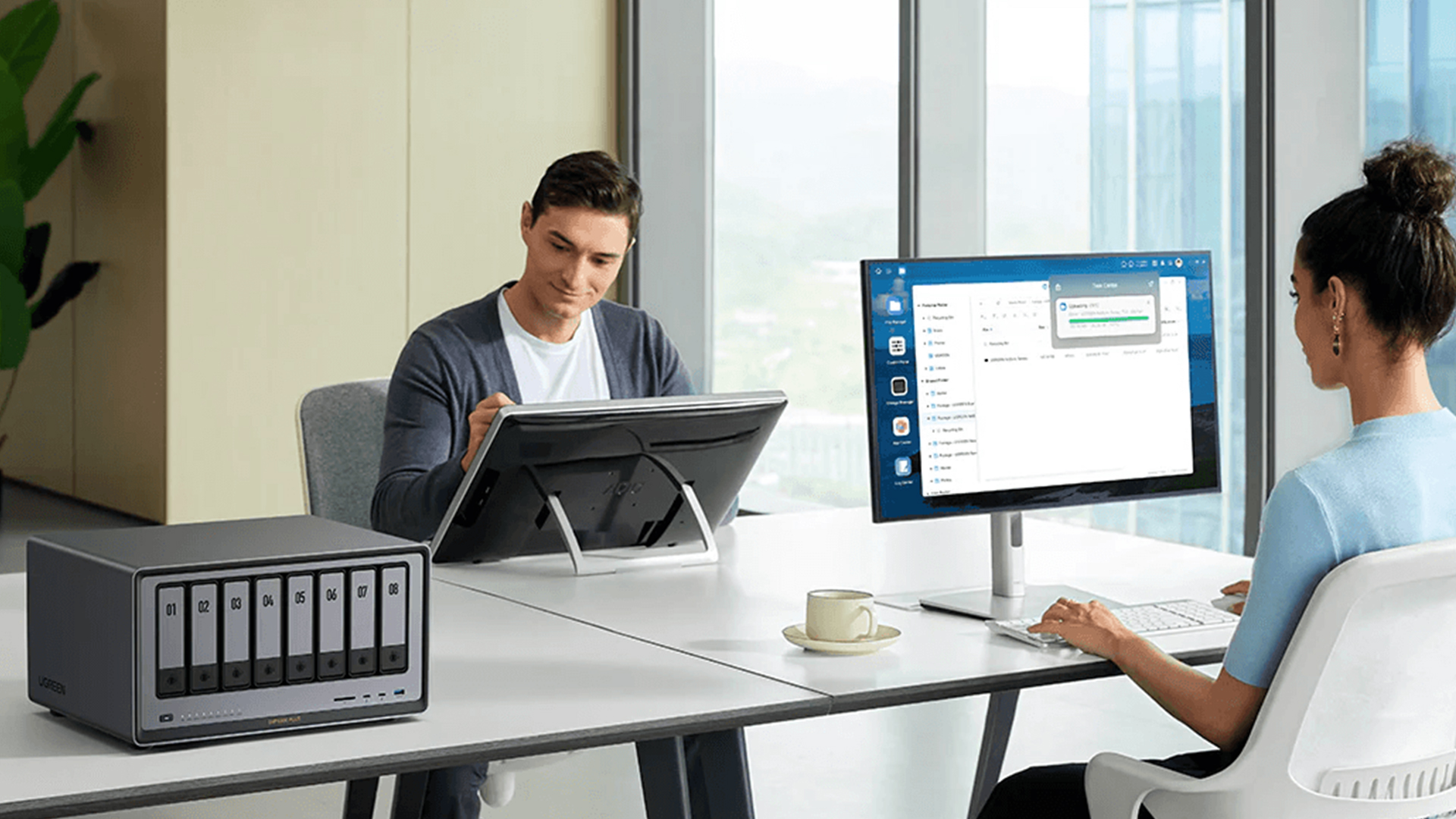
For a small business, a NAS server is a smart investment in data management and security. Unlike relying on a collection of separate Seagate external hard drives, a NAS for small business provides a cohesive and secure storage solution. It can be the backbone of your office, serving as a centralised file server where all employees can access and collaborate on documents. With features like Synology Active Backup for Business, a NAS can automate backups for all company PCs and servers, ensuring your critical data is protected and easily recoverable. The built-in RAID in NAS technology provides a vital layer of data redundancy, protecting against a single drive failure. As your business grows, you can easily add more NAS drives to scale your storage without overhauling your entire system, making it a truly incredible, long-term solution.
But as with any technology, it's wise to be aware of potential common NAS problems before you buy. However, the benefits of a NAS far outweigh the occasional issues.
Powerful NAS Devices for Home Users and Businesses in 2025
Here’s a look at powerful NAS devices for home and business that offer remarkable value.
UGREEN NASync DXP8800 Plus 8-Bay-NAS (Diskless) (MPN: DXP8800PLUS)

The UGREEN NASync DXP8800 Plus is one of the best NAS devices for both home and business users due to its powerful hardware and versatile features. With an Intel Core i5 processor and 8 bays supporting up to 256TB, it’s a high-performance home NAS server that can serve as the best NAS for a home media server, handling 8K video streaming and a vast media library. Its dual 10GbE network ports and professional data security features also make it top selection for those looking for a NAS for small business. The various RAID in NAS levels ensure data protection, while the hot-swappable drives allow for easy upgrades, solidifying it as a top-tier NAS storage solution.
(Add ProductImage1 + Shop now https://box.co.uk/dxp8800plus-ugreen-nasync-8-bay-nas-diskless)
Synology DS1525+ 5-Bay NAS Enclosure (8GB RAM) (MPN: DS1525+)

The Synology DS1525+ is an excellent NAS storage solution for both home and business. It is capable of media streaming and unmatched as a NAS storage backup for all your devices. Moreover, with various RAID in NAS options, it ensures data protection and its scalability means you can add more storage as your needs grow. This NAS server, paired with reliable Synology hard drives, is far superior to a single Seagate external hard drive or WD elements.
(Add ProductImage2 + Shop now https://box.co.uk/ds1525p-synology-diskstation-amd-ryzen-v1500b-nas)
Synology DS2422+ 12-Bay NAS Enclosure (4GB RAM) (MPN: DS2422+)

The Synology DS2422+ is the definitive NAS for businesses, a true powerhouse for professional environments. With its 12-bay design, it provides an immense storage solution for critical business data, from large video files for content creation to extensive archives for collaborative workflows. The AMD Ryzen quad-core processor ensures high-speed performance for demanding applications like virtualisation, while enterprise-grade backup ensures every endpoint is protected. This NAS server offers top-notch security and RAID in NAS configurations to safeguard against data loss, making it a reliable and wise investment for any growing company.
QNAP TS-873A-8G AMD Ryzen V1500B 8GB 8 Bay NAS Enclosure (MPN: TS-873A-8G)
Experience serious storage power! The QNAP TS-873A-8G keeps your home and business data fast, safe, and central. For home users, it's a dynamic home NAS server that can handle everything from a media library to a secure NAS storage backup. Businesses will appreciate the AMD Ryzen processor and 8 bays for intensive workloads and reliable data management. Its dual 2.5GbE ports and expandable PCIe slots are great for those looking for setting up a NAS device with lightning-fast speeds.
(Add ProductImage4 + Shop now https://box.co.uk/ts-873a-8g-qnap-amd-ryzen-v1500b-8g-tower-servers)
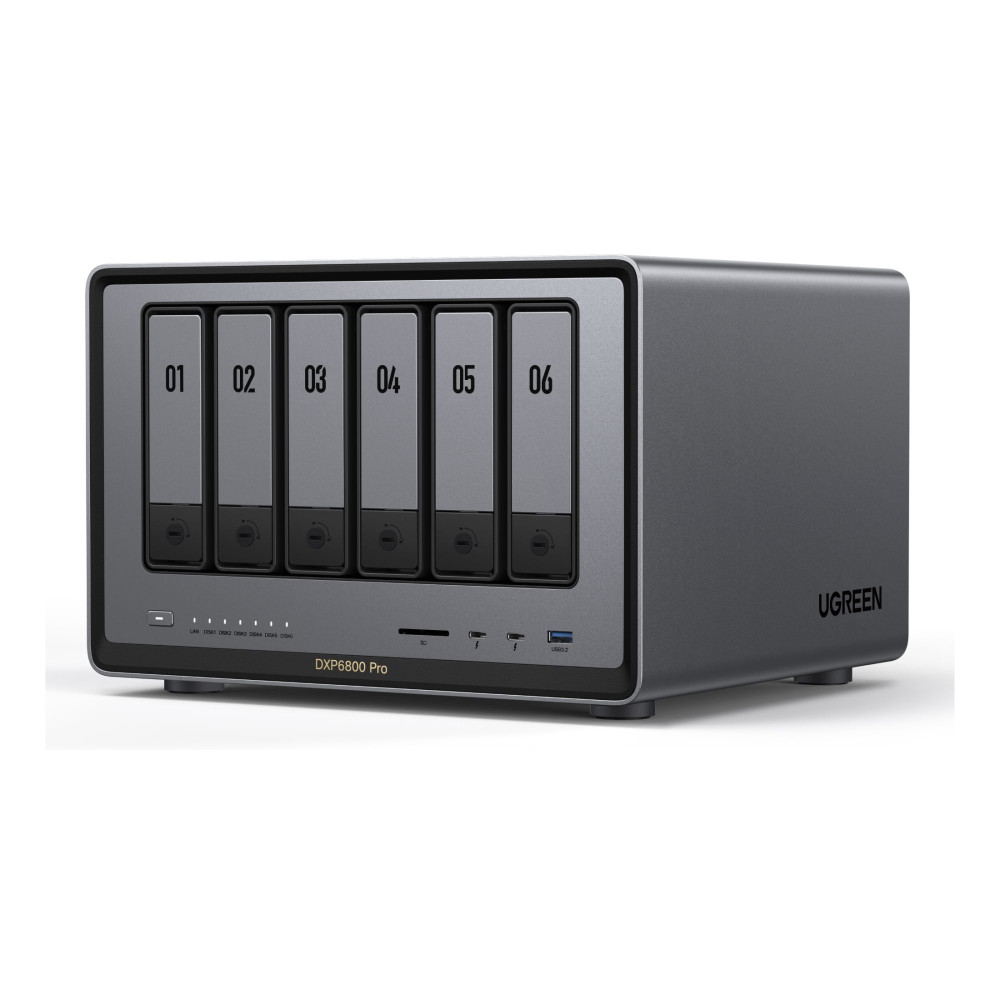
UGREEN NASync DXP6800 Pro 6-Bay-NAS (Diskless) (MPN: DXP6800PRO)
Say goodbye to cluttered hard drives and data chaos! The UGREEN NASync DXP6800 Pro redefines what a NAS server can do for both homes and businesses. Boasting an Intel Core i5 10‑core processor and 8 GB DDR5 RAM, it handles heavy workloads effortlessly. Its six bays support up to 196 TB and offer advanced RAID in NAS configurations for ultimate data protection. With ultra-fast dual 10 GbE networking, Thunderbolt 4 connectivity, NAS storage backup, and effortless expansion, this powerhouse stands out as the best NAS for home media server and NAS for small business alike.
Conclusion
Still wondering what is NAS? It’s not just another tech acronym—it’s a smarter, faster, and more secure way to take control of your data. A NAS drive isn’t limited to storage; it’s a centralised, always-on solution that evolves with your digital demands. Forget juggling multiple external hard drives or relying on slow cloud services, a NAS for small business and home users unlocks new levels of flexibility.
Modern NAS servers offer powerful features like RAID protection, remote file access, built-in backup automation, and app ecosystems that transform a simple box into a digital powerhouse.
It’s time to move past outdated tech and discover what a purpose-built NAS can do. Explore high-performance NAS drives, feature-rich enclosures, and reliable NAS backup solutions today at Box.co.uk. Shop now and give your data the backup and performance it truly deserves.
FAQs
Can I use any hard drive in my NAS?
No, dedicated NAS drives are purpose-built for continuous operation, making them more durable than desktop drives.
How do I choose the right size NAS for my needs?
Calculate your current data and estimate future growth, always budgeting for more storage than you think you need.
What are some common NAS problems?
Common issues include network connectivity problems and slow performance, which can be fixed by checking cables or upgrading RAM.
You can pay with:
*PayPal Credit Representative Example: Assumed credit limit £1,200, Representative 23.9% APR (variable). Purchase rate 23.9% p.a (variable).Terms & Conditions apply.


PayPal Credit and PayPal Pay in 3 are trading names of PayPal UK Ltd, 5 Fleet Place, London, United Kingdom, EC4M 7RD. Terms and conditions apply. Credit subject to status, UK residents only, Five Tech LTD acts as a broker and offers finance from a restricted range of finance providers. PayPal Pay in 3 is not regulated by the Financial Conduct Authority. Pay in 3 eligibility is subject to status and approval. 18+. UK residents only. Pay in 3 is a form of credit. Check if affordable and how you will repay. May make other borrowing more difficult or expensive. See product terms for more details.
Copyright © 1996-2026 Fivetech LTD | Terms and Conditions
box.co.uk & Box are trading names of Five Tech Limited. Registered office: Box LTD, Unit 10 Woodford Trading Estate, Woodford Green IG8 8HF