


 Menu
MenuMenu


Get Sales Advice from Mon - Fri 9am - 5:00pm:
020 3337 8950LAST UPDATED: December 05, 2025
Choosing the Right MacBook Pro for Your Workflow: Creative, Dev, or Power User
The Apple MacBook Pro has evolved far beyond being "the laptop for designers." Today, it powers the workflows of creators, software developers, data analysts, 3D artists, engineers, and multitasking professionals across the globe. With the rise of Apple Silicon M2, M2 Pro/Max, and the latest M3, M3 Pro, and M3 Max chips; the MacBook Pro lineup now spans every type of user, from casual editors to full-blown power users.
But with so many configurations, screen sizes, and performance tiers, a key question keeps coming up: "Which MacBook Pro is best for my workflow?"
In this guide, we break down exactly which model fits creatives, developers, and power users, helping you understand what hardware matters most for the work you do.
Workflow Profiles: Creative vs Dev vs Power User
Before choosing the best MacBook Pro, it's important to understand which user profile you fit into. Apple Silicon is powerful, but every workflow stresses different parts of the system; CPU, GPU, memory, and storage.
Creative Users (Photo, Video, Graphics, 3D Light Work)

Creative professionals work with visuals all day, so they need a laptop that can keep up with colour accuracy, large files, and smooth rendering. If you're editing photos in Lightroom, cutting 4K footage in Premiere or Final Cut, designing graphics in Figma or Illustrator, or working with simple 3D models, your MacBook Pro needs to deliver both visual quality and graphics performance.
Performance & Configuration:
Creative users depend heavily on strong GPU performance, fast memory, and high-quality displays. Tasks like video editing, motion graphics, 3D texturing, and large-scale photo work all benefit from the extra power offered by the M2/M3 Max chips, which handle rendering and effects much faster than base models. Having 32GB of RAM ensures smooth multitasking across Adobe apps, while a fast SSD keeps 4K and 8K footage running without stutter. The Liquid Retina XDR display provides excellent colour accuracy and brightness, making it far easier to grade visuals confidently and deliver professional-quality work.
Display, Size & Build Considerations:
Choosing between the 14-inch and 16-inch MacBook Pro plays a big role in how comfortable and efficient your workflow will feel day-to-day. The 14-inch MacBook Pro is designed for users who prioritise portability without sacrificing power. It's lightweight, compact, and easy to carry, making it ideal for developers working in cafés, photographers who travel frequently, or creators who need a powerful machine that fits easily into a backpack. Despite its smaller size, it still supports the full performance of the M3 Pro and M3 Max chips, giving you the same high-end capability in a more mobile form factor.
Battery Life, Portability & Mobility
Battery life and portability can make a big difference depending on how and where you work. For creators on the go, mobility is often essential. Photographers, videographers, and digital artists frequently work on-location, whether that's outdoors, in studios, or while travelling. The 14-inch MacBook Pro is easier to carry throughout the day and fits comfortably into most camera bags or travel backpacks, making it ideal for mobile editing and quick on-set adjustments. That said, creators who regularly edit longer videos or manage detailed graphics may appreciate the extra screen space of the 16-inch model, which makes timeline navigation and visual work noticeably more comfortable.
Software Ecosystem & User Experience
For creatives, macOS offers some of the best-optimised tools in the industry. Apps like Final Cut Pro, Adobe Premiere Pro, DaVinci Resolve, Lightroom, and Blender all take advantage of GPU acceleration within Apple Silicon, meaning faster exports, smoother timelines, and more responsive editing sessions. Colour-critical work also benefits from macOS's excellent support for HDR workflows and wide-gamut colour profiles, giving creators confidence that their final output will look consistent across devices. Creative users also appreciate the reliability of macOS when working with large media libraries, external drives, and colour-accurate displays.
Pricing & Value:
For creative professionals, the biggest value comes from investing in a stronger GPU, more memory, and a high-quality display. Because photo and video editing apps rely heavily on graphics acceleration, moving up to the M3 Pro with at least 32GB of RAM helps ensure smooth playback, faster rendering, and better handling of large media files. While the 16-inch model is ideal for large editing timelines, the 14-inch M3 Pro provides the best price-to-performance ratio for most creators, offering the same visual quality and GPU power at a more affordable entry point.
Featured Product:
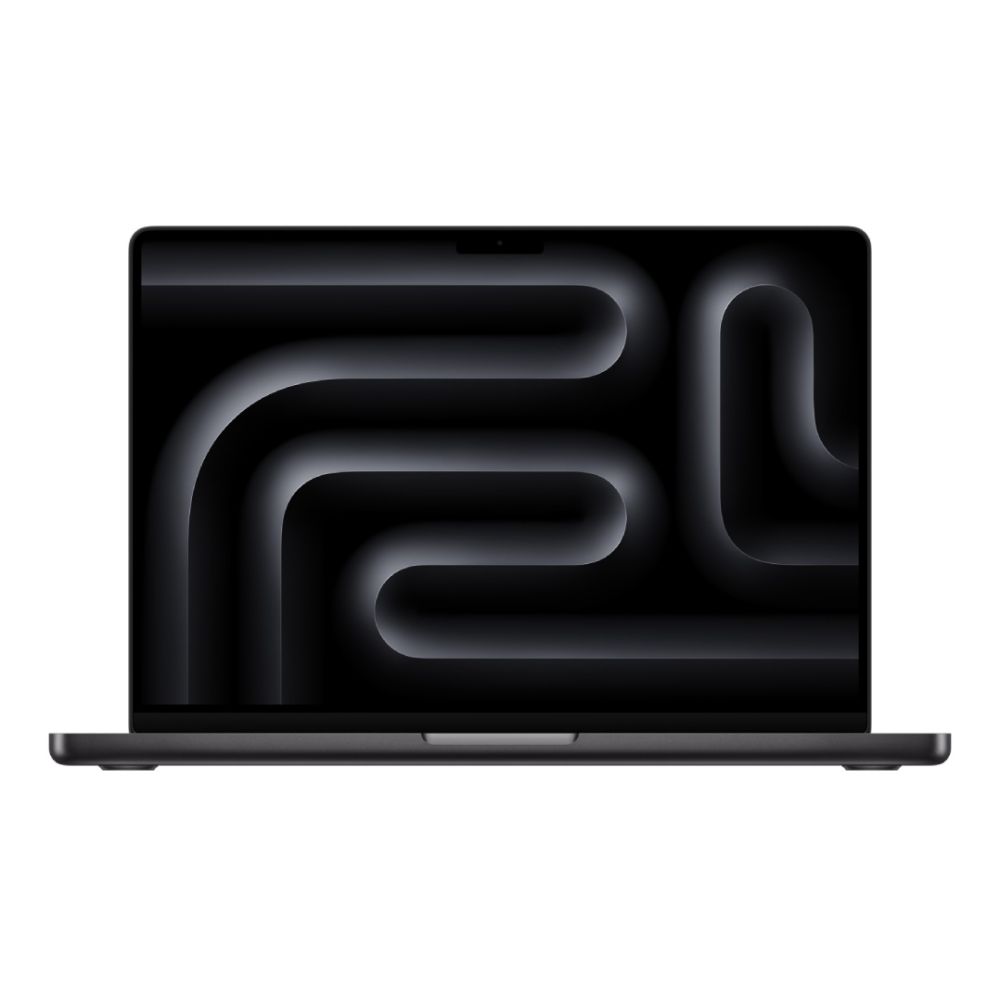
Apple MacBook Pro M4 Pro 14Core Chip 24GB RAM 512GB SSD 16" MacOS Sequoia Laptop (MPN: MX2X3B/A)
The Apple MacBook Pro with the M4 Pro 14-core chip, 24 GB RAM, and 512 GB SSD provides a powerful and responsive platform ideal for creative workflows. With its large 16" display and high-performance internals, tasks like video editing, photo retouching, graphic design, and motion graphics render smoothly and quickly. This configuration balances performance and portability, making it a reliable choice for creators who need speed, screen real-estate, and long-lasting performance for demanding projects.
Developer Users (Software Engineering, Web Development, Mobile Dev, DevOps)

Developers need a MacBook Pro that can handle heavy coding workloads, long compile times, and multitasking across multiple tools. Whether you're building iOS apps in Xcode, running web projects in VS Code, using JetBrains IDEs, or working with Docker containers and virtual machines, your system should be powerful, stable, and efficient.
Performance & Configuration Comparison:
Developers rely more on CPU performance and memory than GPU strength, especially when compiling large codebases, running virtual machines, or using multiple IDEs. The M3 Pro or M3 Max chips significantly reduce compile times and improve responsiveness when switching between heavy tools like Docker, Xcode, JetBrains IDEs, and local servers. While 16GB of RAM covers basic development, 32GB is ideal for more advanced workflows that involve simulators or containers. Fast SSD speeds also help install packages quickly, and multiple ports like Thunderbolt, HDMI, and USB-C make it easier to connect external displays, peripherals, and debugging devices.
Display, Size & Build Considerations
The 16-inch MacBook Pro caters to users who need more screen space and higher sustained performance. Its larger display gives editors more room to view timelines, designers more space to lay out graphics, and programmers extra room to keep multiple windows open side-by-side. It also has better thermal performance, meaning it can maintain high speeds for longer during demanding tasks like rendering or compiling. For anyone working long hours at a desk cfrom video editors to data analysts; the 16-inch model delivers a more comfortable, desktop-like experience along with the best battery life in the entire range.
Battery Life, Portability & Mobility
For developers, battery life and flexibility matter just as much. Many developers work remotely or rotate between cafés, co-working spaces, and home offices. The 14-inch model offers excellent all-day battery performance for coding sessions, running simulators, and managing multiple windows on the move. Its lighter weight makes it a good fit for devs who aren't tied to a single workspace. Meanwhile, developers who spend most of their time at a desk or who use multiple external monitors often lean toward the 16-inch, since the larger screen makes multitasking more efficient, and its bigger battery helps support long, sustained workloads.
Software Ecosystem & User Experience
For developers, macOS provides a uniquely powerful environment thanks to its Unix-based foundation and first-class support for coding tools. Whether you're working in Xcode, VS Code, JetBrains IDEs, or browser-based frameworks, the system handles everything from local development servers to complex Docker containers with impressive stability. Apple Silicon runs virtual machines and simulators efficiently, which is essential for mobile developers, backend engineers, and DevOps workflows. With Homebrew for package management, Terminal access, and smooth integration with cloud platforms, developers get a versatile and flexible environment that supports modern engineering workflows from end to end.
Pricing & Value:
For developers, the focus shifts to CPU performance, memory capacity, and connectivity. Code compilation, simulators, and container platforms like Docker all rely heavily on CPU and RAM, so a configuration that leans into multi-core power offers better long-term value. The 14-inch MacBook Pro with the M3 Pro chip and 16–32GB of RAM delivers fast compile times and smooth multitasking without the extra cost of GPU upgrades that most developers don't truly need. Its lower price compared to Max models makes it the most cost-effective choice for engineering work, especially for mobile or remote developers.
Featured Product:
Apple MacBook Pro M4 Pro 12Core Chip 24GB RAM 512GB SSD 14" MacOS Sequoia Laptop (MPN: MX2E3B/A)
The Apple MacBook Pro with the M4 Pro 12-core chip, 24 GB RAM, and 512 GB SSD delivers the strong CPU performance and memory bandwidth developers need for compiling code, running containers or virtual machines, and multitasking across IDEs and tools. Its compact 14″ form factor makes it a great travel-friendly coding workstation that still packs enough power for serious development workloads. With fast storage and efficient processing, this configuration ensures responsive compile times and smooth workflow for software engineers and dev-ops alike.

Power Users (Heavy Multitasking, Data, 3D, Simulation, "Do Everything" Users)
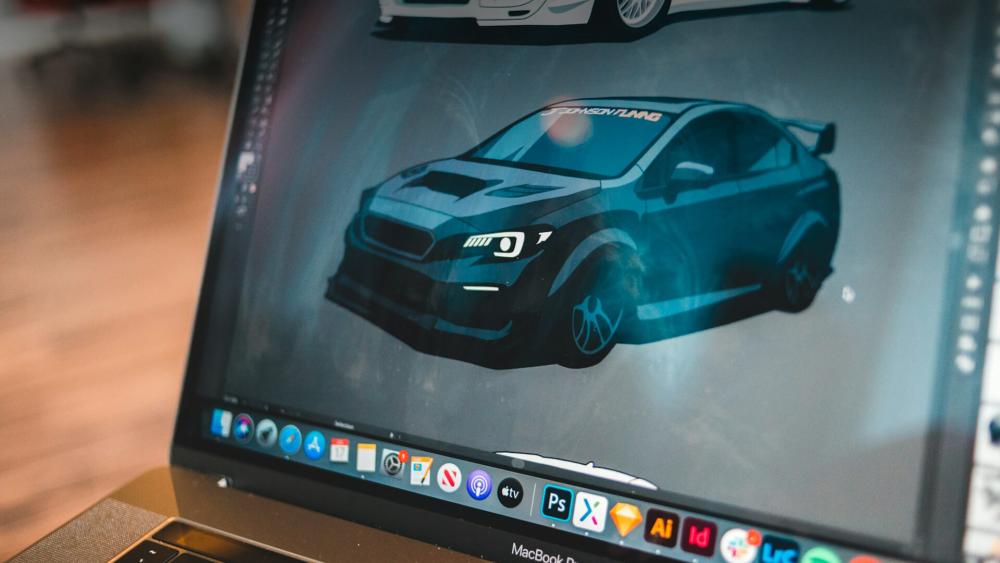
Power users expect their laptop to handle anything and everything without slowing down often all at once. If you work with huge datasets, advanced data analysis tools, 3D modelling in Blender or Maya, Unreal Engine builds, CAD software, AI tools, or heavy simulations, you need a MacBook Pro that delivers maximum performance across all components.
Performance & Configuration Comparison:
Power users require maximum performance across the board, especially for data analysis, 3D modelling, scientific tools, or running several demanding apps at once. The M3 Max chip offers the strongest combined CPU and GPU performance, making it suitable for complex workloads that would overwhelm standard laptops. With 64GB or 128GB of RAM, users can run heavy multitasking environments, large datasets, and virtual machines without slowdown, while a 2TB–4TB SSD provides enough storage for expansive projects. The 16-inch MacBook Pro is often preferred for its larger display, better thermal performance, and ability to support truly high-end workflows for many years.
Display, Size & Build Considerations:
Both sizes feature Apple's Liquid Retina XDR Display, which offers exceptional image quality with up to 1000 nits of sustained brightness and 1600 nits peak HDR performance. Colours are highly accurate, contrast is deep, and highlights are incredibly bright, making these displays perfectly suited for creative professionals who need reliable colour reproduction. Whether you're grading footage, designing visuals, or simply enjoying high-quality content, the screen delivers one of the best viewing experiences available on any laptop.
Battery Life, Portability & Mobility
For power users, portability usually takes a back seat to screen size, performance, and battery capacity. These users often work with heavy applications such as 3D rendering tools, data-analysis platforms, machine learning models, or large virtual machines. The 16-inch MacBook Pro is the better option here because the larger chassis allows for better cooling under prolonged load and houses a much larger battery, meaning it can handle intensive tasks for longer without needing a charger. While it's heavier, its extra workspace, longer endurance, and higher sustained performance make it the ideal choice for demanding, desk-based workflows.
Software Ecosystem & User Experience
For power users, macOS shines through its ability to handle multiple demanding applications at once without slowing down. Users working in MATLAB, Rhino, AutoCAD, Unreal Engine, or other specialised pro tools will notice how the system allocates memory efficiently, keeps background processes stable, and maintains high performance even when juggling several intensive tasks. Multi-monitor setups are also well supported, making it easy to create a workstation-style environment with multiple displays, external drives, and peripherals connected through Thunderbolt. Combined with the long-term reliability of Apple Silicon, macOS gives power users the confidence to push their device as hard as they need.
Pricing & Value:
For power users, long-term value comes from investing in a machine that won't become underpowered in a few years. If you work with 3D rendering, large data sets, scientific tools, or advanced simulations, choosing a higher-end chip and larger memory capacity saves you from hitting performance bottlenecks down the line. The 16-inch MacBook Pro with the M3 Max and 64GB of RAM offers the best future-proofing, handling demanding workloads today while providing enough performance headroom to stay fast for five to seven years or more. Although it has a higher price tag, for users who push their machine continuously, it delivers the strongest overall value.
Featured Product:
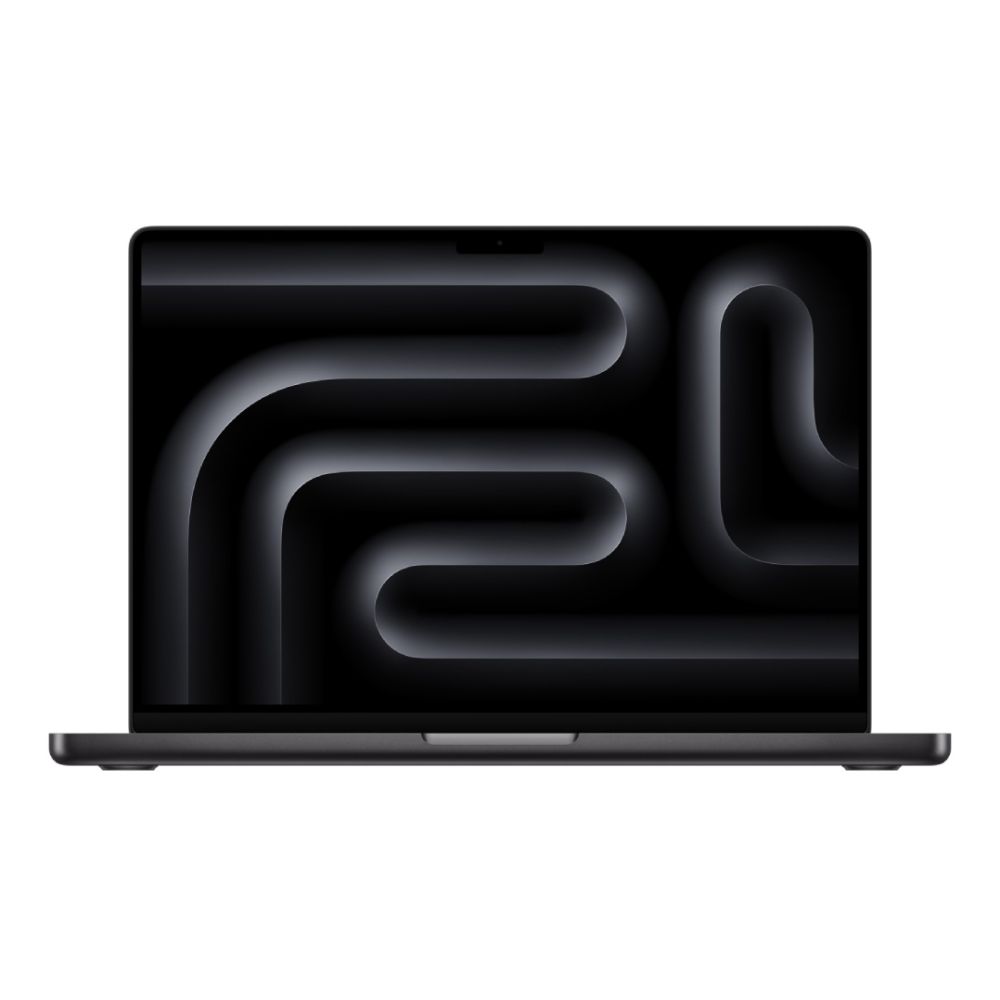
Apple MacBook Pro M4 Max 16Core Chip 48GB RAM 1TB SSD 16" MacOS Sequoia Laptop (MPN: MX313B/A)
The Apple MacBook Pro with the M4 Max 16-core chip, 48 GB RAM, and a 1 TB SSD provides extreme performance and ample storage for power users handling heavy workloads such as 3D rendering, data analysis, multitasking, and virtual machines. Its spacious 16″ display and high-end internals ensure that complex applications run smoothly and responsively; ideal for demanding tasks that push hardware limits. This configuration combines raw computing power, long-term reliability, and plenty of workspace, making it an excellent choice for professionals who need a machine that keeps up with intensive creative, technical, or data-driven workflows.
Conclusion
Choosing the right MacBook Pro for your workflow ultimately comes down to understanding the type of work you do every day. Creatives who rely on colour accuracy and GPU strength will get the most value from a configuration built around visual performance, while developers who depend on fast compile times, plenty of RAM, and powerful CPU processing will benefit more from a dev-focused setup. Power users who manage heavy multitasking, large datasets, 3D renders, or simulation tools will find that a high-spec model provides the future-proofing and long-term stability their workload demands. Rather than choosing the "best" MacBook Pro on paper, the smartest choice is the one that matches your workflow whether you're editing content, compiling complex codebases, or running demanding applications at scale. To explore the wider range of options, including the best laptops, Mac Pro, Mac Air, the latest Apple MacBook Pro, or even a more portable new MacBook alternative, you can compare the full lineup and choose the model that fits your needs. The right MacBook Pro today will support smooth, efficient, and powerful productivity for years to come.
Frequently Asked Questions
Is a 14″ MacBook Pro enough for video editing?
Yes, for 1080p or light 4K editing. Heavy 4K/8K workflows are better on the 16-inch for extra screen real estate and thermal performance.
Which MacBook Pro is best for software development in 2025?
The 14-inch MacBook Pro with M3 Pro and 16–32GB RAM offers the best balance of power and portability.
How much RAM do developers need?
16GB is fine for basic development. 32GB is recommended for Docker, VMs, and heavy IDE usage.
Do creatives always need the 16″ MacBook Pro?
Not always, but it's preferred for editing, colour grading, and working with detailed timelines.
Which MacBook Pro gives the best value for power users?
The 16-inch M3 Max with 64GB RAM delivers the best cost-performance ratio for heavy workloads.
Is the 16″ MacBook Pro too heavy to travel with?
It's heavier than the 14-inch, but still travel-friendly for professionals who need the screen space.
You can pay with:
*PayPal Credit Representative Example: Assumed credit limit £1,200, Representative 23.9% APR (variable). Purchase rate 23.9% p.a (variable).Terms & Conditions apply.


PayPal Credit and PayPal Pay in 3 are trading names of PayPal UK Ltd, 5 Fleet Place, London, United Kingdom, EC4M 7RD. Terms and conditions apply. Credit subject to status, UK residents only, Five Tech LTD acts as a broker and offers finance from a restricted range of finance providers. PayPal Pay in 3 is not regulated by the Financial Conduct Authority. Pay in 3 eligibility is subject to status and approval. 18+. UK residents only. Pay in 3 is a form of credit. Check if affordable and how you will repay. May make other borrowing more difficult or expensive. See product terms for more details.
Copyright © 1996-2026 Fivetech LTD | Terms and Conditions
box.co.uk & Box are trading names of Five Tech Limited. Registered office: Box LTD, Unit 10 Woodford Trading Estate, Woodford Green IG8 8HF