


 Menu
MenuMenu


Get Sales Advice from Mon - Fri 9am - 5:00pm:
020 3337 8950LAST UPDATED: October 22, 2025
Call of Duty Black Ops 7 and Battlefield 6 now require Secure Boot on Windows to run
If you're a PC gamer counting down the days to the release of Call of Duty: Black Ops 7 or Battlefield 6, you’ll want to make sure your system is up to date. Both Activision and Electronic Arts (EA) have announced that their upcoming flagship FPS titles will now require Windows Secure Boot and TPM 2.0 enabled to run on Windows systems.
So, what does that mean for you? Let’s break it down.
What Is Secure Boot (And Why Should Gamers Care)?
Secure Boot is a security feature built into modern PCs and laptops. It makes sure that only trusted software is allowed to run when your computer starts up. This helps block harmful programs from loading before Windows even begins.
TPM 2.0 (Trusted Platform Module) is another built-in security tool. It checks that nothing has been changed or tampered with inside your system, helping keep your data safe.
Together, Secure Boot and TPM 2.0 improve protection for your computer. Game developers like Activision and EA are using them to help stop cheating tools that try to interfere with games at a deep system level.
If you're a gamer, enabling these features helps you play in a fairer, more secure environment and keeps your system protected at the same time.
PC Security Features in More Detail:
- Secure Boot blocks modified or unsigned programs from loading during Windows startup. Strengthening game security with built-in Windows PC features. That means only verified software is allowed, making it much harder for cheaters to inject malicious code early in the boot process.
What this means for you: A cleaner, more trusted PC environment that makes it harder to cheat at the hardware level.
- Platform Configuration Registers (PCRs): TPM records key details about your system’s startup. If anything changes like disabling a security setting, the system knows and flags it.
What this means for you: Cheats that rely on disabling Windows protections are easier to detect and stop.
- Sealing and Binding: These TPM features protect sensitive data (like passwords or encryption keys) by tying them to your device and current system state.
What this means for you: If your system is altered or spoofed, that protected data becomes unusable making cheating harder.
- Remote Attestation: When you go online in Call of Duty, your PC proves to the servers that it started in a trusted state using TPM.
What this means for you: Faster, more secure match validation and a better chance of clean, fair gameplay.
Source: https://www.callofduty.com/blog/2025/08/call-of-duty-black-ops-6-ricochet-anti-cheat-season-05
Why Are Call of Duty and Battlefield Enforcing Secure Boot Now?

Activision and EA are cracking down hard on cheating. The latest Call of Duty update and the Battlefield 6 system requirements mark a shift in how anti-cheat measures are being enforced. Cheating has long plagued multiplayer FPS games, and traditional software-based solutions haven’t been enough.
That’s why both publishers are now leaning on hardware-level protections:
- Call of Duty: Black Ops 7 (launching later this year) will require Secure Boot and TPM 2.0.
- In preparation, Black Ops 6 is already rolling these features out in a phased implementation starting with Season 5. It won't block players yet but strongly advises compliance.
- Battlefield 6 will also enforce these settings during the upcoming open beta and likely at launch.
These changes are part of a wider effort to verify platforms, enforce digital signature checks, and restrict unauthorised tools from tampering with game files.
What Does This Mean for Your PC?
Here’s the good news: most modern gaming rigs already support these features. But you might need to enable them manually in your BIOS settings if they’re not turned on by default.
Here’s what you need to do:
- Check your BIOS/UEFI settings to ensure Secure Boot is enabled.
- Make sure TPM 2.0 is switched on (you may see it listed as PTT on Intel machines or fTPM on AMD).
- You’ll need to be running Windows 10 or Windows 11; both OS versions support Secure Boot.
|
Worried about performance? Don’t be. According to Activision (source: Battlefield 6 Open Beta system requirements): "TPM 2.0 and Secure Boot will not impact in-game quality. These features perform checks during system and game startup but remain inactive while you play." So your frame rates, load times, and graphics won’t suffer. |
Why This Matters for Anti-Cheat Enforcement
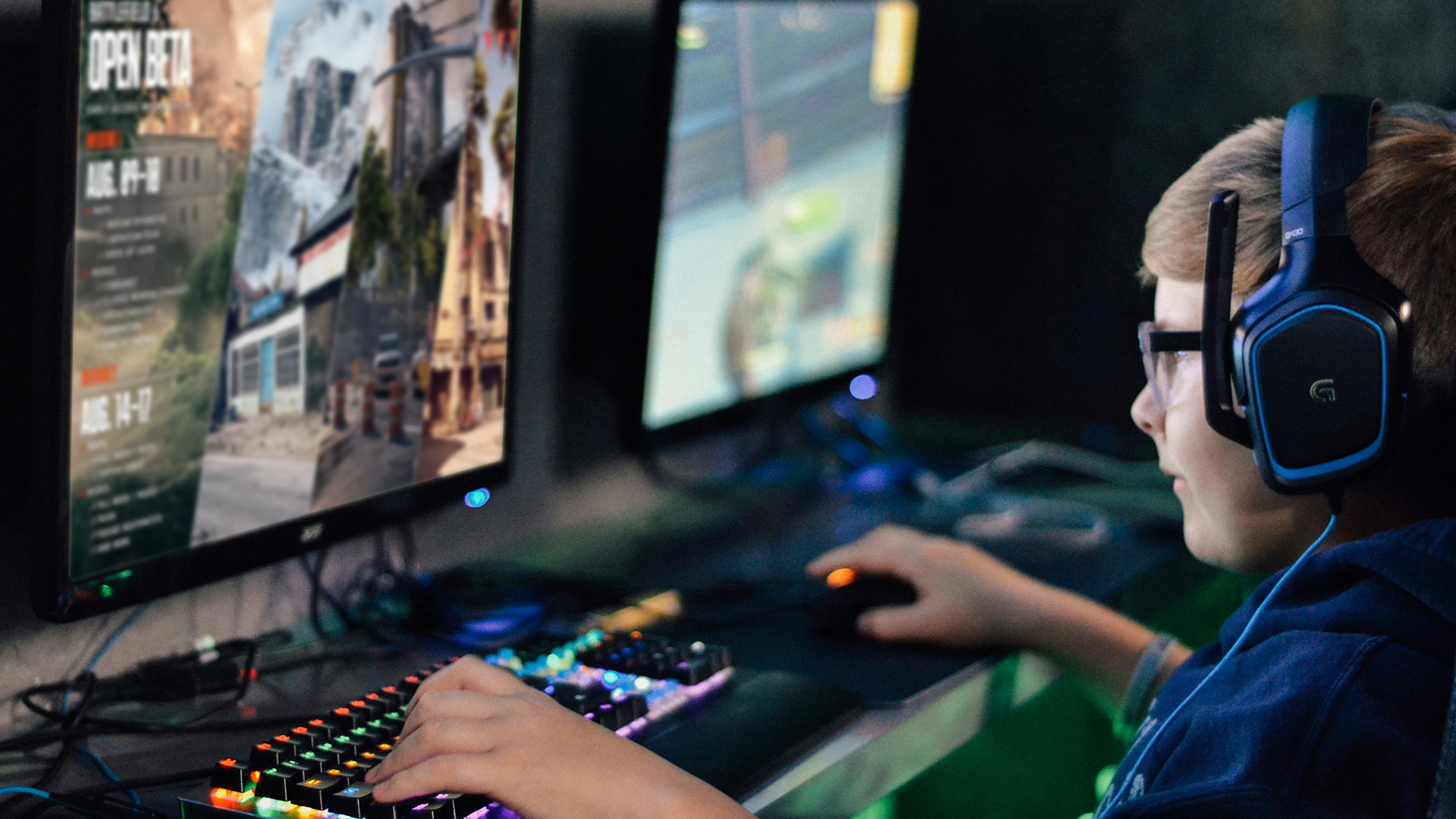
Modern cheating software is getting more sophisticated. That’s why developers are going beyond software-only anti-cheat tools. With Windows Secure Boot and TPM 2.0, hackers will have a much harder time injecting code at the system level, which is how many game cheats operate undetected.
Activision says these settings are essential to their future anti-cheat strategy:
"These hardware-level protections are a key part of our anti-cheat efforts, and we’re asking all players to get compliant now."
This shift also levels the playing field for all gamers, making matches fairer and more secure.
What About Privacy and Control?
There’s been some concern in the PC gaming community that these anti-cheat measures might be too invasive. After all, not every gamer is comfortable diving into BIOS settings or enabling features that were previously optional.
But it's important to note:
- Nothing is being monitored during gameplay.
- Secure Boot and TPM only act at startup, helping validate your system and game files.
- You still control your system, and these features don’t restrict your PC's general use.
Plus, Activision is encouraging (but not yet requiring) two-factor authentication, hinting that additional security measures may become standard in future releases.
Getting Ready for the Next Generation of FPS Gaming
Whether you’re a desktop warrior or a laptop gamer, making sure your system meets the latest Battlefield 6 system requirements and Call of Duty Secure Boot mandates is critical. Let's break down exactly what your setup needs.
Recommended System Requirements - Battlefield 6 Open Beta
To run Battlefield 6 beta version, your system must support:
- Graphic settings:
- Balanced: 1440p at 60FPS (High Settings)
- Performance: 1080p at 80FPS+ (Low Settings)
- GPU: Nvidia RTX 3060Ti
- AMD Radeon RX 6700 XT
- Intel Arc B580
- Video Memory: 8 GB
- CPU: Intel Core i7-10700
- AMD Ryzen 7 3700X
- RAM: 16GB (Dual channel 3200mhz)
- Operating System: Windows 11 64-bit
- DirectX12
- Storage: 75GB* SSD (at launch)
- TPM 2.0 Enabled
- UEFI Secure Boot Enabled
- HVCI Capable
- VBS Capable
Recommended System Requirements - Call of Duty: Black Ops 7
- Requires a 64-bit processor and operating system
- TPM 2.0 and Secure Boot
Source: https://store.steampowered.com/app/3606480/Call_of_Duty_Black_Ops_7/
For Desktop Gamers (PC Builds)
If you prefer a desktop rig for smooth frame rates and competitive edge, here are ready-to-go fps gaming pc:
- MEDION Erazer Recon E45 Gaming PC: Powered by an AMD Ryzen 5 5500, 16GB RAM, and a speedy 1TB SSD, paired with an NVIDIA RTX 3050. This system comes with Windows 11, TPM 2.0, and Secure Boot already enabled, making it a great choice for gamers who want reliable performance at 1080p and beyond. (MPN: 10025711)
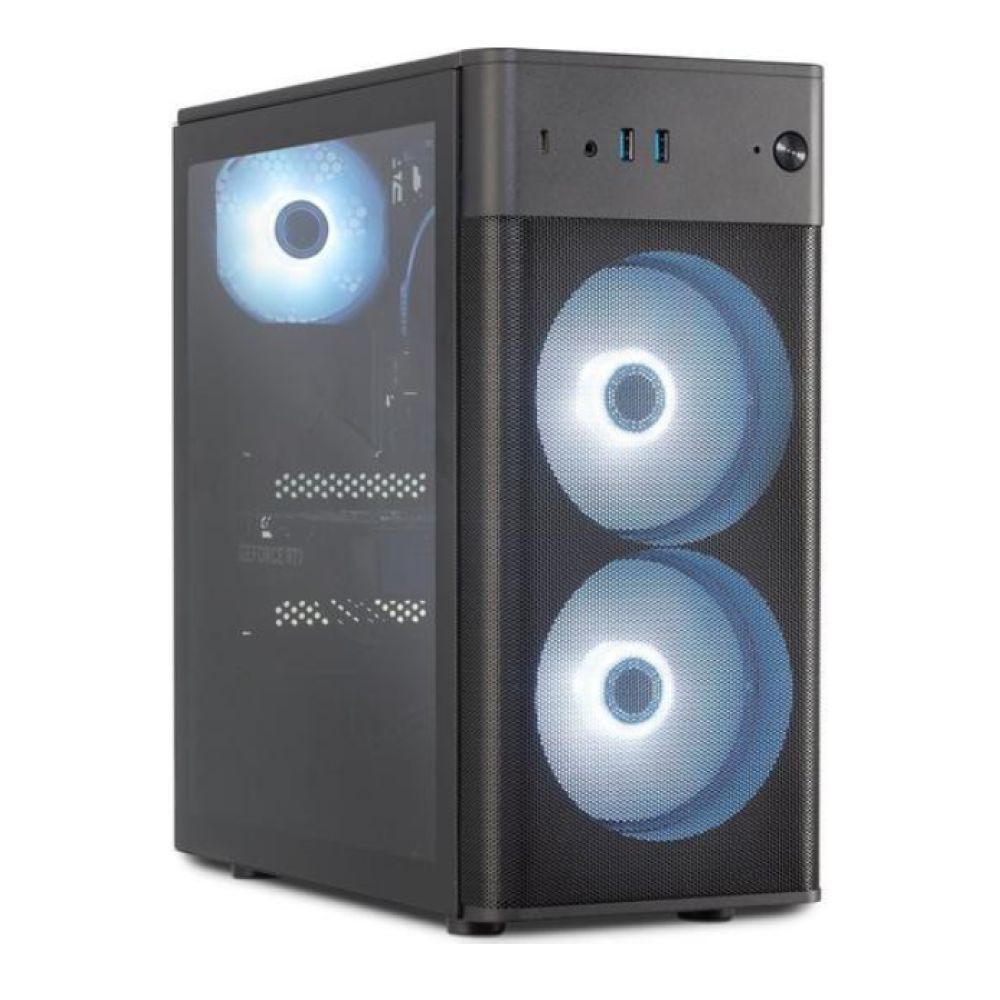
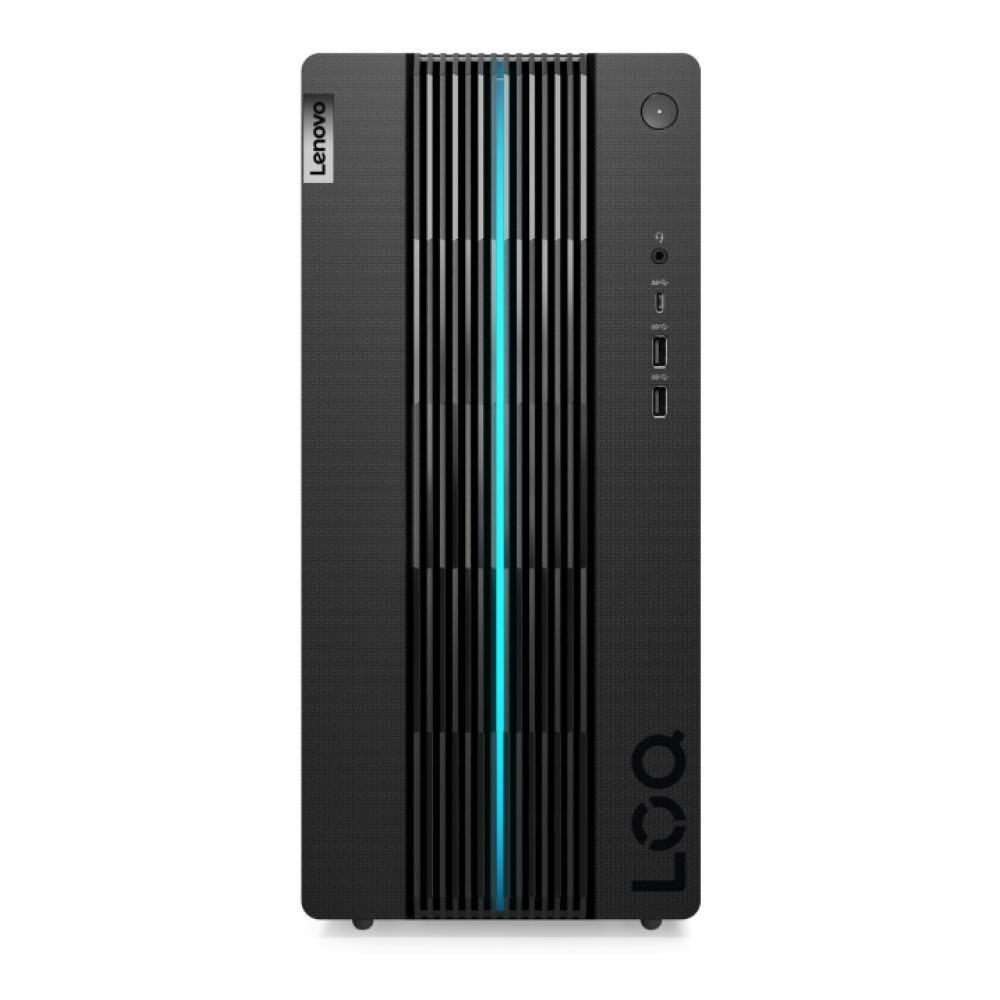
- ENOVO LOQ 17IRB8 Gaming Tower PC: Equipped with an Intel Core i5-13400F, 16GB RAM, 1TB SSD, and NVIDIA RTX 4060 graphics, this tower is ready for competitive FPS gaming with higher refresh rates and sharper visuals. Secure Boot and TPM 2.0 are fully supported, so you’re good to go right out of the box. (MPN: 90VH00AFUK)
Not sure if your current PC is compliant? You can find Secure Boot and TPM 2.0 toggles in your motherboard's BIOS and if your system runs Windows 11, chances are you're good to go.
For Laptop Gamers (Gaming On the Go)
Prefer gaming on the move? You can still meet all the Secure Boot requirements with the good windows laptops for gaming.
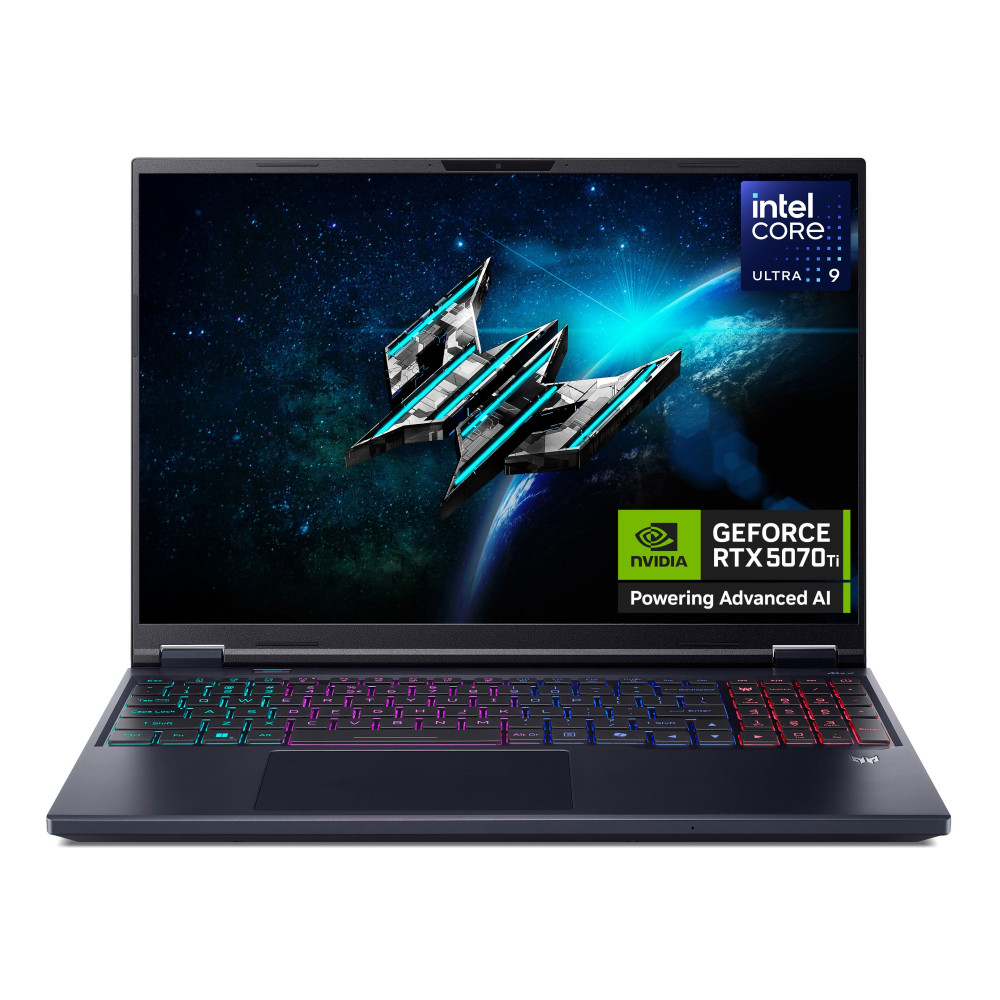
- Acer Predator Helios Neo 16 Ai Gaming Laptop: Featuring the Intel Core Ultra 9 275HX, 32GB RAM, a fast 1TB SSD, and the NVIDIA RTX 5070 Ti GPU, this 16" Windows 11 Home powerhouse delivers high FPS and stunning visuals wherever you play. (MPN: NH.QX2EK.001)
- ASUS ROG Zephyrus G14 GA403WR-QS085W Gaming Laptop: Packed with the AMD Ryzen AI 9 HX 370, 32GB RAM, 1TB SSD, and NVIDIA RTX 5070 Ti, this ultra-portable 14" Windows 11 Home Copilot+ laptop offers elite performance in a sleek design. (MPN: GA403WR-QS085W)
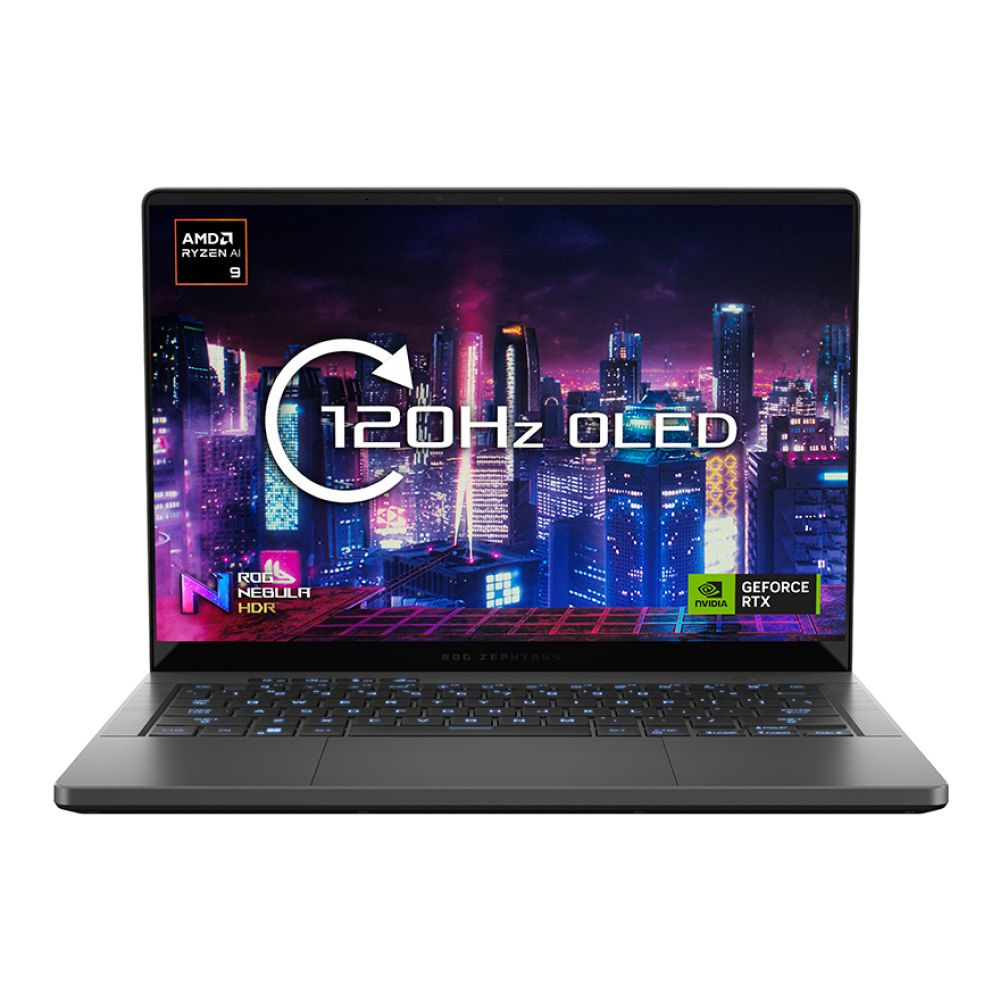
With these laptops, you’ll have both mobility and compliance, so whether you’re at home or on the go, you’re always match-ready.
Shop Secure, Play Secure
From customisable desktops to portable powerhouse laptops, Box.co.uk has all the gear you need to stay competitive and compliant. Whether you’re looking for a Windows Secure Boot-ready gaming PC, a Windows 11 laptop with TPM 2.0 compatibility, or the latest gaming tech to future-proof your setup, you’ll find it here. Don’t wait until launch day to discover your system isn’t ready with the right hardware, you’re not just prepared to play, you’re prepared to win.
Final Thoughts
This new Windows Secure Boot requirement might seem like a small change, but it’s a major leap forward in making competitive PC gaming fairer, more secure, and more stable.
If you’re serious about Call of Duty or Battlefield 6, it’s time to get compliant; not just to play, but to play protected.
Ready up. Gear up. Boot up securely.
You can pay with:
*PayPal Credit Representative Example: Assumed credit limit £1,200, Representative 23.9% APR (variable). Purchase rate 23.9% p.a (variable).Terms & Conditions apply.


PayPal Credit and PayPal Pay in 3 are trading names of PayPal UK Ltd, 5 Fleet Place, London, United Kingdom, EC4M 7RD. Terms and conditions apply. Credit subject to status, UK residents only, Five Tech LTD acts as a broker and offers finance from a restricted range of finance providers. PayPal Pay in 3 is not regulated by the Financial Conduct Authority. Pay in 3 eligibility is subject to status and approval. 18+. UK residents only. Pay in 3 is a form of credit. Check if affordable and how you will repay. May make other borrowing more difficult or expensive. See product terms for more details.
Copyright © 1996-2026 Fivetech LTD | Terms and Conditions
box.co.uk & Box are trading names of Five Tech Limited. Registered office: Box LTD, Unit 10 Woodford Trading Estate, Woodford Green IG8 8HF