


 Menu
MenuMenu


Get Sales Advice from Mon - Fri 9am - 5:00pm:
020 3337 8950LAST UPDATED: July 13, 2026
Buying Guide: What to Check Before Purchasing a Refurbished Dell Laptop
Shopping for a new laptop can feel overwhelming; the choice is endless, and the prices can be sky-high. But here’s the good news: you don’t always have to buy brand new to get the performance you need. Refurb Dell laptops and other reconditioned laptops can give you the power, reliability and everyday performance you need, but at a fraction of the cost.
Think of it this way: you could end up with a higher-spec model, faster processor, more storage, better screen; for less money than you’d spend on a brand-new budget laptop. It’s a win-win for your wallet and your daily computing experience. And with Dell’s reputation for building durable, business-grade machines, refurbished models are always a smart choice
In this guide, we’ll break down everything you need to know before buying a refurbished Dell. From understanding the difference between certified refurbished and standard refurb models, to knowing which specs are worth prioritising.
Essential Things to Know Before You Buy a Refurb Dell Laptop
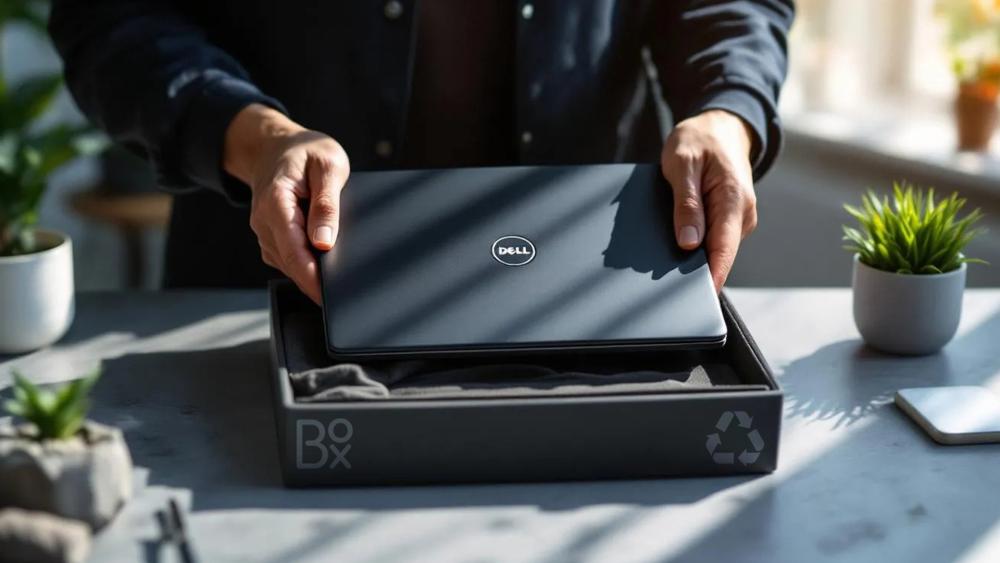
Buying a refurbished Dell laptop is a smart move but only if you know what to look out for. Let’s go through the key things you should check, along with some great examples of refurb Dell laptops we recommend in each category.
1- Certified Refurbished vs Standard Refurbished
Not all refurbished laptops are equal. Dell Certified Refurbished models are usually restored and tested to a much higher standard. They go through thorough checks to ensure everything, from the screen and keyboard to the hard drive and battery; meets Dell’s requirements. Often, they’ll come repackaged in a plain box but will feel almost like new.
Standard refurbished laptops (sometimes called “seller refurbished”) can still be excellent, but the process may vary. This doesn’t mean they’re unreliable, all of them are fantastic bargains but it’s always worth checking what tests and checks have been carried out.
If you want maximum peace of mind, opt for Dell/ Manufacturer Certified Refurbished models. These are tested using Dell’s official process and repaired with genuine OEM parts. They look and feel almost new, with only minimal signs of wear.
If you’re happy to save even more and don’t mind a few light marks, standard refurbished Dell laptops (graded Excellent, Very Good, or Good) are also excellent options.
2- Specs That Match Your Needs
Choosing the right specifications ensures you don’t overpay for power you’ll never use or underspend and end up frustrated.
- Processor (CPU):
An Intel Core i5 is more than enough for most people (browsing, work, Netflix, light editing). If you’re planning on running heavier software like Photoshop, coding tools, or even some light gaming, an i7 will give you the extra horsepower. For everyday use, an Intel Core i5 Latitude is ideal. If you want more power for editing or business software, go for an Intel Core i7 model. - Memory (RAM):
This determines how well your laptop can multitask. 8GB RAM is the sweet spot for most users, it’ll handle web browsing, Office apps, and streaming with ease. If you regularly juggle lots of apps or work with big files, 16GB will make your laptop feel much smoother. 8GB RAM is fine for most, but 16GB offers a big performance boost if you run multiple apps. - Storage:
Go for SSD over HDD every time. An SSD makes your laptop faster to start up, faster to open apps, and much more reliable long-term. 256GB is fine for everyday use, but if you store lots of files, 512GB or higher is worth it - Graphics:
If you just want a laptop for browsing, Netflix, or office work, integrated graphics are fine. If you’re into gaming, design work, or video editing, look for a refurb Dell laptops with dedicated graphics (e.g NVIDIA GeForce) rather than integrated graphics.
3- Laptop Condition and Grading
One of the most important things to check before buying a refurbished Dell laptop is the condition grading. This grading system gives you a clear idea of what to expect in terms of both performance and appearance. All refurb Dell laptops are tested and guaranteed to work, but the grade usually reflects cosmetic condition and whether parts like packaging or accessories are original.
Here’s a breakdown of the most common categories available at Box.co.uk:
New Open Box
Essentially brand new, unused, and fully functional. The box seal may be broken or show handling marks, but the laptop itself is pristine with all accessories included. A great way to get “like new” for less.
Manufacturer Certified Refurbished – Excellent Condition
Restored and tested by Dell (or an authorised partner) using genuine OEM parts. Minimal signs of use, professionally cleaned, and loaded with licensed software. Perfect if you want peace of mind and near-new quality.
Refurbished – Excellent Condition
Fully tested and functional, with only light cosmetic marks such as small scratches or blemishes. Performance is unaffected, making this a solid balance between cost and quality.
Refurbished – Very Good Condition
Still reliable and fully tested, but may show more visible wear such as surface marks, faded labels, or minor tag discolouration. A smart pick if you value savings over laptop looks.
Refurbished – Good Condition
The most affordable option. Works exactly as it should, though scratches, dents, or missing non-essential parts (like stickers) may be present. Ideal for bargain hunters who just need a dependable, budget Dell laptop.
4- Physical Inspection

If you’re buy a refurbished Dell laptop, carrying out a physical inspection (either in person or by carefully reviewing detailed photos provided by the seller) is a smart step. Here’s what to focus on:
- Display: The display is one of the most important parts of any laptop. Look out for dead pixels, faint lines, or areas of discolouration, which can be distracting during everyday use. Also, check for scratches on the screen surface and whether the brightness levels are consistent. A clear, vibrant screen will make everything from Netflix binges to spreadsheet work more enjoyable.
- Hinges: Dell laptops, particularly Latitude and Inspiron models, are known for sturdy build quality, but hinges can still wear over time. Loose or creaky hinges may worsen with regular use and could eventually affect the laptop’s stability. A firm, smooth hinge ensures you can open and close the laptop comfortably without worrying about long-term durability.
- Keyboard: Since you’ll use it constantly, check that all keys are responsive, with no sticking or missing caps. Light shine on the keys is normal in refurbished laptops, but they should still feel comfortable to type on. Backlit keyboards (if the model has one) should be tested to confirm they work properly.
- Trackpad: Test for smooth movement and consistent click response. The trackpad shouldn’t feel overly stiff or loose, and gestures like two-finger scrolling should work correctly.
- Outer Casing: While cosmetic scuffs or minor scratches are common on refurbished devices, check for cracks or dents in the casing that might hint at rough handling in the past. Dell re-certified laptops are built tough, but a tidy exterior adds confidence that the machine has been looked after.
- Ports and Connectors: Don’t forget to inspect USB, HDMI, charging ports and headphone jacks. These should be clean, undamaged, and functional. A faulty port can limit your ability to connect peripherals or charge reliably.
- Included Accessories: Always confirm that a compatible charger is included. Without it, you may have to buy one separately, adding extra cost.
5- Technical Specifications & Performance
When you’re buying refurb Dell laptops, the internal specifications are just as important as the external condition. Here’s what you should be checking:
Battery Health
Batteries naturally degrade over time, so it’s worth checking the current health. Many refurbished laptops will have batteries that have been reconditioned or replaced entirely. Ideally, you want one that holds several hours of charge, long enough for a lecture, work meeting, or Netflix session without constantly hunting for a plug socket. So, aim for >80% battery capacity. If you can’t check the percentage, make sure it’s rated to last at least 4 to 6 hours on a single charge. Even if the laptop is in excellent cosmetic condition, a weak battery can make it frustrating to use on the go.
A common question with refurb Dell laptops is about battery life. Many models come with reconditioned or replaced batteries but always check.
If you’ll mostly use your laptop at a desk, battery health matters less, but for students and professionals on the go, it’s worth prioritising.
Operating System
Finally, ensure your refurbished Dell comes with a freshly installed, up-to-date operating system. For most, that means Windows 11 Pro. A clean install not only guarantees you the latest features and security updates, but also avoids the bloat of old files, previous user accounts, or outdated drivers. This is essential for a smooth, secure experience straight out of the box.
BIOS & Dell Service Tag Check
Every genuine Dell laptop has a unique Service Tag that verifies its authenticity and original configuration.
Before purchasing, ask the seller to confirm the Service Tag is valid. Once received, you can press F2 or F12 at startup to access Dell’s built-in diagnostic tools. These tools allow you to verify hardware components and run system checks.
This extra step ensures the laptop’s internal specifications match what’s advertised.
6- Warranty and Returns
One of the biggest advantages of buying refurbished from box.co.uk is the warranty. This gives you peace of mind that if something goes wrong, you’re covered. Look for at least 12 months’ warranty and a 14 to 30-day return policy where possible. A reliable warranty turns buying a refurbished laptop from a gamble into a smart, safe purchase.
A Dell certified refurbished warranty can also give buyers extra confidence when choosing a refurbished Dell device, as it helps show the laptop has been checked, tested and supported properly.
At Box, all our refurbished Dell laptops UK come with warranty and return options. That way, you know you’re covered.
7- Price vs Value

It’s easy to focus only on the lowest price but remember to weigh up what you’re getting. Sometimes spending a little more upfront gets you a much better device that will last years longer. For example, upgrading from a refurbished i3 to a refurbished i5 or i7 might only cost £50–£100 more, but it could give you double the performance and future-proofing.
In the long run, that’s money well spent.
8- Other Considerations
Reviews
Customer reviews can reveal a lot about the reliability of both the laptop and the seller. Look out for comments on performance, condition, and after-sales support.
Upgrade Potential
Think about the future. Many Dell laptops allow you to upgrade RAM or storage, which can extend their lifespan and save money down the line.
Final Thoughts
Choosing refurb Dell laptops is one of the smartest ways to balance performance, reliability, and affordability. With Dell’s reputation for durability, refurbished models give you the same dependable performance at a fraction of the price. By checking the warranty, condition grading, and specifications carefully, you can buy with confidence and enjoy excellent value for money.
But the value doesn’t stop with Dell. If you’re exploring alternatives, our range of Lenovo refurb laptops offers trusted power at lower prices, while the best budget HP laptops combine sleek design with strong day-to-day performance. Gamers looking to save can find incredible performance in our collection of best budget gaming laptops, and for those who prefer portability, budget Lenovo laptops deliver solid features without stretching your wallet.
Ultimately, going refurbished means you don’t have to compromise. You get the performance you need, the savings you want, and the reassurance of knowing you’ve made a more sustainable choice.
Ready to upgrade? Explore our full range of refurbished Dell laptops at box.co.uk today and find the perfect match for your budget and lifestyle.
Considering a refurbished smartphone as well? Our article on Are Refurbished Phones Reliable? explains how to buy confidently without compromising performance.
Frequently Asked Questions
Are Dell Refurbished Laptops Good?
Yes, Dell refurbished laptops are widely regarded as reliable and durable especially business-grade models like the Dell Latitude and Precision ranges. Dell builds its laptops to withstand long-term professional use, which makes them particularly well-suited to refurbishment. A Dell refurbished laptops review will often highlight the strong value, dependable performance and lower cost compared with buying brand new. When purchased from Box.co.uk, refurbished Dell laptops are fully tested, graded for transparency and backed by warranty support.
For many buyers, Box offers excellent performance at a significantly lower price than brand new.
What Is the Dell Refurbished Warranty?
Warranty coverage depends on where you purchase the laptop. Dell Certified Refurbished laptops may include manufacturer-backed warranty, while retailer-refurbished models typically include seller warranty coverage. At Box.co.uk, all refurbished Dell laptops come with a warranty and typically 30 days return policy for added peace of mind.
What Are Reconditioned Dell Laptops?
The term “reconditioned Dell laptops” is often used interchangeably with refurbished. In most cases, it refers to laptops that have been inspected, tested, cleaned, and repaired if necessary before being resold. At Box.co.uk, reconditioned (refurbished) Dell laptops undergo structured testing to ensure full functionality and reliable performance before being graded and listed for sale.
What to Look for When Buying a Refurbished Laptop?
When buying a refurbished Dell laptop, check the following:
- Processor: Intel Core i5 or i7 (8th generation or newer recommended)
- RAM: At least 8GB (16GB for heavy multitasking)
- Storage: SSD rather than HDD for faster performance
- Battery Health: Ideally 80% or more of original capacity
- Warranty: Minimum 12 months
- Return Policy: 14–30 day return window
- Condition Grade: Clear cosmetic grading (Excellent, Very Good, Good)
- Genuine OS: Activated Windows installed
Buying from Box.co.uk ensures the laptop has been tested, graded, and backed by warranty protection.
You can pay with:
*PayPal Credit Representative Example: Assumed credit limit £1,200, Representative 23.9% APR (variable). Purchase rate 23.9% p.a (variable).Terms & Conditions apply.


PayPal Credit and PayPal Pay in 3 are trading names of PayPal UK Ltd, 5 Fleet Place, London, United Kingdom, EC4M 7RD. Terms and conditions apply. Credit subject to status, UK residents only, Five Tech LTD acts as a broker and offers finance from a restricted range of finance providers. PayPal Pay in 3 is not regulated by the Financial Conduct Authority. Pay in 3 eligibility is subject to status and approval. 18+. UK residents only. Pay in 3 is a form of credit. Check if affordable and how you will repay. May make other borrowing more difficult or expensive. See product terms for more details.
Copyright © 1996-2026 Fivetech LTD | Terms and Conditions
box.co.uk & Box are trading names of Five Tech Limited. Registered office: Box LTD, Unit 10 Woodford Trading Estate, Woodford Green IG8 8HF