


 Menu
MenuMenu


Get Sales Advice from Mon - Fri 9am - 5:00pm:
020 3337 8950POSTED: 06 January, 2026
Why Trading in Your Old Laptop Is Better for Your Business
If you look around most UK offices, you’ll spot the same issue everywhere: old laptops still powering day-to-day work. They boot slowly, struggle with modern software, and quietly chip away at productivity. For many businesses, these ageing machines aren’t just an inconvenience. They’re a hidden cost that shows up as lost hours, rising IT support tickets, and frustrated staff trying to get through their day.
Hanging on to old laptops often feels like the cheaper option, especially when budgets are tight. In reality, it usually does the opposite. Outdated devices increase support costs, raise security risks, and leave valuable hardware sitting unused in cupboards. At the same time, teams miss out on the performance gains that come with newer systems designed for modern workloads.
This is where a structured laptop trade-in for business makes sense. Instead of hoarding ageing devices or attempting to sell them one by one, businesses can trade in old laptops as part of a planned refresh. The result is lower upgrade costs, smoother operations, and a more sustainable approach to IT. For organisations ready to upgrade your laptops, trade-in turns a necessary refresh into a smarter financial and operational decision, rather than a painful expense.
The Hidden Cost of Ageing Laptops in Your Business

For many UK businesses, old laptops don’t fail all at once. Instead, they slowly become a drag on performance, security, and budgets. Because these issues build up over time, they’re easy to overlook. Understanding where the real costs sit makes it much clearer why holding on to ageing devices is rarely the smart long-term choice.
Lost Productivity Adds Up Faster Than You Think
Slow boot times, laggy apps, and freezing systems are common signs of old laptops reaching the end of their useful life. Even small delays cost employees minutes every day. Across a full team, that lost time quickly turns into hours of reduced productivity each week.
Rising IT Support and Maintenance Pressure
As old laptops age, they demand more attention from IT. More crashes mean more helpdesk tickets and more time spent keeping outdated machines running, pulling focus away from improvements that actually move the business forward.
Increased Security and Compliance Risks
Older devices are more likely to miss critical updates or run unsupported operating systems. That makes old laptops a security risk, particularly in hybrid working environments. Devices left unmanaged can also hold sensitive data, turning secure laptop disposal into a compliance concern.
Unused Devices Mean Wasted Value
Many businesses store old laptops in cupboards "just in case". Over time, these devices lose value while still posing a data risk. Without a plan to trade in old laptops or dispose of them properly, that unused hardware becomes both a financial and operational liability.
Why Doing Nothing Is Still Costing You
Keeping old laptops in circulation or storage isn’t a neutral decision. It affects productivity, IT workloads, security, and budgets at the same time. Compared to a structured laptop trade-in for business, doing nothing often ends up being the most expensive option.
What Is Laptop Trade-In for Businesses?
When old laptops start holding teams back, the next challenge is deciding what to do with them. Selling devices one by one is time-consuming, storage creates risk, and secure disposal is often delayed. Laptop trade-in for business offers a more structured and predictable alternative.
At its core, a business laptop trade-in allows companies to trade in old laptops in exchange for credit or discounts that can be put towards new devices. Instead of treating ageing hardware as a problem to deal with later, trade-in turns old laptops into part of the upgrade process itself.
For businesses looking to upgrade your laptops, a managed trade-in programme simplifies the entire refresh. Devices are assessed in bulk, values are agreed upfront, and trade-in credit reduces the overall cost of upgrading. Rather than replacing devices reactively when they fail, organisations can move to a planned, controlled refresh strategy.
Laptop trade-in for business also pairs naturally with bulk purchasing. When combined with the ability to browse laptops in bulk, organisations can standardise hardware across teams while using the value locked up in old laptops to offset upfront spend. This makes budgeting easier and reduces disruption for both IT and end users.
How Laptop Trade-In for Businesses Works
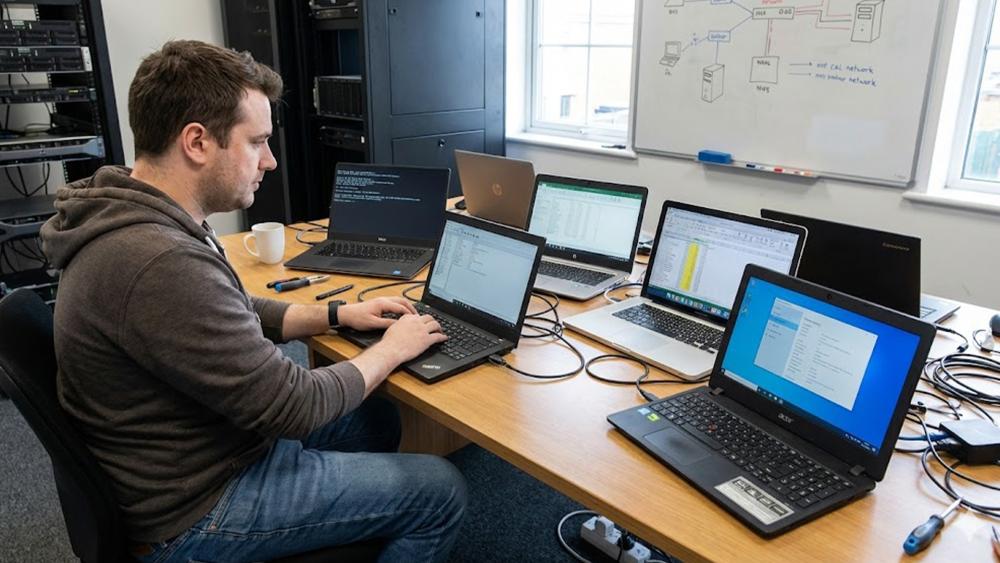
Once businesses decide that old laptops are no longer fit for purpose, the next question is how to move forward without disruption. A laptop trade-in for business provides a structured, step-by-step way to refresh devices while recovering value from ageing hardware. Instead of handling upgrades, resale, and secure laptop disposal separately, everything is managed as part of one clear process.
This approach works particularly well for UK organisations planning a coordinated refresh. It helps IT teams stay in control, gives finance teams predictable costs, and ensures old laptops are dealt with securely and responsibly. Here's how a trade-in usually works:
Step 1 – Review Your Current Laptop Fleet
Before you trade in old laptops, it’s essential to understand what’s currently in use and what’s sitting idle. Listing devices by age, model, specification, and condition quickly highlights which machines are underperforming or no longer supported.
This review also helps identify teams most affected by slow or unreliable laptops, allowing businesses to prioritise upgrades where they’ll deliver the biggest productivity gains. For IT teams, this step turns a reactive replacement cycle into a planned laptop trade-in for business.
Step 2 – Get a Trade-In Valuation for Your Old Devices
With a clear inventory in place, businesses can assess the value of their old laptops. Trade-in valuations typically depend on brand, age, specification, and condition. Well-maintained devices may still hold resale value, while others may be routed through compliant recycling.
Compared to trying to sell refurbished laptops individually, a laptop buy back or trade-in process is far more efficient. Multiple old laptops are assessed together, turning scattered hardware into a single, predictable value that can be used for planning.
Step 3 – Apply Trade-In Value to New Laptops
The final step is where the financial benefit becomes clear. Trade-in credit can be applied directly to the cost of new devices, reducing upfront spend and helping businesses refresh more laptops within the same budget.
By applying the value of old laptops to a new purchase, organisations can move to a standardised fleet more quickly and cost-effectively. This makes laptop trade-in for business an attractive option for finance teams looking to control spend without delaying necessary upgrades.
The Business Benefits of Trading in Old Laptops
Once old laptops are removed from day-to-day use and handled through a structured laptop trade-in for business, the benefits extend well beyond cost savings. From smoother operations to stronger security and sustainability gains, trade-in supports a more controlled and future-ready approach to IT.
Improved Day-to-Day Productivity for Staff
Modern laptops deliver faster performance, better battery life, and fewer interruptions. Replacing old laptops reduces downtime caused by crashes, slow applications, and long boot times, helping employees stay focused and productive throughout the working day.
Easier IT Management and Standardisation
Managing a mixed fleet of ageing devices increases complexity for IT teams. Trading in old laptops supports standardised hardware across the business, making updates, patching, and troubleshooting far more consistent and efficient.
Stronger Security and Reduced Risk
Older devices are more likely to be running unsupported software or missing key security updates. By removing old laptops from circulation through a trade-in process, businesses reduce exposure to vulnerabilities and improve overall endpoint security.
Better Use of Existing IT Assets
Laptops left in storage still represent risk and lost value. Trading in old laptops ensures devices are either refurbished, reused, or securely processed, rather than forgotten in cupboards where they continue to depreciate.
Clear Support for Sustainability and ESG Goals
Laptop trade-in for business plays a role in responsible IT lifecycle management. Devices are routed towards reuse or compliant recycling, helping businesses reduce e-waste and demonstrate tangible progress against sustainability and ESG objectives.
Data Security and Compliance: What Happens to Your Old Laptops?
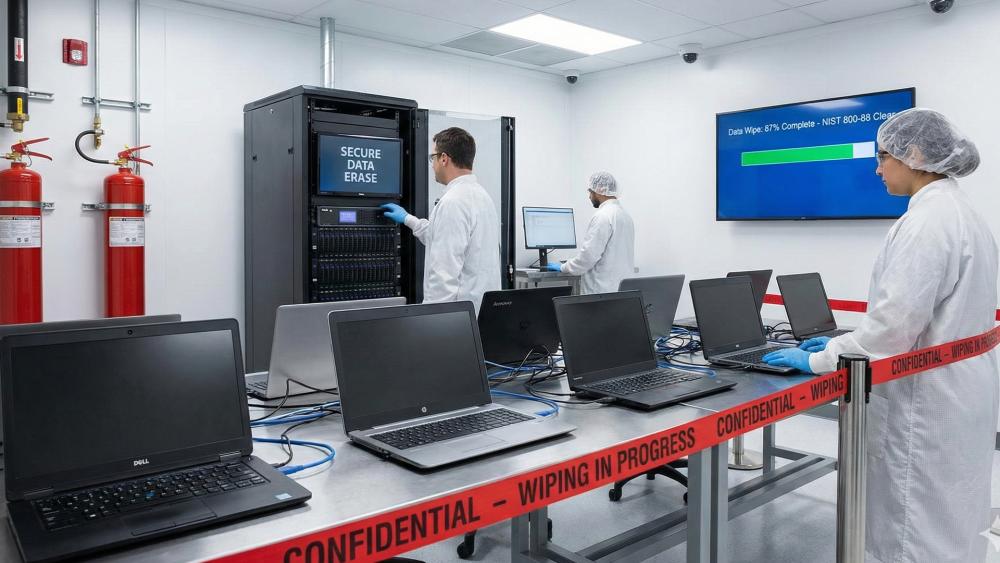
When businesses replace old laptops, data security is often the biggest concern. Company devices can hold sensitive files, credentials, and customer information long after they stop being used. A structured laptop trade-in for business ensures these risks are handled properly, rather than ignored or delayed.
Why Old Laptops Create Ongoing Data Risk
Laptops that are no longer in daily use are often overlooked, yet they may still contain confidential data. Storing old laptops in cupboards or storage rooms increases the chance of data exposure, loss, or non-compliance, especially if device tracking has lapsed.
How Data Is Handled During a Trade-In
With a managed trade-in process, businesses are guided to back up important data and sign out of user accounts before collection. From there, old laptops go through controlled handling and certified data wiping aligned with recognised standards, ensuring information is permanently removed.
Secure Laptop Disposal and Compliance
Not every device is suitable for reuse or resale. Where necessary, old laptops are processed through secure laptop disposal routes that prioritise compliant recycling. This helps businesses meet regulatory obligations while avoiding the risks associated with informal or ad-hoc disposal.
Reducing Long-Term Risk Through a Managed Process
Laptop trade-in for business turns device retirement into a documented, auditable process. Instead of forgotten hardware creating future problems, old laptops are tracked, processed, and removed from your environment in a secure and responsible way.
How to Start a Laptop Trade-In Programme for Your Business
Once you’ve decided to replace old laptops, the next step is putting a clear plan in place. A laptop trade-in for business works best when it’s treated as part of a structured refresh, rather than a one-off exercise. This keeps disruption low and ensures devices are handled securely from start to finish.
Audit and Prepare Your Existing Devices
Begin by confirming which old laptops are in scope for trade-in. Check basic details such as model, age, condition, and whether devices are still assigned to users. This step helps avoid delays later and ensures nothing is missed during collection.
Request a Trade-In Valuation from Box
With your device list ready, businesses can request a trade-in valuation. Assessing old laptops in bulk gives a clearer picture of recoverable value and sets expectations before any upgrades are ordered. This makes planning easier for both IT and finance teams.
Choose Replacement Laptops for Your Team
Once values are confirmed, trade-in credit can be applied to new devices. Businesses can browse laptops in bulk to standardise hardware across teams, improve performance, and simplify ongoing management, all while offsetting costs using the value of old laptops.
Arrange Collection and Secure Processing
Devices are then collected or shipped in line with agreed processes. Throughout this stage, old laptops are tracked, handled securely, and processed for data wiping, refurbishment, or compliant recycling.
Complete the Refresh with Confidence
After trade-in is complete, businesses receive confirmation that devices have been processed correctly. The result is a refreshed laptop fleet, reduced risk, and a clear record of how old laptops were handled, supporting both operational and compliance requirements.
Wrapping Up
For UK businesses, holding on to old laptops often feels like the safe option. In reality, it leads to slower teams, higher support overheads, increased security risk, and missed financial value. Ageing devices don’t just fade into the background. They quietly affect productivity, compliance, and long-term IT planning.
Laptop trade-in for business offers a more practical alternative. Instead of juggling storage, resale, and secure disposal separately, trade-in brings everything into one managed process. Businesses can trade in old laptops, recover value, reduce risk, and upgrade in a way that’s structured rather than reactive.
When paired with the ability to browse laptops in bulk and access tailored laptop deals for businesses, trade-in becomes more than just a disposal route. It becomes part of a sustainable, cost-aware refresh strategy that supports staff, IT teams, and finance stakeholders alike.
As organisations look to modernise their setup, reduce risk, and make better use of existing assets, dealing with old laptops properly isn’t optional. It’s a key step towards a more efficient, secure, and future-ready business.
FAQs: Business Laptop Trade-In with Box
How many laptops do we need to trade in as a business?
There’s no fixed rule, but laptop trade-in for business is most effective when handling multiple old laptops at once. Bulk trade-ins help streamline valuation, collection, and processing, especially for SMEs planning a refresh across teams.
Can we mix different brands and models in one trade-in?
Yes. Businesses can trade in old laptops from different manufacturers and with varying specifications as part of a single trade-in. Each device is assessed individually, even when submitted as part of a bulk list.
How long does the laptop trade-in process take?
Timelines vary depending on the number of old laptops involved and the condition of the devices. In most cases, the process runs alongside the upgrade cycle so businesses can refresh without unnecessary delays.
Can remote or hybrid staff send in their laptops directly?
For businesses with remote teams, trade-in programmes can often support direct shipping from employees. This helps ensure old laptops are returned and processed securely, even when staff aren’t office-based.
What if the condition of our laptops is different from the initial assessment?
If the condition of old laptops differs from the original estimate, valuations may be adjusted. A managed laptop trade-in for business helps keep this transparent, so businesses aren’t caught out later.
Can we trade in other equipment as well as laptops?
Depending on the programme, businesses may also be able to include other devices such as monitors or peripherals alongside old laptops, helping simplify IT asset management and secure disposal in one go.
You can pay with:
*PayPal Credit Representative Example: Assumed credit limit £1,200, Representative 23.9% APR (variable). Purchase rate 23.9% p.a (variable).Terms & Conditions apply.


PayPal Credit and PayPal Pay in 3 are trading names of PayPal UK Ltd, 5 Fleet Place, London, United Kingdom, EC4M 7RD. Terms and conditions apply. Credit subject to status, UK residents only, Five Tech LTD acts as a broker and offers finance from a restricted range of finance providers. PayPal Pay in 3 is not regulated by the Financial Conduct Authority. Pay in 3 eligibility is subject to status and approval. 18+. UK residents only. Pay in 3 is a form of credit. Check if affordable and how you will repay. May make other borrowing more difficult or expensive. See product terms for more details.
Copyright © 1996-2026 Fivetech LTD | Terms and Conditions
box.co.uk & Box are trading names of Five Tech Limited. Registered office: Box LTD, Unit 10 Woodford Trading Estate, Woodford Green IG8 8HF