


 Menu
MenuMenu


Get Sales Advice from Mon - Fri 9am - 5:00pm:
020 3337 8950LAST UPDATED: April 28, 2026
Business Laptop Ports Explained: What Do You Actually Need for Work in 2026?
If you are buying a work machine this year, business laptop ports still matter far more than many brands make it seem. A laptop can have a strong processor, plenty of memory, and a slim design, but if the connectivity is wrong for how you actually work, it becomes annoying very quickly. That is especially true for people who move between desks, meeting rooms, home offices, client sites, and travel. In 2026, most modern laptops lean heavily on USB-C, but that does not mean every older port has become irrelevant. It simply means buyers need to be more deliberate about what they actually need. USB4 and USB-C continue to shape the direction of modern connectivity, while Thunderbolt still matters for higher-end docks, displays, and data-heavy workflows.
The real challenge is that not every professional needs the same port setup. A finance team working on spreadsheets all day does not need the same laptop connectivity options as a creative team moving large media files or a consultant constantly plugging into projectors and wired office networks. That is why there is no one perfect port layout for every business laptop setup. What matters is understanding which connections genuinely support your workflow and which ones are just nice extras. If you are already looking at laptops for business, the smarter question is not "how many ports does it have?" but "which ports will save me time every week?" This guide will answer all your questions regarding business laptop ports. So, let's get to it.
Why Ports Still Matter on Business Laptops in 2026

Business laptops are something you will use every day. And with that consistency, you need things to be perfect in order to make sure your work flows smoothly. That is one reason why ports matter on business laptops still as it is important for connectivity and daily use. Apart from that, here are a few more reasons why you might want to pay more attention to the ports on your laptop.
-
The Shift to USB-C and Fewer Ports
The biggest change in modern laptop ports over the last few years has been the move towards USB-C. It is now the default connector for charging, fast data transfer, docks, and external displays on many premium laptops. USB4 continues to push USB-C forward by increasing bandwidth and supporting more demanding use cases through the same compact connector. That shift has made laptops thinner and cleaner, but it has also reduced the number of built-in ports on many designs.
That is why ports on business laptops are now a bigger planning issue than they used to be. A machine with two USB-C ports may look modern, but that does not automatically mean it is better prepared for work. If one port is occupied by charging and another is tied up by a monitor or a dock, the laptop can suddenly feel much more limited than it looked on paper.
-
Why Connectivity Still Impacts Productivity
For most professionals, laptop ports for work are not about nostalgia. They are about friction. If connecting to a display, external drive, wired mouse, headset, or meeting-room screen is awkward every single day, productivity drops. It is the sort of problem that does not show up in benchmark charts but absolutely shows up in real work.
This is why business laptop ports should be treated as part of the laptop's core usability, not an afterthought. Reliable connectivity supports smoother desk setups, easier hot-desking, fewer adapter headaches, and less wasted time when moving between tasks.
-
Ports vs Wireless Workflows
Wireless accessories and cloud-based workflows are better than ever, but they have not replaced ports completely. Bluetooth keyboards, wireless headsets, cloud storage, and wireless screen sharing all reduce cable clutter, but they do not remove the need for physical connections. Wired displays, wired Ethernet, external storage, and charging still matter. So, while wireless workflows are more common in 2026, they work best when backed up by sensible business laptop connections rather than used as a full replacement.
Essential Ports Every Business Laptop Should Have
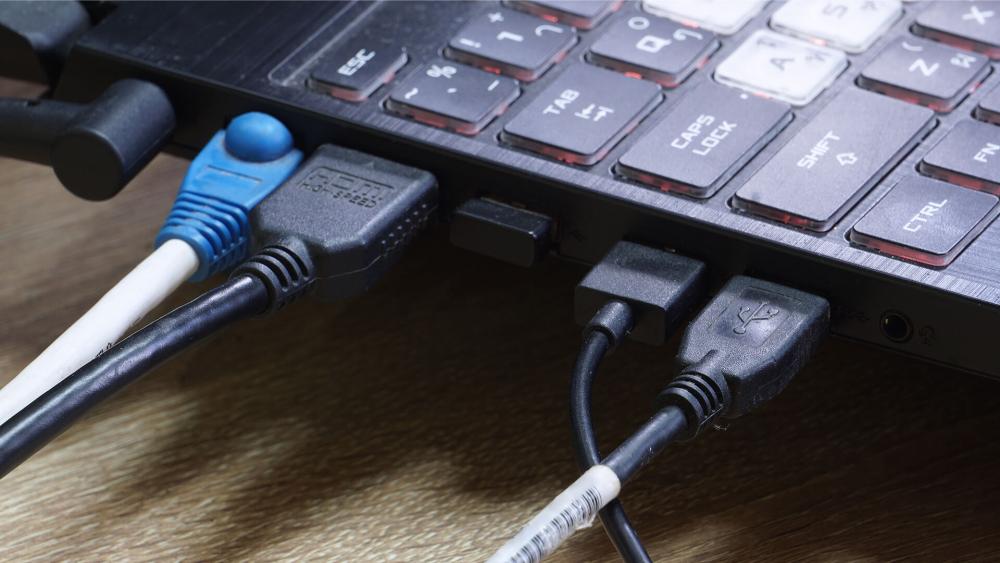
Here are the few essential ports you need to look for in a business laptop to make sure your productivity is not affected:
-
USB-C and Thunderbolt ports
If there is one port type that defines USB-C business laptops, it is USB-C itself. In 2026, USB-C is the baseline connection for charging, modern peripherals, display output, and docking. For many buyers, at least two USB-C ports is the practical minimum. One can be used for charging or a dock, while the other stays free for accessories or direct connections.
For more demanding users, Thunderbolt business laptops still offer a real advantage. Thunderbolt 4 remains highly relevant for business docks and display setups, with support for up to 40Gbps data transfer and multi-monitor docking, while Thunderbolt 5 increases available bandwidth significantly and is starting to matter for premium workstations and advanced docks. Microsoft's Surface Thunderbolt 4 Dock for Business, for example, supports power delivery, fast data transfer, and dual 4K displays through a single connection. That is exactly why high-bandwidth USB-C and Thunderbolt ports have become the centre of so many business desk setups.
-
USB-A for Legacy Devices
USB-C may be the most common port these days, but we are definitely not completely done with USB-A yet. Plenty of offices still rely on older accessories such as USB receivers, wired keyboards, USB headsets, presentation clickers, printers, and memory sticks. That is why at least one traditional USB-A port still makes sense on many business laptop USB ports lists.
This is where a lot of consumer laptops get a bit too minimal. A slimmer machine can be appealing, but once you start carrying extra dongles just to plug in common office accessories, the trade-off stops looking clever. That is one reason many business buyers still prefer more practical designs.
-
HDMI for External Displays
A built-in laptop HDMI port is still genuinely useful in a work machine. Yes, DisplayPort over USB-C can do the job, and yes, plenty of people now use docks or adapters. But HDMI remains one of the easiest and most dependable ways to connect to office monitors, meeting room screens, hotel TVs, and shared displays without fuss.
That is why work laptop ports should still include a serious look at HDMI. Even in 2026, it is one of the simplest ways to avoid awkward presentation moments or hunting for the right adapter in a meeting room. HDMI may not feel exciting, but it remains practical.
Nice-to-Have Ports That Improve Productivity
Along with the essential ports, there are also some ports you might not need every day but it is nice to have them just in case. Here are a few:
-
Ethernet for Stable Connectivity
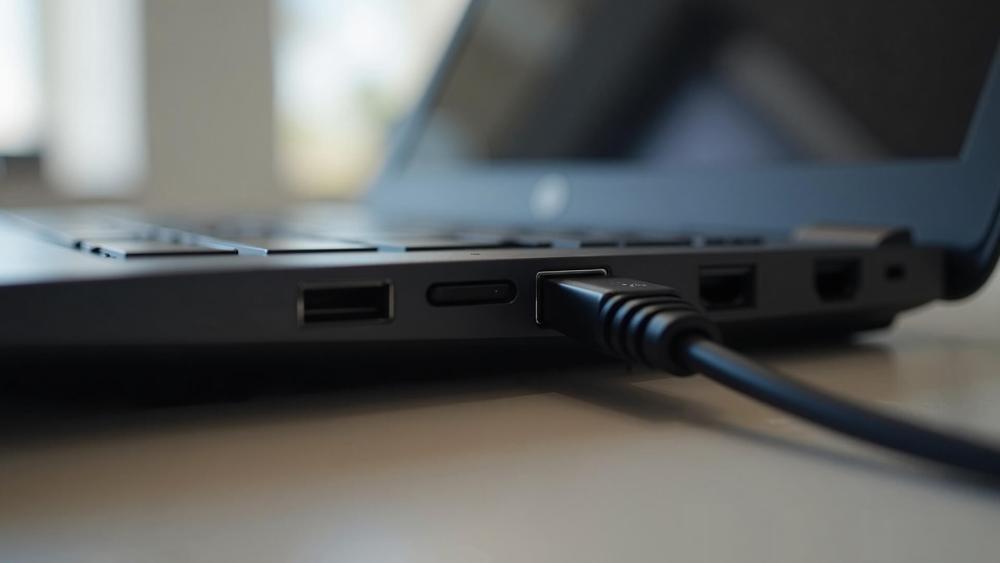
A built-in Ethernet port is no longer standard on many thin laptops, but it still matters in some business environments. Wired networking offers more predictable stability, lower latency, and fewer headaches in offices with crowded wireless networks or more security-conscious IT setups.
For some buyers, Ethernet is unnecessary. For others, it is one of the most useful ports on business laptops. If you spend a lot of time in fixed office environments, large corporate buildings, or setups where stable network performance matters, Ethernet remains a strong bonus.
-
SD Card Slots for Specific Workflows
An SD card reader is not essential for every business laptop setup, but it is valuable for certain jobs. Marketing teams, photographers, content teams, and field staff who move files from cameras or other devices can save time by having one built in. It is a classic example of a port that is irrelevant for some users and a real workflow boost for others.
-
Audio Ports and Accessories
The 3.5mm headphone jack is easy to overlook, but it still earns its place. Wired headsets remain common in customer support, office calls, podcast work, and hybrid environments where reliability matters more than style. Audio ports also help with older conference accessories and situations where Bluetooth pairing is more trouble than it is worth.
That is why business laptop accessories still include plenty of wired options, even in a market that talks constantly about wireless everything. A headphone jack is not a headline feature, but it is still a useful one. Buyers who want to round out a desk or travel setup can also look at complementary business laptop accessories without overcomplicating the base machine.
When You'll Need a Dock or USB-C Hub
With the modern business laptops, you might run short on ports. This is a situation where having a USB-C hub or dock might be good. Here are some other scenarios where having these devices is essential:
-
Expanding Limited Ports
A dock becomes useful when your laptop has the right core specs but not enough built-in connectivity for daily work. This is common with thinner premium machines that rely mainly on USB-C. In those cases, a dock is not just a workaround. It is part of the intended setup.
For many professionals, a laptop plus one cable into a dock is the cleanest version of laptop connectivity in 2026. One connection can handle charging, monitors, USB devices, wired networking, and more, which is far easier than plugging in multiple accessories every morning.
-
Multi-Monitor Setups
If your daily work involves two monitors, a desk phone, external storage, a webcam, and charging all at once, then a dock is usually the best answer. Microsoft's Surface dock line shows how a single business-focused dock can support charging and dual 4K displays together, which is exactly the sort of scenario many professionals now expect from a desk setup.
This is where Dockstations for connectivity fit naturally into the conversation. They are less about adding random extra ports and more about turning a portable laptop into a proper workstation without cable chaos.
-
Charging and Connectivity Together
One of the best reasons to use a dock is that it combines power delivery and accessory support. Instead of using one USB-C port just for charging and another for displays or storage, a single dock connection can handle both. That makes business laptop ports feel a lot less cramped, especially on thinner machines with only a couple of built-in ports.
Port Setups for Different Work Styles
Different work styles require different port setups with a business laptop. Here are some common setups to help you understand and choose the right option for your precisely:
-
Office Desk Setup
For a fixed office setup, the ideal port mix is usually simple: two USB-C ports, HDMI or USB-C display output, at least one USB-A port, and easy docking support. If you work mostly from one desk, the laptop itself does not need every connection under the sun, as long as it works well with a proper dock and display arrangement.
This is also where a practical monitor setup can matter as much as the laptop. A connected desk with charging, keyboard, mouse, and dual screens often delivers more day-to-day productivity than chasing the thinnest machine possible.
-
Remote and Hybrid Work
Hybrid workers need more flexibility. In this case, business laptop ports should support both desk use and portable use without making either awkward. USB-C remains the core requirement, but built-in HDMI and at least one USB-A port become more useful because they reduce adapter dependence when moving between home, office, and client sites.
This is where port choice starts to overlap with the wider conversation around business vs consumer laptops. Consumer machines may look cleaner, but business-focused models often make more sense once real hybrid work enters the picture.
-
Travel-Friendly Minimal Setup
For frequent travel, the ideal setup is lean. Two USB-C ports, one HDMI output if possible, and enough charging flexibility to avoid carrying multiple adapters is often enough. In a travel-focused setup, every extra cable is a nuisance, so the smartest laptop connectivity options are the ones that reduce what you have to pack.
A compact hub can still help here, but the laptop itself should not be so minimal that you feel dependent on a bag full of dongles just to get through a workday.
Wrapping Up
The answer depends on how you work, but the shortlist is clear. In 2026, the most useful business laptop ports are USB-C, at least one USB-A port, and HDMI. USB-C is the modern standard for charging, docking, and displays. USB-A still matters for legacy office gear. HDMI remains one of the simplest ways to connect to external screens without fuss. Thunderbolt is a strong extra if you use advanced docks, fast storage, or multi-monitor desk setups. Ethernet, SD card readers, and audio jacks are optional, but still genuinely useful in the right workflow.
So, what do you actually need? Most people should look for a business laptop with at least two USB-C ports, sensible display output, and enough flexibility to work cleanly with a dock. Anything beyond that depends on your role. The right port setup is not the one with the most holes in the chassis. It is the one that lets you work without constantly reaching for adapters.
FAQs
-
What ports are essential for a business laptop?
For most users, the essential business laptop ports are USB-C, at least one USB-A port, and HDMI. USB-C handles charging, docking, and modern accessories. USB-A still supports older office devices. HDMI remains useful for external screens and meeting-room displays.
-
Do business laptops still need HDMI ports?
Yes, many still do. A built-in laptop HDMI port is still one of the easiest ways to connect to office monitors, projectors, and shared meeting-room displays without carrying extra adapters.
-
When do you need a docking station?
You need a docking station when your laptop does not have enough built-in ports for your daily setup or when you want one-cable desk connectivity for charging, displays, USB devices, and networking. That is especially common with thinner USB-C business laptops.
-
Is Ethernet still important on business laptops?
Yes, for some users. Ethernet is still important in offices where stable wired networking matters, where Wi-Fi is crowded, or where security policies favour wired connections. It is not essential for everyone, but it is still valuable in the right environment.
You can pay with:
*PayPal Credit Representative Example: Assumed credit limit £1,200, Representative 23.9% APR (variable). Purchase rate 23.9% p.a (variable).Terms & Conditions apply.


PayPal Credit and PayPal Pay in 3 are trading names of PayPal UK Ltd, 5 Fleet Place, London, United Kingdom, EC4M 7RD. Terms and conditions apply. Credit subject to status, UK residents only, Five Tech LTD acts as a broker and offers finance from a restricted range of finance providers. PayPal Pay in 3 is not regulated by the Financial Conduct Authority. Pay in 3 eligibility is subject to status and approval. 18+. UK residents only. Pay in 3 is a form of credit. Check if affordable and how you will repay. May make other borrowing more difficult or expensive. See product terms for more details.
Copyright © 1996-2026 Fivetech LTD | Terms and Conditions
box.co.uk & Box are trading names of Five Tech Limited. Registered office: Box LTD, Unit 10 Woodford Trading Estate, Woodford Green IG8 8HF