


 Menu
MenuMenu


Get Sales Advice from Mon - Fri 9am - 5:00pm:
020 3337 8950LAST UPDATED: December 03, 2025
Top 5 Budget Synology DiskStation Models Under £700
If you've been thinking about stepping into the world of home servers, media streaming, game library backups or everyday file protection, a Synology DiskStation is one of the best ways to do it without spending a fortune. Synology has built a reputation for making fast, reliable and easy-to-use NAS systems that fit perfectly into a modern home setup, whether you're a gamer backing up saves, a content creator storing raw footage or simply looking for a central place for family photos.
The good news is that you don't need a massive budget to get started. There are several affordable Synology NAS models that offer impressive performance, solid app support and enough power to handle things like Plex, cloud sync, remote access and backups without breaking a sweat. In this guide, we're rounding up the top Synology DiskStation models under £700, comparing what you get in terms of bays, performance and future upgrade paths.
If you're exploring your first network attached storage system, browsing Synology's lineup over at the Synology Store on Box.co.uk might be a great idea. This breakdown will help you choose the right match for your setup today while keeping an eye on long-term expansion. So, let's get to it then.
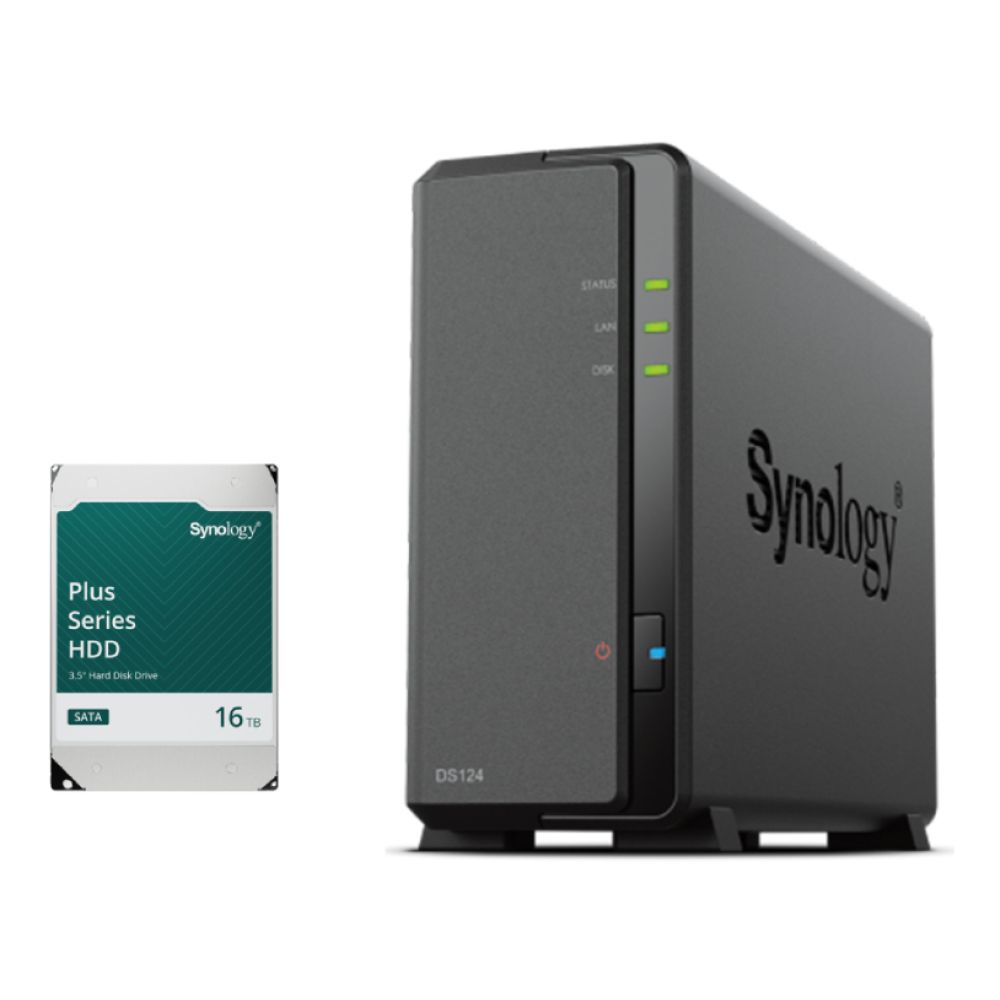
1. Synology DS124 – Most Affordable Entry-Level DiskStation with Included Storage
MPN: DS124-16TB+Bundle
The Synology DS124 is the simplest and most budget-friendly Synology DiskStation in this list, ideal for anyone who wants easy backups or remote file access without managing multiple drives. With a single bay and a 16TB HDD included in the bundle, it's a plug-and-go option that gives you huge storage capacity at a low price, making it an excellent starter NAS for basic home use.
Key Specs
- 1-bay enclosure
- Includes 16TB HDD bundle
- Realtek 4-core 1.7 GHz CPU
- 1GB DDR4 memory
- 1GbE LAN port
Best For
- Basic home backups
- Light file sharing
- First-time NAS users
- Simple cloud-style storage
Why It's Worth It
- Cheapest way to start using a NAS server
- Massive storage out of the box
- Very low power usage and silent operation
2. Synology DS223 – Best Value 2-Bay DiskStation for Beginners
MPN: DS223
If you want a simple, reliable and affordable way to get started with a Synology DiskStation, the Synology DS223 is one of the best entry-level options under £700. It handles everyday backups, light Plex streaming and home file storage with ease, giving you the core Synology experience without the higher cost of the Plus series or larger DiskStation models. With two bays, USB 3.2 ports and support for both HDDs and SSDs, it fits perfectly into a beginner-friendly network attached storage system.

Key Specs
- Quad-core processor
- 2-bay enclosure
- 1 x RJ45 1GbE LAN port
- 3 x USB 3.2 Gen 1 ports
- Supports 3.5" SATA HDD / 2.5" SATA SSD
Best For
- First-time NAS users
- Light Plex and media streaming
- PC and gaming backup storage
- Family photo and file storage
Why It's Worth It
- Affordable Synology NAS with excellent DSM software
- Easy setup for beginners
- RAID support for safer data storage
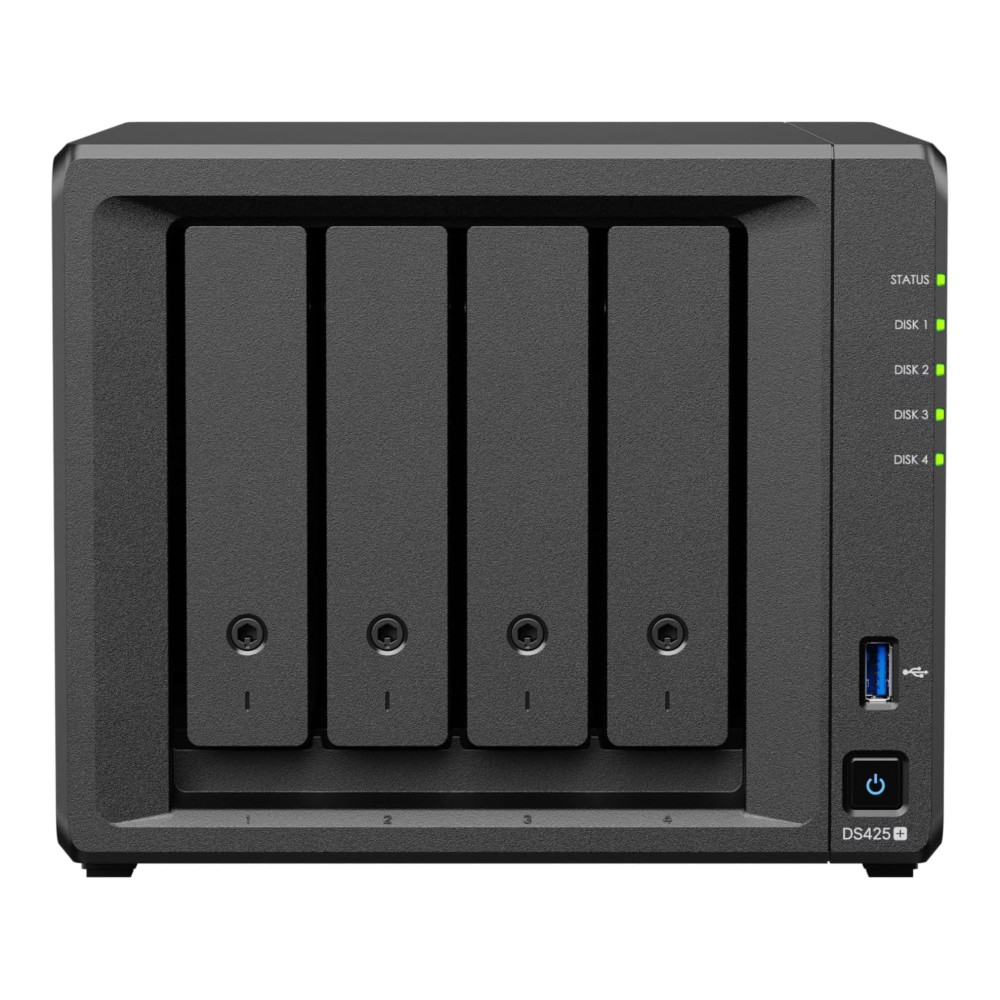
3. Synology DS425+ – Best Budget 4-Bay Option for Power Users
MPN: DS425+
The Synology DS425+ is a brilliant mid-range Synology DiskStation for users who want more storage flexibility without crossing the £700 mark. With four bays, 2.5GbE networking and SSD caching support, it delivers noticeably faster performance than entry-level models, making it ideal for anyone building a larger media library or running heavier workloads on a budget.
Key Specs
- 4-bay enclosure
- 2.5GbE LAN for faster transfers
- Supports HDDs, SSDs and NVMe caching
- Business-ready management tools
- Strong performance for multi-user access
Best For
- Bigger Plex or media libraries
- Creative projects and large file transfers
- Multi-PC households
- Home office or small business setups
Why It's Worth It
- Faster networking than most affordable DiskStation models
- Great long-term scalability
- Ideal balance of price, capacity and performance
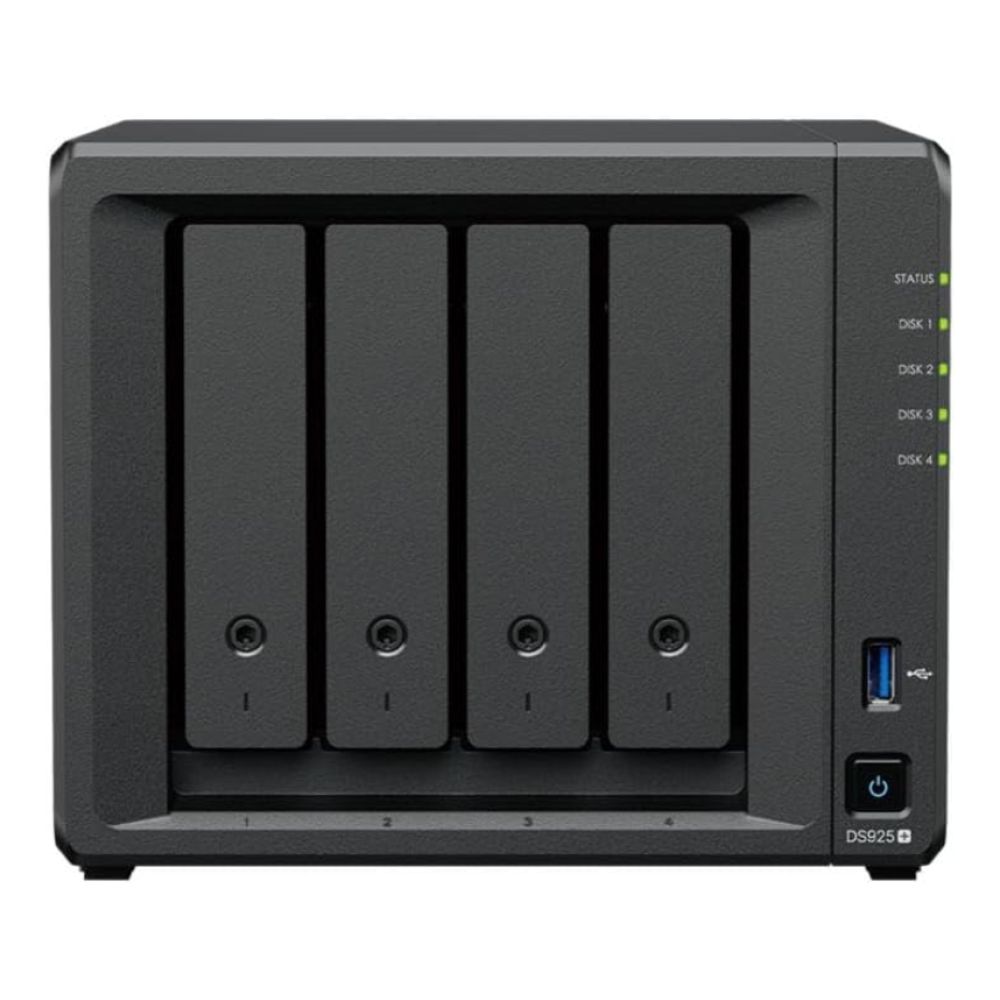
4. Synology DS925+ – Best Performance DiskStation Under £700
MPN: DS925+
The Synology DS925+ is one of the fastest Synology DiskStation models available under £700, powered by a Ryzen CPU and equipped with dual 2.5GbE ports for high-speed transfers. It's a strong pick for enthusiasts and small offices that need smooth multitasking, quick backups and excellent performance for apps like Plex, VMs or heavy file workflows.
Key Specs
- AMD Ryzen V1500B quad-core 2.2 GHz CPU
- 4GB DDR4 ECC SODIMM (upgradeable)
- 4-bay enclosure
- Dual 2.5GbE LAN ports
- Supports HDDs, SSDs and NVMe caching
Best For
- Heavy media streaming and Plex
- Creative workloads and large file transfers
- Multi-user environments
- Home labs and office setups
Why It's Worth It
- Strongest all-round performance in this price range
- Great balance of speed, reliability and scalability
- Excellent for long-term NAS expansion and future upgrades
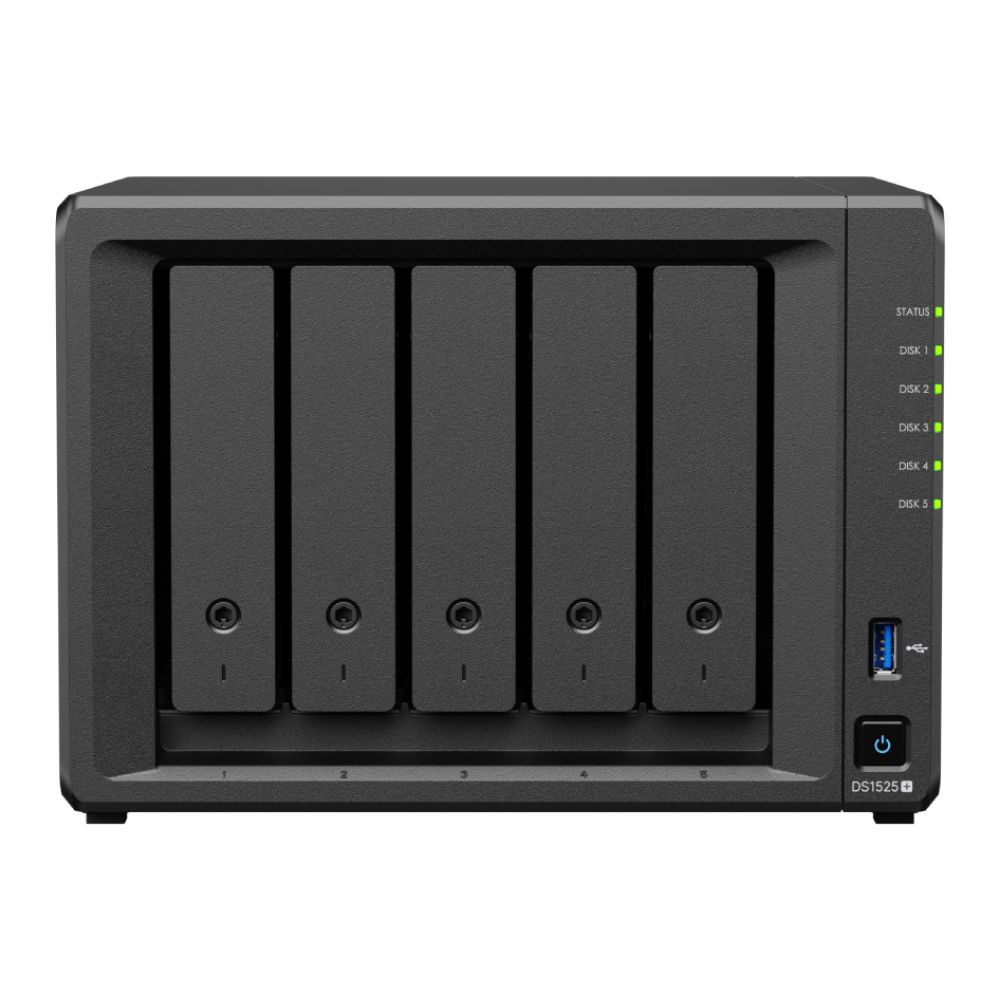
5. Synology DS1525+ – Best 5-Bay Expandable DiskStation at the £700 Limit
MPN: DS1525+
If you want maximum storage flexibility without going beyond your budget, the Synology DS1525+ is the most expandable Synology DiskStation under £700. With five bays, NVMe SSD slots and upgradeable RAM, it's built for users who expect their storage needs to grow quickly. Whether you're managing big Plex libraries, storing large game captures or building a small office server, this model delivers serious value for its price.
Key Specs
- 5-bay enclosure
- 8GB RAM (expandable to 32GB)
- Dual 2.5GbE LAN ports
- Two M.2 NVMe slots
- Expandable up to 15 drives via DX525
Best For
- Large Plex and 4K media libraries
- Fast-growing storage demands
- Creative studios and small offices
- Users wanting long-term expandability
Why It's Worth It
- Most capable and scalable option under £700
- Excellent for long-term data growth
- Superb performance with NVMe caching and fast LAN
Comparison Table: Which Synology DiskStation Should You Pick?
Choosing the right Synology DiskStation under £700 depends on how much storage you need today and how much you expect your setup to grow. Here's a quick comparison so you can see the differences at a glance.
| Model | Bays | CPU | RAM | Networking | Best For |
| DS124 (16TB bundle) | 1 | Realtek quad-core | 1GB | 1GbE | Basic backups, simple storage |
| DS223 | 2 | Quad-core | 2GB | 1GbE | Beginners, light streaming, backups |
| DS425+ | 4 | Quad-core | 2GB | 2.5GbE | Media libraries, multi-user access |
| DS925+ | 4 | Ryzen quad-core | 4GB ECC | Dual 2.5GbE | High-performance workloads |
| DS1525+ | 5 | Quad-core | 8GB | Dual 2.5GbE | Expansion, larger Plex setups |
This overview helps you quickly weigh the performance, future upgrade options and value of each affordable DiskStation model, so you can confidently pick the one that best fits your home, gaming or office needs.
What to Look for in a Budget Synology DiskStation
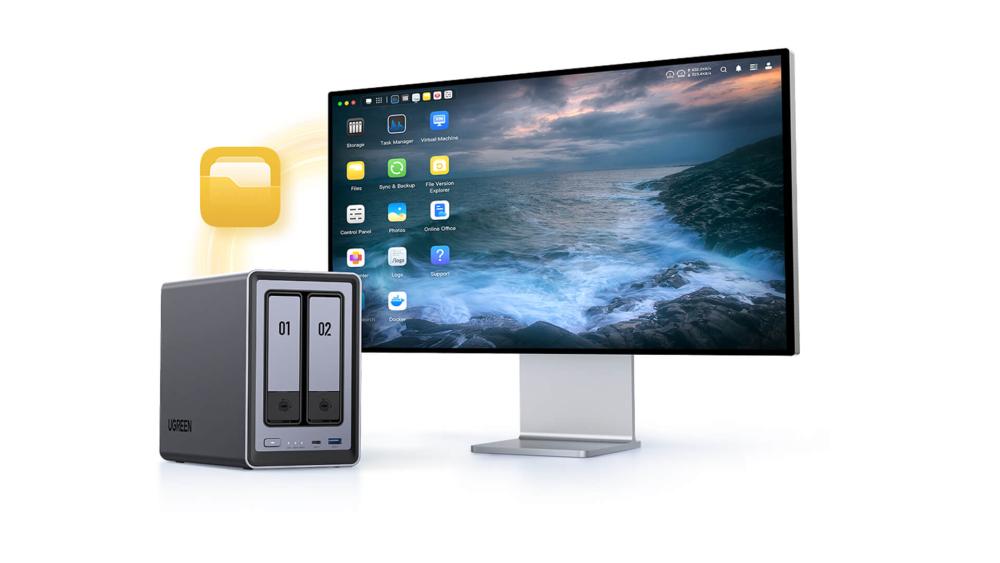
Before diving into the top picks, it helps to know what actually matters when choosing a Synology DiskStation, especially if you're aiming to stay under £700 without sacrificing performance. Whether you're planning a gaming backup server, a Plex media hub or a simple home storage solution, these points will save you from overpaying or under-speccing your setup.
Key things to consider:
CPU & RAM Performance:
A smoother processor and enough memory make a big difference when running apps like Plex, handling multiple users or performing automated backups. Even budget DiskStation models manage well, but the Plus series generally offers a noticeable jump in speed.
-
Number of Drive Bays:
More bays equal more storage flexibility. A 1-bay NAS is fine for basic backups, but 2-bay units enable RAID protection, and 4- or 5-bay models give you loads of room for future growth.
-
Networking Speeds:
Entry-level models tend to offer 1GbE, while newer Synology DiskStation units often include 2.5GbE for much faster transfers on modern network devices. This helps massively if you're moving big game captures or 4K video projects.
-
NVMe Caching & SSD Support:
Some units support NVMe SSD caching, which speeds up app performance and file indexing, especially useful for heavy multitasking or creative workloads.
-
Expansion Support:
Higher-end budget NAS units can expand to additional drive bays later. An important factor if you expect your media library or game backups to grow fast.
-
Software & App Ecosystem:
Synology's DSM platform is one of the main reasons its devices are so popular. It handles backups, cloud sync, streaming and security features with ease, even on more affordable DiskStation models.
You can check out the full range of NAS options at Box.co.uk under Network Attached Storage System to get a feel for what fits your setup, or explore newer affordable alternatives like the Synology BeeStation series if you prefer an ultra-simple, plug-and-go approach.
Alternatives Worth Considering Under £700
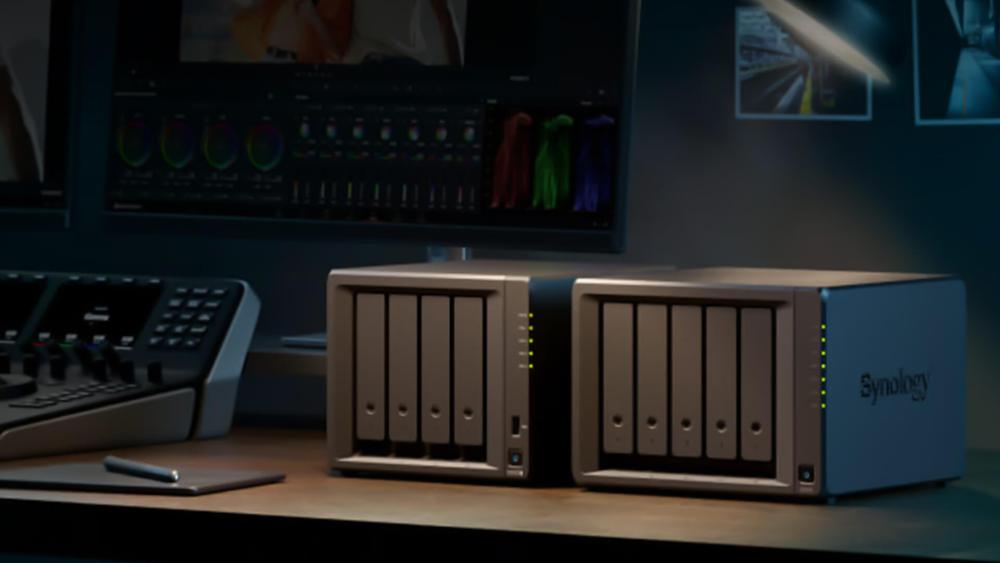
If you're still weighing your options beyond a Synology DiskStation, there are a few strong alternatives that offer great value under £700. These models suit users who want different features, faster hardware, or a more app-focused experience.
- UGREEN NASync DXP2800 (MPN: DXP2800): A compact 2-bay NAS with modern hardware, ideal for users wanting a simple but powerful Budget NAS alternative.
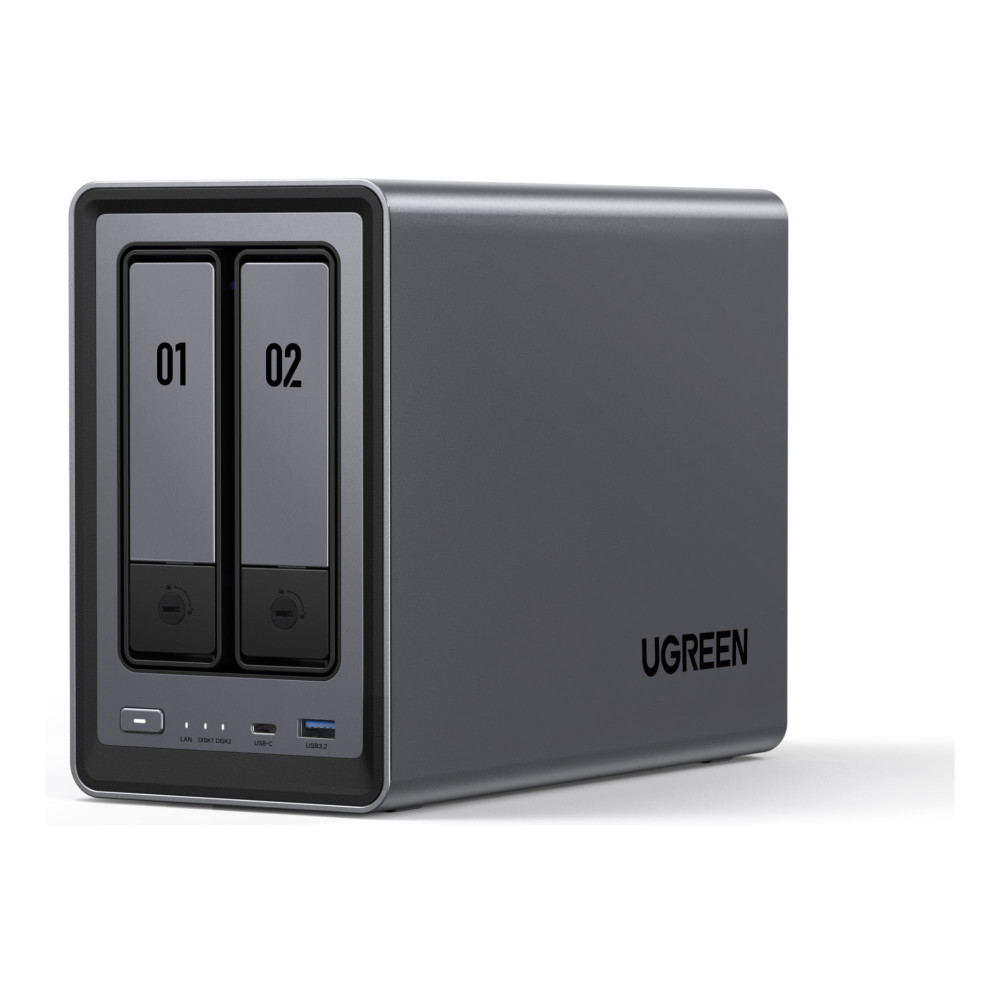
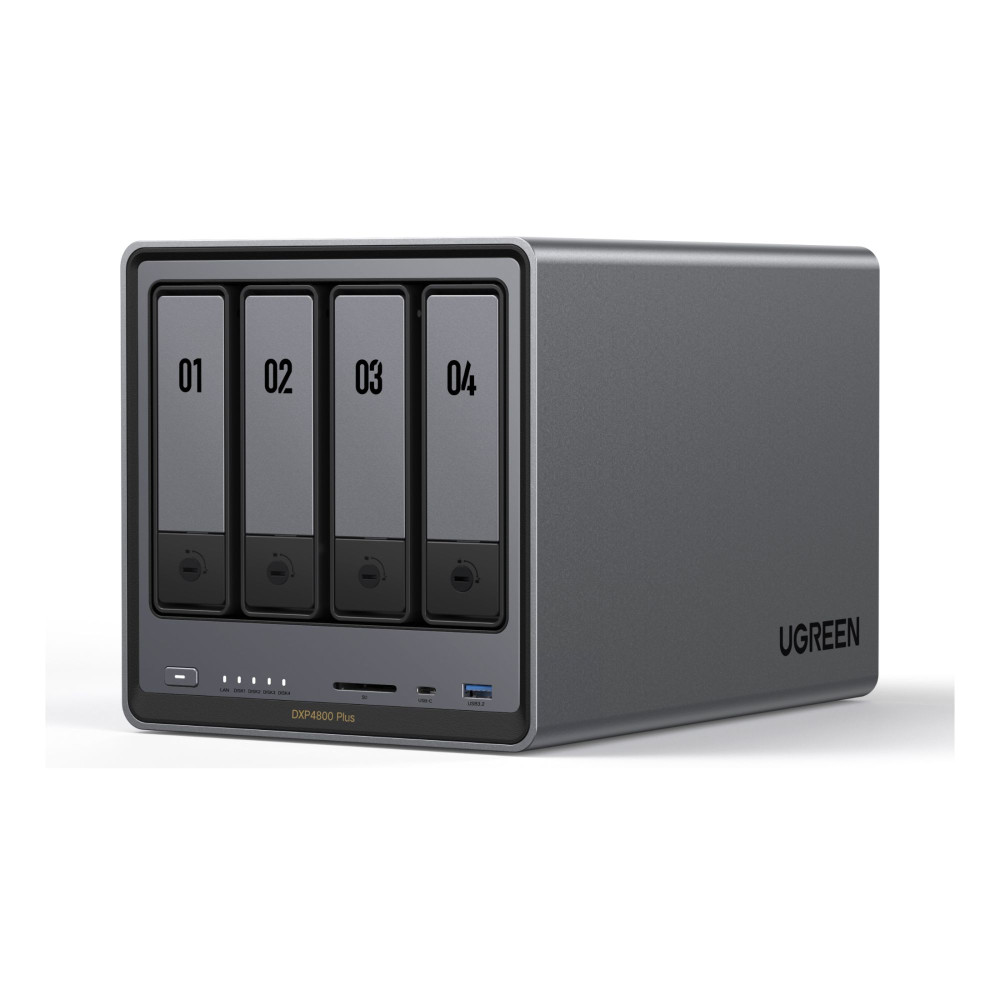
- UGREEN NASync DXP4800 Plus (MPN: DXP4800PLUS): A 4-bay option with strong performance for enthusiasts who need more storage flexibility.
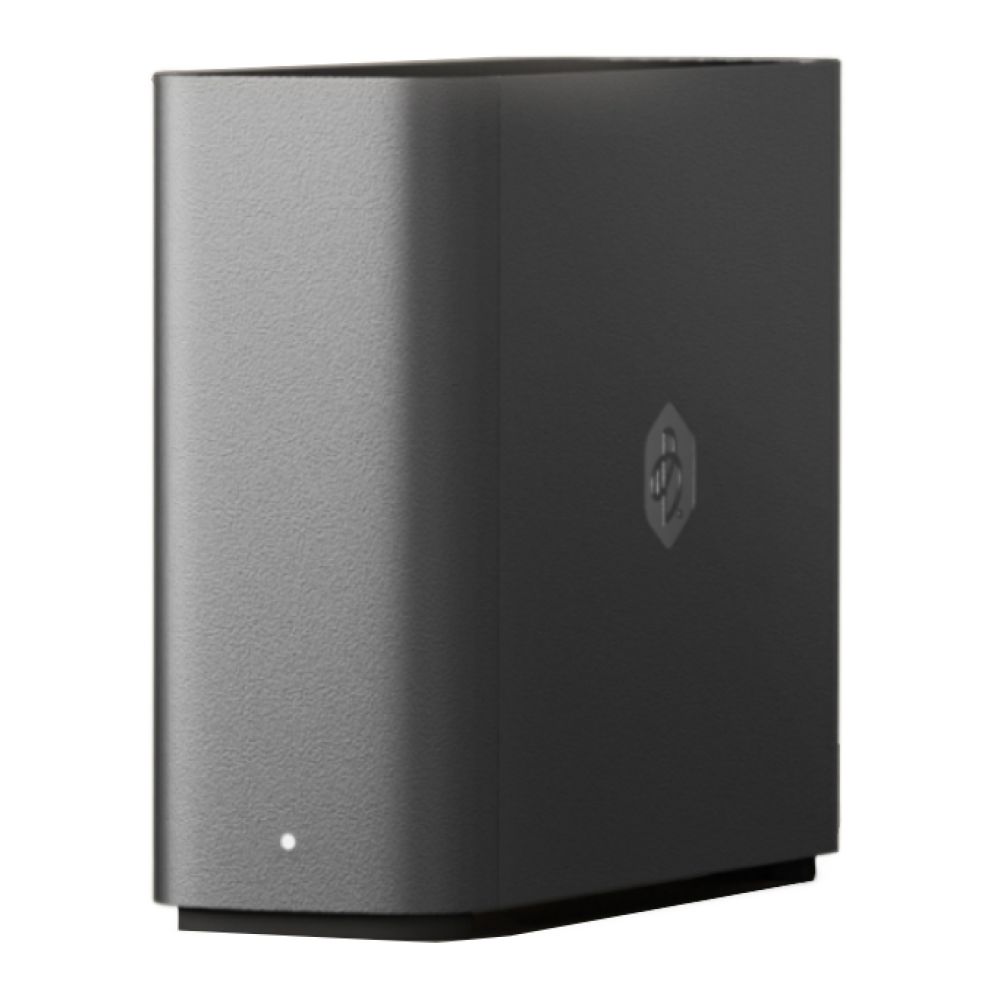
- Synology BeeStation series: Ultra-simple and beginner-friendly for anyone who wants a cloud-like storage experience without dealing with RAID or multiple bays. You can check out our complete Beestation series and choose the option that suits your needs.
These alternatives also integrate well with wider network devices, making them good fits for anyone building a flexible home storage setup.
Final Thoughts:
Every Synology DiskStation in this list delivers reliable performance, easy setup and great long-term value under £700, so the right pick mainly depends on how much storage you need and how far you want to scale later. The DS223 is ideal for beginners, the DS425+ suits growing media libraries, the DS124 keeps things ultra-simple, while the DS925+ and DS1525+ offer the best performance and expandability for heavier workloads. If you want to explore even more options, you can browse the full range of NAS devices at Box.co.uk.
FAQs
What is the best Synology DiskStation for beginners?
The DS223 is the most beginner-friendly Synology DiskStation, offering solid performance, easy setup and two bays for RAID protection at a budget-friendly price.
Is a 2-bay Synology DiskStation enough for home use?
Yes. A 2-bay model like the DS223 or DS225+ is ideal for most home users who want backups, media streaming and RAID protection without overspending.
Can a Synology DiskStation run Plex smoothly?
Most DiskStation models run Plex well for 1080p streaming, while higher-end models like the DS925+ and DS1525+ are much better for larger libraries or multiple streams.
How much storage do I need for a home NAS server?
It depends on your usage, but 4–8TB is common for home backups, while gamers or content creators may want 10TB+ for large game captures or project files.
What's the difference between the Plus series and standard Synology DiskStation models?
The Synology Plus series offers faster CPUs, more RAM, NVMe caching and better expandability, making it ideal for heavier workloads or long-term growth.
You can pay with:
*PayPal Credit Representative Example: Assumed credit limit £1,200, Representative 23.9% APR (variable). Purchase rate 23.9% p.a (variable).Terms & Conditions apply.


PayPal Credit and PayPal Pay in 3 are trading names of PayPal UK Ltd, 5 Fleet Place, London, United Kingdom, EC4M 7RD. Terms and conditions apply. Credit subject to status, UK residents only, Five Tech LTD acts as a broker and offers finance from a restricted range of finance providers. PayPal Pay in 3 is not regulated by the Financial Conduct Authority. Pay in 3 eligibility is subject to status and approval. 18+. UK residents only. Pay in 3 is a form of credit. Check if affordable and how you will repay. May make other borrowing more difficult or expensive. See product terms for more details.
Copyright © 1996-2026 Fivetech LTD | Terms and Conditions
box.co.uk & Box are trading names of Five Tech Limited. Registered office: Box LTD, Unit 10 Woodford Trading Estate, Woodford Green IG8 8HF