


 Menu
MenuMenu


Get Sales Advice from Mon - Fri 9am - 5:00pm:
020 3337 8950LAST UPDATED: June 03, 2026
Best Laptops for Coding and Programming in 2026: Top Picks for Developers
Finding the best laptops for programming in 2026 is about more than picking the fastest processor. A good developer laptop needs to handle your editor, browser tabs, local servers, terminals, databases, design tools, containers, and video calls without slowing down halfway through the day.
For light coding, almost any modern laptop can run a code editor. For full-stack work, mobile development, AI projects, or DevOps, the gap between an average laptop and a proper developer machine becomes much bigger. RAM, storage speed, screen quality, and keyboard comfort all matter because programming is not one task. It is a full workflow.
For a wider range of laptops for coding and programming, the key is to match the laptop to your actual workload rather than chasing the most expensive spec sheet. This guide covers some of the best laptops for programming, with picks for students, professional developers, software engineers, AI users, and multitaskers. Whether you want a portable machine for lectures, a Windows laptop for business development, or a more powerful system for running multiple tools at once, these are the top choices worth considering.
What Makes a Laptop Good for Coding?
The best laptops for programming are not always the same as the best laptops for gaming, design, or general office work. Developers need reliable performance over long sessions, enough memory for multitasking, and a comfortable screen and keyboard for hours of coding.
-
Processor and Performance
A good laptop for programming should have a modern multi-core CPU. For basic coding, an Intel Core i5, AMD Ryzen 5, Apple M-series chip, or equivalent is enough. For software development with containers, emulators, virtual machines, or large builds, a Core i7, Core Ultra 7, Ryzen 7, Ryzen AI 7, or higher makes more sense.
H-series and HX-series processors are stronger for heavy workloads, but they usually use more power. U-series and efficient AI-ready chips are better for portability and battery life. The best laptops for coding balance both, depending on whether you work at a desk or move around often.
-
RAM and Multitasking
RAM is one of the biggest factors when choosing the best laptops for programming. In 2026, 8GB is only suitable for basic learning, light web coding and simple Python projects. 16GB is the practical minimum for most developers. 24GB or 32GB is better for running an IDE, browser, database, Docker containers and test environments together.
For AI, data science, Android emulators, local virtual machines and large codebases, 32GB should be your target. For serious workstation-level development, 64GB or more gives you much more breathing room.
-
Storage and Speed
An SSD is essential. A 256GB SSD can work for students, but it fills quickly once you install IDEs, SDKs, Node modules, Docker images, datasets and project files. For the best laptop for coding and programming, 512GB is the realistic starting point, while 1TB is better for long-term use.
If you work with AI models, data-heavy projects, or multiple local environments, 2TB or more is useful. Fast SSD storage also helps with indexing, builds, file searches, and launching development tools quickly.
- Battery Life and Portability
Developers often work from classrooms, offices, client sites, cafés, and shared spaces. A portable laptop with strong battery life can be more useful than a bulky high-performance machine if your workload is mostly web development, scripting, or cloud-based work.
That said, heavy local workloads need more power. If you are buying work laptops for a team, prioritise 16GB RAM, Windows Pro where needed, strong keyboards, and reliable connectivity over flashy extras.
Best Laptops for Coding and Programming in 2026
Here are the top 10 hand-picked, best laptops for coding and programming in 2026.
| Rank | Laptop | Best For | Key Spec |
| 1 | ASUS Vivobook S16 OLED M3607GA | Best overall value for developers | Ryzen AI 7, 32GB RAM, 1TB SSD |
| 2 | Lenovo IdeaPad Pro 5 16AKP10 | Best for Linux-ready advanced users | Ryzen AI 7, 32GB RAM, 1TB SSD, No OS |
| 3 | Apple MacBook Pro M5 14.2" | Best MacBook for developers | M5, 16GB RAM, 1TB SSD |
| 4 | Apple MacBook Air M4 15.3" | Best portable macOS option | M4, 24GB RAM, 1TB SSD |
| 5 | ASUS ExpertBook P1 P1503CV | Best business coding laptop | Core 7, 32GB RAM, 1TB SSD, Windows 11 Pro |
| 6 | Lenovo ThinkPad X1 Carbon Gen 13 Aura | Best premium professional laptop | Core Ultra 7, 32GB RAM, 1TB SSD |
| 7 | ASUS Zenbook 14 OLED UX3405CA | Best compact OLED developer laptop | Core Ultra 9, 32GB RAM, 1TB SSD |
| 8 | Lenovo ThinkBook 16 G7 ARP | Best no-OS laptop for custom setups | Ryzen 7, 32GB RAM, 1TB SSD, No OS |
| 9 | HP OMEN Gaming 16-ap0301na | Best for coding plus GPU workloads | Ryzen 9, 24GB RAM, 1TB SSD, RTX 5070 |
| 10 | ASUS ProArt P16 H7606WX | Best premium workstation choice | Ryzen AI 9, 64GB RAM, 4TB SSD, RTX 5090 |
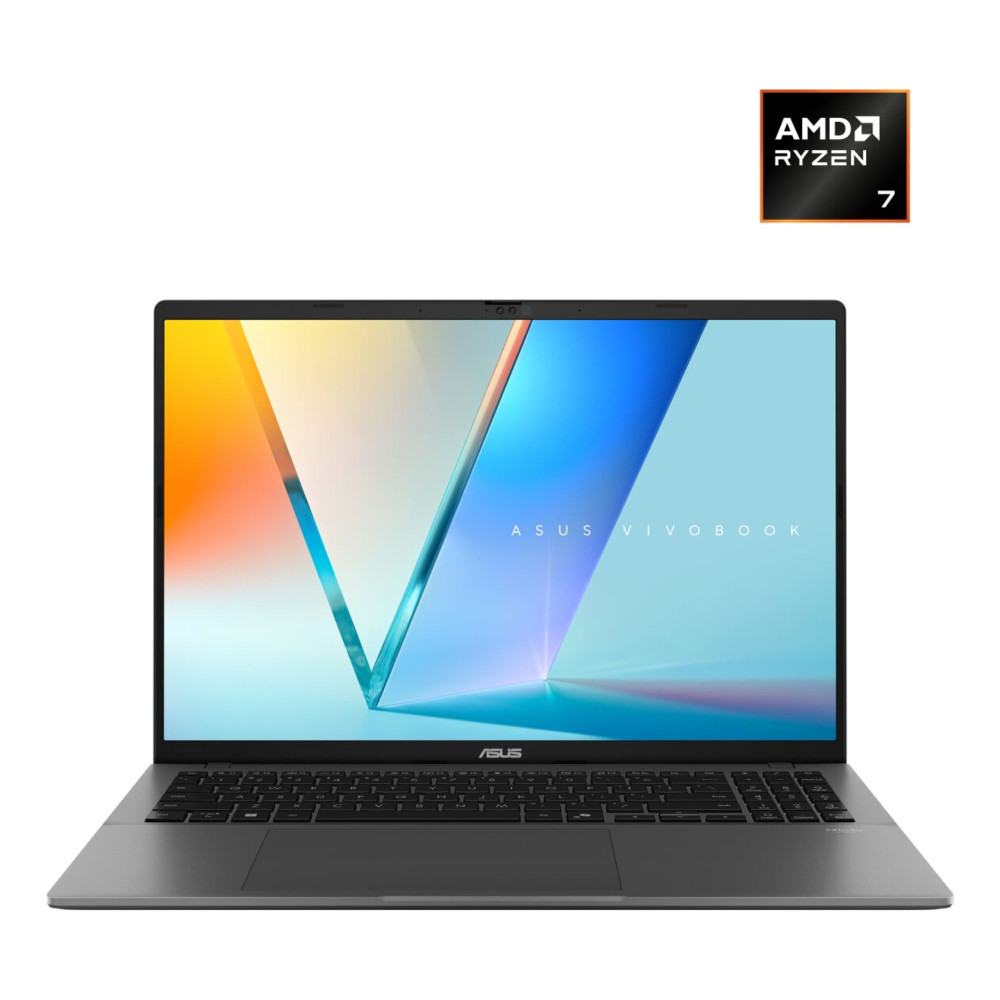
1. ASUS Vivobook S16 OLED M3607GA: Best Overall Developer Laptop
MPN: M3607GA-SH004W
Best for: Full-stack development, web development, multitasking, students who want long-term value.
The ASUS Vivobook S16 OLED M3607GA is one of the best laptops for programming if you want strong specs without going into workstation pricing. It includes an AMD Ryzen AI 7 processor, 32GB RAM, and a 1TB SSD, which is a very developer-friendly setup for modern coding.
The 32GB RAM is the main win here. It gives you room to run VS Code, JetBrains IDEs, local servers, databases, containers, and many browser tabs without constantly fighting memory limits. The 1TB SSD is also ideal for developers who work across multiple projects.
The 16-inch OLED display makes this a comfortable laptop for coding, especially if you prefer a larger workspace for split-screen editor views, documentation and terminal windows. It is a strong all-rounder for full-stack developers, web developers, students stepping into more advanced projects and anyone who needs the best laptop for software development at a sensible price.
Shop ASUS Vivobook S16 OLED AMD Ryzen
2. Lenovo IdeaPad Pro 5 16AKP10: Best for Advanced Users Who Want Control
MPN: 83JN0036UK
Best for: Linux developers, DevOps users, advanced students, and backend development.
The Lenovo IdeaPad Pro 5 16AKP10 is a strong pick for developers who know exactly how they want to configure their machine. It comes with an AMD Ryzen AI 7 350 processor, 32GB RAM, 1TB SSD, and a 16-inch 3K OLED display.
The standout detail is that it comes with no OS. That will not suit everyone, but for Linux users, DevOps learners and developers who prefer building their own environment from the ground up, it is a major advantage. You are not paying for a preloaded Windows setup you may replace anyway.
The 3K OLED screen also gives this laptop a premium feel for long coding sessions. It is one of the best laptops for programming if you want performance, memory, and display quality in a flexible package.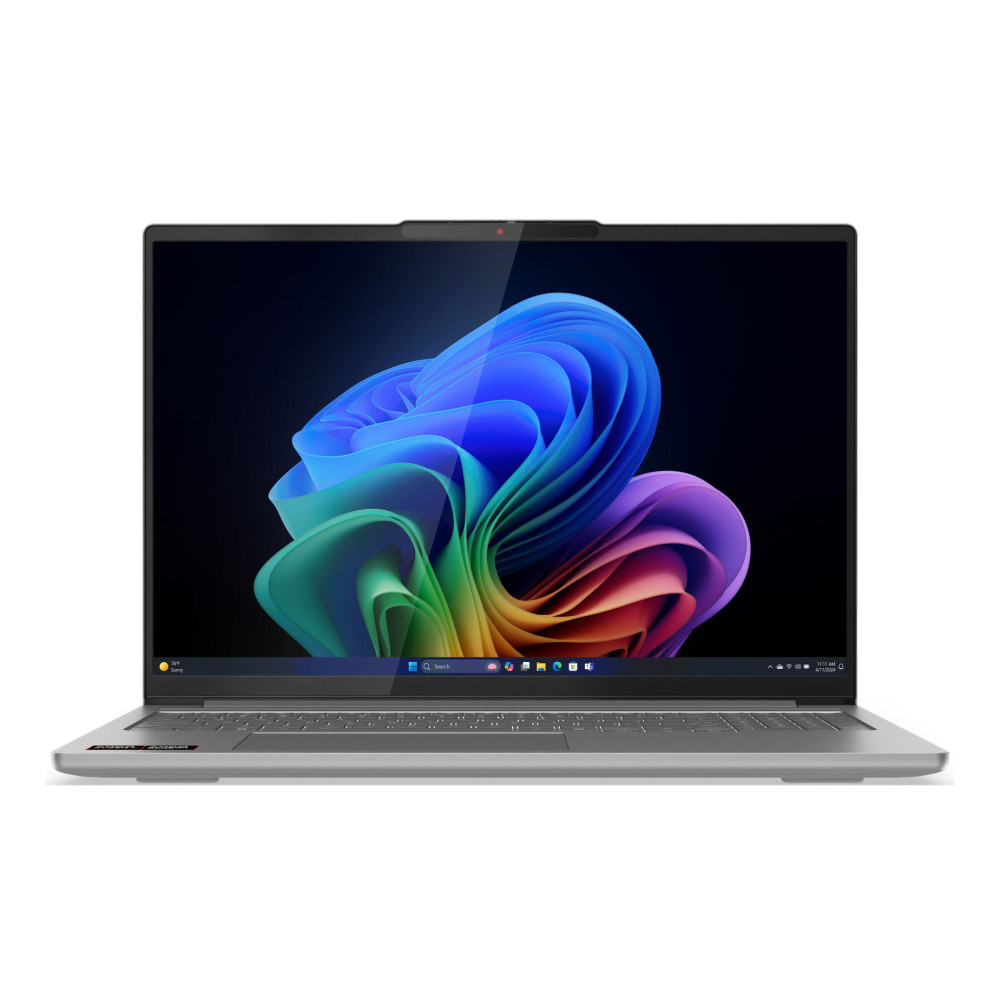
3. Apple MacBook Pro M5 14.2": Best MacBook for Developers
MPN: MDE34B/A
Best for: macOS development, frontend work, app development, and professional productivity.
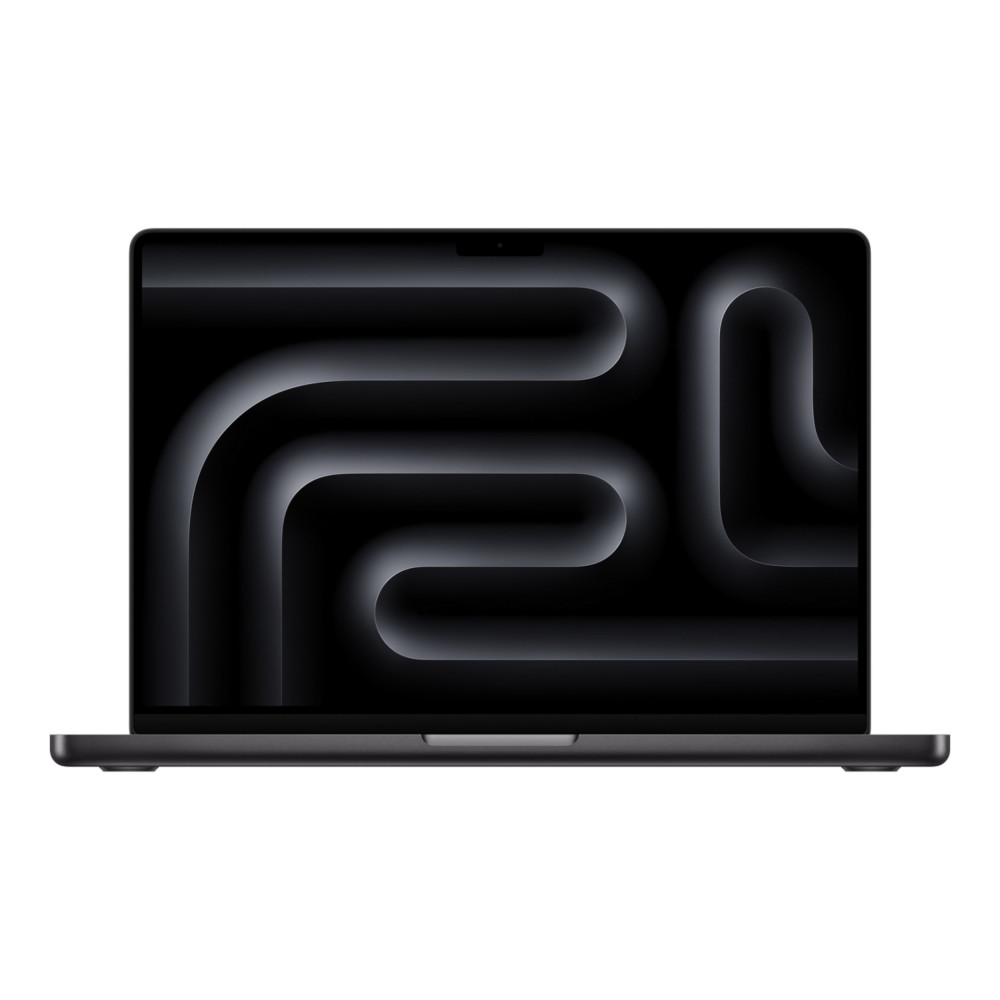
The Apple MacBook Pro M5 14.2-inch is one of the strongest MacBooks for developers in this list. With an Apple M5 10-core processor, 24GB RAM, and 1TB SSD, it is a polished choice for app development, web development, frontend work, productivity, and long coding sessions.
The key benefit is the macOS development environment. If you build for Apple platforms, use Unix-style tooling, or prefer macOS for frontend and mobile workflows, the MacBook Pro is a natural fit. The 1TB SSD also helps because development tools, SDKs, and project folders can quickly eat storage.
For developers who want a premium laptop that feels fast, portable, and refined, this is one of the best laptops for programming in the Apple range. If your work involves heavier containers or large local datasets, a higher RAM model would be better, but for many professional workflows, this is a strong choice.
4. Apple MacBook Air M4 15.3": Best Portable macOS Coding Laptop
MPN: Z1H2000NQ-CTO
Best for: Portable development, students, web coding, macOS users.
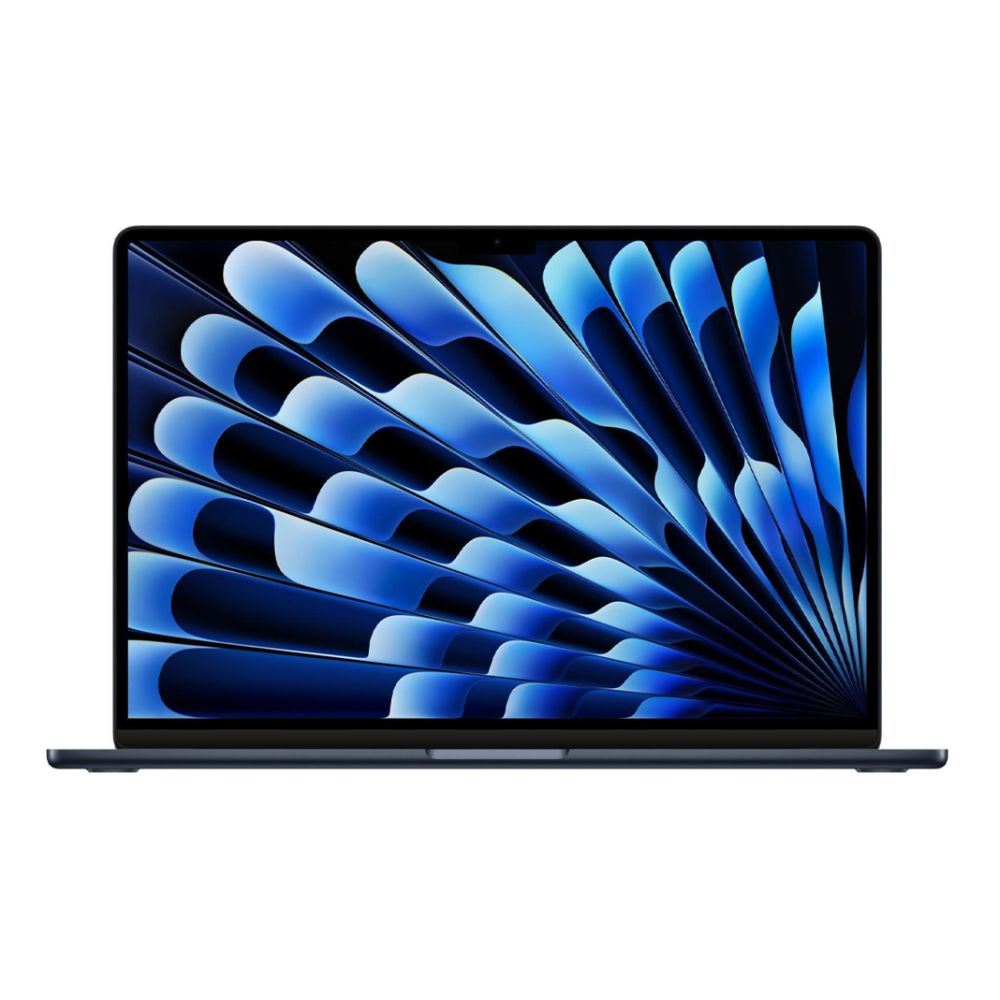
The Apple MacBook Air M4 15.3-inch with 24GB RAM and 1TB SSD is a brilliant option for developers who want a lighter macOS laptop without dropping to entry-level specs. The 24GB RAM gives it more room than basic 8GB or 16GB models, while the 1TB SSD is ideal for coding projects and tools.
This is not the machine for heavy local GPU work, but it is excellent for web development, scripting, computer science work, frontend development, and cloud-based coding. The larger 15.3-inch display is also useful if you want more screen space without carrying a heavier workstation.
For buyers who want a portable laptop for coding with strong battery life and a clean macOS experience, this MacBook Air is a smart choice.
5. ASUS ExpertBook P1 P1503CV: Best Business Coding Laptop
MPN: P1503CV-731X
Best for: Professional developers, business users, full-stack development, Windows-based teams.
The ASUS ExpertBook P1 P1503CV is one of the most practical choices for laptops for software development because it combines Windows 11 Pro, an Intel Core 7 240H processor, 32GB RAM and a 1TB SSD.
That spec makes it well suited to professional development work. The 32GB RAM helps with multitasking, while Windows 11 Pro is useful for business environments, domain management and more advanced workplace setups. It is also a strong fit for developers who need a reliable machine for coding, calls, browser testing, spreadsheets, documentation and project management.
This is not the flashiest laptop in the list, but it is one of the most sensible. If you want a good laptop for programming that focuses on productivity, memory and storage, this is a very solid pick.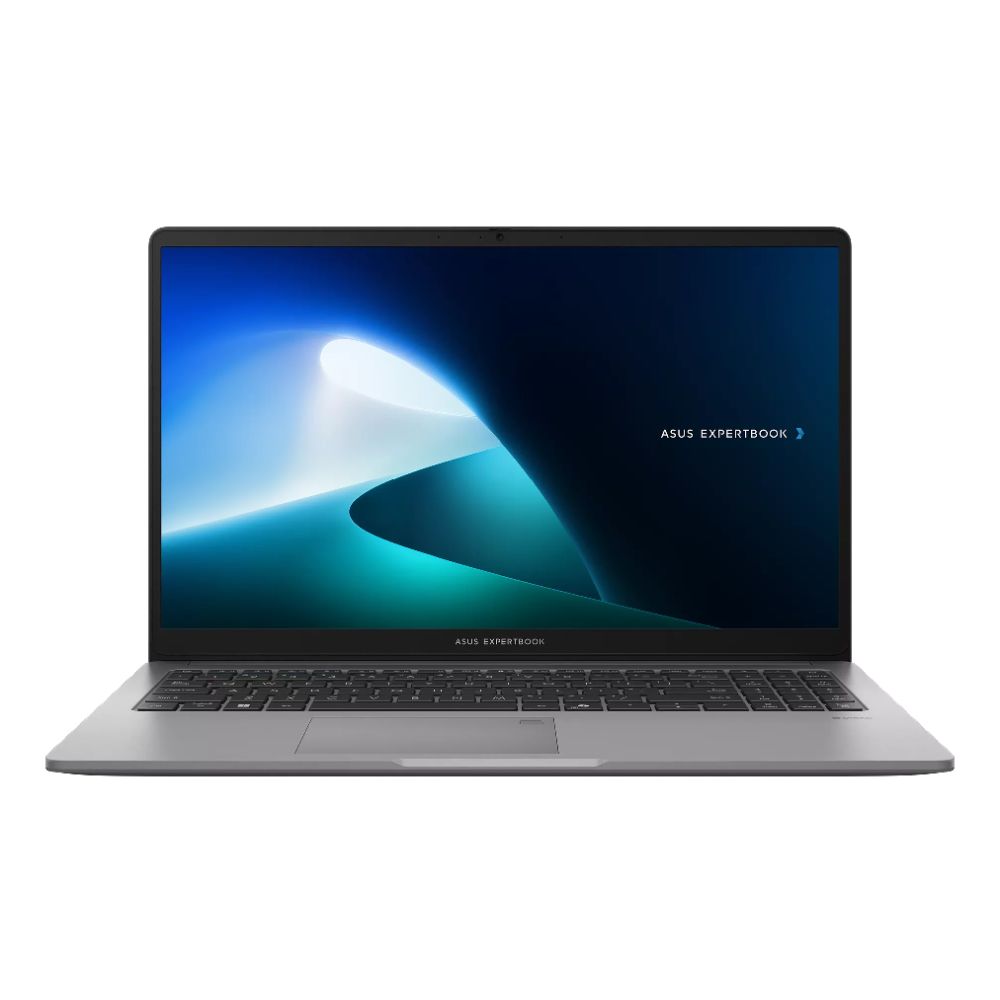
Shop ASUS ExpertBook P1 P1503CV
6. Lenovo ThinkPad X1 Carbon Gen 13 Aura: Best Premium Professional Laptop
MPN: 21NS00MMUK
Best for: Senior developers, consultants, business coding, portable professional use.
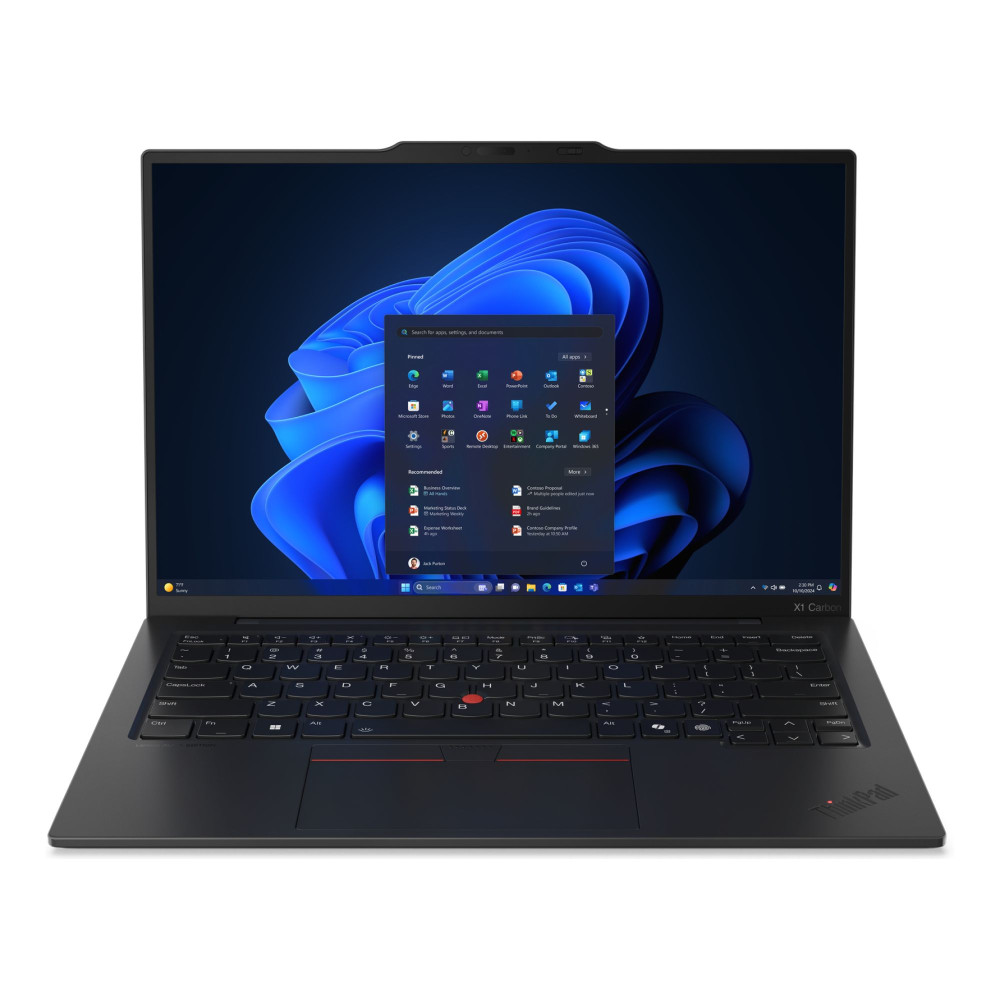
The Lenovo ThinkPad X1 Carbon Gen 13 Aura Edition is a premium developer laptop with an Intel Core Ultra 7 258V processor, 32GB RAM, 1TB SSD and Windows 11 Pro. It is one of the best laptops for programming if you care about build quality, portability, and professional reliability.
ThinkPad-style laptops are often popular with developers because of their keyboards, business features, and durable design. This model adds a 14-inch 2.8K OLED display, which is excellent for sharp text and long sessions.
It is especially strong for professional developers who travel, work in meetings, and need a dependable daily machine. The 32GB RAM gives it enough capacity for serious multitasking, while the 1TB SSD keeps storage worries low.
7. ASUS Zenbook 14 OLED UX3405CA: Best Compact OLED Laptop for Coding
MPN: UX3405CA-QL104W-ASUS
Best for: Portable coding, Python, web development, premium compact productivity.
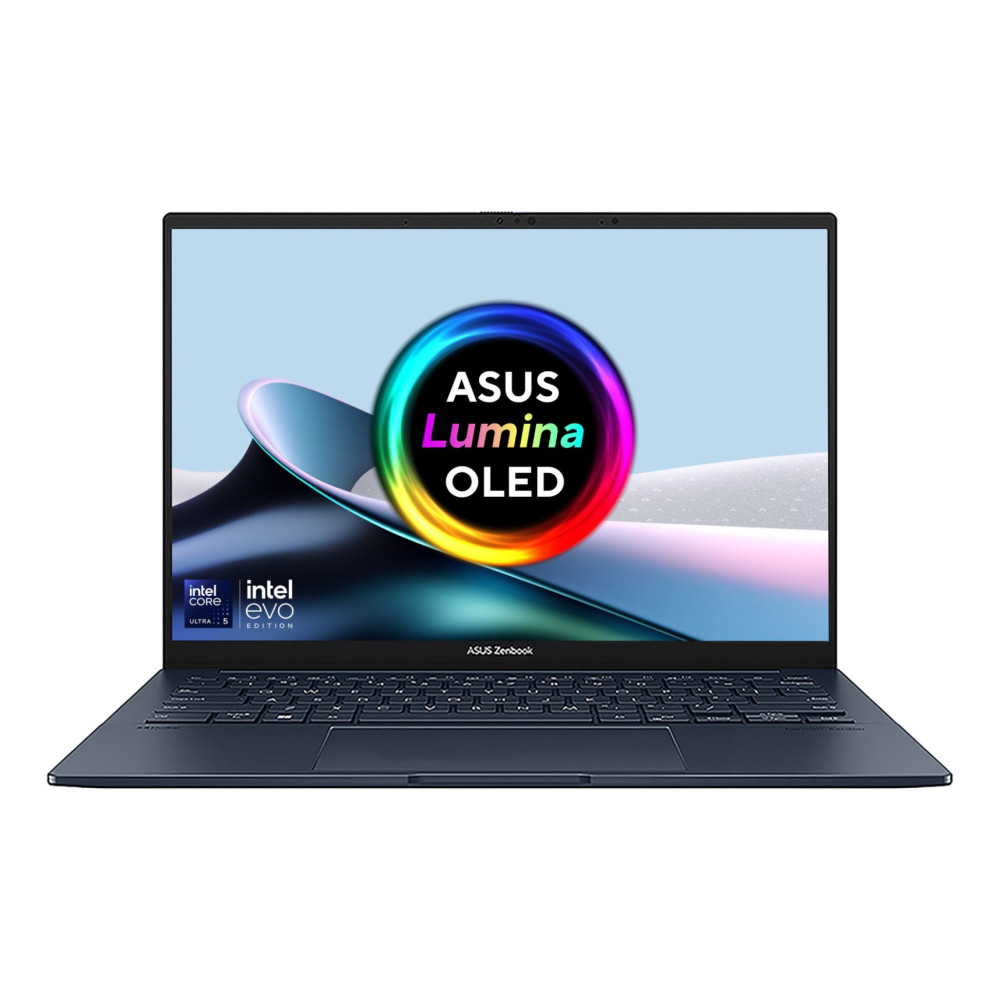
The ASUS Zenbook 14 OLED UX3405CA is a compact but powerful option with an Intel Core Ultra 9 285H processor, 32GB RAM and 1TB SSD. It is one of the best laptops for programming if you want strong performance in a smaller 14-inch body.
The 32GB RAM is ideal for developers who multitask heavily, while the OLED screen makes text, terminals and documentation look crisp. It is a good fit for users who want a portable machine but do not want to compromise too much on speed.
This is one of the best developer laptops for web developers, Python users, frontend engineers, and anyone who wants a premium, lightweight machine for serious work.
8. Lenovo ThinkBook 16 G7 ARP: Best No-OS Laptop for Custom Development Environments
MPN: 21MWCTO1WW-PW0MP06B
Best for: Linux setups, backend development, DevOps learning, custom workflows.
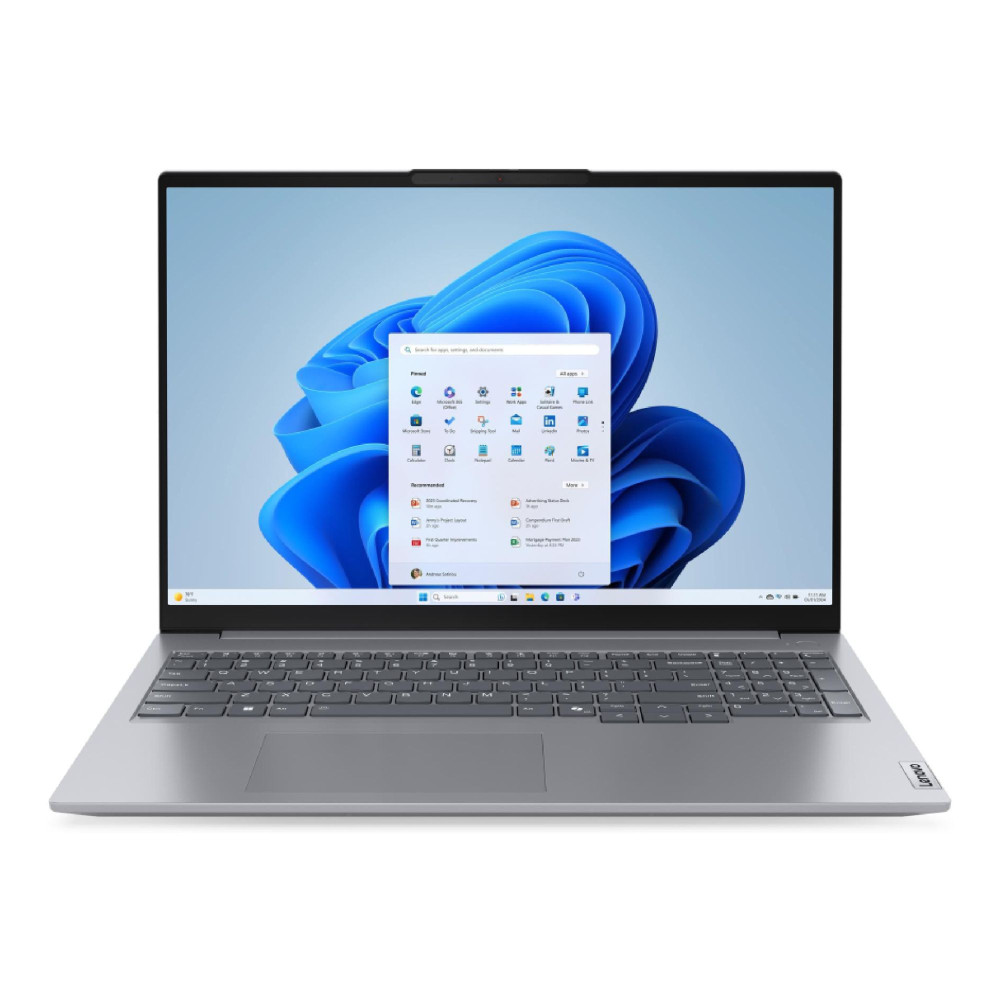
The Lenovo ThinkBook 16 G7 ARP is another strong no-OS option. It includes an AMD Ryzen 7 7735HS processor, 32GB RAM, 1TB SSD and a 16-inch WUXGA IPS display.
This is a good choice if you want to install Linux, create a clean dual-boot setup or configure a development environment without extra preinstalled software. The Ryzen 7 processor and 32GB RAM make it suitable for backend work, containers, scripting, local databases and larger projects.
For developers who want a capable machine and do not mind installing their own operating system, this is one of the good laptops for programming that offers flexibility and value.
9. HP OMEN Gaming 16-ap0301na: Best for Coding Plus GPU Workloads
MPN: CA1D7EA#ABU
Best for: Game development, AI testing, GPU workloads, coding plus gaming.
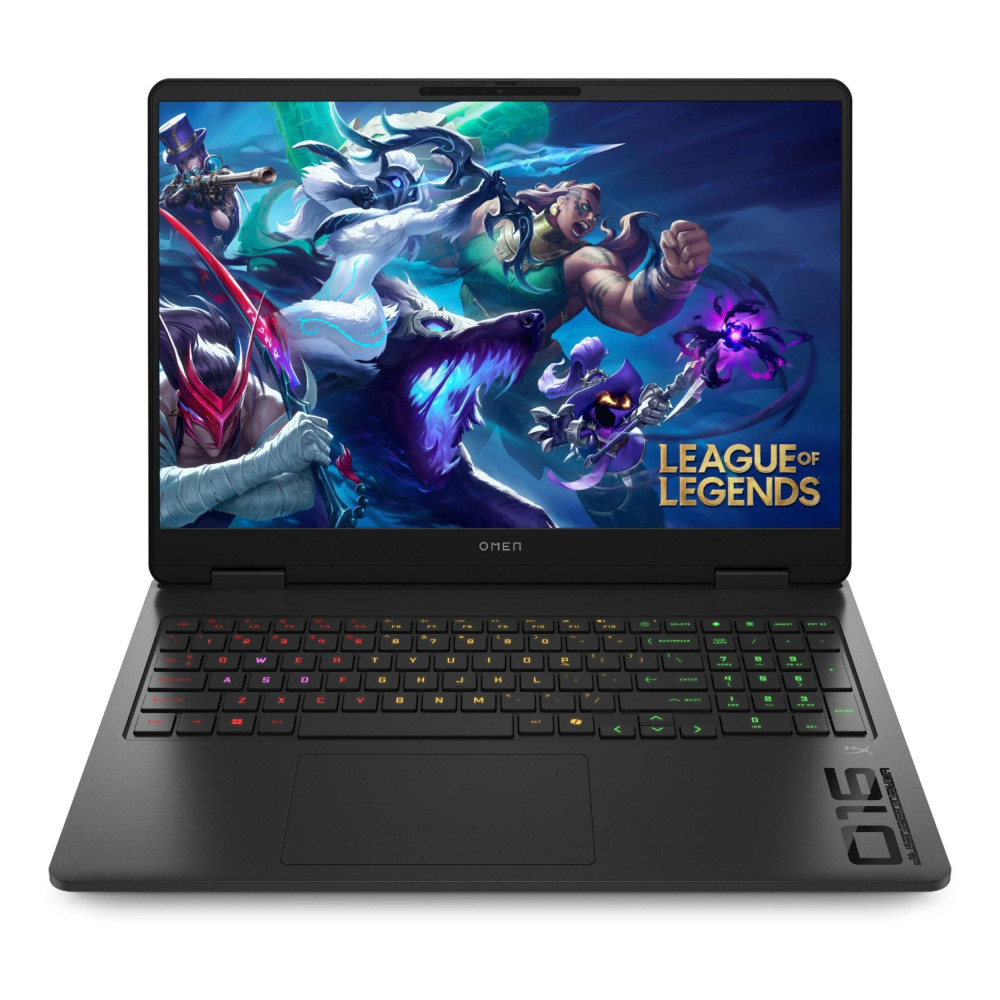
The HP OMEN Gaming 16-ap0301na is a strong option for developers who need both CPU power and dedicated graphics. It comes with an AMD Ryzen 9 8940HX, 24GB RAM, 1TB SSD and NVIDIA RTX 5070 graphics.
Most programming does not require a dedicated GPU, but some workloads do benefit from one. Game development, AI experimentation, GPU-accelerated tools, 3D work and some data workflows can make better use of a laptop like this. It also suits users who want one machine for coding and gaming after hours.
This is one of the best laptops for programming if your work goes beyond standard coding and you need extra graphics power. It is heavier and less battery-focused than thin productivity laptops, but it delivers much stronger performance for demanding workloads.
Shop HP OMEN Gaming 16-ap0301na
10. ASUS ProArt P16 H7606WX: Best Premium Workstation for Heavy Development
MPN: H7606WX-SE001W
Best for: AI, data science, game development, local models, and premium workstation use.
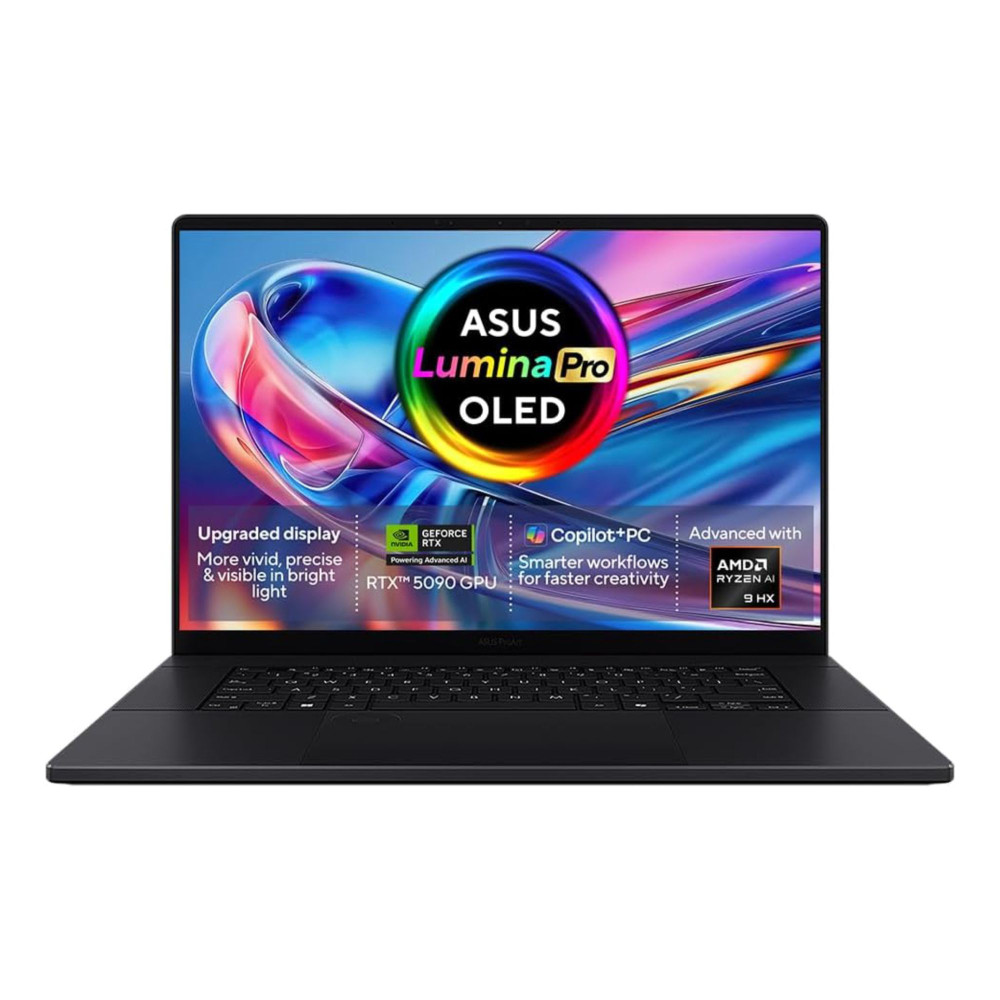
The ASUS ProArt P16 H7606WX is the most powerful option in this list. It includes an AMD Ryzen AI 9 HX 370 processor, 64GB RAM, 4TB SSD, RTX 5090 graphics, and a 16-inch 4K OLED touchscreen.
This is far more than most developers need, but for advanced workloads it makes sense. If you work with large datasets, creative coding, AI models, 3D development, game engines or heavy multitasking, the combination of 64GB RAM and 4TB storage gives you serious headroom.
For most people, this will be overkill. For users who need a premium workstation-style machine, it is one of the best laptops for programming available from the supplied list.
Best Laptops by Use Case
Not every developer needs the same level of hardware. The best laptops for programming depend on whether you are learning the basics, building full-stack projects, working professionally, or running heavier tools like containers, emulators, and AI workloads.
-
Best for Students
The best laptops for coding students should be affordable, portable and strong enough to handle coursework, browser research, code editors and beginner projects without feeling slow.
For most students, look for:
| Specification | Recommended Minimum |
| Processor | Intel Core i5, AMD Ryzen 5, Apple M-series or similar |
| RAM | 16GB preferred, 8GB only for very basic coding |
| Storage | 512GB SSD recommended |
| Display | 14-inch or 15-inch Full HD or better |
| Battery Life | Strong enough for lectures and library sessions |
| Operating System | Windows, macOS or Linux depending on course requirements |
A student-focused laptop for programming does not need a dedicated GPU unless the course includes game development, 3D work, AI or machine learning. For most coding students, RAM, storage and portability matter more.
-
Best for Professional Developers
Professional developers should aim higher because daily coding usually involves more than one app. A typical work setup may include an IDE, browser tabs, documentation, local servers, Git tools, databases, messaging apps and video calls running together.
For professional development, look for:
| Specification | Recommended Spec |
| Processor | Intel Core i7, Core Ultra 7, AMD Ryzen 7, Ryzen AI 7, Apple M-series Pro-level chip or similar |
| RAM | 16GB minimum, 32GB strongly recommended |
| Storage | 1TB SSD recommended |
| Display | 14-inch to 16-inch, 1920 x 1200 or higher |
| Keyboard | Comfortable full-size or near full-size keyboard |
| Ports | USB-C, USB-A, HDMI or docking support |
| Operating System | Windows Pro, macOS or Linux depending on workflow |
The best laptop for software development should feel comfortable over a full working day. That means a sharp screen, a good keyboard, strong multitasking performance and enough storage for long-term projects.
-
Best for Heavy Development, AI, Data and DevOps
Heavy development needs more power. This includes AI experimentation, machine learning, data science, Android Studio, Docker, virtual machines, local databases, game engines and large codebases.
For advanced workloads, look for:
| Specification | Specification |
| Processor | Intel Core Ultra 7/9, Intel HX-series, AMD Ryzen 7/9, Ryzen AI 9 or Apple higher-end chip |
| RAM | 32GB minimum, 64GB ideal for very heavy workloads |
| Storage | 1TB minimum, 2TB or more for datasets and large projects |
| GPU | Dedicated GPU useful for AI, ML, 3D and game development |
| Display | 15-inch or 16-inch high-resolution display |
| Cooling | Strong thermal design for sustained workloads |
| Operating System | Windows Pro, Linux or macOS depending on tools |
For this group, the best laptops for programming should be chosen for sustained performance, not just headline speed. A powerful processor helps with builds, RAM helps with multitasking, and a larger SSD keeps project files, containers, datasets and development environments from filling the system too quickly.
Windows vs macOS for Programming
For developers choosing between Windows and macOS, the right option usually comes down to workflow, software compatibility and budget rather than one platform being universally better. Both can be excellent for coding, but they suit different tools, projects and working styles. Here’s how to decide which platform fits your development needs best.
-
Benefits of Windows Laptops
Windows laptops offer the widest range of hardware options and prices. They are great for .NET, enterprise tools, Windows apps, SQL workflows, game development and general software development. Windows also works well for many developers using WSL, which gives access to Linux-style command-line tools.
A Windows laptop for programming is often the safest choice if you need compatibility with business software, Windows-only tools or workplace IT systems.
-
Benefits of MacBooks
MacBooks are popular with developers because macOS is clean, stable and Unix-based. They are especially useful for iOS development, frontend work, web development and general productivity. Apple Silicon also delivers strong performance with excellent battery life.
If your work involves Apple apps or you simply prefer the macOS workflow, a MacBook can be one of the best laptops for programming. The main thing is to avoid under-speccing RAM and storage. For 2026, 16GB RAM should be the minimum for serious development.
-
Which One Should You Choose?
Choose Windows if you want wider software compatibility, more hardware choice and stronger value across different price points. Choose macOS if you build for Apple platforms, prefer Unix-style tools or want excellent battery life in a polished package.
There is no single winner. The best laptop for computer programming depends on your tools, projects and budget.
How Much Performance Do You Really Need?
The amount of performance you need depends less on coding itself and more on everything around it. A simple editor and a few browser tabs place very different demands on a laptop than Docker, emulators, local databases or AI tools. Breaking it down by workload makes it much easier to see what level of hardware is actually worth paying for.
-
For Basic Coding
For HTML, CSS, JavaScript, Python basics and coursework, a modern laptop with 8GB RAM and 256GB SSD can work. However, 16GB RAM and 512GB storage will feel much better and last longer.
-
For Full-Stack Development
For full-stack work, the best laptops for programming should have 16GB RAM minimum, with 32GB preferred. You may be running an IDE, database, backend server, frontend dev server, browser testing tools and Docker at the same time. This is where 8GB starts to feel tight.
-
For Advanced Workloads
For AI, data, DevOps, Android development, virtual machines and game engines, aim for 32GB RAM or more, a 1TB SSD and a stronger CPU. A dedicated GPU is useful if your tools can use it, but it is not essential for most everyday coding.
Key Features Developers Should Look For
Once the core specs are covered, the smaller details start to have a big impact on daily use. A laptop can look strong on paper but still feel frustrating if the screen is cramped, the keyboard is uncomfortable or the port selection slows down your setup. These are the practical features that often make the difference between a laptop that simply runs code and one that is genuinely pleasant to work on.
-
Display Quality and Screen Size
A good display makes coding easier. Look for Full HD as the minimum, with 1920 x 1200, 2.8K, 3K or 4K displays giving more room and sharper text. A 14-inch laptop is better for portability, while 15-inch and 16-inch laptops give more workspace.
-
Keyboard and Build Quality
The keyboard matters more than many specs. Developers type for hours, so key travel, layout and comfort are important. A poor keyboard can make even a powerful laptop frustrating. Strong build quality also matters if you carry your laptop daily.
-
Connectivity and Ports
For the best laptops for programming, look for USB-C, USB-A, HDMI and Wi-Fi 6 or better where possible. Thunderbolt, USB4 and Ethernet are useful for docking stations, external monitors and office setups. Developers often use extra screens, external keyboards and storage, so ports matter.
Wrapping Up
The best laptops for programming in 2026 are the ones that fit your actual workflow. For most developers, 16GB RAM, and 512GB SSD should be the baseline. For serious multitasking, full-stack development, DevOps or mobile development, 32GB RAM and 1TB SSD make a big difference.
In the end, the right laptop for programming is the one that matches the way you actually work. Some developers need portability and battery life for studying, commuting or working in different places, while others need more memory and processing power for containers, virtual machines, AI tools or large projects. Focus on the combination of performance, comfort, operating system and budget that makes sense for your workflow, and you are far more likely to end up with a laptop that still feels right months down the line.
Choose based on your tools, not just the brand. A good developer laptop should feel fast, comfortable and reliable every day.
FAQS
-
Does coding need a good laptop?
Coding does not always need an expensive laptop, but a good laptop makes programming much smoother. Basic coding can work on modest hardware, but professional development benefits from 16GB RAM, a modern processor and SSD storage.
-
Is 8GB RAM enough for programming?
8GB RAM is enough for beginner coding, simple Python, HTML, CSS and light scripting. For professional programming, full-stack development, Android Studio, Docker or large projects, 16GB is a better minimum. For heavy development, 32GB is ideal.
-
Are gaming laptops good for programming?
Gaming laptops can be good for programming because they often have strong CPUs, dedicated GPUs and good cooling. They are useful for game development, AI workloads and heavy multitasking. The downside is that they are usually heavier and have shorter battery life than productivity laptops.
-
Is a GPU important for coding?
A GPU is not important for most everyday coding. Web development, Python, Java, C#, databases and general software development mainly rely on CPU, RAM and storage. A dedicated GPU helps with game development, AI, machine learning, 3D work and GPU-accelerated tools.
-
Which laptop is best for Python?
The best laptop for Python depends on the workload. For learning Python, a 16GB RAM laptop with a modern processor is enough. For data science, notebooks, machine learning or local AI experiments, choose 32GB RAM, a 1TB SSD and, if needed, a dedicated GPU.
You can pay with:
*PayPal Credit Representative Example: Assumed credit limit £1,200, Representative 23.9% APR (variable). Purchase rate 23.9% p.a (variable).Terms & Conditions apply.


PayPal Credit and PayPal Pay in 3 are trading names of PayPal UK Ltd, 5 Fleet Place, London, United Kingdom, EC4M 7RD. Terms and conditions apply. Credit subject to status, UK residents only, Five Tech LTD acts as a broker and offers finance from a restricted range of finance providers. PayPal Pay in 3 is not regulated by the Financial Conduct Authority. Pay in 3 eligibility is subject to status and approval. 18+. UK residents only. Pay in 3 is a form of credit. Check if affordable and how you will repay. May make other borrowing more difficult or expensive. See product terms for more details.
Copyright © 1996-2026 Fivetech LTD | Terms and Conditions
box.co.uk & Box are trading names of Five Tech Limited. Registered office: Box LTD, Unit 10 Woodford Trading Estate, Woodford Green IG8 8HF