


 Menu
MenuMenu


Get Sales Advice from Mon - Fri 9am - 5:00pm:
020 3337 8950LAST UPDATED: January 19, 2026
10 Best Free AI Apps That Work Offline on Your Phone or Laptop
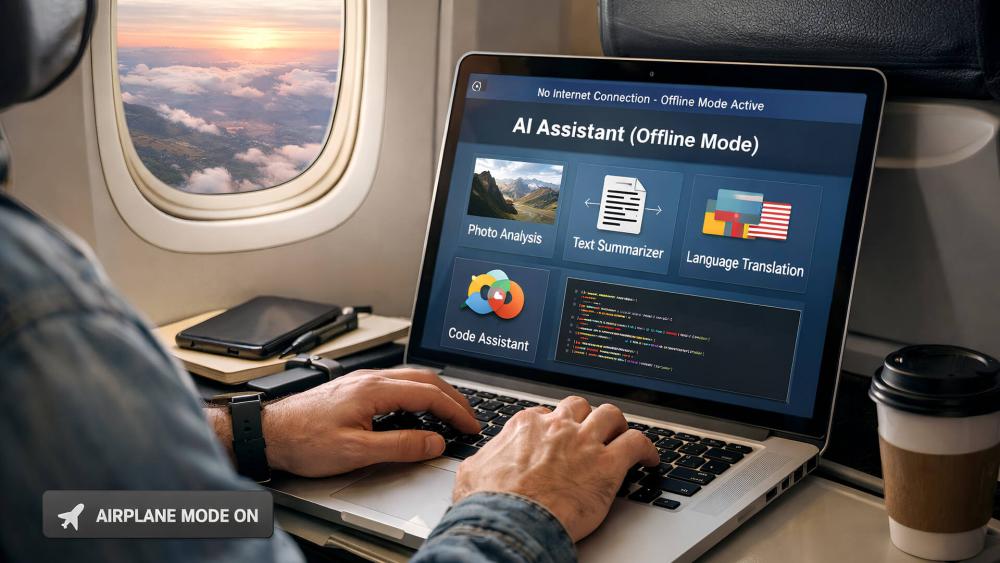
AI tools are no longer limited to constant internet access. Many users now prefer offline AI apps that run directly on their device, offering better privacy, dependable performance, and freedom to work without relying on cloud services. This shift has made offline AI a practical option for everyday tasks, especially when travelling or working in areas with limited connectivity.
A wide range of offline AI apps now support writing, note-taking, image creation, and basic assistance without requiring data to be sent online. This guide focuses on free AI app options that allow users to benefit from AI offline. Each tool featured has been selected for its ability to function without constant connectivity while remaining accessible and easy to use.
If you are looking for the best AI apps for offline use, this list will help you find reliable tools that continue to work even when the internet does not.
10 Best Free AI Apps That Work Offline on Your Phone or PC
Choosing a reliable offline AI app means finding software that genuinely runs on your device rather than relying on remote servers. The apps listed below are free to install and can be used without an internet connection once the required files or models are downloaded. They cover a mix of productivity, creative, and utility-focused use cases, making them suitable for both mobile users and desktop setups.
These offline AI applications and tools are particularly useful for people who value privacy, work while travelling, or simply want tools that remain usable when Wi-Fi is unavailable. Some are designed specifically for computers, offering strong performance, while others are optimised for everyday use on mobile devices.
GPT4All
GPT4All is a desktop application that allows users to run large language models locally on their computer. Once the initial setup is complete, it works entirely offline, making it a dependable offline AI app for writing, summarising text, and general question answering.
Because all processing happens on the device, GPT4All appeals to users who want AI software without cloud access. Performance depends on your hardware, with smoother results on systems such as AI laptops that use high-performance CPUs and sufficient memory. It is a strong example of AI tools that run offline without compromising user control.
Best for: Writing, studying, private text-based tasks
Platforms: Windows, macOS, Linux
LM Studio
LM Studio is a desktop application designed for running local language models through a clean, user-friendly interface. After downloading a model, the app works without an internet connection, making it a practical offline AI app for users who want chat-style assistance without relying on cloud services.
Unlike browser-based tools, LM Studio processes everything locally, which makes it suitable for people exploring offline AI for Windows and macOS systems. It is commonly used for drafting content, experimenting with prompts, and basic coding assistance. To get the best experience, a system with solid processing power and fast storage, such as M.2 SSD storage, helps reduce load times when switching between models.
LM Studio fits well into workflows that need AI apps for offline use, particularly for users who prefer a visual interface rather than command-line tools.
Best for: Desktop users who want an offline chat-style AI
Platforms: Windows, macOS
Stable Diffusion (Offline Image Generation)
Stable Diffusion is widely known for AI image generation and, when used through a local desktop application, it can operate fully without an internet connection. Once installed, it becomes a powerful offline AI app for creating images directly on your device, from illustrations and concept art to simple design visuals.
Because image generation happens locally, Stable Diffusion is a strong option for users looking for AI tools that run offline and want creative freedom without uploading files to external servers. Performance is closely tied to hardware, and systems equipped with the best graphics cards will handle image generation more smoothly and quickly, especially at higher resolutions.
This tool suits creative workflows where privacy and control matter, and it is often rated as one of the best offline AI apps for productivity and design-focused tasks.
Best for: Designers, artists, and content creators
Platforms: Windows, macOS, Linux

Whisper.cpp (Offline Speech-to-Text Tool)
Whisper.cpp is a lightweight, local implementation of speech-to-text technology that runs directly on your computer. Instead of sending audio files to the cloud, it processes recordings on your device, making it a reliable offline AI app for transcribing voice notes, interviews, or meetings without internet access.
This tool is often used by people who record audio while travelling or working remotely and need dependable transcription without relying on connectivity. It is an excellent offline AI tool for users focused on productivity and documentation. Systems with powerful DDR5 RAMs and efficient processors tend to handle longer audio files more smoothly.
Best for: Transcription, voice notes, interviews
Platforms: Windows, macOS, Linux
Llamao (Offline Mobile AI Assistant)
Llamao is a mobile application built to run AI models directly on your phone rather than relying on external servers. After the initial setup, it functions as a self-contained assistant that can handle simple conversations, idea generation, and everyday prompts without needing an active connection.
The app is designed with simplicity in mind, making it suitable for quick interactions rather than long-form or complex tasks. It runs comfortably on modern Android phones and is particularly useful for users who want a lightweight assistant available at all times, even in low-signal environments.
Llamao stands out for its focus on local processing and ease of use, offering a straightforward way to access AI features on mobile without tying usage to an online account.
Best for: Casual assistance and quick ideas on mobile
Platforms: Android
Privam (Privacy-Focused Mobile AI App)
Privam is designed for users who want an AI experience that stays entirely on their device. The app processes prompts locally and avoids unnecessary data sharing, making it suitable for people who prioritise control and confidentiality in their daily use.
It supports everyday tasks such as short text assistance and basic interactions, all within a clean mobile interface. Because everything runs on the phone itself, Privam fits well into workflows where consistency matters, even when network access is unreliable. It is commonly used on Android phones, where local processing performance depends on the device’s chipset and available memory.
Privam is a practical choice for users looking for a simple, dependable mobile AI solution that does not depend on external servers or continuous connectivity.
Best for: Privacy-focused mobile users
Platforms: Android
PocketPal AI (Lightweight Offline Chat Assistant)
PocketPal AI is a simple mobile application aimed at users who want quick access to AI-powered help without relying on an internet connection. It focuses on short interactions such as answering questions, helping organise thoughts, or supporting small day-to-day tasks while remaining easy to use.
The app is particularly useful for people who spend a lot of time on the move and want consistent access to AI features without worrying about signal strength or data usage. Its lightweight design means it runs comfortably on a wide range of devices, including older Android phones and Apple phones, without demanding excessive system resources.
PocketPal AI works well as a practical companion for users who value convenience and portability, offering a straightforward experience without unnecessary complexity.
Best for: Everyday assistance and quick tasks on mobile
Platforms: Android, iOS

Hillnote (Offline Note-Taking with Local AI Support)
Hillnote combines a structured note-taking environment with built-in AI assistance that runs locally on your device. It is designed for users who want to write, edit, and organise notes without relying on an internet connection or external services.
The app is particularly useful for longer writing sessions, research notes, and planning tasks where continuity matters. By keeping everything stored and processed on the device, Hillnote suits users who prefer working offline for extended periods, such as during travel or focused work sessions. Hillnote fits neatly into productivity-focused workflows, offering practical AI support without distracting features or cloud dependencies.
Best for: Note-taking, writing, and research
Platforms: Windows, macOS
Meshroom (Offline 3D Reconstruction Tool)
Meshroom is a desktop application focused on turning photographs into detailed 3D models using local processing. It is commonly used for tasks such as object scanning, environment reconstruction, and basic visualisation, all without needing an active internet connection.
The software is best suited to users working on more technical or creative projects, where accuracy and control are important. Because it handles large image datasets and complex calculations, Meshroom performs best on systems with high-performance CPUs and capable graphics hardware. This makes it a good fit for workstation-style setups rather than lightweight laptops.
Meshroom is a specialised option, but it demonstrates how advanced AI-driven tasks can still be handled locally when the right hardware is available.
Best for: 3D scanning and photogrammetry
Platforms: Windows, macOS, Linux
Kdenlive (Offline Video Editing with AI-Assisted Features)
Kdenlive is a full-featured desktop video editing application that works entirely without an internet connection. While it is primarily known as a professional editing tool, it includes AI-assisted features such as object tracking and automated effects that run locally on your system.
This makes Kdenlive a practical offline AI app for video creators who want to edit footage, apply enhancements, and manage timelines without uploading files to cloud platforms. It is particularly useful for longer projects where stability and control are more important than web-based convenience. Smooth performance depends on having a capable system, especially when working with high-resolution footage or multiple video layers.
Kdenlive suits users who want a dependable editing environment that remains functional regardless of connectivity, making it a solid choice for offline creative workflows.
Best for: Video editing and content creation
Platforms: Windows, macOS, Linux
Bonus – 4 More Free Offline AI Tools Worth Trying
Ollama
It is a desktop tool that helps users manage and run local language models on their computer. It is often used by more technical users who want flexibility and control over how local models are configured and run.
DigiKam
DigiKam is a photo management application that includes local AI features such as face recognition and image categorisation. It works well for organising large photo libraries without relying on online services.
Spleeter
Spleeter is an audio processing tool that separates music into individual stems using local processing. It is useful for musicians and editors who need quick audio separation without uploading files to the cloud.
MindKeep
It is a mobile app focused on notes and lightweight AI assistance. It supports offline use for everyday writing and organisation tasks, making it suitable for users who want simple AI help on their phone without constant connectivity.
How to Tell If an “AI App” Really Works Offline
Not every app that claims to support offline features actually processes data on your device. Some tools only store files locally while still relying on remote servers for core functionality. To avoid this, start by checking whether the app offers a clear offline AI download, such as language models or data packs that can be stored on your device. If an app refuses to function without signing in or maintaining a live connection, it is unlikely to be genuinely offline.
A simple way to confirm offline capability is to enable flight mode and test the main features. If the AI functions continue to work without mobile data or Wi-Fi, the processing is likely happening locally.
Finally, review the privacy policy or technical notes for mentions of on-device processing and local models. Tools that clearly describe how data is handled are more likely to be transparent and reliable for offline use.
Pros and Cons of Offline AI Apps
Pros
- Improved privacy, as data is processed on your device rather than sent to external servers
- Reliable access in areas with poor or no internet connectivity
- Faster response times for basic tasks without network delays
- No ongoing dependency on subscriptions or cloud accounts
Cons
- Limited capabilities compared to cloud-based AI, especially for complex tasks
- Smaller models with reduced knowledge and shorter context handling
- Higher demand on device hardware, affecting battery life and performance
- Not always suitable for large documents, real-time data, or web-based research
Conclusion
Offline AI tools have become a practical option for users who value privacy, reliability, and the ability to work without constant internet access. From writing and note-taking to creative and technical tasks, today’s offline solutions cover a wide range of everyday needs. While they may not fully replace cloud-based AI for advanced or research-heavy work, offline AI apps are well-suited for focused tasks, travel, and situations where connectivity is limited.
FAQs
Are there any completely free offline AI chatbots?
Yes, there are several AI chat tools that can be installed and used without paying for a subscription. These apps typically require an initial setup but do not charge for basic offline usage once installed.
Which offline AI apps are best for travellers without data roaming?
Apps that process data locally are ideal for travel, as they remain usable in aeroplane mode or areas with poor signal. Tools focused on notes, writing assistance, or basic chat are especially practical when roaming data is unavailable.
Do offline AI apps work on older phones and laptops?
Some do, but performance depends on the device. Lightweight apps can run on older hardware, while more demanding tools may require newer phones or computers with better processing power.
Are offline AI apps as good as online AI tools?
Offline AI apps are effective for everyday tasks, but they are generally more limited than cloud-based services. They work best for privacy-focused use, drafts, and simple workflows rather than complex research or large-scale analysis.
How do I know if an AI app is really processing data on my device only?
The most reliable way is to test the app with all connections disabled. You can also check the app’s documentation or privacy policy for clear references to on-device processing and local models rather than server-based computation.
You can pay with:
*PayPal Credit Representative Example: Assumed credit limit £1,200, Representative 23.9% APR (variable). Purchase rate 23.9% p.a (variable).Terms & Conditions apply.


PayPal Credit and PayPal Pay in 3 are trading names of PayPal UK Ltd, 5 Fleet Place, London, United Kingdom, EC4M 7RD. Terms and conditions apply. Credit subject to status, UK residents only, Five Tech LTD acts as a broker and offers finance from a restricted range of finance providers. PayPal Pay in 3 is not regulated by the Financial Conduct Authority. Pay in 3 eligibility is subject to status and approval. 18+. UK residents only. Pay in 3 is a form of credit. Check if affordable and how you will repay. May make other borrowing more difficult or expensive. See product terms for more details.
Copyright © 1996-2026 Fivetech LTD | Terms and Conditions
box.co.uk & Box are trading names of Five Tech Limited. Registered office: Box LTD, Unit 10 Woodford Trading Estate, Woodford Green IG8 8HF