


 Menu
MenuMenu


Get Sales Advice from Mon - Fri 9am - 5:00pm:
020 3337 8950LAST UPDATED: August 27, 2025
The Ultimate Back to School Tech Checklist for 2025
Heading back to school or uni means more than just grabbing notebooks and pens. The right tech kit makes all the difference between breezing through assignments and struggling to keep up. From taking notes in lectures to gaming in downtime, your setup should be as versatile as your lifestyle.
The foundation of any student’s toolkit is a reliable laptop, and this year, lightweight laptops are the clear winners. They’re easy to carry between classes, powerful enough for multitasking, and built for the demands of both study and play. Pair that with the right accessories, from wireless keyboards and mice to portable monitors, and you’ll be ready to tackle the new academic year with confidence.
Think of this checklist as your roadmap to tech that doesn’t just support your studies but actually makes your student life smoother, more productive, and a bit more fun along the way. So without further ado, let’s get to it!
Top Laptop Picks for Students in 2025:

Choosing the right laptop can help you make the most of your academic year. You need a device that balances portability, battery life, and performance so it can keep up with lectures, essays, projects, and the odd gaming session. Here’s what to look out for in 2025.
-
Lightweight for Portability
For students constantly moving between lectures, libraries, and study groups, lightweight laptops are essential. Slim, portable designs mean you won’t be weighed down, and modern models are powerful enough to handle demanding apps despite their thin frames.
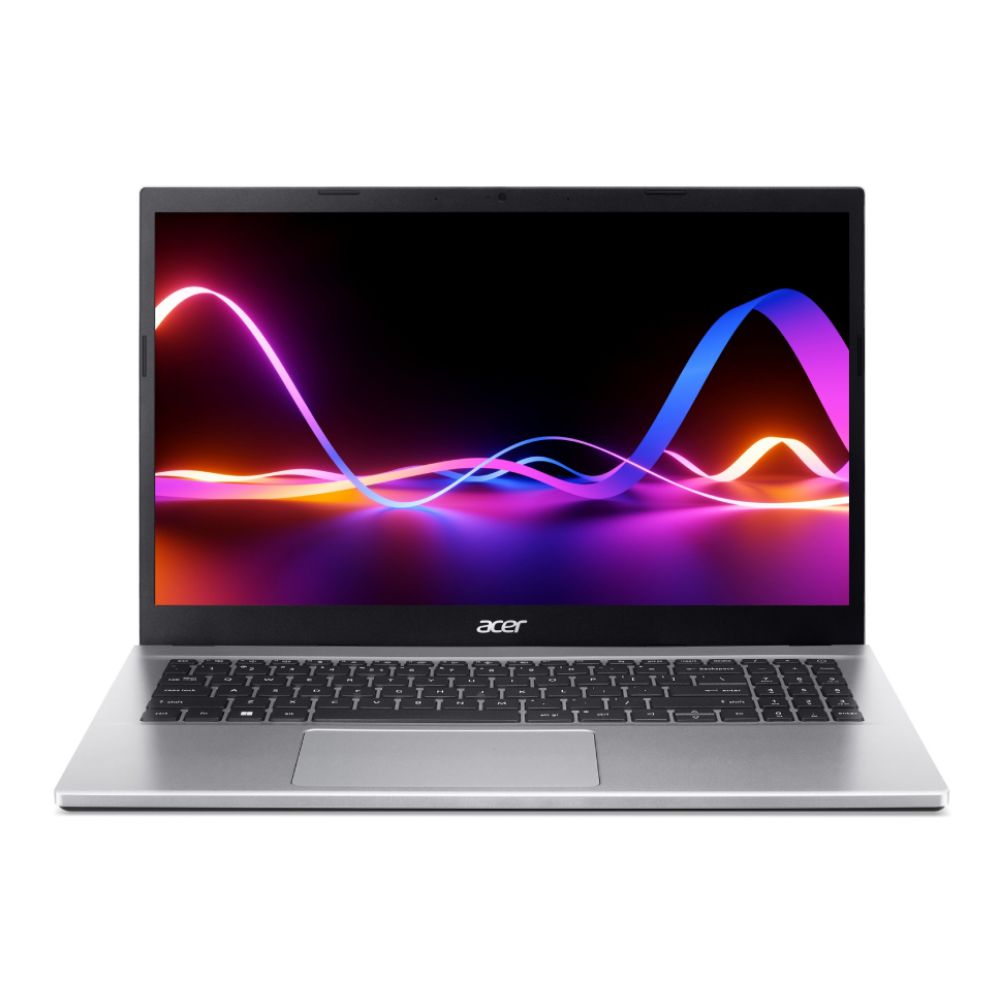
A great option here is the HP 15 AMD Ryzen 3, which combines a slim profile with an impressive Ryzen 3 processor, giving you both portability and speed for intensive workloads. You can also browse our latest lightweight laptops to find models that offer a perfect balance of portability and power.
-
Long Battery Life for Library Days
Nothing’s worse than hunting for a plug socket mid-essay. That’s why the latest student laptops now come with 10–15 hours of battery life, giving you enough juice for a full day of lectures and late-night revision sessions. Both AMD laptops and Intel Evo-certified models offer advanced power efficiency, so you can focus on your work without worrying about your charger.
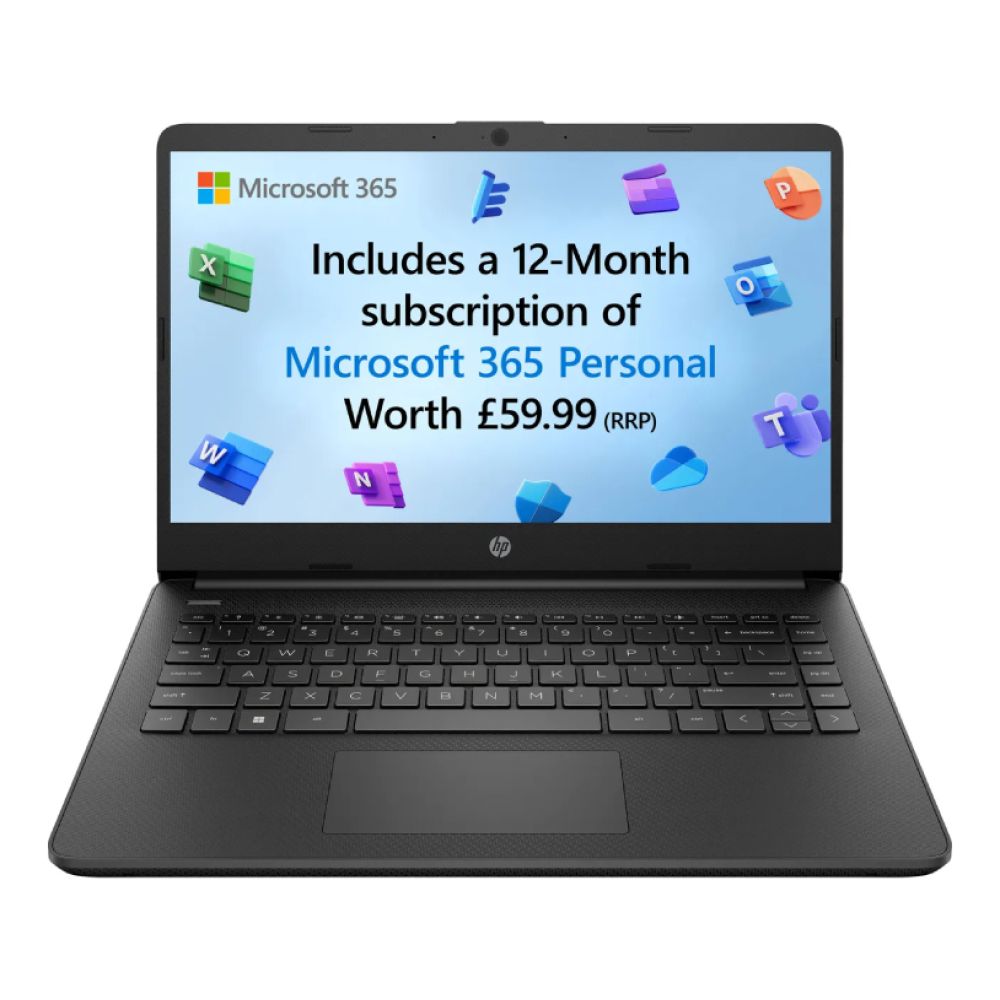
For a budget-conscious choice, the HP 14s Celeron N is lightweight, affordable, and ideal for everyday coursework, web browsing, and note-taking, perfect for students who don’t need high-end power but want reliable all-day use.
-
Balanced Performance (Ryzen 5 / Core i5 and Above)
When it comes to performance, aim for at least a Ryzen 5 or Core i5 laptop to handle everyday tasks like note-taking, research, and video calls. If your course involves heavy workloads such as design, coding, or video editing, stepping up to a Core i7 laptop (or even Core i9) makes sense. AMD’s Ryzen processors are also excellent value, delivering strong multitasking at competitive prices.
A solid mid-range choice is the Acer Aspire 3 Intel Core i7, which offers dependable performance for coursework and multitasking without breaking the bank. It’s a brilliant pick for students who want more power than entry-level models without moving into premium pricing.
[Product Image + Shop Now: https://box.co.uk/nx-k6sek-009-acer-aspire-3-intel-core-i7-1255u-8-gb]
Want to know what makes the best laptop for students? Read our guide now!
Must-Have Accessories for Success:
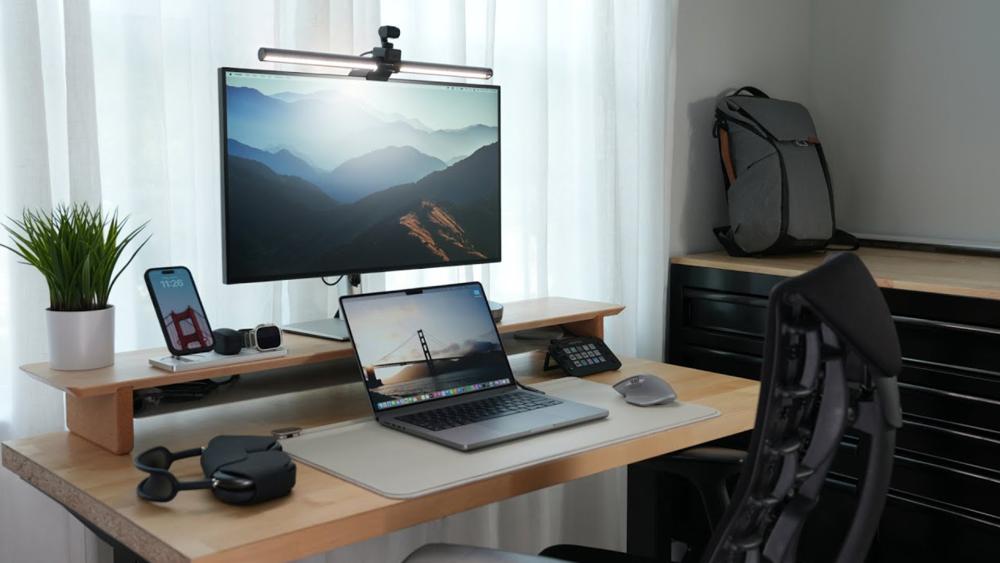
Even the best lightweight laptops can benefit from the right accessories. Equipping yourself with the right add-ons ensures you’re not only more productive but also comfortable when working long hours at your desk or on the move. Here are the must-haves for 2025.
-
Portable SSDs:
Carrying assignments, projects, and media files around is far easier with a portable SSD. They’re faster and more reliable than traditional hard drives, and their compact design makes them perfect for student life. A portable SSD is also a smart way to back up coursework, so you’re never at risk of losing important files.
-
Laptop-Friendly Backpacks:
Your backpack will go everywhere with you, so it needs to be both stylish and functional. Look for laptop-friendly bags with padded compartments that can protect your device while leaving space for accessories like wireless keyboards and headsets. A well-designed backpack can make a big difference when carrying your tech all day.
-
USB-C Hubs for Dorm Desk Setups:
Most modern student laptops only come with a limited number of ports. A USB-C hub instantly expands your connectivity, giving you space for a mouse, external drive, or even an extra monitor. They’re especially handy for dorm setups where desk space is at a premium.
-
Wireless Mice and Keyboards:
Typing essays and navigating your laptop for hours can get frustrating without the right gear. A wireless mouse and the latest keyboards are perfect for comfortable, clutter-free study sessions. Going wireless also means you can work flexibly, whether you’re in the library, your room, or a café.
-
Portable Monitors for Multitasking
Portable monitors are a student’s secret weapon. Whether you’re writing essays while referencing notes or watching lectures alongside your own slides, having an extra screen makes multitasking smoother. They also double as a compact gaming screen for downtime. Explore the range of portable monitors to upgrade your study space.
Looking for something more suitable for travel? Check out our guide on the best laptops for summer adventures to find some amazing picks.
Budget-Savvy Tip: Don’t Overlook Certified Refurb Deals

Heading back to school often means working with a tight budget, but that doesn’t mean you have to settle for underpowered tech. Certified refurbished laptops and accessories are a brilliant way to stretch your money further.
A refurbished device goes through thorough checks and comes with a warranty, so you’re still getting reliable performance without the full retail price tag. This makes it a smart way to secure lightweight laptops or even premium Core i5 laptops and Core i7 laptops at a lower cost.
Refurbished options are perfect for students who need the best laptops for coursework but don’t want to overspend. They’re also ideal if you want a backup device or accessories like wireless mice and portable monitors without blowing your budget.
You can check out the Box Refurbished Store for the best and certified refurbished tech at amazing prices. Also, if you are still confused about buying a refurbished laptop, check out our complete refurbished laptop buying guide for the key checks, pros, and cons.
Bonus Section: Personalise Your Setup
Tech isn’t just about performance. It’s about making your setup feel like your own. Adding a personal touch can make long study sessions more enjoyable and help you stay motivated. Here are some ways to customise and upgrade your student setup in 2025.
Laptop Skins and Decals
Laptop skins and decals are one of the easiest ways to add flair to your device. They protect against scratches and scuffs while letting you showcase your personality. For students carrying lightweight laptops around campus, a durable skin adds peace of mind. You can go for sleek matte finishes, bold graphics, or even custom designs that make your laptop stand out in a lecture hall.
Wireless Headphones for Focus and Play
A quality set of wireless headphones is essential for student life. They help you block out distractions in noisy environments, making it easier to focus on coursework. Outside of study hours, wireless headsets double as entertainment gear, whether you’re listening to music, catching up on podcasts, or gaming with friends. Look for lightweight designs with long battery life so they’re comfortable to wear for hours.
Curate Your Study Vibe
Your workspace plays a big role in how productive you feel. Creating playlists on Spotify or YouTube is a great way to set the mood, from lo-fi beats for focus to upbeat tracks for energy. Pair your laptop with ergonomic accessories like mechanical keyboards and a wireless mouse to make long sessions less tiring. You can even add ambient lighting for a more inviting atmosphere.
Desk Accessories That Motivate
Simple additions like a laptop stand, wrist rests, or a portable desk lamp can completely change your study space. A stand lifts your laptop to eye level, reducing strain during long hours, while proper lighting keeps you alert. These upgrades are small but can make your setup feel more professional and comfortable.
Smart Storage Solutions
Clutter is the enemy of productivity. Investing in cable organisers, compact docking stations, or multi-purpose desk trays ensures everything from your charger to your wireless keyboards has its place. Keeping your tech accessories neat makes your workspace more efficient and less stressful.
Personal Touches That Inspire
Don’t underestimate the value of adding a bit of personality. Posters, photos, or even a small plant can make your dorm desk feel like a place you want to spend time. Combined with your tech gear, these touches help create a workspace that reflects who you are and keeps you motivated throughout the term.
Conclusion: Tech That Works as Hard as You Do This Term
The right tech can transform how you study, work, and relax during the school year. From powerful yet lightweight laptops to essential accessories like portable monitors and wireless keyboards, investing in the right setup sets you up for success. Whether you’re sticking to a budget with refurbished deals or going for the latest high-performance gear, the key is finding tech that matches your workload and lifestyle.
Start the year with a toolkit that’s reliable, portable, and personal to you because when your tech works as hard as you do, the rest falls into place.
FAQs: Back to School Tech Checklist
1) What type of laptop is best for students in 2025?
A lightweight laptop with at least a Core i5 or Ryzen 5 processor is best for most students. It balances portability, performance, and battery life for everyday coursework.
2) Is a lightweight laptop better for school?
Yes. Lightweight laptops are easier to carry between classes and the library, and modern models are still powerful enough for multitasking.
3) Do students need portable monitors?
Not essential, but very useful. A portable monitor makes multitasking easier, for example, writing essays while keeping notes open on a second screen.
4) Are wireless mice better than wired ones for studying?
For students, yes. A wireless mouse is more flexible and pairs well with the latest keyboards, keeping your desk clutter-free.
5) Should students buy refurbished laptops in 2025?
Absolutely. Certified refurbished devices offer reliable performance at a lower price, making them a smart choice for students on a budget.
You can pay with:
*PayPal Credit Representative Example: Assumed credit limit £1,200, Representative 23.9% APR (variable). Purchase rate 23.9% p.a (variable).Terms & Conditions apply.


PayPal Credit and PayPal Pay in 3 are trading names of PayPal UK Ltd, 5 Fleet Place, London, United Kingdom, EC4M 7RD. Terms and conditions apply. Credit subject to status, UK residents only, Five Tech LTD acts as a broker and offers finance from a restricted range of finance providers. PayPal Pay in 3 is not regulated by the Financial Conduct Authority. Pay in 3 eligibility is subject to status and approval. 18+. UK residents only. Pay in 3 is a form of credit. Check if affordable and how you will repay. May make other borrowing more difficult or expensive. See product terms for more details.
Copyright © 1996-2026 Fivetech LTD | Terms and Conditions
box.co.uk & Box are trading names of Five Tech Limited. Registered office: Box LTD, Unit 10 Woodford Trading Estate, Woodford Green IG8 8HF