


 Menu
MenuMenu


Get Sales Advice from Mon - Fri 9am - 5:00pm:
020 3337 8950LAST UPDATED: February 20, 2026
What Is the Difference Between ASUS ROG Zephyrus and Strix Series
ASUS gaming laptops are well known in the market, and their ROG (Republic of Gamers) line includes some of the best laptops you can buy today. Two of the most popular series in this lineup are the ROG Zephyrus and the ROG Strix.
At a glance, they may seem similar, but they serve different purposes and cater to different types of users.
In this guide, we will break down the core differences between the ASUS ROG Zephyrus and the ASUS ROG Strix series to help you make a more informed decision based on your needs, lifestyle, and gaming preferences.
So, let's get into it!
Overview of ROG Strix Series: Built for Esports Domination
The ROG Strix family focuses entirely on raw power and competitive gaming. These laptops are designed for users who want every possible frame and millisecond in fast-paced esports titles and high-performance AAA games.
Key Highlights of the 2025 Strix Lineup
- Top-tier GPUs: Up to NVIDIA GeForce RTX 5090 Laptop GPU on SCAR models
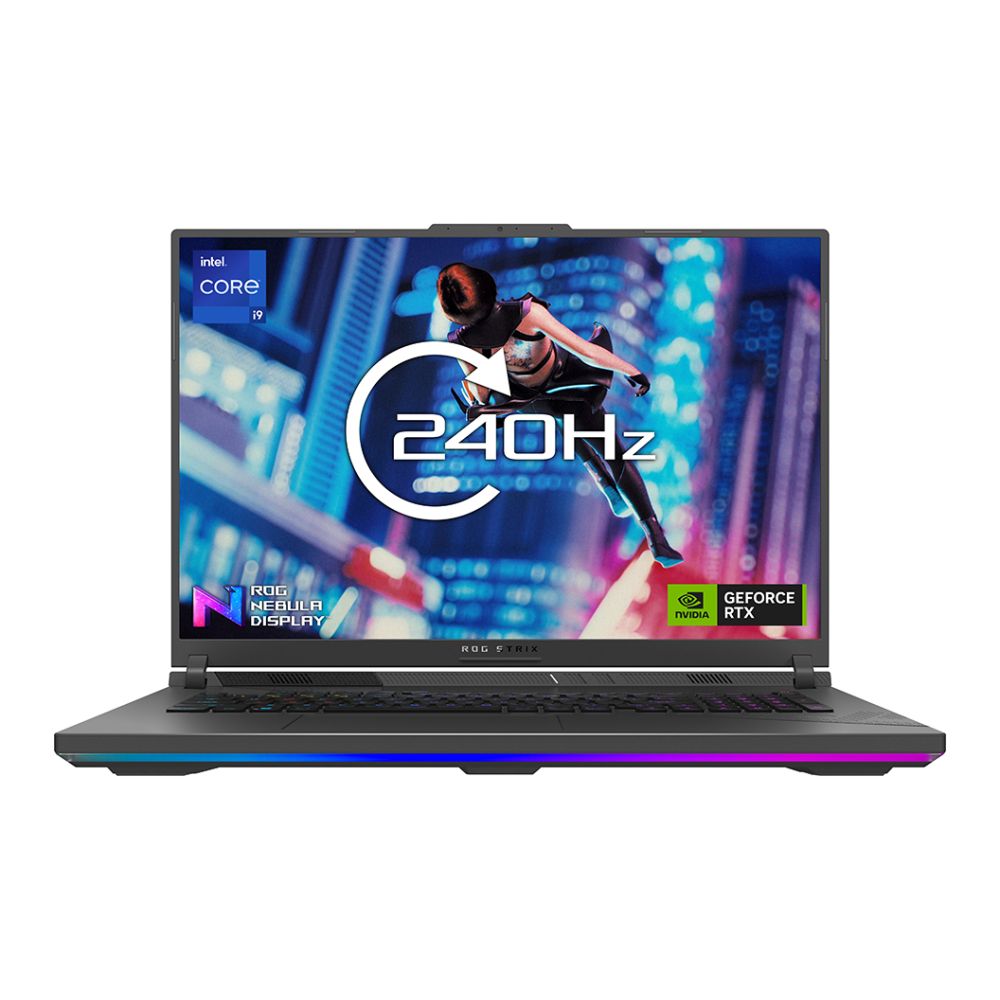
- High Refresh Rate Displays: All Strix models feature 240Hz, 2.5K Nebula Displays
- Low Response Time: 3ms response time and NVIDIA G-SYNC support
- Advanced Cooling: ROG Intelligent Cooling for thermal stability under full load
- Designed for Performance First: Prioritises higher TDP, higher boost clocks
These laptops are not focused on being thin or subtle. Instead, they are big, bold, and packed with performance to help gamers win.
Overview of ROG Zephyrus Series: Premium Power in a Portable Form
Where Strix is all about power and aggression, the Zephyrus series blends high-performance gaming with ultraportable design and premium materials. These laptops are slim, light, and incredibly refined, making them a great fit for hybrid users who need one machine for gaming, content creation, and everyday productivity.
Key Highlights of the 2025 Zephyrus Lineup
- Slim Design: Much thinner and lighter than Strix models
- Premium Materials: Sleek aluminium builds, subtle design language
- Powerful Internals: Up to RTX 5090 Laptop GPU in the larger models
- Nebula OLED Displays: 100% DCI-P3 colour, vibrant visuals, low response times
- 240Hz Refresh Rate: On select models like the G16
- Great for Creators and Gamers: Balance of power, portability, and visual quality
Performance and Power

ROG Strix
The Strix series is built for users who need maximum performance. These laptops typically have higher TDP (Thermal Design Power) CPUs and GPUs, which means they can run at higher wattage and deliver better sustained performance. They are ideal for users who play demanding games or use their laptops for heavy workloads such as video rendering, 3D modelling, or streaming.
The Strix series also includes larger cooling systems that keep temperatures under control during extended gaming sessions. This is especially helpful if you are using your laptop for long periods of time and want consistent performance without thermal throttling.
ROG Zephyrus
The Zephyrus series is more balanced. While it also offers high-end specs, its components are usually tuned to lower power levels to suit its thinner and lighter design. This results in slightly lower performance compared to the Strix, but not by much.
If you are playing most modern games at 1080p or 1440p resolution, Zephyrus laptops will handle them just fine. They also do well with multitasking, light creative work, and productivity tasks.
Design and Build Quality
ROG Strix
Strix laptops feature a bold, gamer-focused design. They are generally thicker and heavier and include eye-catching RGB lighting on the keyboard and chassis. The overall aesthetic is aggressive and flashy, which suits users who want their gaming setup to stand out.
Most Strix models use high-quality plastic construction that is durable but adds to the weight. They are not the most portable devices, but they are built like tanks and made for performance.
ROG Zephyrus
In contrast, Zephyrus laptops offer a more subtle and professional design. They are made from premium materials such as aluminium, giving them a solid and premium feel. Their appearance is more refined, with less visible RGB and a design that fits in both professional and casual environments.
They are also significantly thinner and lighter, which makes them easier to carry around in a backpack or messenger bag.
Display Quality
ROG Zephyrus
Zephyrus models often come with OLED or Mini-LED displays, sometimes branded as Nebula HDR. These screens provide excellent colour accuracy, deeper contrast, and better brightness levels, making them ideal for creative professionals and content consumers.
They also have high refresh rates and low response times, which means you do not have to compromise on gaming quality either.
ROG Strix
Strix laptops focus more on performance, and that extends to their displays. You will find high-refresh-rate IPS-type displays with matte coatings that reduce glare. While they may not match OLED in colour richness, they are excellent for fast-paced gaming where refresh rate and response time matter more than colour depth.
Cooling Systems
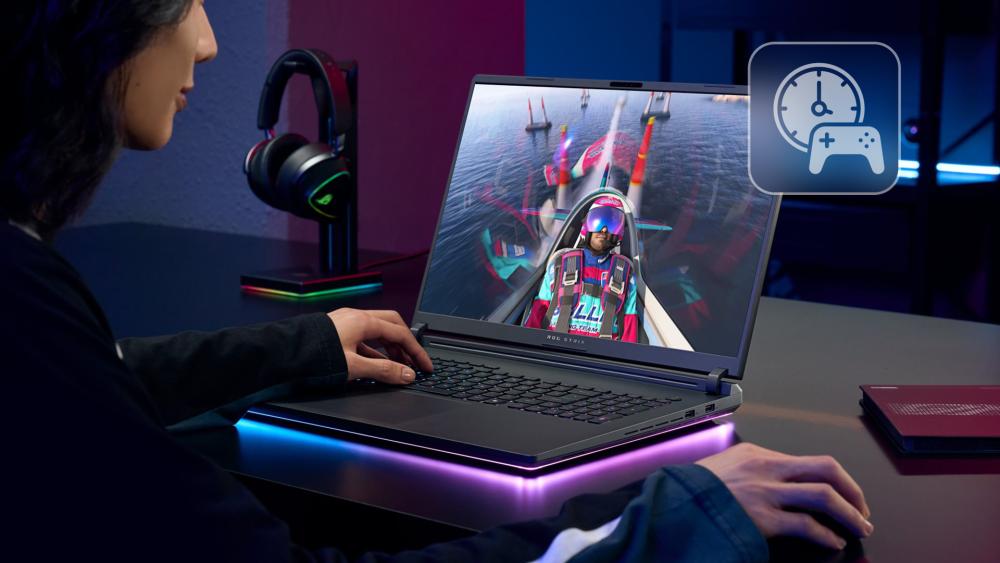
ROG Strix
The thicker build of the Strix allows ASUS to use larger and more advanced cooling systems. This means higher airflow, more heat pipes, and features like triple-fan setups and liquid metal thermal compounds in higher-end models. These features make Strix better suited for long gaming sessions or resource-heavy tasks.
ROG Zephyrus
Zephyrus uses more compact cooling systems, including technologies like Active Aerodynamic System (AAS), where part of the bottom panel lifts to allow better airflow. While these systems are effective, they are more optimised for lighter workloads and can get warm under heavy use. They tend to stay quiet during everyday tasks, which is a bonus for work environments.
Upgradability
ROG Strix
Strix laptops are more upgrade-friendly. They usually include two RAM slots and multiple storage bays. The bottom panel is easy to remove, and you can add or replace components without much hassle.
ROG Zephyrus
Due to their compact size, many Zephyrus models have soldered RAM. This means you cannot upgrade the memory later. You may still have access to one M.2 slot for storage upgrades, but the options are more limited compared to Strix.
If you choose Zephyrus, make sure to buy a configuration that meets your future needs, especially in terms of RAM.
ASUS ROG Zephyrus vs Strix (2025) – Detailed Comparison Table
|
Category |
ROG Strix SCAR 16 / 18 |
ROG Strix G16 / G18 |
ROG Zephyrus G14 |
ROG Zephyrus G16 |
|
Primary Focus |
Ultimate esports performance |
High-end gaming at better value |
Portable gaming and content creation |
Premium performance in a portable build |
|
Target Audience |
Pro and competitive gamers, streamers |
Competitive gamers and high-FPS seekers |
Students, hybrid users, content creators |
Hybrid gamers, professionals, streamers |
|
Design |
Bold and aggressive gamer design, heavier build |
Gamer aesthetic with RGB, slightly more refined than SCAR |
Sleek, premium, minimalist |
Elegant, professional yet gaming-ready |
|
Build Material |
Plastic and metal mix |
Primarily plastic with solid construction |
Aluminium chassis |
Aluminium chassis |
|
CPU Options |
Intel and AMD |
Intel and AMD |
AMD only |
Intel and AMD |
|
Max GPU |
NVIDIA GeForce RTX 5090 Laptop GPU |
NVIDIA GeForce RTX 5080 Laptop GPU |
NVIDIA GeForce RTX 5080 Laptop GPU |
NVIDIA GeForce RTX 5090 Laptop GPU |
|
TDP (Power) |
Highest TDP for CPU and GPU in ASUS lineup |
High TDP but slightly lower than SCAR |
Mid to high TDP, optimised for thin build |
High TDP optimised for thin form factor |
|
Cooling System |
ROG Intelligent Cooling with advanced heat pipes and vapor chamber; triple-fan |
ROG Intelligent Cooling with dual/triple-fan systems |
ROG Intelligent Cooling for slim devices |
ROG Intelligent Cooling with optimised airflow |
|
Display Type |
Mini LED Nebula HDR Display |
IPS-level Nebula Display |
OLED Nebula Display |
OLED Nebula Display |
|
Display Resolution |
2.5K (2560 x 1600) |
2.5K (2560 x 1600) |
Up to QHD+ OLED (2560 x 1600) |
QHD+ OLED (2560 x 1600) |
|
Refresh Rate |
240Hz |
240Hz |
120Hz–165Hz (depends on config) |
240Hz |
|
Response Time |
3ms with NVIDIA G-SYNC |
3ms with NVIDIA G-SYNC |
Less than 3ms |
Less than 3ms |
|
Colour Accuracy |
High (Nebula HDR certified) |
Good (IPS-like colour accuracy) |
Excellent (100% DCI-P3 OLED) |
Excellent (100% DCI-P3 OLED) |
|
Port Selection |
Full-size Ethernet, multiple USB-A and USB-C, HDMI |
Similar to SCAR, with slight variations depending on model |
USB-C, full-size SD card slot, HDMI, no Ethernet |
USB-C, SD card reader, HDMI, no Ethernet |
|
SD Card Reader |
No |
No |
Yes (full-size) |
Yes (full-size) |
|
Ethernet Port |
Yes (RJ-45) |
Yes |
No |
No |
|
Thunderbolt Support |
Yes (Intel models) |
Yes (Intel models) |
No |
Yes (Intel models) |
|
Battery Life |
4–6 hours (plug-in use expected) |
4–6 hours |
6–10 hours |
6–9 hours |
|
Keyboard & Input |
Per-key RGB lighting, mechanical-like feel |
Per-key RGB, slightly less premium than SCAR |
Backlit keyboard, more subtle, premium glass trackpad |
Backlit keyboard, high-quality tactile feel |
|
Audio Quality |
Loud speakers, Dolby Atmos, less tuned for music/media |
Strong audio, optimised for gaming |
Dolby Atmos, upward-firing speakers, clear audio |
High-quality audio with speaker tuning |
|
Webcam |
1080p |
720p or 1080p (varies) |
1080p + Windows Hello (G14 2025) |
1080p + Windows Hello |
|
Build Size |
16-inch or 18-inch |
16-inch or 18-inch |
14-inch |
16-inch |
|
Weight |
Approx. 2.9–3.1 kg |
Approx. 2.5–2.8 kg |
Approx. 1.6–1.7 kg |
Approx. 1.9–2.1 kg |
|
Upgradability |
RAM and storage easily upgradable |
Dual RAM slots, SSD upgradeable |
RAM partially or fully soldered, one M.2 slot |
RAM may be soldered, SSD upgradeable |
|
Aesthetic Appeal |
Aggressive gamer-centric design with RGB strips |
Bold, modern gamer look with customizable lighting |
Professional and subtle, aluminium finish |
Clean, high-end with low-profile design |
|
Software Features |
Armoury Crate, Scenario Profiles, G-SYNC support |
Armoury Crate, G-SYNC, MUX switch |
Armoury Crate, G-SYNC or FreeSync, advanced display tuning |
Armoury Crate, MUX switch, advanced cooling presets |
Choose the Right Laptop for You? Personalised Guide

Choosing between the ASUS ROG Zephyrus and Strix series can be tricky, especially when both offer high-end specs. The key is to match your lifestyle and computing habits with what each laptop is built to do best.
Here's a look at typical user profiles and which model suits them better.
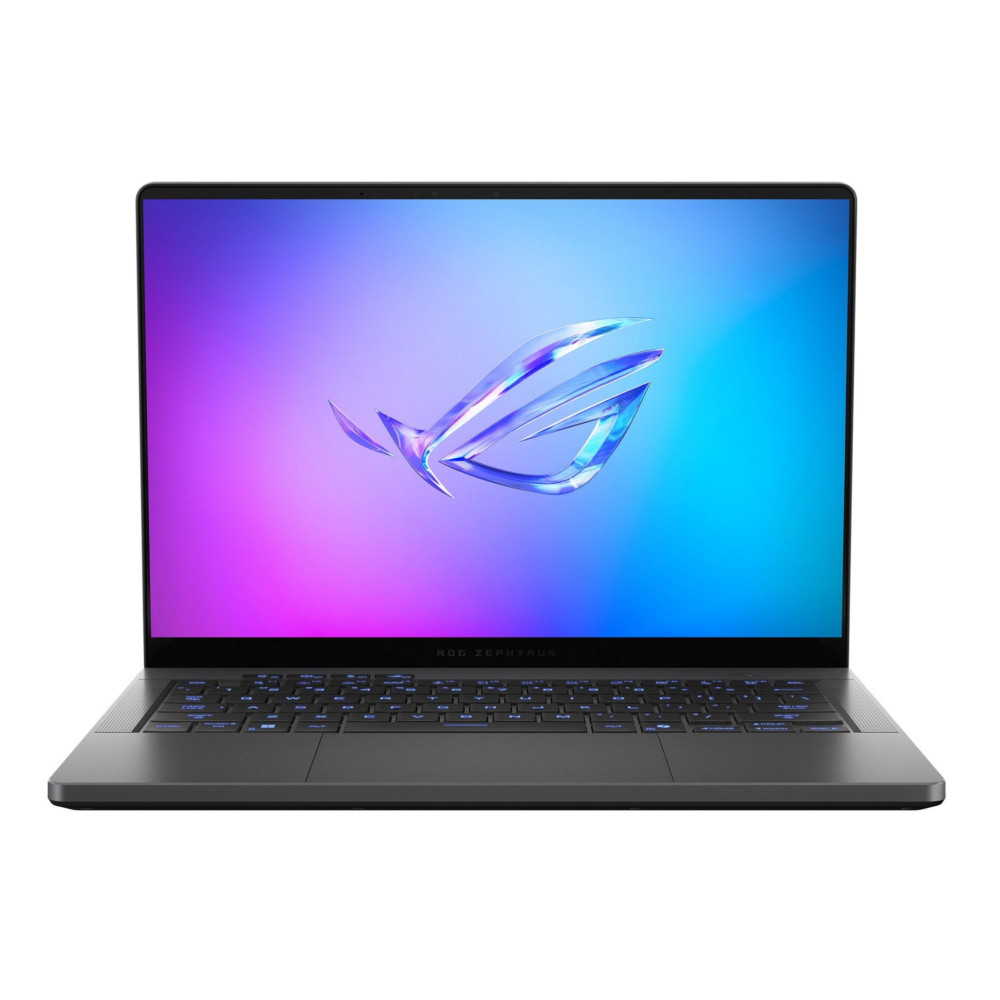
You are a hybrid gamer and designer who travels frequently
Choose: Zephyrus
If your day includes switching between creative apps like Photoshop or Blender and jumping into a few rounds of Valorant, all while working from coffee shops or shared workspaces, the Zephyrus is a better fit. It's portable, sleek, and equipped with high-resolution OLED displays that are ideal for content creation, yet still powerful enough for modern games.
Best Picks:
You are a hardcore esports player or AAA title enthusiast
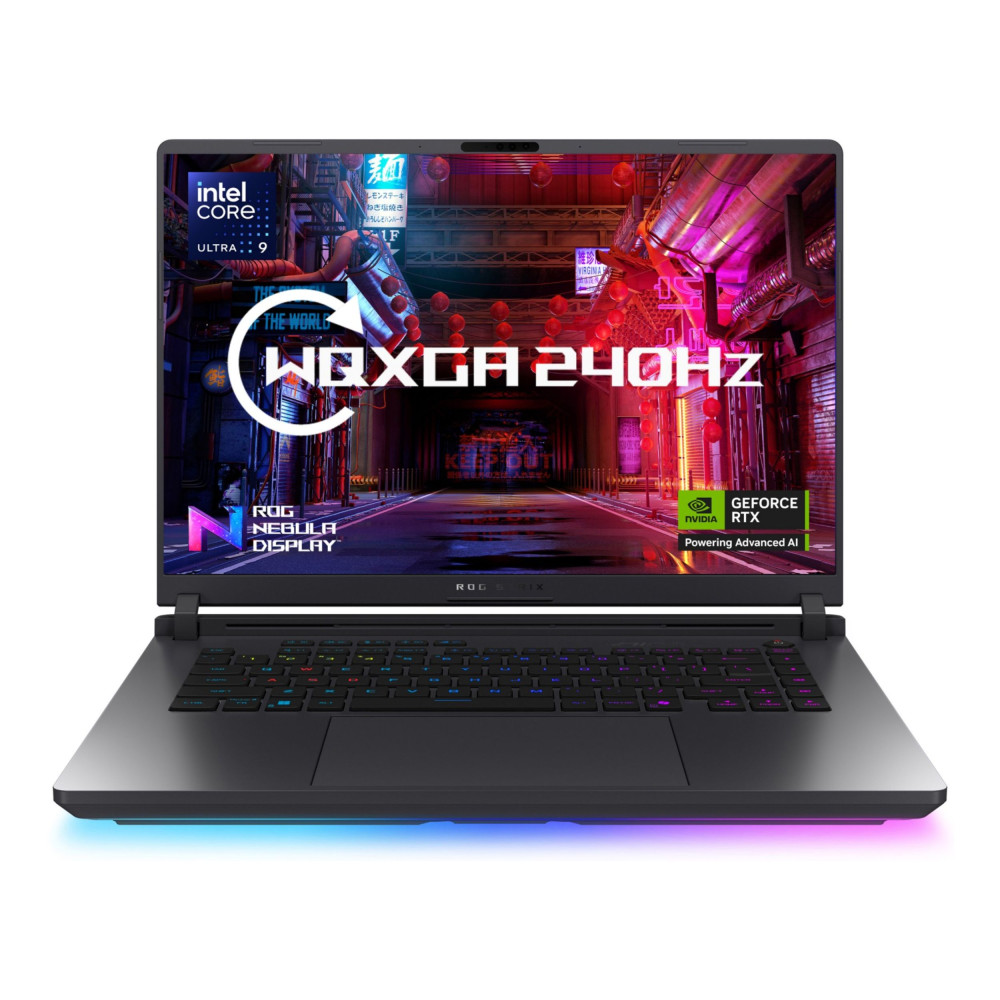
Choose: Strix
If you're someone who chases every frame and wants the best performance for competitive games like CS2, Call of Duty, or Cyberpunk 2077, the Strix series is made for you. With higher power limits, advanced cooling, and 240Hz refresh rate displays, these machines are optimised for serious gaming without compromise.
Best Pick:
You are a student who needs strong battery life and performance
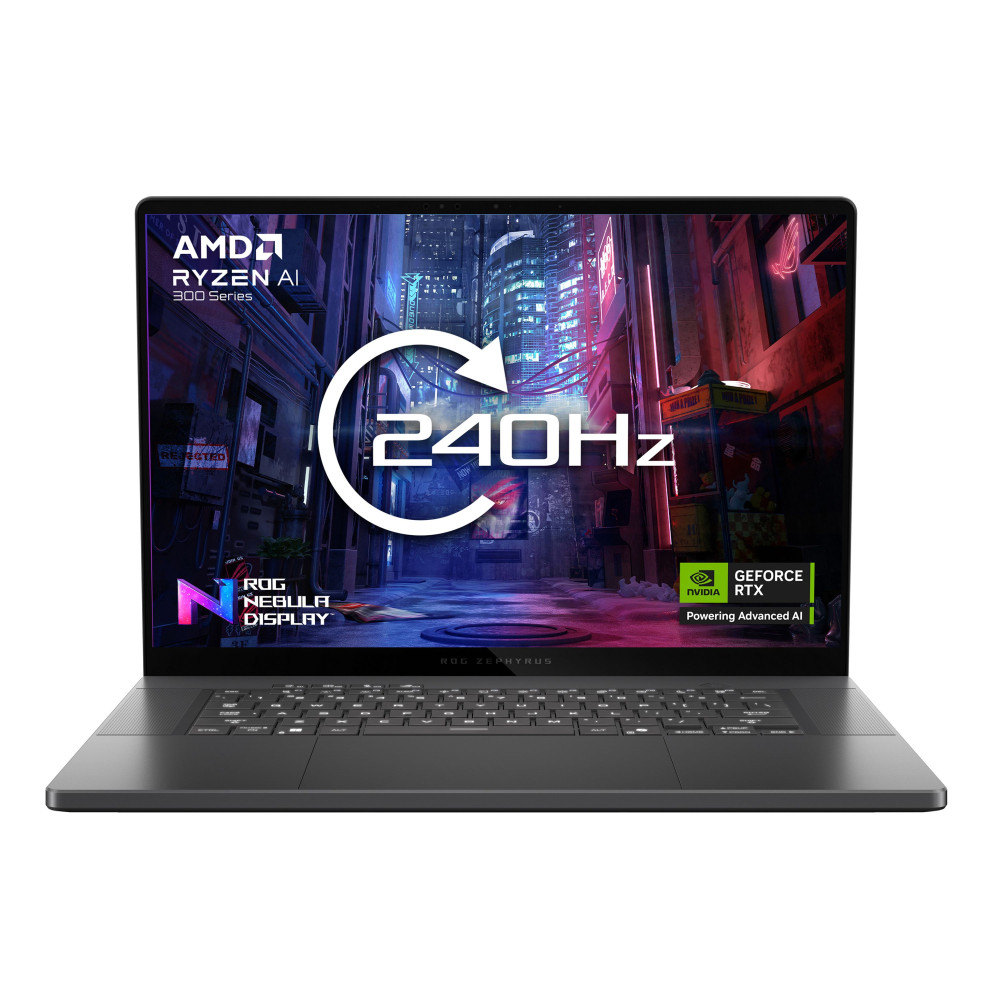
Choose: Zephyrus
For students who need a laptop that lasts through lectures, handles assignments, and still runs games smoothly after class, the Zephyrus series is ideal. It's light enough to carry between classes and efficient enough to offer solid battery life, while still running creative apps and games without slowing down.
Best Pick:
You are a streamer or content creator with a permanent gaming setup
Choose: Strix
If your laptop rarely leaves your desk and your main goal is to run OBS, stream high-res games, and manage multiple tasks simultaneously, the Strix is the better choice. It has thermal headroom and high TDP hardware to keep everything running smoothly, even during long sessions.
You are someone who prefers a clean, subtle design
Choose: Zephyrus
If RGB overload isn't your thing and you prefer a laptop that looks at home in a classroom, boardroom, or creative studio, Zephyrus offers a refined, professional aesthetic. Its aluminium chassis, minimal branding, and clean lines make it a great option for users who want high performance without the gamer "look."
You are someone who loves RGB lighting and bold gaming aesthetics
Choose: Strix
If you want your setup to stand out, complete with per-key RGB lighting, underglow light bars, and a rugged, gamer-first look, the Strix is your laptop. It embraces its gaming roots and delivers a bold, performance-heavy experience that looks the part and performs like a beast.
Best Pick:
Final Thoughts
Both the ASUS ROG Zephyrus and ROG Strix series offer exceptional performance, but they're designed with different users in mind.
Whichever path you choose, you'll find great deals and a wide selection of models at Box.co.uk. From the latest ASUS ROG Zephyrus Laptops to high-performance ASUS ROG Strix Laptops, Box.co.uk makes it easy to compare, customise, and choose from some of the Best ASUS Laptops. If you're after cutting-edge displays, powerful GPUs, and future-ready specs, their full range of ASUS Gaming Laptops has you covered.
Take your time, compare the specs, and pick the machine that fits your lifestyle and when you're ready, head over to Box.co.uk to make it yours.
You can pay with:
*PayPal Credit Representative Example: Assumed credit limit £1,200, Representative 23.9% APR (variable). Purchase rate 23.9% p.a (variable).Terms & Conditions apply.


PayPal Credit and PayPal Pay in 3 are trading names of PayPal UK Ltd, 5 Fleet Place, London, United Kingdom, EC4M 7RD. Terms and conditions apply. Credit subject to status, UK residents only, Five Tech LTD acts as a broker and offers finance from a restricted range of finance providers. PayPal Pay in 3 is not regulated by the Financial Conduct Authority. Pay in 3 eligibility is subject to status and approval. 18+. UK residents only. Pay in 3 is a form of credit. Check if affordable and how you will repay. May make other borrowing more difficult or expensive. See product terms for more details.
Copyright © 1996-2026 Fivetech LTD | Terms and Conditions
box.co.uk & Box are trading names of Five Tech Limited. Registered office: Box LTD, Unit 10 Woodford Trading Estate, Woodford Green IG8 8HF