


 Menu
MenuMenu


Get Sales Advice from Mon - Fri 9am - 5:00pm:
020 3337 8950LAST UPDATED: July 06, 2026
ASUS ProArt PX13 Review: Can It Handle AI and Creative Work in 2026?
The ASUS ProArt PX13 is built for creators who need serious performance in a compact, flexible laptop. It is not just another lightweight notebook. It is a 13.3-inch 2-in-1 creative laptop designed for people who edit videos, manage large projects, work with AI tools, create visual content and need a machine that can move with them.
For buyers in 2026, the big question is whether the ASUS PX13 is powerful enough to keep up with modern creative software and AI workloads. The answer is yes, especially if you choose one of the newer AMD Ryzen AI Max+ 395 configurations with large memory options. With up to 128GB RAM, a 3K OLED touchscreen, strong local AI capabilities and a convertible design, the ProArt PX13 is one of the most interesting compact creative laptops available right now.
It is especially appealing if you want the power of a workstation-style device without moving up to a larger 15-inch or 16-inch laptop. The PX13 laptop gives you portability, a premium OLED touch display, pen support and high-end performance in a chassis that is still easy to carry.
That said, it is not the cheapest creator laptop, and there are some trade-offs. The OLED display is excellent for colour and contrast, but it is limited to 60Hz. The compact chassis can also get warm under sustained workloads, and like many powerful thin laptops, fan noise can become noticeable during demanding creative tasks. Even so, for the right user, the ASUS ProArt PX13 offers a very strong balance of mobility, AI performance and creative flexibility.
ASUS ProArt PX13 Specs at a Glance
The latest ASUS ProArt PX13 configurations are designed around AMD Ryzen AI Max+ hardware, making them particularly well suited to AI-assisted creative work. ASUS lists the ProArt PX13 HN7306 with options up to an AMD Ryzen AI Max+ 395 processor, up to 128GB LPDDR5X memory, 3K OLED touchscreen display, Wi-Fi 7 and a 73Wh battery.
| Feature | ASUS ProArt PX13 |
| Processor | Up to AMD Ryzen AI Max+ 395 |
| CPU | Up to 16 cores and 32 threads |
| AI hardware | AMD XDNA NPU up to 50 TOPS |
| Memory | Up to 128GB LPDDR5X |
| Storage | Up to 2TB PCIe 4.0 SSD |
| Display | 13.3-inch 3K OLED touchscreen |
| Resolution | 2880 x 1800 |
| Colour | 100% DCI-P3 |
| Refresh rate | 60Hz |
| Battery | 73Wh |
| Connectivity | Wi-Fi 7 and Bluetooth 5.4 |
| Ports | USB 4.0 Type-C, USB-A, HDMI 2.1, microSD, audio jack |
| Form factor | 2-in-1 convertible |
| Weight | Around 1.38kg to 1.39kg |
Two strong configurations to consider are:
| Model | Key Specs | MPN | Buy Now |
| ASUS ProArt PX13 AMD Ryzen AI Max+ 395 | 64GB RAM, 1TB SSD, 13.3-inch touchscreen, Windows 11 Home, 2-in-1 laptop | HN7306EA-LX037W | 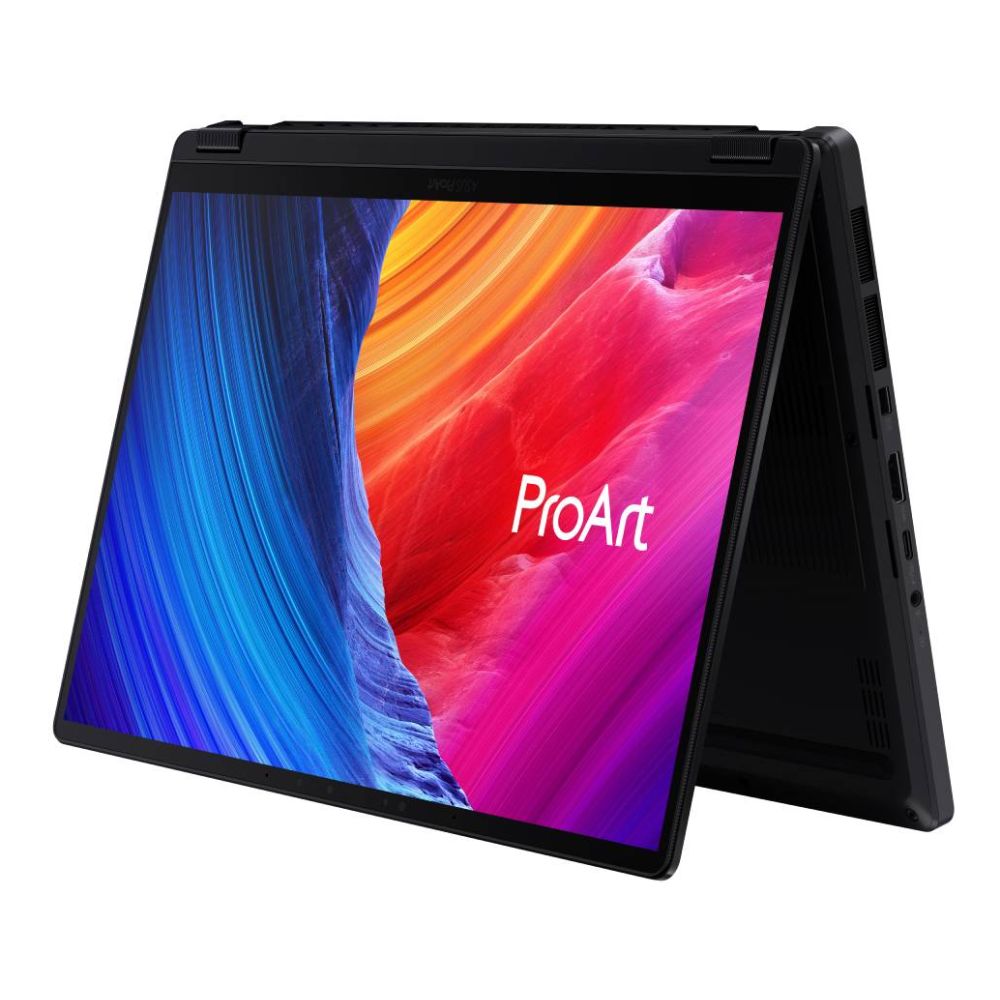 |
| ASUS ProArt PX13 AMD Ryzen AI Max+ 395 | 128GB RAM, 2TB SSD, 13.3-inch touchscreen, Windows 11 Home, 2-in-1 laptop | HN7306EAC-LX084W | 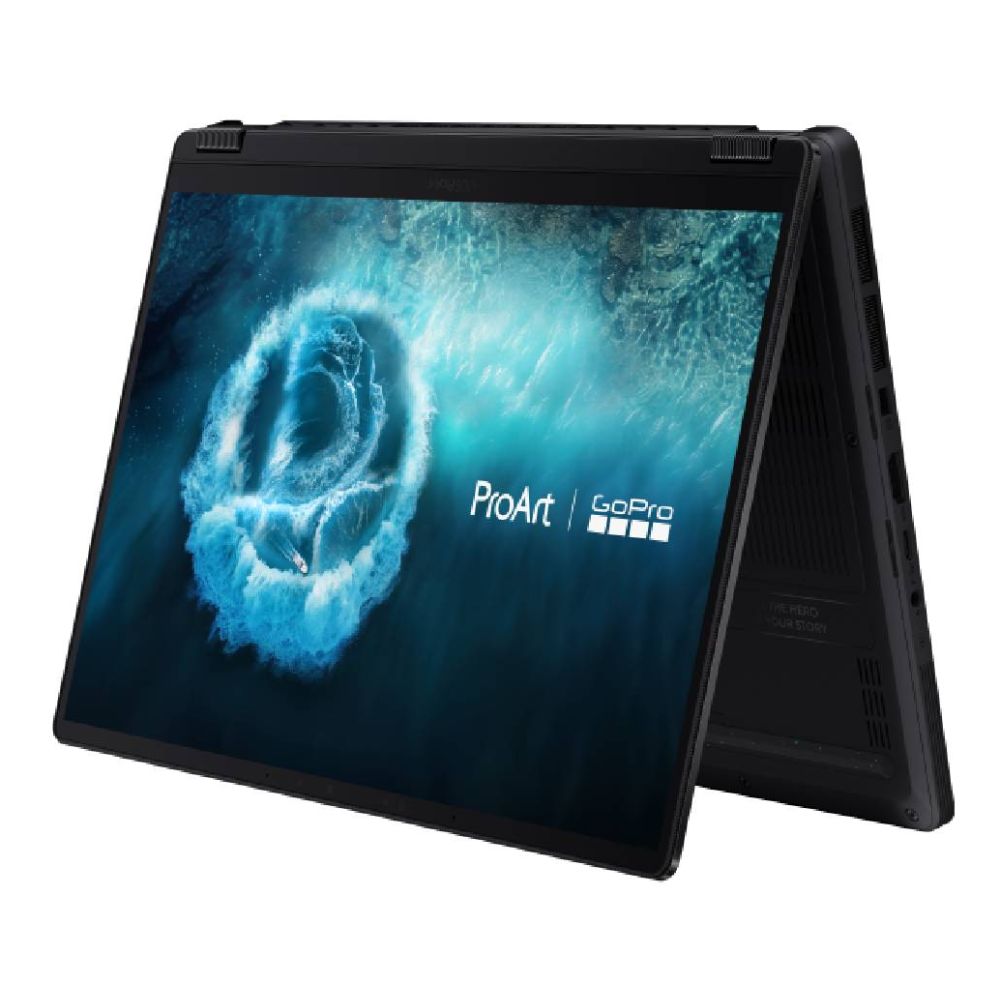 |
Both of these models are available at Box.co.uk. The 64GB model is already a very capable option for most creators, while the 128GB version is aimed at users who work with heavier AI, video, 3D and multitasking workloads.
Why the ProArt PX13 Is Built for the Future

Designed Around Creative Workflows
The ProArt PX13 is designed for creative users first. That means it focuses on the areas that matter most when you are editing, designing, rendering, or producing content on the move.
The 13.3-inch OLED touchscreen is one of its biggest strengths. With a 3K resolution, 16:10 aspect ratio and 100% DCI-P3 colour coverage, it gives creators a sharp and colour-rich workspace. This is useful for video editing, image retouching, illustration, layout work, and content review.
The 2-in-1 design also makes the laptop more flexible than a standard clamshell notebook. You can use it as a normal laptop for writing and editing, fold it into tent mode for presenting work, or use the touchscreen and stylus support for sketching, marking up visuals, and making quick creative adjustments.
For creators who work across different locations, this flexibility is valuable. You are not tied to a desk, and you do not need a separate tablet for every visual task.
Built to Handle Modern AI Workloads
AI is now part of many creative workflows. Whether you are using AI tools for image generation, video enhancement, background removal, transcription, asset sorting or local model testing, your laptop needs more than basic CPU power.
The newer ASUS ProArt PX13 is built around AMD Ryzen AI Max+ hardware, which gives it dedicated AI acceleration through an AMD XDNA NPU rated up to 50 TOPS. This helps with AI tasks that can run more efficiently on dedicated neural hardware rather than relying only on the CPU or GPU.
For the user, the benefit is simple: AI-assisted tools can feel smoother, more responsive, and more practical in everyday creative work. It also helps make the laptop better prepared for future software updates, as more creative apps add local AI features.
Where It Stands in 2026 Laptop Trends
In 2026, creator laptops are moving in three clear directions: AI acceleration, OLED displays and portable workstation performance. The ASUS ProArt PX13 sits directly in that space.
It gives you a compact chassis, a premium OLED panel, large memory options and modern AI hardware. That makes it more forward-looking than a basic ultrabook and more portable than many larger creator laptops.
If you want a broader range of ProArt laptops for creators, the PX13 sits in the compact high-performance category. It is ideal for users who want power, but do not want to carry a large workstation every day.
Performance That Powers AI and Creative Tasks
CPU and GPU Capabilities
The AMD Ryzen AI Max+ 395 is a serious processor for a laptop this size. It offers up to 16 cores and 32 threads, which is particularly useful for demanding creative tasks such as rendering, exporting, compiling, encoding and multitasking.
This matters because creative work rarely uses just one application. You may have a video editor open, browser tabs running, cloud storage syncing, a design app active and an AI tool processing in the background. A strong multi-core processor helps keep that workflow moving.
Depending on configuration, the ProArt PX13 can also support pro-grade graphics options or powerful integrated Radeon graphics on Ryzen AI Max+ models. ASUS positions the PX13 for AI workflows, video editing and 3D rendering, with up to AMD Ryzen AI Max+ 395 and up to 128GB unified memory.
AI Workload Handling: Local AI, Tools and Workflows
The ASUS ProArt PX13 is especially interesting for local AI workflows. The combination of a powerful CPU, large memory capacity and dedicated AI hardware makes it better suited to modern AI tools than older compact laptops.
For creators, this can help with:
- AI image editing
- Smart masking
- Generative fill-style workflows
- Video upscaling
- Noise reduction
- Auto-captioning
- Transcription
- Background removal
- Asset organisation
- Local AI experimentation
- AI-assisted design tools
The 128GB RAM configuration is particularly useful here. AI workflows can be memory-heavy, especially when working with large files, multiple applications, or local models. Having more RAM gives the laptop more breathing room and reduces the chance of slowdowns when projects become complex.
For AI developers and advanced users, this is one of the biggest reasons to consider the higher-spec model. It is not just about speed today; it is about having enough memory to stay useful as AI software becomes more demanding.
Rendering, Editing and Multitasking Performance
For rendering and editing, the PX13 performs like a compact creative workstation rather than a standard ultraportable. It is built for people who need to do real work while travelling, moving between studios, or working in shared spaces.
The 64GB model is well suited to high-resolution photo editing, content creation, video timelines, design work and everyday AI-assisted tasks. The 128GB model is better for advanced users who regularly handle heavier creative workloads, large project files, or multiple demanding applications at once.
The main thing to remember is that the PX13 is still a compact 13-inch laptop. Its performance is impressive for its size, but larger 14-inch, 15-inch and 16-inch creator laptops may offer stronger sustained cooling and higher long-term performance. If your work is mostly desk-based and you regularly render for long periods, a larger option from high performance laptops for creative work may also be worth comparing.
Real-World Creative Performance

Video Editing and Content Creation
For video editing, the ProArt PX13 review picture is very positive. The laptop is well suited to creators working on YouTube videos, social content, short-form edits, client previews, travel footage, and marketing assets.
The OLED screen helps when reviewing colour, contrast, and detail. The 16:10 aspect ratio also gives you more vertical space than a traditional 16:9 display, which is useful in editing timelines and creative software panels.
The 64GB RAM version is already a strong fit for many video editors. It can handle multitasking better than typical 16GB or 32GB laptops, and the fast SSD helps with project loading and media access. The 128GB version is better if you work with heavier timelines, high-resolution footage, large libraries or AI-enhanced editing tools.
For users who need a more colour-accurate desktop setup, pairing the laptop with monitors for creative professionals can make editing more comfortable when working from a fixed desk.
3D Work and Rendering Tasks
The PX13 is capable of handling 3D work, but expectations matter. It is very powerful for its size, yet it is still a compact 13-inch convertible laptop.
For product previews, lighter 3D scenes, asset editing, modelling, rendering tests, and portable creative work, it performs well. The high-core CPU and large memory options are especially helpful for multitasking and project handling.
However, if your work involves heavy 3D animation, large CAD assemblies or long rendering sessions every day, a larger laptop with more cooling headroom may be a better long-term choice. The PX13 is best understood as a portable creative powerhouse, not a replacement for every full-size workstation.
Graphic Design and Productivity Workflows
For graphic design, illustration, branding, photography and general creative productivity, the ASUS ProArt PX13 OLED experience is one of the laptop’s strongest selling points.
The 3K OLED touchscreen delivers deep blacks, vivid colour and strong contrast. The touchscreen and stylus support also make it more practical for sketching, annotations and hands-on design tasks. This is useful if your workflow includes mood boards, photo retouching, layout concepts, or client-facing presentations.
The keyboard and touchpad are also important. Review feedback highlights the PX13’s strong inputs, premium chassis, and excellent ergonomics, which matter when you are working for long periods.
What Makes It “Future-Proof”?
Hardware That Keeps Up with AI Growth
No laptop is truly future-proof forever, but the ASUS ProArt PX13 is better prepared than many compact laptops because it focuses on the right hardware areas.
The most important future-facing features are:
- AMD Ryzen AI Max+ 395 processor
- Dedicated NPU up to 50 TOPS
- Up to 128GB memory
- Fast PCIe 4.0 SSD storage
- 3K OLED touchscreen
- Wi-Fi 7
- USB 4.0 Type-C connectivity
- 2-in-1 design with stylus support
The large memory options are especially important. As AI tools become more capable, memory requirements can grow quickly. A laptop with 16GB RAM may still be fine for everyday use, but creators working with AI, video and 3D will benefit from 64GB or 128GB.
Software Compatibility and Support
The PX13 runs Windows 11 Home and supports modern creative applications, AI tools and productivity software. ASUS also includes creator-focused tools such as ProArt Creator Hub, which helps manage performance modes and creator settings.
For buyers, the benefit is that the laptop fits into existing Windows-based creative workflows. Whether you use Adobe apps, DaVinci Resolve, Blender, CapCut, AI tools, cloud storage platforms or collaboration software, the PX13 is designed to support that kind of workload.
There is one point to keep in mind. Like many high-performance creator laptops, software settings matter. Power profiles, GPU settings and battery modes can affect performance, fan noise and battery life. Review notes suggest the laptop performs very well, but users may need to manage settings carefully to get the best battery life and quietest operation.
Longevity for Creative Professionals
The PX13 is a strong long-term option because it gives creators more performance and memory than typical ultraportables. The 128GB configuration, in particular, is designed for users who do not want to feel limited as projects grow larger.
For professionals, longevity is not just about raw speed. It is also about whether a laptop can keep up with changing workflows. The ProArt PX13 is well placed here because creative work is increasingly mixing video, design, AI, 3D and collaboration. This laptop is built for that mixed workload.
Built for Creators on the Move
Portability vs Performance Balance
One of the biggest reasons to choose the PX13 laptop is its portability. At around 1.38kg to 1.39kg, it is light enough for daily travel, commuting and working between locations. ASUS lists the HN7306 at around 1.38kg to 1.39kg depending on configuration.
This makes it a strong choice for:
- Freelancers
- Travelling creators
- Hybrid workers
- Designers visiting clients
- Content creators filming on location
- Students on creative courses
- Professionals who move between home, office and studio
The convertible design adds even more flexibility. You can use it as a laptop, presentation device, sketching tool, or compact media review screen.
Battery Life for Creative Work
The PX13 battery setup is strong for a laptop with this level of performance. ASUS lists the PX13 with a 73Wh battery, which is large for a 13-inch device.
Battery life will depend heavily on what you are doing. Light browsing, writing, and streaming will last much longer than video editing, rendering, or AI processing. Review notes suggest the battery is efficient for its class, but demanding workloads will still drain it much faster than basic office tasks.
For buyers, the realistic expectation is this: the PX13 can work well away from a desk, but if you are rendering, editing or using AI tools heavily, you should still keep a charger nearby.
USB-C charging support is also useful because it makes travel easier. You may not always want to carry the full power adapter for lighter work sessions.
Working Anywhere Without Compromise
The ProArt PX13 is designed for people who do not always work in one place. Its combination of OLED touchscreen, compact size, strong processor, large memory options and flexible form factor makes it practical for mobile creative work.
It also includes a useful port selection, including USB 4.0 Type-C, USB-A, HDMI 2.1, microSD and an audio jack. That is helpful for creators who use cameras, external drives, monitors and accessories.
To complete a portable setup, it is worth considering accessories for creative workflows such as microphones, capture tools, lighting, stands or external storage.
Who Should Consider the ProArt PX13?
Content Creators and Designers
The ASUS ProArt PX13 is a strong choice for content creators and designers who want a compact machine that can handle serious work. If your workflow includes photo editing, video editing, digital design, illustration, content planning and client presentations, the PX13 gives you a very flexible platform.
The OLED display is a major advantage for visual work, while the 2-in-1 design makes it easier to review, sketch and present content.
AI Developers and Power Users
AI developers, researchers and advanced users should look closely at the 128GB RAM version. The AMD Ryzen AI Max+ 395 processor, dedicated NPU and high memory ceiling make it much better suited to local AI workflows than standard thin laptops.
It is a good option if you want a portable device for AI experimentation, content automation, local tools and heavy multitasking.
Professionals Needing Portable Workstations
The PX13 is also ideal for professionals who need workstation-style performance in a smaller form factor. It is not as large as traditional mobile workstations, but it delivers far more capability than a basic ultraportable.
If you regularly move between offices, studios, meeting rooms, and home workspaces, the PX13 gives you a strong balance of power and portability.
ProArt PX13 Price: Is It Worth It?

The ProArt PX13 price will depend on the exact configuration, especially memory and storage. The 64GB RAM and 1TB SSD model will generally be the more practical choice for many creators, while the 128GB RAM and 2TB SSD version is aimed at users who need maximum headroom.
This is not a budget laptop. You are paying for a premium compact chassis, OLED touchscreen, 2-in-1 design, AI-focused hardware, and high-end memory options.
For many users, the 64GB model will offer the better balance of price and performance. The 128GB model makes more sense if your work involves local AI, heavy multitasking, large creative files, or professional workflows where time saved is worth the extra cost.
Final Verdict: Is It Truly Future-Proof?
The ASUS ProArt PX13 is one of the most future-ready compact creative laptops you can buy in 2026. It combines a premium 13.3-inch 2-in-1 design with a 3K OLED touchscreen, AMD Ryzen AI Max+ performance, dedicated AI acceleration and memory options that go far beyond most ultraportables.
It is not perfect. The 60Hz OLED screen may disappoint users who prefer smoother displays, the compact chassis can become warm under sustained load, and the price places it firmly in the premium category. However, these trade-offs are understandable given how much power is packed into such a portable design.
For creators, designers, AI users and mobile professionals, the PX13 makes a strong case for itself. It is powerful enough for demanding creative work, flexible enough for different environments and modern enough to support AI-driven workflows as they continue to grow.
If you want a compact laptop that can handle creative tasks today while staying prepared for AI-heavy workflows in the future, the ASUS ProArt PX13 is a very strong choice.
FAQs
What is special about ASUS ProArt?
ASUS ProArt laptops are designed for creators and professionals who need colour-accurate displays, strong performance and reliable tools for creative work. The ProArt PX13 stands out because it combines these features with a compact 2-in-1 design and AI-ready hardware.
Is the ASUS ProArt PX13 good?
Yes, the ASUS ProArt PX13 is a very good laptop for creators, designers, AI users and professionals who need portable performance. It is especially strong if you want a compact OLED touchscreen laptop with high memory options and modern AI capabilities.
Can the ASUS ProArt PX13 play games?
Yes, the ASUS ProArt PX13 can play games, but it is not mainly designed as a gaming laptop. It is better suited to creative work, AI tasks and productivity. Casual gaming and some demanding games can run well depending on the configuration, but gamers may prefer a dedicated gaming laptop.
Does the ASUS ProArt PX13 have a touch screen?
Yes, the ASUS ProArt PX13 has a 13.3-inch 3K OLED touchscreen with stylus support. This makes it useful for sketching, editing, note-taking and hands-on creative workflows.
You can pay with:
*PayPal Credit Representative Example: Assumed credit limit £1,200, Representative 23.9% APR (variable). Purchase rate 23.9% p.a (variable).Terms & Conditions apply.


PayPal Credit and PayPal Pay in 3 are trading names of PayPal UK Ltd, 5 Fleet Place, London, United Kingdom, EC4M 7RD. Terms and conditions apply. Credit subject to status, UK residents only, Five Tech LTD acts as a broker and offers finance from a restricted range of finance providers. PayPal Pay in 3 is not regulated by the Financial Conduct Authority. Pay in 3 eligibility is subject to status and approval. 18+. UK residents only. Pay in 3 is a form of credit. Check if affordable and how you will repay. May make other borrowing more difficult or expensive. See product terms for more details.
Copyright © 1996-2026 Fivetech LTD | Terms and Conditions
box.co.uk & Box are trading names of Five Tech Limited. Registered office: Box LTD, Unit 10 Woodford Trading Estate, Woodford Green IG8 8HF