


 Menu
MenuMenu


Get Sales Advice from Mon - Fri 9am - 5:00pm:
020 3337 8950LAST UPDATED: February 10, 2026
Apple vs HP Laptops: Which Is Right for You in 2026?
Choosing between Apple vs HP laptops in 2026 isn't as straightforward as it used to be. Both brands now cover a wide range of users, from students and office professionals to creators and remote workers, but they approach laptops very differently. Apple focuses on a streamlined MacBook lineup built around macOS and Apple Silicon, while HP offers a broad mix of Windows laptops designed to suit different budgets, workloads, and business needs.
For buyers, the real question is no longer which brand is "better" overall, but which one fits how you actually use your laptop day to day. A MacBook Air laptop might appeal to someone who values battery life, portability, and a tightly integrated ecosystem, while HP laptop models range from affordable notebooks for study to powerful business and performance machines aimed at demanding workloads. That variety makes HP attractive, but it can also make the decision harder.
This guide breaks down Apple and HP laptops side by side to help you make the right choice in 2026. We'll compare performance, operating systems, displays, battery life, design, and long-term value, then match each brand to different types of users so you can decide with confidence which laptop suits your work, study, or creative needs best.
Apple vs HP Laptops: What Are Buyers Really Comparing?
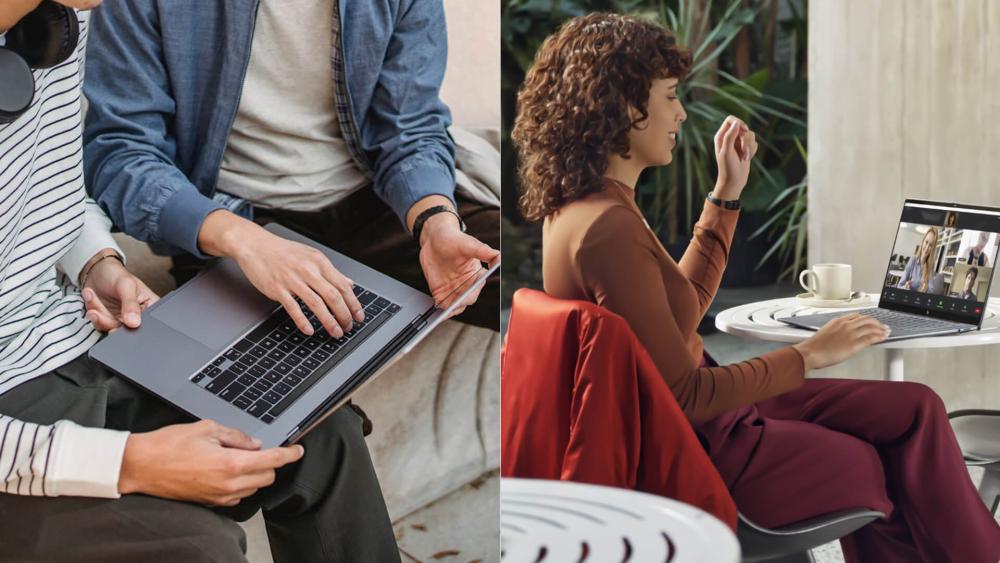
When comparing Apple vs HP laptops, buyers are typically weighing up the following key areas, all of which are explored in more detail throughout this guide:
- Laptop Lineups and Range: Apple's focused MacBook Air and MacBook Pro range versus HP's broad selection of consumer, premium, and business laptops such as the ProBook and the Elitebook range along with others.
- Operating Systems and Ecosystem: macOS on Apple laptops compared to Windows on HP laptops, including software compatibility and device integration.
- Everyday and Professional Performance: how each brand handles daily tasks, multitasking, and heavier creative or technical workloads.
- Display Quality and Screen Options: consistency and colour accuracy on MacBooks versus wider display choices across HP laptop models.
- Battery Life and Efficiency: real-world battery performance for all-day use, travel, and remote work.
- Design, Build Quality, and Portability: slim, uniform MacBook designs compared with the varied sizes and builds across HP notebooks.
- Ports, Connectivity, and Peripherals: Apple's USB-C-focused approach versus HP's broader port selection.
- Upgradeability, Repairability, and Long-Term Value: sealed MacBook designs versus the flexibility available on many HP laptops.
- Price Range and Overall Value: Apple's higher entry pricing compared with HP's wider budget coverage.
- Suitability for Different Users: students, office professionals, creators, developers, and business teams.
Apple vs HP Laptops – Side-by-Side Comparison Table
To make the Apple vs HP laptops decision easier, it helps to look at both brands at a glance. Rather than focusing on individual models, the table below compares Apple MacBook laptops and HP laptops as whole product families, highlighting where each brand generally performs better depending on your needs.
| Category | Apple MacBook (Summary) | HP Laptops (Summary) |
| Operating system & ecosystem | macOS with tight integration across Apple devices | Windows with wide software and hardware compatibility |
| Hardware lineup | Small, focused range: MacBook Air and MacBook Pro | Very wide range: consumer, premium, business, performance |
| Typical UK price bands | Mostly mid to premium pricing | Budget to premium across many ranges |
| Everyday performance | Smooth, consistent performance with Apple Silicon | Varies by model and configuration |
| Creative & professional work | Strong on MacBook Pro for video, photo, audio | Strong on higher-end HP models |
| Battery life expectations | Generally excellent battery efficiency | Good to strong depending on model |
| Display quality | High-quality, colour-accurate displays | Wide variety including OLED options |
| Keyboard & trackpad | Excellent trackpads, consistent keyboard feel | Keyboards vary, good trackpads on premium models |
| Ports & connectivity | Limited ports, USB-C focused | Broader port selection on many models |
| Upgradeability & repairability | Limited internal upgrades | More upgrade options on many models |
| Reliability & build quality | Consistent premium build | Varies by range, strongest on business lines |
| Overall value for money | Higher upfront cost, strong resale | Better entry pricing, varied long-term value |
At a glance, Apple laptops suit buyers who value consistency, battery life, and a tightly controlled ecosystem, while HP laptops appeal to those who want choice, broader price ranges, and more flexibility in ports, upgrades, and form factors. This table sets the foundation for the deeper comparisons that follow, where we break down operating systems, performance, displays, and long-term value in more detail.
macOS vs Windows on HP Laptops: Which System Fits Your Workflows?
One of the biggest factors in the Apple vs HP laptops debate is the operating system. While hardware matters, the day-to-day experience is heavily shaped by whether you're using macOS on an Apple MacBook or Windows on an HP laptop. Each platform suits different workflows, software needs, and working styles, which is why this choice often outweighs raw specifications.
macOS on MacBook vs Windows on HP: Productivity, Apps and Ecosystem
macOS is built around tight integration with Apple services and devices. Features like iCloud, AirDrop, and Handoff make file sharing and multitasking across Apple products straightforward, which appeals to users already invested in the Apple ecosystem.
Windows on HP laptops prioritises flexibility and compatibility. It supports a wider range of software, peripherals, and legacy tools, making it easier to integrate into varied work, education, and home setups without restrictions.
Is macOS or Windows Better for Students and Office Workers?
For study and office work, both platforms perform well. Apple laptops stand out for battery life, quiet operation, and consistency, which suits long sessions away from a charger. As for MacBook Pro or Air, going for MacBook Air for students is a great option. HP laptops are often the safer option where Windows-only software is required or where price flexibility matters.
Is macOS or Windows Better for Creators and Developers?
macOS is popular among creators due to strong optimisation for creative software and reliable performance on Apple Silicon. Windows on HP laptops offers broader compatibility for developers, technical users, and workflows that rely on virtual machines or Windows-specific tools.
Apple vs HP Performance: Which Laptops Feel Faster Day-to-Day?
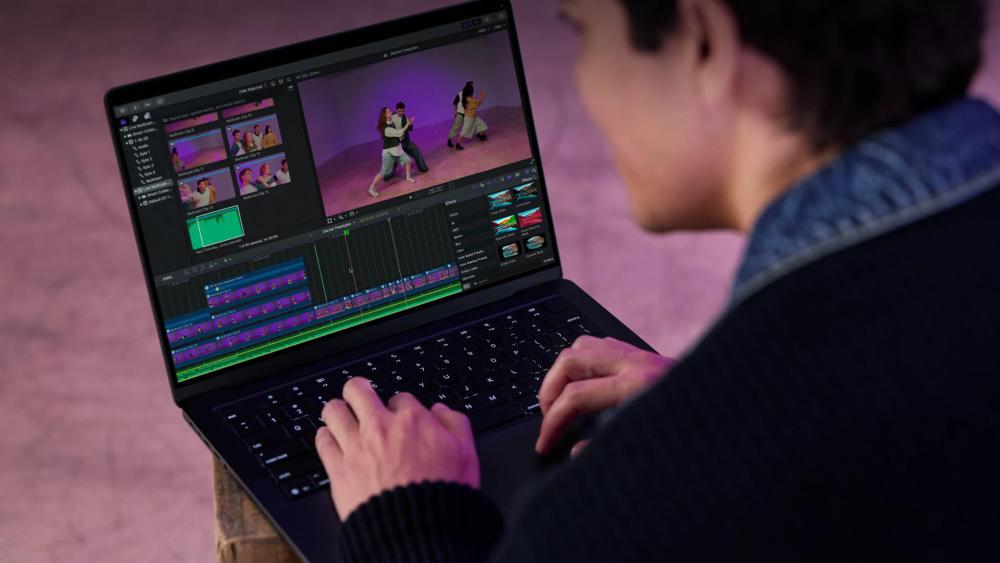
Performance is one of the most important factors when choosing between Apple vs HP laptops, but it isn't just about raw benchmarks. What most buyers care about is how fast and responsive a laptop feels during everyday use, how well it handles heavier workloads, and whether performance stays consistent over time.
Everyday Performance – Web, Office and Video Calls on Apple vs HP
For everyday tasks such as web browsing, document editing, email, and video calls, both Apple and HP laptops deliver smooth performance in 2026. Apple MacBook laptops are known for their consistent responsiveness, thanks largely to Apple Silicon processors and efficient macOS optimisation. Even under light multitasking, MacBooks tend to stay cool and quiet, which contributes to a smoother user experience.
HP laptops vary more in day-to-day performance because of the wide range of configurations available. Entry-level HP notebooks handle basic tasks well, while mid-range and premium HP laptop models offer strong multitasking performance. The key difference is predictability. With Apple laptops, performance is largely uniform across the range, whereas HP performance depends heavily on the specific processor, memory, and cooling design of the model you choose.
Apple vs HP for Creators – Photo and Video Editing Performance
For creative workloads such as photo editing, video production, and design work, performance demands increase significantly. Apple MacBook Pro for creators is popular because these laptops offer strong sustained performance, excellent optimisation in creative software, and reliable thermals under load. This makes them well suited to longer editing sessions without noticeable slowdowns.
HP also competes strongly in this space, particularly with higher-end HP laptop models aimed at creators. Devices in HP's premium ranges can deliver excellent performance for editing and rendering, especially when configured with higher-spec processors and dedicated graphics. However, creative performance on HP laptops can vary more from model to model, making it important to choose carefully based on your specific software and workload.
Apple vs HP for Developers and Power Users
Developers and power users often push laptops harder than typical users, running multiple applications, virtual machines, or development environments simultaneously. Apple laptops perform very well for many development tasks, particularly when compiling code or running Unix-based tools that work natively with macOS.
HP laptops, running Windows, often provide greater flexibility for power users who rely on specific development tools, virtualisation software, or hardware compatibility. With access to a wider range of processors and configurations, HP notebooks can be tailored to demanding workflows, which can be an advantage for developers who need maximum control over their setup.
Apple laptops prioritise predictable, consistent performance across the range, which benefits users who want reliability without configuration decisions. HP laptops trade that consistency for flexibility, offering a wider spread of performance levels that can better suit users with specific or demanding requirements, provided the right model is chosen.
Do Apple or HP Laptops Have Better Displays for Your Use-Case?
Display quality plays a major role in how comfortable and productive a laptop feels, especially if you spend long hours reading, editing, or watching content. When comparing Apple vs HP laptops, both brands offer high-quality screens, but they take slightly different approaches depending on the model and intended audience.
MacBook Display Quality vs HP Laptop Displays
Apple MacBook laptops offer consistent, high-quality displays across the range, with strong brightness and reliable colour accuracy. HP laptops provide more display variety, ranging from standard panels on entry-level models to premium and OLED displays on higher-end devices.
Which Laptop Displays Are Better for Study, Work and Content Creation?
For study and office work, both Apple and HP laptops deliver clear, comfortable displays suitable for long sessions. For creative work, Apple laptops are widely trusted for colour accuracy, while HP laptops can match or exceed this on premium models, though display quality varies more by configuration.
Screen Sizes and Aspect Ratios: Which Is More Comfortable to Use?
Apple laptops typically use 13-inch to 16-inch screens with a taller aspect ratio that offers more vertical space. This is particularly helpful for productivity tasks such as writing, coding, or editing timelines.
HP laptops are available in a broader range of screen sizes and aspect ratios. This gives buyers more flexibility, whether they want a compact notebook for portability or a larger display for multitasking. The choice here often comes down to whether you value a consistent experience or a wider range of size options.
Battery Life: Are Apple Laptops Still Ahead of HP in 2026?
Battery life is a deciding factor for many buyers, especially students, commuters, and anyone who works away from a desk for long periods. When comparing Apple vs HP laptops in 2026, battery performance remains one of the clearest areas where differences can appear depending on model and usage.
Typical Battery Life on MacBook Air and MacBook Pro in Real Use
Apple laptops are well known for strong battery efficiency, and that reputation largely holds true in 2026. The MacBook Air laptop, in particular, is designed for long-lasting everyday use, comfortably handling web browsing, document work, and media playback across a full working day without needing a charge.
MacBook Pro laptops also deliver impressive battery life for their class, even when handling heavier workloads. While demanding tasks such as video editing will reduce runtime, Apple MacBook Pro models generally maintain better efficiency than many comparable performance-focused laptops, making them suitable for longer sessions away from a power socket.
Typical Battery Life on HP Ultrabooks and Everyday Laptops
Battery life on HP laptops varies more widely because of the breadth of the range. Premium HP notebooks often deliver strong all-day battery life for light to moderate use, especially on models designed with portability in mind. However, more affordable HP laptop models may prioritise cost over efficiency, resulting in shorter runtimes.
HP also offers performance-oriented laptops that trade battery life for power. These devices are better suited to desk-based use or shorter periods on battery, which is an important consideration when comparing them directly to Apple laptops known for efficiency.
Which Brand Is Better for All-Day Use Without a Charger?
Apple laptops still offer more predictable all-day battery life thanks to efficient hardware and software optimisation. HP laptops can match this in certain models, but battery performance varies more widely, making model selection more important if long unplugged use is a priority.
Design, Build Quality and Portability – Apple vs HP
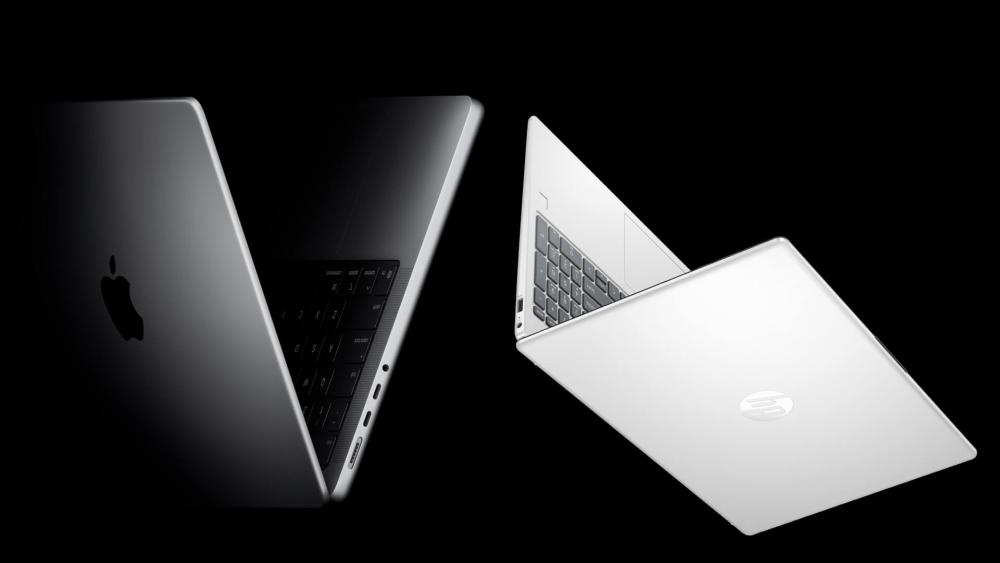
Design and build quality are often what buyers notice first, but they also affect long-term durability and how easy a laptop is to carry every day. When comparing Apple vs HP laptops, both brands offer well-built machines, though their approach to design and portability differs across ranges.
MacBook Design and Build Quality – Strengths and Weaknesses
Apple laptops follow a consistent design language across the MacBook range. Most Apple MacBook laptops use a slim, all-metal chassis that feels solid and premium in hand. This uniform approach helps set expectations, as build quality is largely consistent whether you choose a MacBook Air laptop or a MacBook Pro laptop.
The downside of this approach is limited variation. Apple prioritises thinness and simplicity, which can restrict port selection and internal accessibility. While MacBook options are generally robust, repairs and upgrades are more constrained compared to some Windows laptops.
HP Laptop Design and Build Quality from Budget to Premium
HP laptops vary far more in design and construction. Entry-level HP notebooks focus on affordability and practicality, while mid-range and premium models use higher-quality materials and more refined designs. Business-focused HP laptop models are typically built with durability in mind, offering sturdier chassis and features suited to daily professional use.
This range allows HP to cater to different preferences, from lightweight portable devices to more rugged HP laptops for office teams or frequent travel. The trade-off is that build quality can differ noticeably between HP laptop models.
Weight, Thickness and Portability: Which Laptops Are Easier to Carry?
In terms of portability, Apple laptops tend to be consistently light and slim, making them easy to carry for commuting, campus life, or travel. The MacBook Air laptop is particularly popular for users who value minimal weight without sacrificing performance.
HP laptops offer more variety in size and weight. Some HP notebooks rival Apple laptops for portability, while others prioritise screen size or performance over slimness. For buyers who want a specific balance of portability and power, HP's wider selection can be an advantage, provided the right model is chosen.
Ports, Connectivity and "Dongle Life": Do You Need More Than a MacBook Offers?
Ports and connectivity often become a deciding factor once you start using a laptop day to day. When weighing up Apple vs HP laptops for work and study, the way each brand handles ports, external displays, and peripherals can have a big impact on convenience, especially for work and office setups.
MacBook Ports in 2026: Do You Need Extra Adapters or Hubs?
Apple MacBook laptops continue to favour a minimalist approach to ports. Most models rely heavily on USB-C and Thunderbolt connections for charging, data transfer, and external displays. This keeps the design clean and consistent, but it often means relying on adapters or hubs for everyday accessories.
For users with modern USB-C peripherals, this setup works well. However, anyone using older devices such as USB-A accessories, HDMI displays, or SD cards may find themselves living the "dongle life". Whether this is an issue depends on how often you connect external hardware and whether you mainly work at a desk with a docking solution.
HP Laptop Ports and Connectivity Options Across Price Ranges
HP laptops generally offer more built-in connectivity, especially outside the premium ultrabook segment. Many HP notebook models include a mix of USB-A, USB-C, HDMI, and sometimes SD card readers. Some business-focused HP laptop models also include Ethernet or support for docking stations without additional adapters.
This wider port selection can make HP laptops more convenient for offices, classrooms, and shared workspaces where plugging into different equipment is common. It reduces the need for extra accessories and can simplify day-to-day use.
Which Is More Convenient for Your Desk Setup and Peripherals?
For desk-based users with multiple monitors, external storage, or peripherals, HP laptops often offer greater flexibility straight out of the box. Apple laptops work well with modern docks and hubs, but they typically require additional hardware to reach the same level of connectivity.
Ultimately, the better choice comes down to your setup. If you prefer a clean, minimal design and don't mind using adapters, Apple laptops fit well. If you want built-in versatility with fewer add-ons, HP laptops may feel more practical.
Upgradeability, Repairability and Long-Term Value – Apple vs HP
Beyond day-one performance, many buyers think about how a laptop will hold up over several years. Upgrade options, ease of repair, and resale value all play a role in the long-term cost of ownership. This is another area where Apple vs HP laptops differ in meaningful ways.
Can You Upgrade or Repair a MacBook Easily?
Apple MacBook laptops are designed as tightly integrated systems. In most cases, key components such as RAM and storage are built directly onto the motherboard, which means they can't be upgraded after purchase. Repairs are also more controlled, often requiring authorised service centres rather than user-replaceable parts.
The upside of this approach is consistency and reliability. MacBooks are engineered to work as complete units, and many users keep them running smoothly for years without internal upgrades. However, it does mean you need to choose the right configuration upfront, as you won't be able to expand it later.
Can You Upgrade or Repair an HP Laptop More Easily?
HP laptops generally offer more flexibility when it comes to upgrades and repairs. Many HP laptop models allow access to internal components such as RAM and SSDs, making it easier to extend the life of the device as your needs change. Some business-focused models are also designed with easier servicing in mind.
This flexibility can be a major advantage for users who want to manage costs over time or for organisations maintaining multiple machines. That said, upgradeability varies by model, so it's important to check what's possible before buying.
Apple vs HP: Long-Term Value, Resale and Total Cost of Ownership
Apple laptops typically hold their resale value well, which can offset the higher upfront cost when it's time to upgrade. Strong demand for used MacBooks means owners often recover more of their original investment.
HP laptops usually offer lower entry prices, especially across a wider range of budgets. While resale value may vary more between models, the ability to upgrade components can help extend usability and reduce replacement costs. In the long run, the better value depends on whether you prioritise resale strength or flexibility and lower initial spend.
Apple vs HP Laptops for Different Types of Users

Once you understand the technical differences, the Apple vs HP laptops decision becomes much clearer when viewed through real-world use cases. Different users prioritise different things, and each brand tends to suit certain scenarios better than others.
Apple vs HP for Students – Which Is Better for School, College and University?
Students often look for a balance of portability, battery life, and reliability. Apple laptops, particularly the MacBook Air laptop series, are popular among students because they are lightweight, quiet, and capable of lasting through a full day of lectures and study sessions. macOS also works well for general academic tasks such as writing, research, and presentations.
HP laptops appeal to students who need more flexibility or lower upfront costs. Many courses still rely on Windows-only software, which makes HP notebooks a safer option in some academic environments. HP also offers a wider range of price points, making it easier for students to find a laptop that fits their budget without sacrificing essential features.
Apple vs HP for Office and Business Professionals
For office and business users, reliability and compatibility are key. Apple laptops offer a polished experience and strong performance for everyday professional tasks, particularly for users already invested in the Apple ecosystem. They are well suited to remote work, video conferencing, and general productivity.
HP laptops are often the preferred choice in business environments, especially where Windows-based infrastructure is standard. HP business laptop models are designed with security, manageability, and long-term deployment in mind, making them suitable for office teams and larger organisations.
Apple vs HP for Creators and Developers
Creators and developers tend to push laptops harder than most users. Apple MacBook Pro laptops are widely used for creative work thanks to strong performance, efficient thermal design, and high-quality displays. macOS also supports many creative tools that are optimised for Apple hardware.
HP laptops offer strong alternatives for creators and developers who prefer Windows or need specific software compatibility. With a wide range of configurations available, HP notebooks can be tailored to demanding workloads, making them a solid choice for users who value flexibility and hardware variety.
Should You Switch from HP to a MacBook (or the Other Way Around)?
If you're already using one brand, the Apple vs HP laptops debate often turns into a question of whether switching is actually worth it. Moving between platforms can make sense in some situations, but it isn't always necessary or beneficial.
When It Makes Sense to Move from an HP Laptop to a MacBook
Switching from an HP laptop to a MacBook often appeals to users who want a more tightly integrated ecosystem. If you already use an iPhone, iPad, or other Apple devices, a MacBook can simplify everyday tasks through features like seamless file sharing and cross-device workflows. Battery life and consistent performance are also common reasons people move to Apple laptops, particularly if they work on the go.
For creative professionals, moving to an Apple MacBook Pro can make sense if your software is optimised for macOS and you value stability during long editing sessions. In these cases, the higher upfront cost is often balanced by reliability and long-term usability.
When It's Better to Stay with HP or Move from Apple to HP
Staying with HP, or switching from an Apple laptop to HP, is often the better choice if you rely on Windows-only applications or prefer greater hardware flexibility. HP laptops offer more choice across price points, making them appealing if you want to spend less upfront or need specific features such as additional ports or upgradeable components.
HP is also better suited to users who game, work with specialised hardware, or need compatibility with enterprise software. For these users, switching away from Apple can remove limitations rather than add them.
How to Plan a Smooth Switch Between Apple and HP Laptops
Before switching, confirm that essential software is available on the new platform, back up files using cloud storage or external drives, and check compatibility for monitors, printers, and accessories. A small amount of preparation avoids disruption and ensures the new laptop fits smoothly into your existing workflow.
Apple MacBook vs HP Laptop Series: Which Range Should You Choose?
Most people don't choose between "Apple" or "HP" in isolation. They usually start with a practical question like "Which laptop is right for my course, my job, or my workload?"
If you are one of those people, the comparison below maps common user needs to the Apple and HP laptop series that actually make sense for those scenarios.
Apple MacBook Air vs HP Pavilion and HP Envy
| Use case | MacBook Air | HP Pavilion / HP Envy |
| Target users | Students, everyday users, remote workers | Students, home users, budget-conscious buyers |
| Performance focus | Efficient everyday performance | Varies by configuration |
| Battery life | Excellent, all-day use | Good to strong depending on model |
| Portability | Very lightweight and slim | Lightweight, more size options |
| Price flexibility | Limited | Wider budget range |
Choose MacBook Air if: you want long battery life, silent operation, and a simple macOS experience.
Choose HP Pavilion or Envy if: you want more price options, Windows compatibility, or additional ports without relying on USB hubs to extend.
Apple MacBook Pro vs HP Spectre, HP Omen and Performance Laptops
| Use case | MacBook Pro | HP Spectre / HP Omen |
| Target users | Creators, professionals, power users | Creators, power users, performance-focused buyers |
| Performance | Strong sustained performance | Varies from premium to high-performance |
| Display | High-quality, colour-accurate | Premium displays, OLED on some models |
| Graphics | Integrated Apple Silicon | Integrated or dedicated GPU options |
| Gaming focus | Limited | Stronger on Omen models |
| Ports | USB-C focused | Broader port selection |
Choose MacBook Pro if: you prioritise creative work, colour accuracy, and consistent performance on macOS.
Choose HP Spectre or Omen if: you need Windows software, gaming support, or dedicated graphics.
Apple MacBook Pro vs HP ProBook and HP EliteBook (Business Use)
| Use case | MacBook Pro | HP ProBook / EliteBook |
| Target users | Independent professionals | Office teams, businesses, enterprises |
| Security features | Built into macOS | Business-grade security and manageability |
| Upgradeability | Very limited | More serviceable on many models |
| IT deployment | Less flexible | Designed for large deployments |
| Ports | Minimal | Often includes HDMI, USB-A, Ethernet |
Choose MacBook Pro if: you're a solo professional or creative who values macOS and battery efficiency.
Choose HP ProBook or EliteBook if: you work in a Windows-based organisation or manage multiple devices.
Budget and Entry-Level Options: Apple vs HP
| Category | Apple | HP |
| True budget laptops | None | Yes |
| Entry price flexibility | Limited | Wide |
| Upgrade options | Minimal | More common |
| Best For | Buyers prioritising quality | Buyers prioritising price |
Apple does not currently offer a true budget MacBook. HP laptops fill this gap with a wide range of affordable models for students, home users, and office teams.
Quick Series Recommendation Summary
- Best for students: MacBook Air or HP Pavilion
- Best for everyday work: MacBook Air or HP Envy
- Best for creators: MacBook Pro or HP Spectre
- Best for gaming and performance: HP Omen
- Best for office teams: HP ProBook or EliteBook
- Best battery life: MacBook Air
- Best hardware flexibility: HP laptops
Wrapping Up
Choosing between Apple vs HP laptops in 2026 comes down to how you work, study, and use your laptop day to day. Apple laptops offer a streamlined experience with strong battery life, consistent performance, and tight ecosystem integration, making them a solid choice for users who value simplicity and long-term reliability. HP laptops, on the other hand, stand out for their wider range of models, greater hardware flexibility, and broader price options, which suit users who need specific features or Windows compatibility.
Neither brand is universally better. A MacBook Air or MacBook Pro makes sense if you want a polished, portable system that works seamlessly with other Apple devices. An HP laptop is often the better option if you prefer more choice, built-in connectivity, or the ability to tailor your hardware to your needs. By matching the laptop to your workload rather than the brand name, you'll end up with a device that fits you far better in the long run.
FAQs
Which is better, Apple or HP?
There isn't a single winner when comparing Apple vs HP laptops. Apple laptops are known for strong battery life, consistent performance, and a tightly integrated ecosystem, while HP laptops offer more choice across price points, hardware configurations, and ports. The better option depends on how you plan to use your laptop.
Should I buy an HP or Apple laptop?
You should choose an Apple laptop if you value simplicity, macOS, and long battery life, especially if you already use other Apple devices. An HP laptop is often the better choice if you need Windows compatibility, more hardware flexibility, or a wider range of pricing options.
Is an HP or MacBook better for college?
For college and university students, a MacBook Air laptop is a popular choice due to its portability and battery life. However, HP laptops can be a safer option if your course requires Windows-only software or if you're working to a tighter budget.
Is an HP or MacBook better for work?
For general office work, both brands perform well. Apple laptops suit professionals who want a polished, low-maintenance experience, while HP business laptop models are often preferred in workplaces that rely on Windows systems, security tools, and wider hardware compatibility.
Is a MacBook worth the extra cost compared to an HP laptop?
A MacBook can be worth the extra cost if you value long-term performance, resale value, and ecosystem integration. That said, many HP laptop models offer excellent value for money, especially if you prioritise flexibility, upgrade options, or lower upfront costs.
You can pay with:
*PayPal Credit Representative Example: Assumed credit limit £1,200, Representative 23.9% APR (variable). Purchase rate 23.9% p.a (variable).Terms & Conditions apply.


PayPal Credit and PayPal Pay in 3 are trading names of PayPal UK Ltd, 5 Fleet Place, London, United Kingdom, EC4M 7RD. Terms and conditions apply. Credit subject to status, UK residents only, Five Tech LTD acts as a broker and offers finance from a restricted range of finance providers. PayPal Pay in 3 is not regulated by the Financial Conduct Authority. Pay in 3 eligibility is subject to status and approval. 18+. UK residents only. Pay in 3 is a form of credit. Check if affordable and how you will repay. May make other borrowing more difficult or expensive. See product terms for more details.
Copyright © 1996-2026 Fivetech LTD | Terms and Conditions
box.co.uk & Box are trading names of Five Tech Limited. Registered office: Box LTD, Unit 10 Woodford Trading Estate, Woodford Green IG8 8HF