


 Menu
MenuMenu


Get Sales Advice from Mon - Fri 9am - 5:00pm:
020 3337 8950LAST UPDATED: March 25, 2026
AIO vs Traditional Desktop PCs: Which One is Right for You?
Choosing a new computer often comes down to one important comparison: all-in-one PC vs desktop. Both options are designed to handle everyday tasks, professional workloads, and even gaming, but they approach performance, design, and upgradeability very differently. The right choice depends on how you plan to use your system and how much long-term flexibility you want.
The all-in-one PC vs desktop debate has grown as technology has evolved. An all-in-one PC combines the monitor and internal components into a single streamlined unit, making it ideal for tidy workspaces and home offices. A traditional desktop PC, on the other hand, separates the tower from the display, giving users more room to upgrade components and maximise performance. Neither option is universally better. It comes down to priorities such as space, power, budget, and future-proofing.
This guide breaks down the key differences between all-in-one and traditional desktop computers, covering design, performance, upgrade potential, cost, and long-term value. By the end, you'll have a clearer understanding of which solution fits your needs.
What Is an All-in-One PC?
An all-in-one PC is a desktop system where the monitor and internal components are built into a single unit. The processor, storage, and memory sit behind the screen, creating a compact and streamlined setup.
When comparing an all-in-one PC with a desktop, the main difference is design. An AIO focuses on simplicity and space-saving, while a traditional tower system separates the display from the hardware. Many modern all-in-one computers now offer fast SSD storage, high-resolution displays, and built-in webcams, making them suitable for home offices, students, and everyday business use.
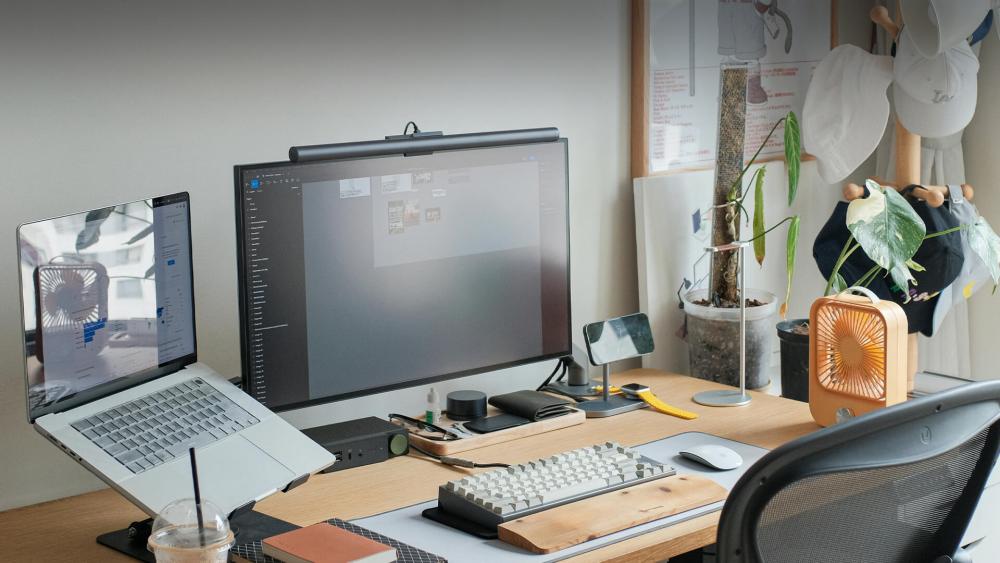
Key Reasons to Buy an AIO PC
- Clean and clutter-free workspace with minimal cables
- Compact design ideal for small desks or home offices
- Simple setup with fewer components to install
- Modern and professional appearance
- Integrated features such as speakers and a webcam
- Energy-efficient compared to many tower systems
Why Should You Avoid It?
- Limited upgradeability compared to a traditional tower
- Graphics performance is usually restricted to integrated or low-profile GPUs
- Repairs can be more complex due to the compact design
- Fewer customisation options than a standard desktop PC
- May cost more than a tower with similar specifications
Top All-in-One PCs to Consider in 2026
Modern AIO systems now deliver strong everyday performance, fast storage, and high-quality displays without taking over your desk space. Below are three carefully selected options that balance value, design, and reliability for UK users.
Acer Aspire C27-B – Best budget all-in-one PC

Key Specifications:
- Processor: Intel Core i5-13420H Octa-Core (up to 4.6GHz)
- Memory: 8GB DDR4 RAM
- Storage: 512GB SSD
- Graphics: Integrated Intel UHD Graphics
- Display: 27-inch Full HD (1920 x 1080), 120Hz
- Operating System: Windows 11 Home
Performance Overview
Powered by the Intel Core i5-13420H processor, 8GB RAM, and a fast 512GB SSD, the Acer Aspire C27-B stands out as one of the best budget all-in-one PCs in the UK. It delivers smooth and responsive performance for everyday tasks such as browsing, document work, video calls, and streaming. When considering a new all-in-one PC, this model offers a noticeable step up in speed and multitasking compared to entry-level options, while maintaining a clean and space-saving design.
The larger 27-inch Full HD display with a 120Hz refresh rate provides a more immersive and fluid viewing experience than standard panels. Scrolling, animations, and general on-screen movement feel smoother, which is especially useful for productivity and extended use. While it is not designed for intensive creative workloads or high-end gaming, it remains one of the best all-in-one PCs for office applications and web-based tasks, making it a reliable choice for home users, students, and everyday office environments.
Lenovo ThinkCentre M90a G5 – Best AIO PC for Business-Ready Performance
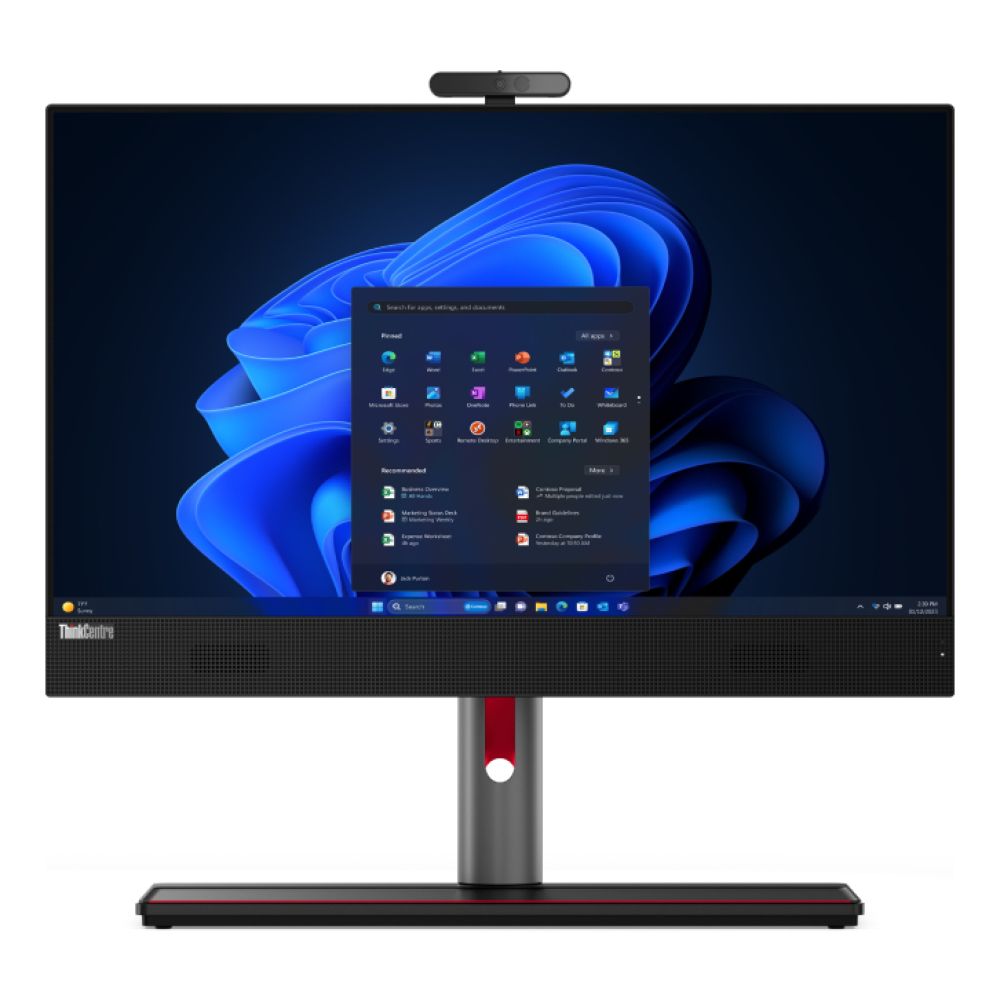
Shop Lenovo ThinkCentre M90a G5
Key Specifications:
- Processor: Intel Core i5-14500 (14-Core, 14th Gen)
- Memory: 16GB DDR5 RAM
- Storage: 512GB SSD
- Graphics: Intel UHD 770
- Display: 23.8-inch Full HD IPS
- Operating System: Windows 11 Pro
Performance Overview
Powered by a 14th Gen Intel Core i5 processor with 14 cores and paired with 16GB DDR5 RAM, the ThinkCentre M90a G5 is built for demanding office environments. It handles multitasking, large spreadsheets, business applications, and video conferencing with ease, making it a strong option for professional workspaces.
The 512GB SSD ensures fast boot times and responsive performance, while the IPS display provides consistent colour accuracy and wide viewing angles for collaborative settings. With Windows 11 Pro and extensive connectivity, including USB-C, HDMI, DisplayPort, and RJ-45, this system is designed for businesses that need reliability, security, and long-term productivity from their all-in-one PC setup.
HP 440 G9 – High-Performance All-in-One PC for Business

Key Specifications:
- Processor: Intel Core i7-13700T (16-Core, up to 4.9GHz)
- Memory: 16GB DDR4 RAM
- Storage: 512GB SSD
- Graphics: Intel UHD 770
- Display: 23.8-inch Full HD
- Operating System: Windows 11 Pro
Performance Overview
The HP 440 G9 is designed for professionals who need stronger processing power for intensive workloads. Its 16-core Intel Core i7 processor delivers excellent multitasking performance, making it well-suited to data-heavy applications, virtual meetings, and productivity software used in business environments.
With 16GB RAM and a fast 512GB SSD, the system remains responsive under pressure, while Windows 11 Pro adds enterprise-level security features. Connectivity options, including USB4, USB-C, HDMI, and DisplayPort, ensure flexibility for modern office setups, making this a powerful and dependable all-in-one PC for corporate use.
What Is a Desktop PC?
A desktop PC is a computer system that uses a separate tower to house the processor, memory, storage, and graphics components. Unlike an integrated unit, the monitor and peripherals connect externally, allowing greater flexibility and hardware access.
In the all-in-one PC vs desktop realm, a traditional tower setup is preferred by people who want a machine with an upgrade potential and a higher performance ceiling. Many users also prefer a desktop computer because components such as the graphics card, RAM, and storage can be replaced or upgraded over time.
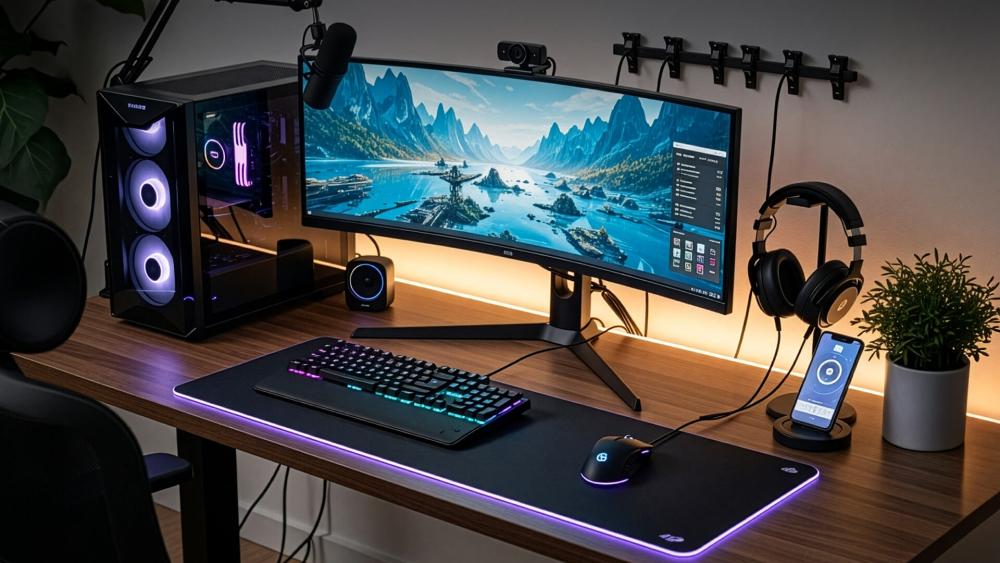
Key Reasons to Buy a Desktop PC
- Greater upgrade flexibility for RAM, storage, and graphics cards
- Stronger performance options for gaming and creative workloads
- Better cooling due to larger internal space
- Wider range of monitor and accessory choices
- Often better value when comparing raw performance
Why Should You Avoid It?
- Requires more physical space
- More cables to manage
- Less visually streamlined
- The monitor is usually purchased separately
High-Performance Desktop PCs for Power and Flexibility
For users prioritising raw performance and long-term scalability, traditional desktop systems remain the stronger choice. Unlike integrated setups, tower and mini desktop PCs give you direct access to internal components, making upgrades, repairs, and performance enhancements far more practical over time. Whether you need a reliable office system or a compact business workstation, desktop machines offer greater hardware control and future-proofing potential.
Lenovo ThinkCentre Neo 50q Gen 4 – Compact Desktop Flexibility
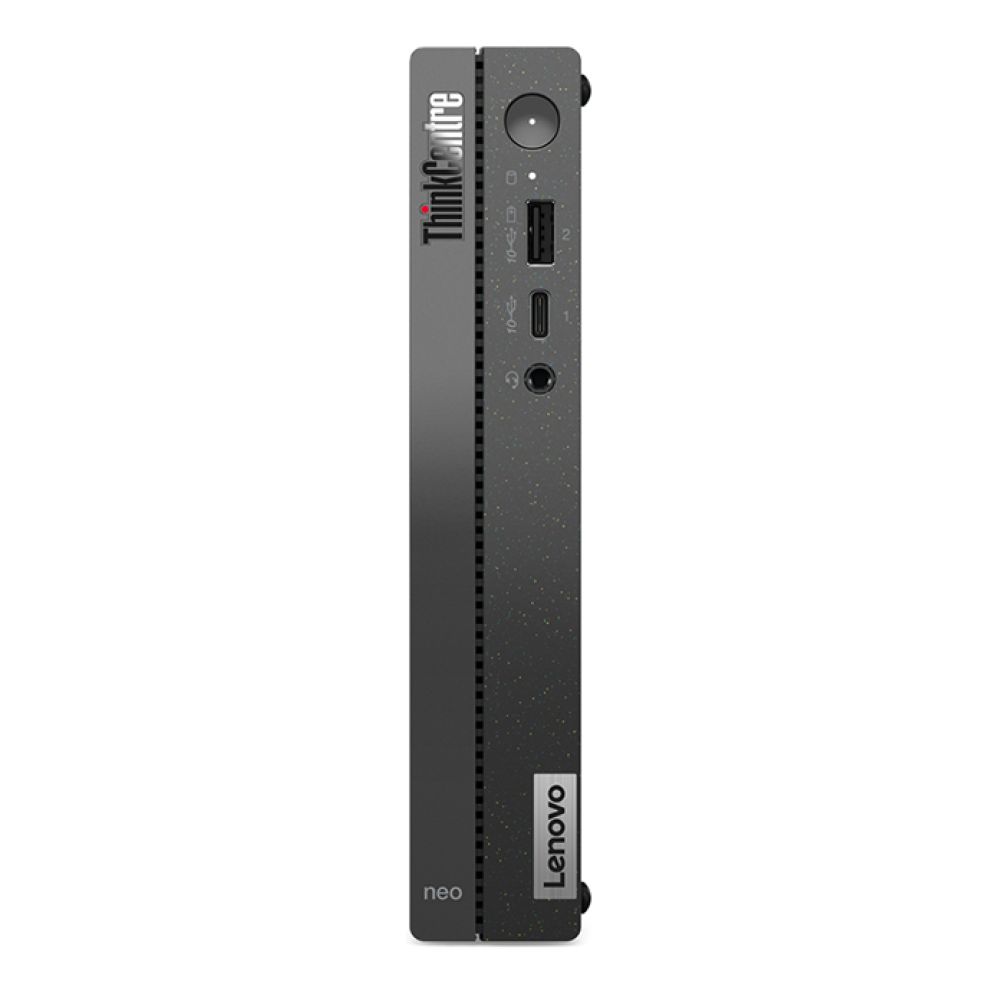
Shop ThinkCentre Neo 50q Gen 4
Key Specifications:
- Processor: Intel Core i5-13420H Octa-Core (up to 4.6GHz)
- Memory: 8GB DDR4 RAM (expandable up to 32GB)
- Storage: 256GB SSD
- Graphics: Integrated Intel UHD Graphics
- Connectivity: Wi-Fi 6, Bluetooth 5.1, Gigabit Ethernet
- Operating System: Windows 11 Pro
Performance Overview
The ThinkCentre Neo 50q Gen 4 delivers dependable performance in a compact Mini PC format, making it perfect for modern office desks and space-conscious environments. Its 13th Gen Intel Core i5 processor provides strong everyday capability for multitasking, productivity software, and business applications.
With upgradeable memory and accessible internal components, it offers better long-term adaptability than most integrated systems. It is an efficient and scalable solution for organisations that want reliable performance without committing to a full-sized tower.
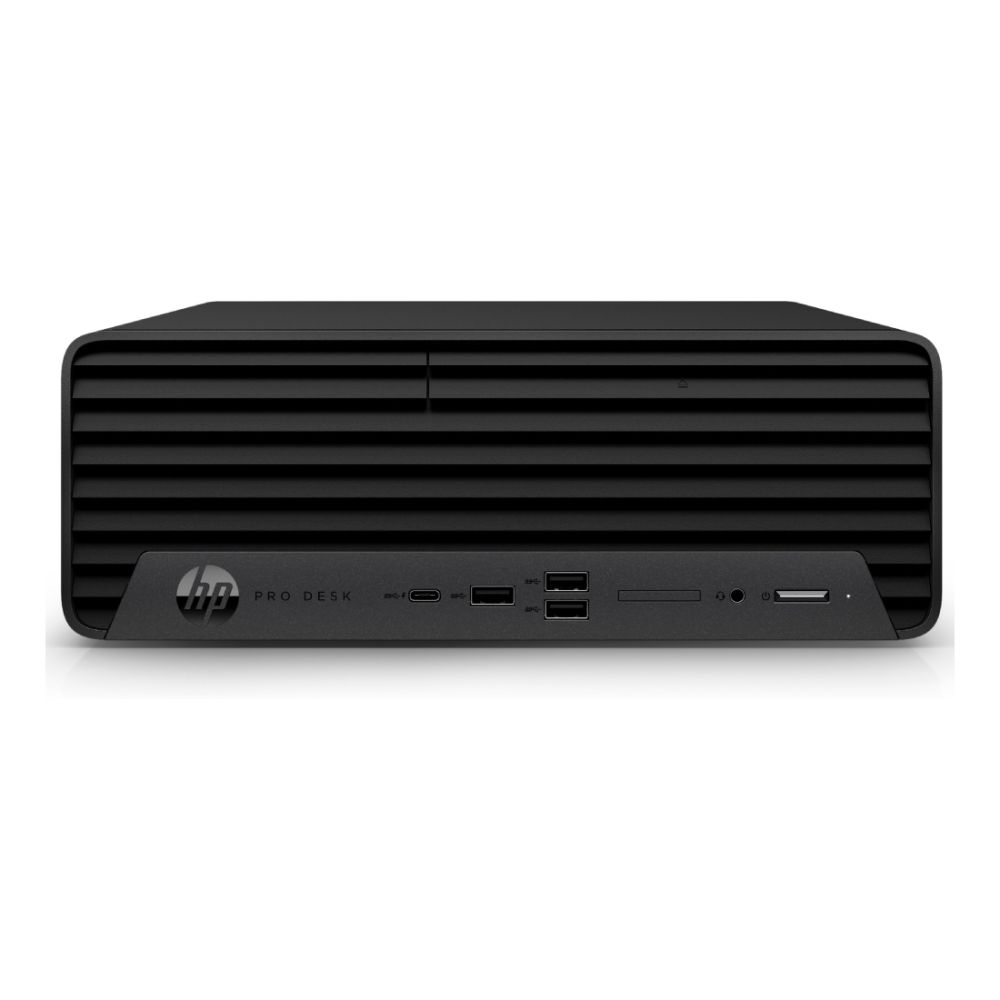
HP Pro 400 G9 – Reliable Business Desktop Performance
Key Specifications:
- Processor: Intel Core i5-13500 (14-Core, 13th Gen)
- Memory: 16GB DDR4 RAM
- Storage: 512GB SSD
- Graphics: Intel UHD 770
- Form Factor: Small Form Factor (SFF)
- Operating System: Windows 11 Pro
Performance Overview
The HP Pro 400 G9 is rated as one of the best desktop computers built for professional environments that demand consistent and dependable performance. Its 14-core Intel Core i5-13500 processor, combined with an upgraded 16GB RAM, delivers excellent multitasking capabilities, allowing it to handle office software, accounting systems, and business applications with ease. This makes it a strong choice for daily commercial workloads and growing business needs.
The 512GB SSD ensures fast boot times, responsive performance, and quick access to files, helping teams stay productive throughout the day. Its small form factor design fits neatly into office setups without taking up unnecessary space, making it ideal for modern work environments. With reliable connectivity options including USB 3.2, HDMI, and DisplayPort, along with upgrade-friendly components, this system offers the flexibility businesses expect when investing in one of the best desktop computers for long-term office productivity.
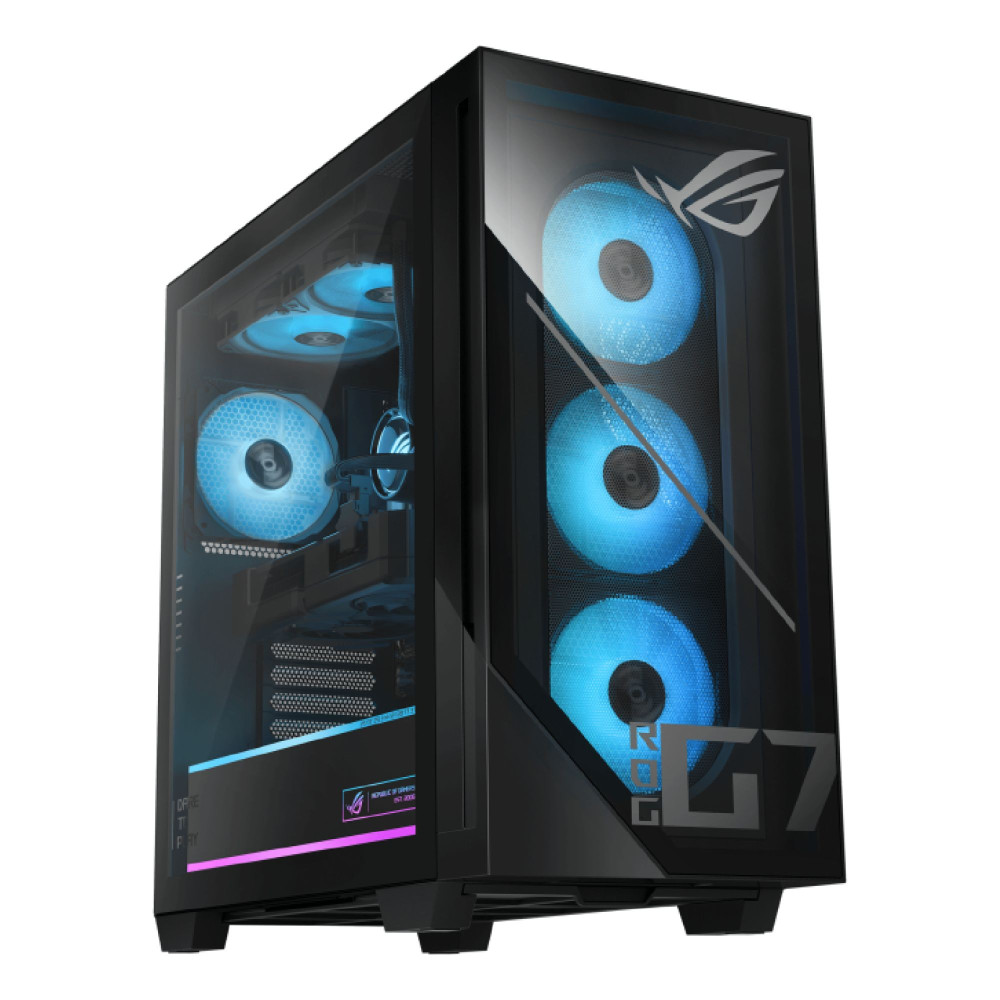
ASUS GM700TZ-R9800X3D – High-End Gaming Performance
Key Specifications:
- Processor: AMD Ryzen 7 9800X3D Octa-Core (up to 5.2GHz)
- Memory: 64GB DDR5 RAM
- Storage: 2TB SSD
- Graphics: AMD Radeon RX 9070 XT PRIME (16GB GDDR6)
- Power Supply: 850W 80+ Gold
- Operating System: Windows 11 Home
Performance Overview
The ASUS GM700TZ-R9800X3D is engineered for serious gaming and demanding creative workloads. Its Ryzen 7 9800X3D processor, paired with 64GB DDR5 RAM, delivers exceptional multitasking and processing power, while the dedicated Radeon RX 9070 XT PRIME graphics card ensures smooth high-resolution gaming and strong frame rates in modern titles.
With a large 2TB SSD, liquid cooling support, and an 850W Gold-rated power supply, this gaming PC is built for sustained performance under heavy load. For users comparing compact integrated systems to full-sized gaming rigs, this desktop clearly demonstrates the performance headroom and hardware capability that tower systems can provide.
All-in-One PC vs Desktop: Key Differences at a Glance
When comparing all-in-one PC vs desktops, the differences come down to design, performance flexibility, upgrade potential, and long-term value. While both systems can handle everyday computing, they serve different types of users and workloads.
The table below summarises the core distinctions before we break them down in more detail to help you decide whether you need to buy an all-in-one PC or a traditional desktop.
| Feature | All-in-One PC | Desktop PC (Tower / SFF) |
| Design | Monitor and components built into one unit | Separate tower and monitor |
| Space Usage | Compact and space-saving | Requires more desk and floor space |
| Cable Management | Minimal cables | Multiple cables for tower and display |
| Upgradeability | Limited to RAM and storage in most cases | RAM, storage, GPU, and sometimes CPU can be upgraded |
| Performance Ceiling | Suitable for everyday and business tasks | Higher performance potential, especially for gaming and creative work |
| Graphics Options | Usually integrated graphics | Dedicated GPUs widely available |
| Cooling | Compact internal cooling | Larger cooling systems, better airflow |
| Portability | Easier to reposition | Generally stationary |
| Initial Cost | Includes display in price | Monitor purchased separately |
| Long-Term Flexibility | Lower | Higher |
Performance
Performance differences largely depend on hardware flexibility and cooling capacity. Both AIO PCs and conventional desktops can handle everyday tasks, but their long-term capability varies.
All-in-One PC
- Designed for everyday productivity, office applications, browsing, and video calls
- Typically relies on integrated graphics, limiting high-end gaming and intensive creative workloads
Desktop PC
- Supports higher-performance processors and dedicated graphics cards
- Better suited for gaming, video editing, 3D rendering, and demanding multitasking
Upgradeability
Upgrade flexibility is one of the biggest practical differences when comparing all-in-one desktops with traditional towers setups. Your ability to replace or improve components can significantly affect long-term value.
All-in-One PC
- Typically limited to RAM and storage upgrades
- Internal components are compact and harder to access
- Graphics and processors are rarely replaceable
Desktop PC
- RAM, storage, and graphics cards can usually be upgraded
- Larger cases allow for improved cooling and power supply upgrades
- Easier access to internal components for repairs or replacements
Price & Long-Term Value
Cost is not just about the initial purchase price. It also includes upgrade potential, repairability, and how long the system remains suitable for your needs.
All-in-One PC
- Usually includes the display, reducing the need for additional purchases
- Can appear better value upfront for home and office users
- Limited upgrade paths may mean replacing the full system sooner
Desktop PC
- Monitor is typically purchased separately
- Often offers stronger hardware for the same budget
- Components can be upgraded individually, extending overall lifespan
Space & Design
Workspace layout and aesthetics can play a major role when choosing between different computer setups, particularly in home offices or customer-facing environments.
All-in-One PC
- Slim, integrated design reduces desk clutter
- Minimal cable management required
- Modern appearance suited to professional or shared spaces
Desktop PC
- Separate tower and monitor require more physical space
- Additional cables for power, display, and peripherals
- Greater flexibility in monitor size and multi-screen configurations
Gaming & Creative Work
Performance-intensive tasks require stronger processors and dedicated graphics solutions, which can influence the type of system you choose.
All-in-One PC
- Suitable for light photo editing and general creative software
- Limited GPU options restrict high-end gaming performance
- Thermal constraints can affect sustained heavy workloads
Desktop PC
- Supports dedicated graphics cards for modern gaming
- Better suited for video editing, 3D modelling, and rendering
- Larger cooling systems maintain stable performance under load
Maintenance & Lifespan
Ease of repair and long-term durability are often overlooked when choosing a system.
All-in-One PC
- Repairs can be more complex due to the compact internal layout
- Replacing major components may not be cost-effective
- Lifespan is often tied to fixed hardware limitations
Desktop PC
- Individual components can be replaced as needed
- Easier access simplifies troubleshooting and upgrades
- Longer usable lifespan through part-by-part improvements
Final Thoughts: Which One Should You Choose?
Choosing between the two comes down to your daily workload, available space, and future plans. There is no universal winner. The better option is simply the one that aligns with how you use your computer.
-
Home Users: All-in-One PC
Best for everyday browsing, streaming, emails, and general household tasks where space-saving matters.
-
Business & Office Work: Depends on Setup
All-in-One for clean, front-facing desks. Desktop PC for upgrade flexibility and long-term IT scalability.
-
Students: All-in-One PC
Ideal for coursework, research, and video calls without taking up excessive desk space.
-
Gamers & Content Creators: Desktop PC
Better suited to dedicated graphics and higher-performance workloads.
-
Long-Term Upgraders: Desktop PC
Offers the flexibility to replace individual components instead of the entire system.
Ultimately, the winner in the all-in-one PC vs desktop debate depends on your performance needs, workspace setup, and how long you expect the system to serve you. Choose the setup that supports your workflow today while still meeting your needs tomorrow.
Frequently Asked Questions
Are all-in-one PCs good for gaming?
Most integrated systems are suitable for light gaming, but they usually rely on integrated graphics. For modern AAA titles or high frame rates, a desktop with a dedicated graphics card is the better choice.
Can you upgrade an all-in-one PC?
Upgrades are usually limited to RAM and storage. Processors and graphics components are rarely replaceable, which limits long-term flexibility.
Do desktop PCs last longer than all-in-one systems?
Desktop systems often last longer because individual components can be upgraded or replaced instead of changing the entire unit.
Is an all-in-one PC better for working from home?
For general office tasks, video meetings, and document work, an all-in-one system is often ideal due to its compact design and simple setup.
Which option offers better value for money?
Upfront costs can vary, but desktops often provide stronger performance per pound spent. Long-term value depends on whether you plan to upgrade components or replace the system entirely.
You can pay with:
*PayPal Credit Representative Example: Assumed credit limit £1,200, Representative 23.9% APR (variable). Purchase rate 23.9% p.a (variable).Terms & Conditions apply.


PayPal Credit and PayPal Pay in 3 are trading names of PayPal UK Ltd, 5 Fleet Place, London, United Kingdom, EC4M 7RD. Terms and conditions apply. Credit subject to status, UK residents only, Five Tech LTD acts as a broker and offers finance from a restricted range of finance providers. PayPal Pay in 3 is not regulated by the Financial Conduct Authority. Pay in 3 eligibility is subject to status and approval. 18+. UK residents only. Pay in 3 is a form of credit. Check if affordable and how you will repay. May make other borrowing more difficult or expensive. See product terms for more details.
Copyright © 1996-2026 Fivetech LTD | Terms and Conditions
box.co.uk & Box are trading names of Five Tech Limited. Registered office: Box LTD, Unit 10 Woodford Trading Estate, Woodford Green IG8 8HF