


 Menu
MenuMenu


Get Sales Advice from Mon - Fri 9am - 5:00pm:
020 3337 8950POSTED: 20 May, 2025
Is Synology BeeStation Plus the Future of Home Cloud Storage?
Synology BeeStation Plus is redefining what a home cloud storage could offer, thanks to the powerful hardware, 8TB of private storage, seamless user experience, and full data ownership that comes with it.
If you've heard about the original Synology BeeStation and thought, "That's clever," wait until you meet its upgraded sibling. The BeeStation Plus is a complete upgrade to how personal cloud storage should work in 2025.
Synology BeeStation Plus combines the speed and accessibility of commercial cloud platforms with the privacy and control of personal storage - all without the monthly fees or privacy trade-offs. For individuals, families, and small teams looking to centralise, protect, and easily access their digital lives, BeeStation Plus is the direction cloud storage should be heading.
Let’s take a closer look at the new BeeStation Plus and why it's quickly becoming the go-to personal cloud option in this comprehensive Synology BeeStation review.
Taking Control of Your Digital World, the Easy Way
When you first hear "personal cloud storage", you might think of complex software setups or needing to learn about NAS and servers just to back up some photos. Synology flips that stereotype on its head. BeeStation Plus is all about simplicity.
From the moment you unbox it, the setup is brilliantly straightforward. A QR code takes you straight to the BeeStation app. Plug it in, connect it to your router, tap a few prompts, and it's ready. It's a simple idea, executed beautifully: your own cloud, no middleman, full control.
All in all, if you're serious about:
-
Owning your storage
-
Protecting your privacy
-
Cutting out subscription creep
-
Keeping your family's data safe and organised
-
Working more efficiently across multiple devices and users
...then Synology BeeStation is absolutely worth it.
What Powers the BeeStation Plus?
Under the sleek graphite shell, the BeeStation Plus is backed by an Intel Celeron J4125 processor, paired with 4GB of DDR4 memory. This is more than enough horsepower for smooth, simultaneous use across multiple devices. Syncing files, streaming videos, running backups - it does it all quietly and reliably.
Performance-wise, it's up to 2.6x faster for mobile photo backups, 3.8x faster for web uploads, and a whopping 4.8x boost for desktop syncs compared to the previous 4TB Synology BeeStation model. That's the kind of speed that turns "I'll back it up later" into "Done already?"
And it supports both USB-A and USB-C 3.2 Gen 1 ports, so transferring external files is quick and cable-agnostic.
8TB of Space. A Vault for Your Life
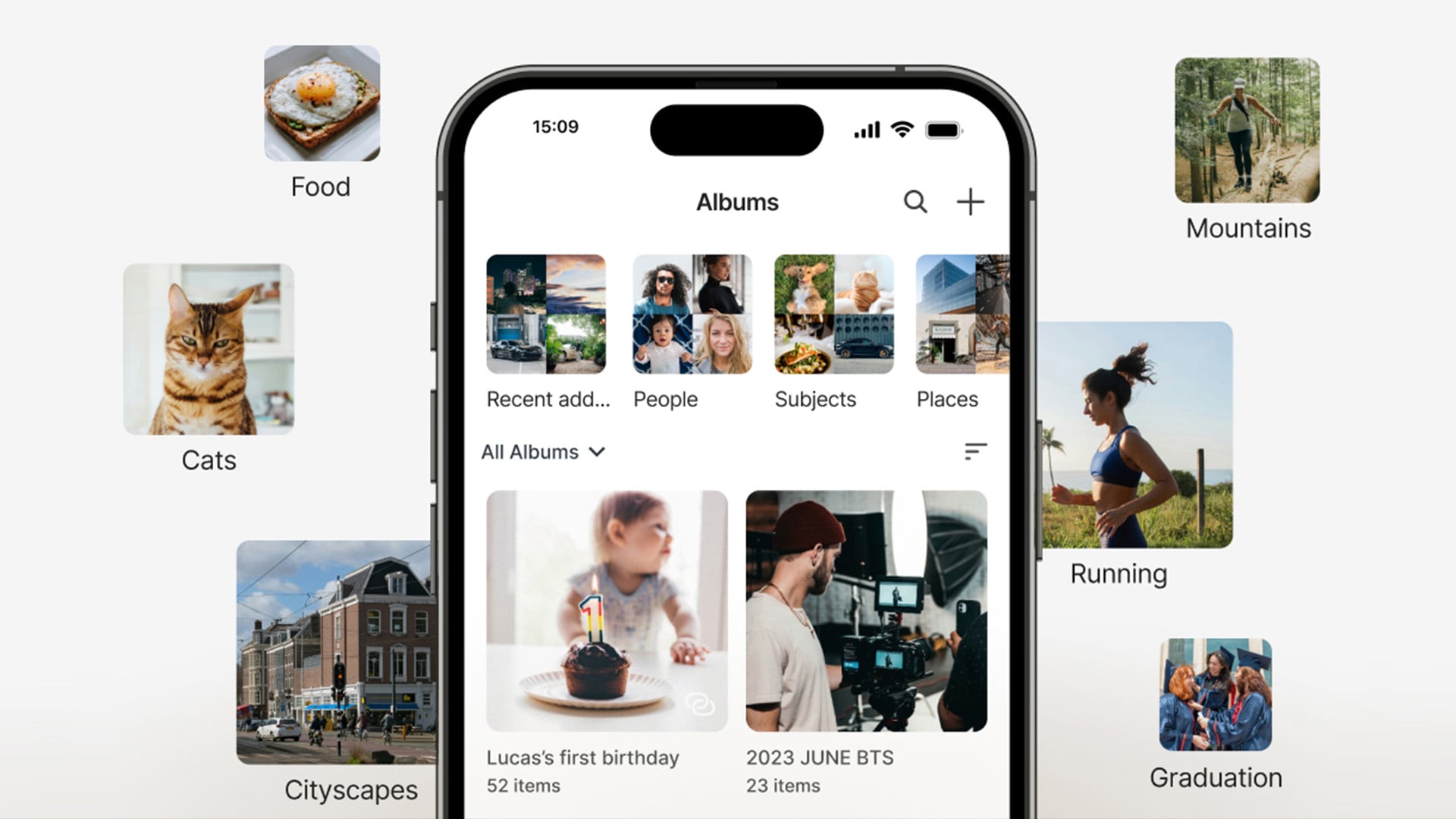
Let's talk storage. The BeeStation Plus packs in a generous 8TB of space, double the amount of its predecessor, enough for tens of thousands of high-res photos, hours of 4K video, and millions of documents. There is also room left over for music, backups, and shared family files.
Unlike third-party cloud providers that charge for every extra gigabyte, here, you get freedom. You can use this space however you like, and because it's in your home, it's fast - there are no throttled upload speeds, no remote limits, and no worrying about monthly costs creeping up.
For data-heavy users, whether that's photographers, editors, families with years of content, or home workers with sensitive files, 8TB has something to offer.
Designed for Everyone in the Home or Office
One of the most practical features of the Beestation Plus is its multi-user support. You can create up to 8 separate cloud spaces, each with private access. That means the kids can store their school files, your partner can save their photos, and you can keep your work docs organised — all in one shared device, without mixing anything up.
Each user gets a secure login and a dashboard. It's like each person in your household has their own cloud drive, but you only pay once.
Whether you're a family of five or a solo creative who wants separate spaces for work and personal projects, this kind of flexibility is rare and very welcome.
AI That Actually Helps: Local, Private, Smart
Now, here's where it gets smart. The BeeStation Plus stores your photos and organises them, too. Built-in AI, powered by the onboard GPU, scans your image library to help you find specific faces, locations, pets, and more without ever sending a single file to the cloud.
Want to revisit that trip to Italy? Or find all the photos of your dog from last summer? You can. The AI also generates a world map view of your photo memories, so you can rediscover moments by place and time.
All this happens locally and privately in your personal cloud storage.
Store Everything Here. Access Anywhere.
Wherever you go, your BeeStation Plus is just a browser or app away. Whether you're on a work trip or sitting in a café, you can log in to view, download, or share your files just like you would with Google Drive or Dropbox.
Better still, there's no fiddly login process. Just link it to your Google, Apple, or Synology account, and you're in. The BeeStation mobile apps (BeePhotos and BeeFiles) are intuitive and clean, and let you do everything from auto-backups to streaming videos from your phone.
Automatic Backups Made Simple
We've all put off backing up our devices, and we've all paid for it eventually. BeeStation Plus makes it hassle-free. Just enable Focus Backup, and your phone will wirelessly and silently offload thousands of photos overnight.
It also supports automated private storage backup for computers, external drives, and even cloud services. Do you have files scattered across Google Drive, OneDrive, and Dropbox? Bring them home—BeeStation can import and consolidate them all, giving you a central, easy-to-manage space.
And yes, you can also plug in your old hard drives or USB sticks. BeeStation Plus takes them all.
Multimedia Streaming with Plex Integration
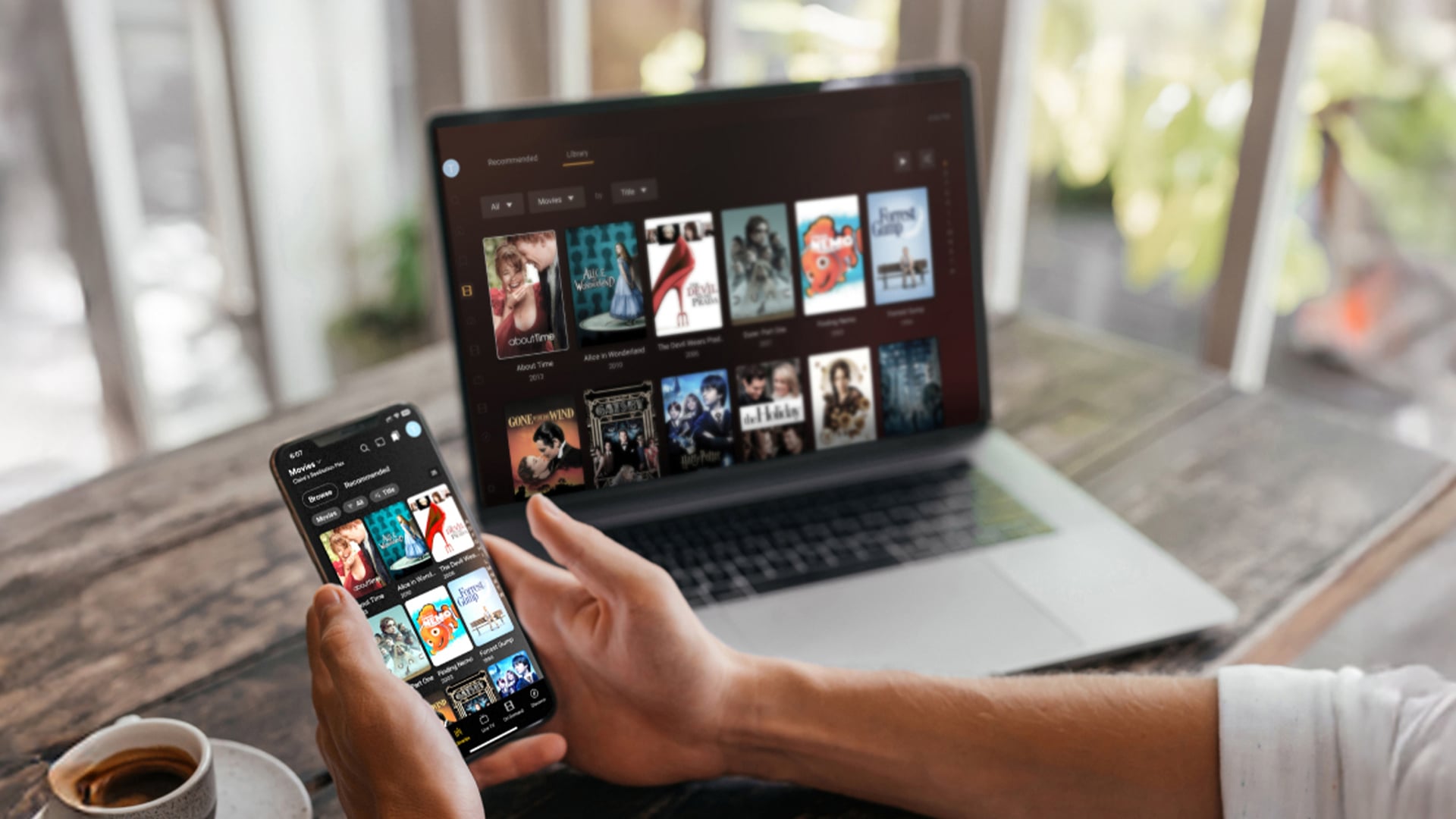
The BeeStation Plus comes with Plex Media Server support, meaning you can turn it into your personal Netflix. Store your film collection, stream music or TV shows to your phone, laptop or smart TV — wherever you are. Hardware-accelerated video playback keeps things smooth, even with high-resolution files, and you get all the organisational goodness of Plex with none of the lag.
If you have a media library and want to avoid streaming subscriptions, this feature alone makes the BeeStation Plus worth considering.
Robust Data Protection Built-in
Every BeeStation Plus includes internal snapshot-powered restore points. That means if anything goes wrong, such as accidental deletions, failed updates, or even ransomware, you can roll your device back to a previous state in minutes.
There's also BeeProtect, Synology's privacy-first backup tool. It is free for three months and provides encrypted, cloud-based protection for your BeeStation files in case of physical damage, theft, or other disasters.
With AES-256 encryption, client-side protection, and no need for extra configuration, BeeProtect provides an extra layer of safety, especially if you're storing irreplaceable data.
Real-World Reliability: Design to Fit, Built to Last
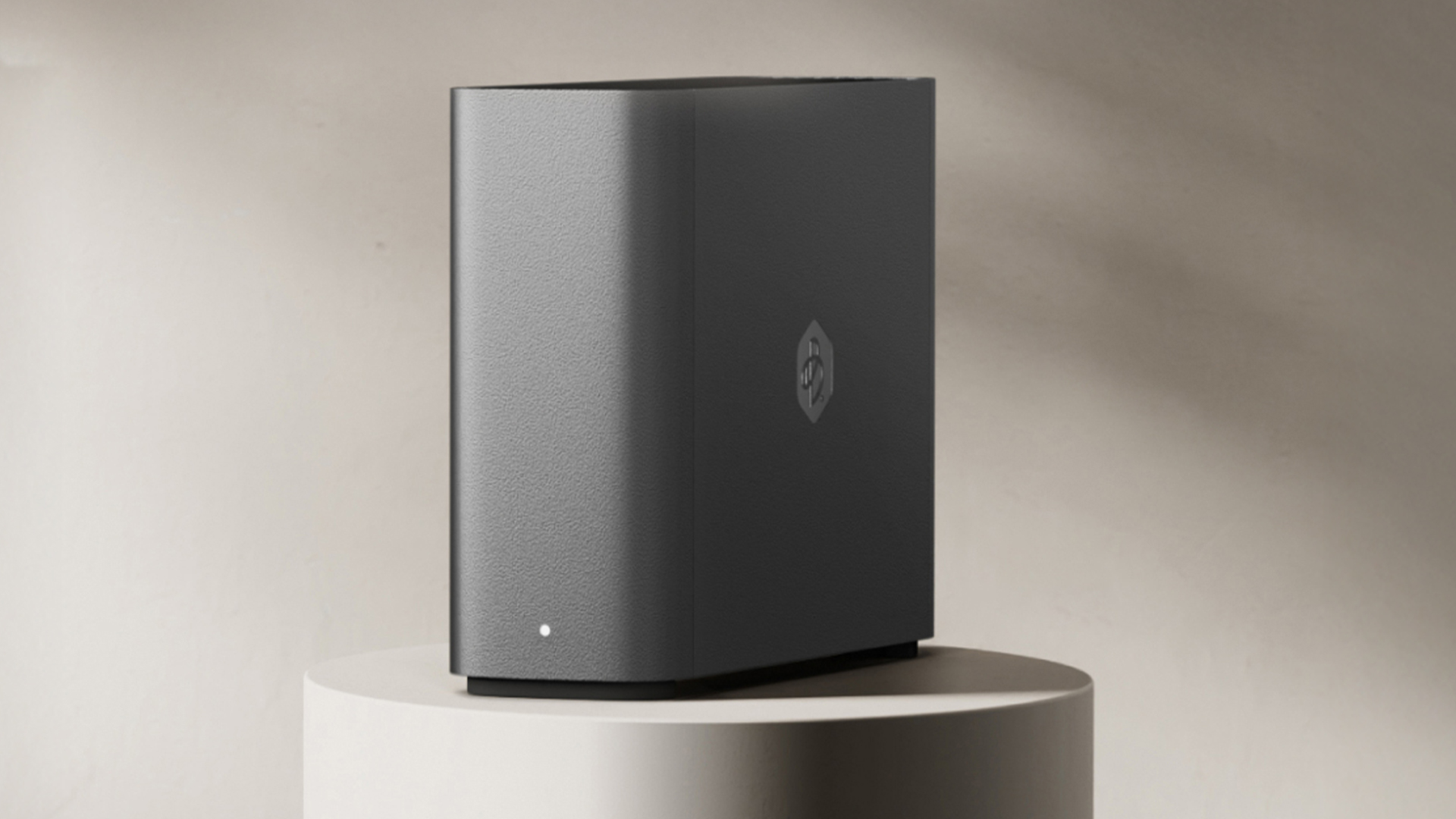
From the exterior, the BeeStation Plus is small and stylish, measuring just 148 x 62.6 x 196.3mm and finished in matte graphite silver. It doesn't say "server". It blends into your desk setup or bookshelf, quietly doing its job.
At just 1.2kg, it's surprisingly light but feels solid. It runs whisper-quiet, with minimal power draw — only 14.75W in active use, and just 2.83W when idle. That makes it both eco-friendly and cost-effective to run, even 24/7.
With support for all major operating systems (Windows, macOS, iOS, Android) and browsers, it plays nicely with your existing devices—there are no awkward compatibility issues.
BeeStation vs BeeStation Plus: What’s the Difference?
| Feature | BeeStation | BeeStation Plus |
| Storage Capacity | 4 TB | 8 TB |
| Processor | Realtek RTD1619B | Intel Celeron J4125 |
| Memory | 1 GB DDR4 | 4 GB DDR4 |
| LAN Port | 1 x 1GbE RJ-45 | 1 x 1GbE RJ-45 |
| USB Ports | 1 x USB-A 3.2 Gen 1 | |
| 1 x USB-C 3.2 Gen 1 | 1 x USB-A 3.2 Gen 1 | |
| Dimensions | 148.0 × 62.6 × 196.3 mm | 148.0 × 62.6 × 196.3 mm |
| Warranty | 3 years | 3 years |
A Quick Comparison
At first, both devices look nearly identical on the outside—the same size, the same ports, and the same sleek graphite finish. But inside? The BeeStation Plus is in a different league. Likewise, compared to other NAS devices in its class, BeeStation Plus offers unmatched simplicity with real cloud flexibility.
-
Double the storage (8TB) makes BeeStation Plus far better suited to families, creatives, and small teams.
-
A serious performance leap comes from the switch to an Intel Celeron J4125 chip and 4GB RAM, a massive upgrade from the entry-level Realtek CPU and 1GB RAM in the standard model.
-
That extra memory means BeeStation Plus handles multitasking, file indexing, and AI photo organising more efficiently, especially when multiple users are logged in.
Who Is Synology BeeStation Plus For?
BeeStation Plus caters to the people who want to keep their files safe, private, and easy to access without paying for cloud subscriptions every month. It works straight out of the box and suits all kinds of users at home or work.
It is designed for:
-
Families who take many photos and videos need a simple way to store and share them. Everyone in the house can have their own private space, plus shared folders for things like holiday photos or school files.
-
Freelancers and content creators like photographers, designers, YouTubers, and editors who deal with large files. With fast syncing and 8TB of storage, it’s ideal for managing work across devices.
-
Remote workers and small business owners who need a reliable way to store and share documents with teams or clients, with added security.
-
Anyone is tired of giving their data to third parties. With BeeStation Plus, your files stay in your home, not on someone else’s server.
If you want simple, powerful storage that puts you in control, BeeStation Plus is for you.
Ready to own your cloud?
Get the Synology BeeStation Plus today at Box.co.uk and take control of your digital life: fast UK delivery, expert support, and exclusive tech deals.
Final Verdict
Synology BeeStation Plus is another groundbreaking storage solution designed by Synology with you in mind. It’s a modern answer to an everyday problem: how do you keep your digital life safe, private, and always within reach without being tied to monthly subscriptions? It gives you back control over your data and streamlines your digital clutter.
From its generous 8TB of private storage and powerful Intel-based performance, to smart AI photo organisation, remote access, and seamless multi-user support, BeeStation Plus checks all the boxes for today’s home and hybrid lifestyles. For those looking to buy Synology NAS systems with real value, BeeStation Plus has something for you.
If you’re still weighing up the switch from traditional cloud platforms, take a look at recommend moving to the BeeStation and why BeeStation Plus is the logical next step.
Synology BeeStation Plus: FAQs
What is Synology BeeStation?
BeeStation is a personal cloud storage device from Synology that lets you store, back up, and access your files from anywhere, without relying on third-party cloud services. It’s designed to be simple, secure, and private, giving users full control over their digital content.
How do I use Synology BeeStation Plus?
Setting up BeeStation Plus is quick and easy. Just plug it into power and your router, scan the QR code on the box, and follow the instructions in the BeeStation app. You’ll be up and running in minutes. From there, you can upload files, back up devices, share content, and stream media using the web interface or mobile apps.
Can I share BeeStation Plus with other people?
Yes, you can invite up to 8 users to share the device. Each person gets their own private cloud space and can access their files from anywhere using their Google, Apple, or Synology account. It’s ideal for families, small teams, or anyone who needs to separate work and personal storage.
Does BeeStation Plus work without an internet connection?
Once it’s set up, you can enable local access. That means if your internet goes down, you can still sign in to BeeStation through its private IP address via a web browser or using the SMB protocol. However, you won’t be able to use the desktop or mobile apps without an active internet connection.
How do I enable Plex Media Server on BeeStation Plus?
To get Plex up and running, sign into the BeeStation Web Portal, go to System Settings > Integration, and look for the Plex Media Server option. Click “Install” and follow the on-screen instructions. Once it’s set up, you can stream your videos, music, and photos directly from your BeeStation Plus to any Plex-compatible device.
You can pay with:
*PayPal Credit Representative Example: Assumed credit limit £1,200, Representative 23.9% APR (variable). Purchase rate 23.9% p.a (variable).Terms & Conditions apply.


PayPal Credit and PayPal Pay in 3 are trading names of PayPal UK Ltd, 5 Fleet Place, London, United Kingdom, EC4M 7RD. Terms and conditions apply. Credit subject to status, UK residents only, Five Tech LTD acts as a broker and offers finance from a restricted range of finance providers. PayPal Pay in 3 is not regulated by the Financial Conduct Authority. Pay in 3 eligibility is subject to status and approval. 18+. UK residents only. Pay in 3 is a form of credit. Check if affordable and how you will repay. May make other borrowing more difficult or expensive. See product terms for more details.
Copyright © 1996-2026 Fivetech LTD | Terms and Conditions
box.co.uk & Box are trading names of Five Tech Limited. Registered office: Box LTD, Unit 10 Woodford Trading Estate, Woodford Green IG8 8HF