


 Menu
MenuMenu


Get Sales Advice from Mon - Fri 9am - 5:00pm:
020 3337 8950LAST UPDATED: May 22, 2026
2-in-1 vs Traditional Laptops: Which Is Better for Everyday Use?
Choosing between 2 in 1 vs regular laptops can feel tricky, especially when both options are designed to handle everyday computing needs. A traditional laptop gives you a familiar, reliable design for typing, browsing, working, and studying. A 2-in-1 laptop gives you those same basics, but with extra flexibility through a touchscreen, folding hinge or detachable keyboard.
The best choice depends on how you plan to use your device. If you mainly type documents, work at a desk, browse the web and want a simple laptop experience, a traditional clamshell laptop may be the better fit. If you like the idea of writing notes by hand, using a touchscreen, watching content in tent mode or switching between laptop and tablet-style use, a two in one laptop could be more useful.
This guide explains the key differences in a simple, benefit-led way, so you can decide which laptop form factor works best for your everyday routine.
Why Laptop Design Matters More Than Ever
Shift Toward Flexible Devices
Laptop design has changed a lot in recent years. Many users no longer sit at one desk all day. Instead, people work from home, study in shared spaces, travel between meetings, watch content on the move and use the same device for both productivity and entertainment.
That is why flexible laptop usage has become more important. A standard laptop is still excellent for everyday work, but convertible laptops and detachable laptops give users more ways to interact with their device.
A flip laptop, for example, can work like a normal laptop, then fold back into tablet or tent mode. A detachable model can separate the keyboard from the screen, giving you a more tablet-like experience. These designs are useful because they allow one device to adapt to more situations.
Different User Needs Today
Not every user needs the same type of laptop. A student may want a lightweight device for notes, online lessons and streaming. A professional may need a reliable work machine for emails, spreadsheets and video calls. A casual user may want something simple for browsing, shopping, banking and entertainment.
This is why comparing 2 in 1 vs regular laptops should not only be about specs. Processor, RAM and storage matter, but the way the laptop fits into your daily life matters just as much.
A powerful traditional laptop may be ideal if you need stable performance for office work. A tablet laptop hybrid may be better if you value touchscreen laptop functionality, handwritten notes or flexible viewing modes.
Choosing Based on Usage, Not Specs
Many buyers focus first on processor speed, memory and storage. These are important, but they do not tell the full story. The better question is: how will you actually use the laptop every day?
If you spend most of your time typing, a traditional laptop may feel more natural. If you often read, sketch, annotate documents or present content, a 2-in-1 design may feel more practical.
The right laptop is the one that removes friction from your routine. For some people, that means simplicity. For others, it means device versatility benefits such as touch, pen input and multiple modes.
What Makes 2-in-1 Laptops Different

Convertible and Touchscreen Design
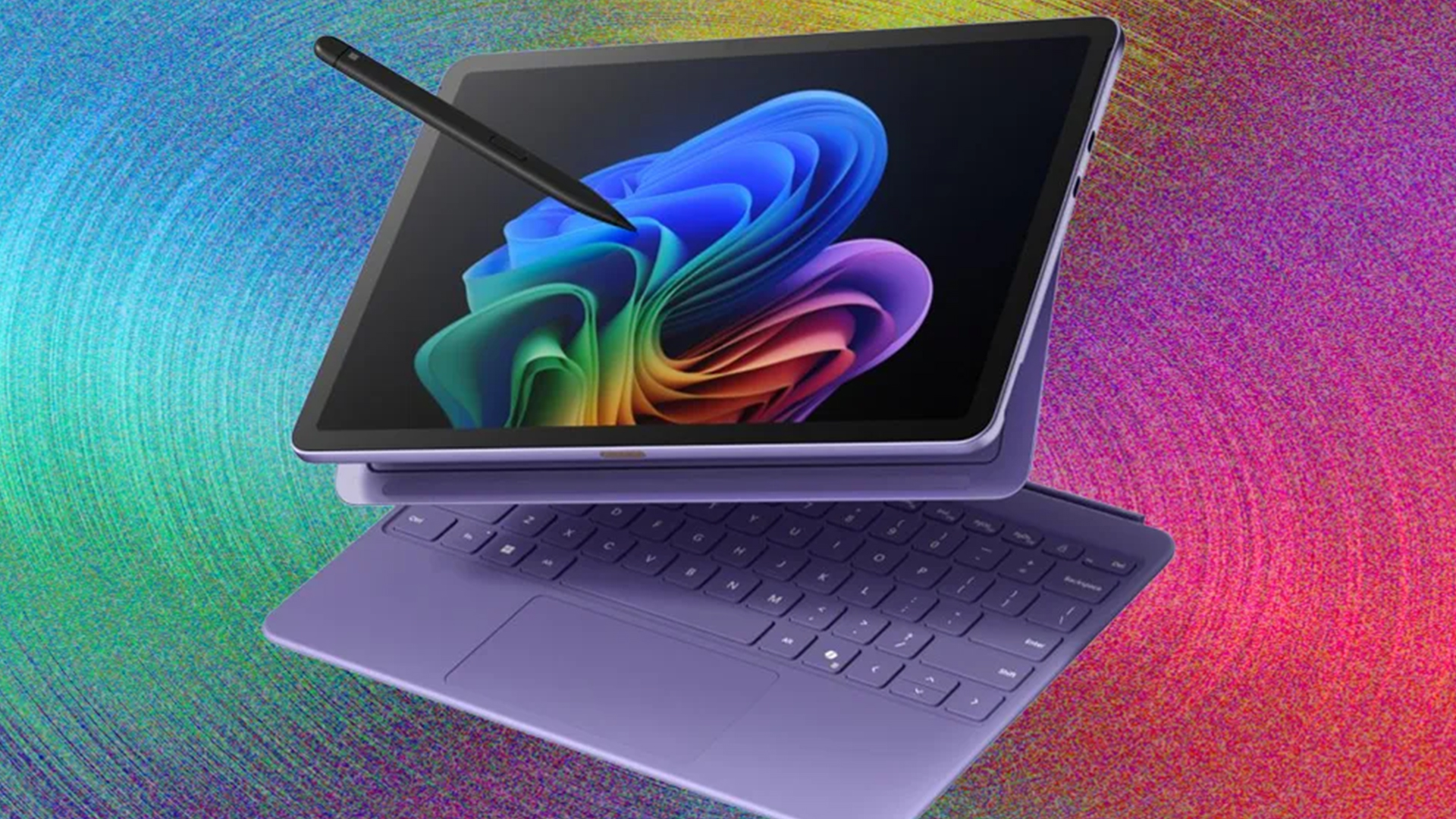
A 2-in-1 laptop is designed to work in more than one way. Most models include a touchscreen, and many include a hinge that lets the screen rotate backwards. This is known as a convertible laptop design.
There are two main types:
| Type | How It Works | Best For |
| Convertible laptop | Screen folds back on a 360-degree hinge | Users who want laptop and tablet-style modes in one device |
| Detachable laptop | Keyboard separates from the screen | Users who want a more tablet-like experience |
Some people also use the term foldable laptop, although this can mean different things. In everyday buying guides, it often refers to a device with a flexible hinge or folding design rather than a fully foldable screen.
The main benefit is choice. You can type when you need to work, touch the screen when it feels easier, and fold the laptop into different positions when watching content or presenting.
Multiple Usage Modes: Laptop, Tablet and Tent
One of the biggest 2 in 1 laptop benefits is the ability to change modes.
In laptop mode, it works like a normal laptop. This is best for typing, emails, spreadsheets, coursework, and office tasks.
In tablet mode, the keyboard folds away or detaches. This is useful for reading, drawing, browsing, marking up documents or using apps by touch.
In tent mode, the laptop stands up like an inverted V. This is useful for watching videos, following recipes, showing presentations, or using the laptop in tight spaces.
In stand mode, the keyboard sits behind the screen. This can be helpful for video calls, streaming or touchscreen use on a desk.
These modes make a two in one laptop more adaptable than a traditional clamshell laptop.
Flexibility for Work and Study
2-in-1 laptops can be especially useful for students and hybrid workers. For example, students can type essays in laptop mode, then use tablet mode for reading or handwritten notes. Professionals can use laptop mode for emails and reports, then tent mode for presentations or video calls.
This is why 2 in 1 laptops for students are popular. They can support learning, note-taking, research, video lessons and entertainment in one device.
If you want a device that adapts to different tasks, convertible 2 in 1 laptops are worth exploring. They give you the core benefits of a laptop while adding the flexibility of a touchscreen and foldable design.
What Traditional Laptops Still Do Better
Simplicity and Reliability
Traditional clamshell laptops are popular for a reason. They are simple, familiar and easy to use. You open the lid, type on the keyboard and use the trackpad or mouse. There is no need to think about modes, hinges or tablet-style use.
For many users, this simplicity is a major benefit. If you mainly use your laptop for work, browsing, emails and video calls, a traditional laptop may already do everything you need.
Traditional laptops also often feel sturdier when typing on your lap or working for long sessions. Because the design is focused on one main use case, it can feel more stable and straightforward.
Performance and Stability
Traditional laptops can also be better if performance is your main priority. This is not because 2-in-1 laptops are weak, but because standard laptop designs often have more room for cooling, larger batteries and stronger components.
If you need a laptop for demanding tasks such as video editing, coding, large spreadsheets, design work or heavier multitasking, a traditional laptop may offer better value at the same price.
This is especially true when comparing mid-range or high-performance models. A 2-in-1 design adds flexibility, but that can sometimes increase the cost. A regular laptop may put more of your budget towards performance instead of touchscreen and hinge features.
Familiar Everyday Usage
For everyday use, traditional laptops remain very comfortable. They are ideal for:
- Writing documents
- Working in spreadsheets
- Online meetings
- Web browsing
- Streaming
- Shopping and banking
- Schoolwork
- Business tasks
If you do not need tablet mode or pen input, a regular laptop can be the more practical choice. You can browse modern laptops for work and study if you want a wide range of traditional and flexible options.
Real-World Performance and Usability
Productivity and Office Work
For office work, both 2-in-1 and traditional laptops can perform well. The difference is mainly how you prefer to work.
A traditional laptop is usually better for long typing sessions. If you spend hours writing reports, working in spreadsheets or managing emails, the fixed keyboard and stable design can feel more comfortable.
A 2-in-1 laptop is better if your productivity includes touch, drawing or reviewing documents. For example, you can use a stylus to mark up PDFs, sketch ideas, sign documents, or annotate notes.
For most productivity laptop options, the right choice depends on whether touch adds real value to your workflow.
Multitasking and Daily Tasks
For multitasking and daily tasks, performance depends more on the specification than the form factor. A 2-in-1 laptop with a good processor and enough RAM can be faster than a low-spec traditional laptop. Likewise, a well-configured traditional laptop can outperform a basic 2-in-1.
For everyday computing needs, aim for:
| Component | Recommended for Everyday Use |
| Processor | Intel Core i5 / AMD Ryzen 5 or better |
| RAM | 8GB minimum, 16GB preferred |
| Storage | SSD storage |
| Display | Full HD or better |
| Battery | Enough for your daily routine |
The form factor affects comfort and flexibility. The internal specification affects speed.
Entertainment and Casual Use
For entertainment, 2-in-1 laptops have a clear advantage in flexibility. Tent mode and stand mode are useful when watching films, streaming shows, or following videos. You can place the laptop on a table, fold the keyboard out of the way and enjoy a cleaner viewing setup.
Traditional laptops are still good for media, but the keyboard always stays in front of the screen. This is not a major problem, but it can feel less convenient in small spaces.
If you regularly watch content in bed, on the sofa, or while travelling, a 2-in-1 laptop may feel more comfortable.
Portability and Everyday Convenience
Carrying and Travel Use
Both 2-in-1 and traditional laptops can be portable, but 2-in-1 models are often designed with mobility in mind. Many are slim, lightweight, and easy to carry. This makes them useful for students, commuters, and hybrid workers.
However, not every 2-in-1 is ultra-light. Some convertible laptops still have larger screens and heavier builds. Always check the weight and screen size before buying.
If portability is your priority, ultrabook laptops are also worth considering. These focus on slim, lightweight laptop usage and can be a good alternative if you want travel-friendly design without needing tablet mode.
Battery Life Expectations
Battery life depends on the model, screen size, processor, and how you use the laptop. A 2-in-1 laptop may use more power if you rely heavily on touchscreen features, bright displays or tablet mode. A traditional laptop may offer longer battery life at the same price if it has a larger battery or more efficient hardware.
For everyday use, both types can last well if you choose a good model. Basic tasks such as browsing, writing, and streaming usually use less power than gaming, editing, or heavy multitasking.
When comparing laptops, look beyond the quoted battery figure. Think about your real use. Video calls, high screen brightness, and multiple apps will reduce battery life on any laptop.
Ease of Use in Different Environments
A traditional laptop is often easiest at a desk. It is stable, familiar, and comfortable for focused work.
A 2-in-1 laptop is often easier in varied environments. You can use tent mode on a kitchen counter, tablet mode on the sofa, laptop mode at a desk, and stand mode for presentations.
This makes hybrid laptop usability one of the biggest reasons to choose a 2-in-1. It is not always about speed; it is about convenience.
Which One Is Better for You?
Students and Casual Users
For students, a 2-in-1 laptop can be a very good choice. It supports typing, reading, note-taking, streaming, and online lessons in one device. If the model supports a stylus, it can also help with handwritten notes, diagrams, and annotations.
That said, traditional laptops can still be better for students who mainly write essays, attend online classes, and want the best performance for the price.
If you are buying for school, college or university, compare laptops for students and learning to find a device that matches your course, budget and daily routine.
Professionals and Office Work
For professionals, the choice depends on your working style. If you spend most of your day typing, using spreadsheets, managing emails, and joining meetings, a traditional laptop is likely to be the most practical option.
If your work involves presenting, travelling, reviewing documents, sketching concepts, or using touch-friendly apps, a 2-in-1 laptop may be more useful.
For example, sales teams, teachers, consultants, designers and hybrid workers may benefit from a flexible form factor. Admin users, finance teams and office workers may prefer a traditional clamshell laptop.
Users Who Need Flexibility
If flexibility is your priority, a 2-in-1 laptop is the stronger choice. It gives you more ways to use the same device, which can make it feel more useful across work, study, and entertainment.
A 2-in-1 is worth considering if you:
- Like touchscreen controls
- Want tablet-style use
- Take handwritten notes
- Watch videos regularly
- Present content to others
- Work in different locations
- Prefer one device for multiple tasks
This is where the answer to “are 2 in 1 laptops worth it?” becomes yes. They are worth it when you actually use the flexibility they provide.
2-in-1 vs Traditional Laptops: Quick Comparison
| Category | 2-in-1 Laptop | Traditional Laptop |
| Best for | Flexibility, touch, notes and media | Typing, performance and simplicity |
| Design | Convertible or detachable | Standard clamshell |
| Touchscreen | Usually included | Sometimes included |
| Tablet mode | Yes | No |
| Typing comfort | Good, but varies by model | Usually very strong |
| Performance value | Can cost more for similar specs | Often better value for performance |
| Portability | Often slim and flexible | Varies widely |
| Student use | Great for notes and learning | Great for essays and coursework |
| Office use | Good for hybrid workflows | Excellent for desk-based work |
| Entertainment | Excellent in tent or stand mode | Good, but less flexible |
Final Verdict: Flexibility vs Simplicity
When comparing 2 in 1 vs regular laptops, there is no single winner for everyone. The better choice depends on how you use your device every day.
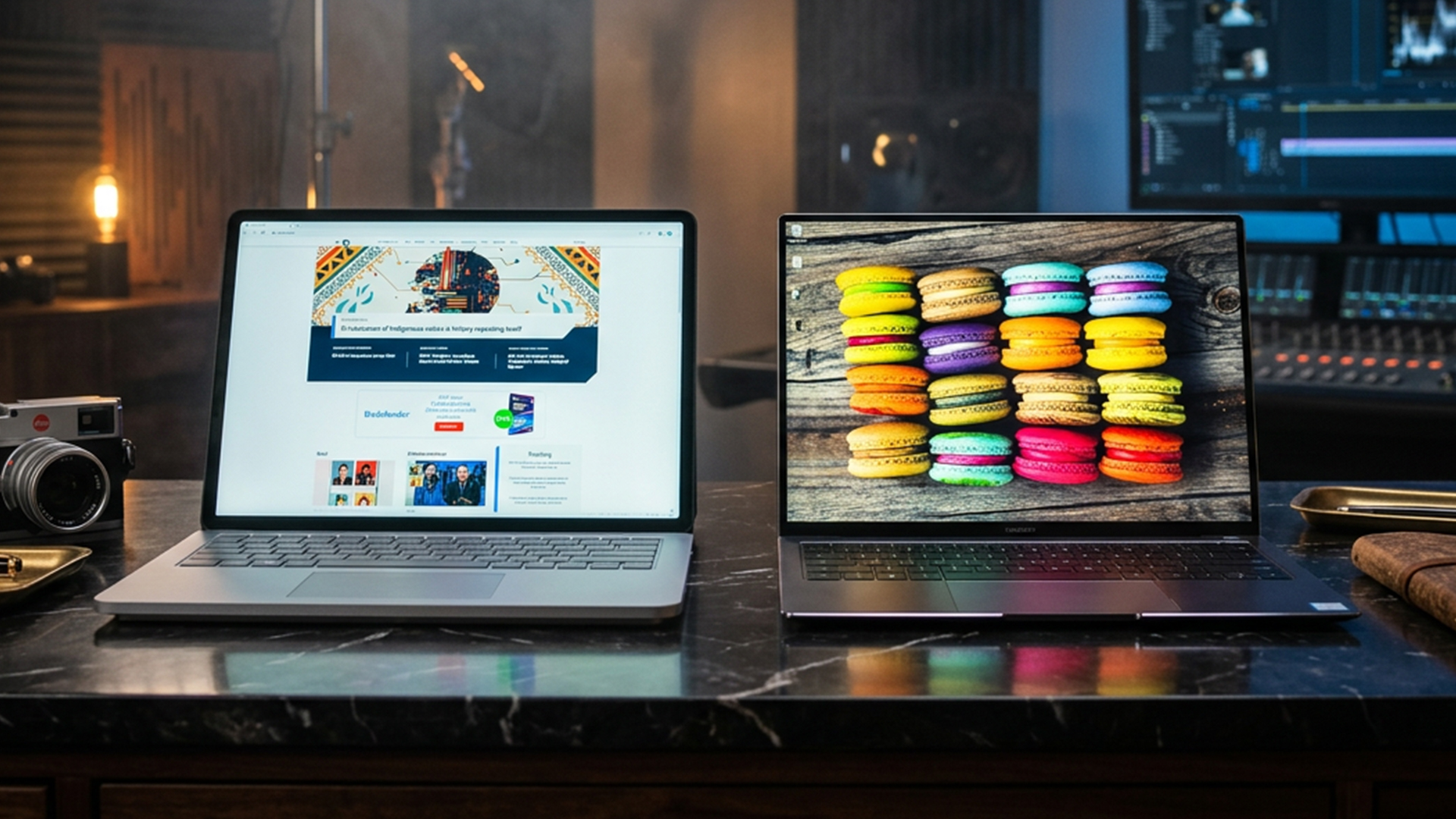
A 2-in-1 laptop is better if you want flexibility. It gives you a touchscreen, multiple usage modes, and the ability to switch between laptop and tablet-style use. It is ideal for students, hybrid workers, casual users, and anyone who wants a device that can adapt to different situations.
A traditional laptop is better if you want simplicity, stability, and strong value for performance. It is ideal for office work, long typing sessions, business use, and users who do not need tablet mode.
For most everyday users, the decision comes down to this: choose a 2-in-1 if you will use the touchscreen, tablet mode and flexible design. Choose a regular laptop if you mainly want a dependable device for typing, browsing, work, and study.
Both can be excellent choices. The best laptop is the one that fits naturally into your routine. To find the right option for your setup, explore Box.co.uk to browse lightweight laptops.
FAQs
Are 2-in-1 laptops better than normal laptops?
2-in-1 laptops are better if you want flexibility, touchscreen use and tablet-style modes. Normal laptops are better if you prefer a simple design, strong typing comfort, and better performance value.
Who uses 2-in-1 laptops?
2-in-1 laptops are popular with students, hybrid workers, teachers, designers, casual users and anyone who wants a laptop that can also work like a tablet.
Is a 2-in-1 laptop good for students?
Yes, a 2-in-1 laptop can be very good for students. It is useful for typing essays, taking notes, watching lectures, reading documents, and using touchscreen features.
Can a 2-in-1 replace a tablet?
A 2-in-1 can replace a tablet for many users, especially for browsing, streaming, note-taking and light creative work. However, a dedicated tablet may still feel lighter and easier to hold for long periods.
What screen size is best for a 2-in-1?
For most users, 13-inch to 14-inch is the best size for a 2-in-1 laptop. It gives a good balance between portability, tablet-style comfort, and enough screen space for work or study.
You can pay with:
*PayPal Credit Representative Example: Assumed credit limit £1,200, Representative 23.9% APR (variable). Purchase rate 23.9% p.a (variable).Terms & Conditions apply.


PayPal Credit and PayPal Pay in 3 are trading names of PayPal UK Ltd, 5 Fleet Place, London, United Kingdom, EC4M 7RD. Terms and conditions apply. Credit subject to status, UK residents only, Five Tech LTD acts as a broker and offers finance from a restricted range of finance providers. PayPal Pay in 3 is not regulated by the Financial Conduct Authority. Pay in 3 eligibility is subject to status and approval. 18+. UK residents only. Pay in 3 is a form of credit. Check if affordable and how you will repay. May make other borrowing more difficult or expensive. See product terms for more details.
Copyright © 1996-2026 Fivetech LTD | Terms and Conditions
box.co.uk & Box are trading names of Five Tech Limited. Registered office: Box LTD, Unit 10 Woodford Trading Estate, Woodford Green IG8 8HF